
The basics
Arithmetic
Section titled “Arithmetic”The usual operators and plain words both work.
| You type | Result |
|---|---|
5 + 3 |
8 |
100 - 42 |
58 |
6 * 7 |
42 |
144 / 12 |
12 |
2 ^ 10 |
1024 |
10 / 3 |
3.333 |
8 times 9 |
72 |
100 divided by 4 |
25 |
(10 + 5) * 2 |
30 |
per means /: 120 km per hour gives 120.
Variables
Section titled “Variables”Give a value a name and use it on any line below. Names are case-sensitive.
price = 120tax = price * 0.2total = price + tax → 144Built-in constants: pi or π (3.14159…), tau or τ (6.28318…) and e (2.71828…).
Variables belong to their sheet: other sheets don’t see them.
Comments and labels
Section titled “Comments and labels”Lines starting with // or # are comments. A line of plain text, with no numbers or operators, is a label. Neither shows a result.
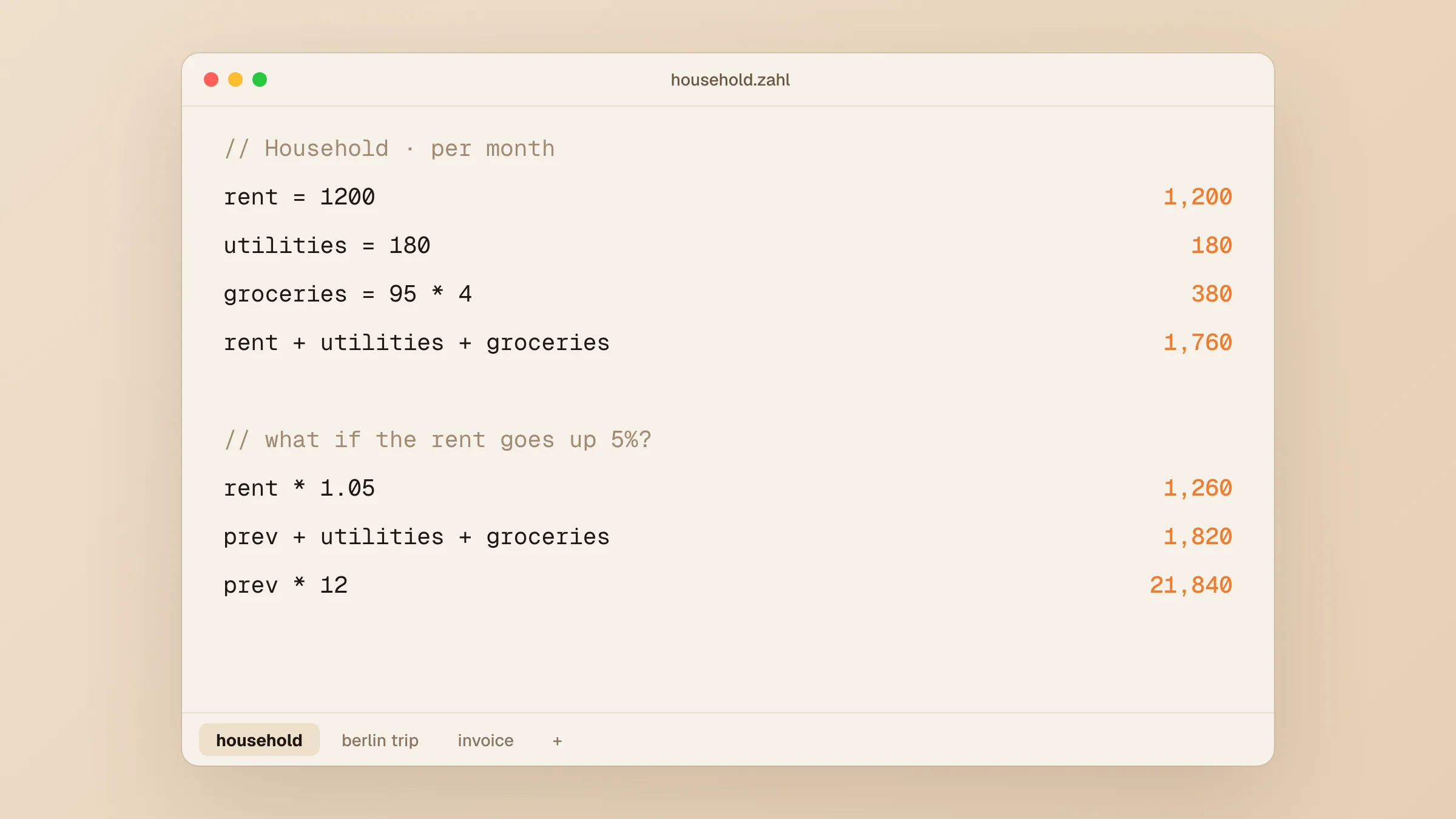
prev is the result of the line just above. A blank line or an error resets it.
sum, average and mean
Section titled “sum, average and mean”Type sum, average or mean alone on a line to add up, or average, every number above it, back to the last blank line or the last total.
10 * 5                   → 508 + 6                    → 14sum                      → 64
100200300average                  → 200
Only plain numbers count; amounts in a currency or a unit are left out. Blank lines start a new total, so they also work as separators.
How numbers are shown
Section titled “How numbers are shown”Thousands get commas. With Precision set to Auto in Settings, trailing zeros go and very large or very small numbers are shortened. Choose a fixed number of decimals, 0–8, instead if you prefer.