
VGM
Load game music files, render them to audio, and extract single cycles from them: wavetables from classic video game soundtracks, with no other tools.
Supported formats: NSF, NSFE, GBS, SPC, AY and HES.
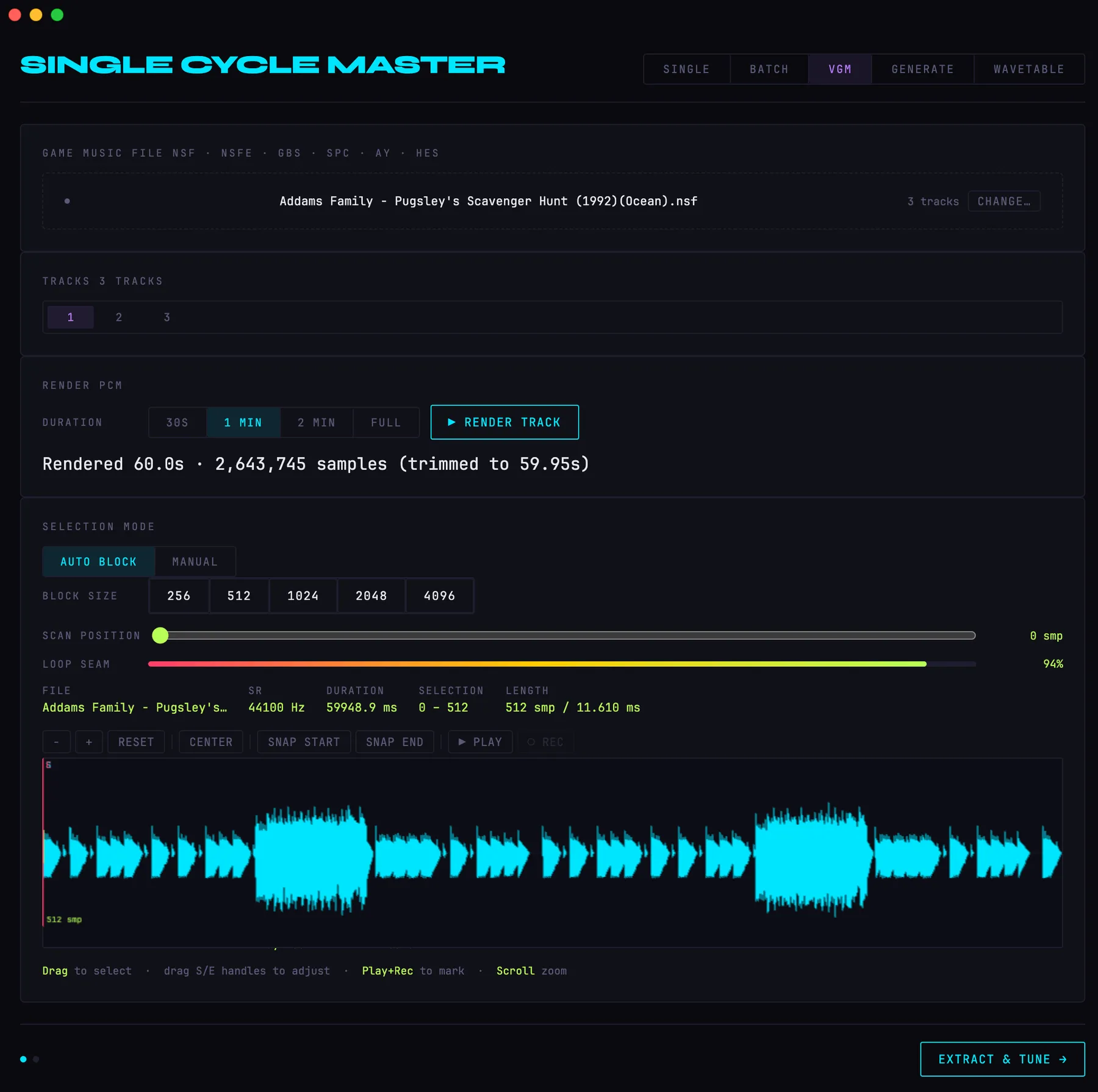
Load a file
Section titled “Load a file”Drop a file onto the drop zone, or click Open Game Music File…. Its tracks are listed, each with ▶ to hear a little before you render it. Files with many tracks switch to a grid.
Render a track
Section titled “Render a track”Choose how much to render, 30 s, 1 min or 2 min, and click Render Track. When the progress bar is full, the waveform appears.
Longer renders give you more places to find a cycle, but take longer. 30 seconds is enough for most arcade tunes.
Choose the cycle
Section titled “Choose the cycle”- Auto Block and Manual work as in the Single tab, and so do zoom, Center, Snap Start, Snap End and ▶ Play.
- Record mark: press the record button while the track plays to start a selection at the playhead.
Extract & Tune → takes you to page 2 once the selection is at least 64 samples long. See Tuning and export.