CoolCal app icon

CoolCal

Your whole schedule, one click away.

A clean month calendar, today’s agenda and your next meeting, right in the macOS menu bar. No app to open, no Dock clutter.

Buy CoolCal — $5One-time · no subscription
Reads macOS Calendar · stays on your Mac
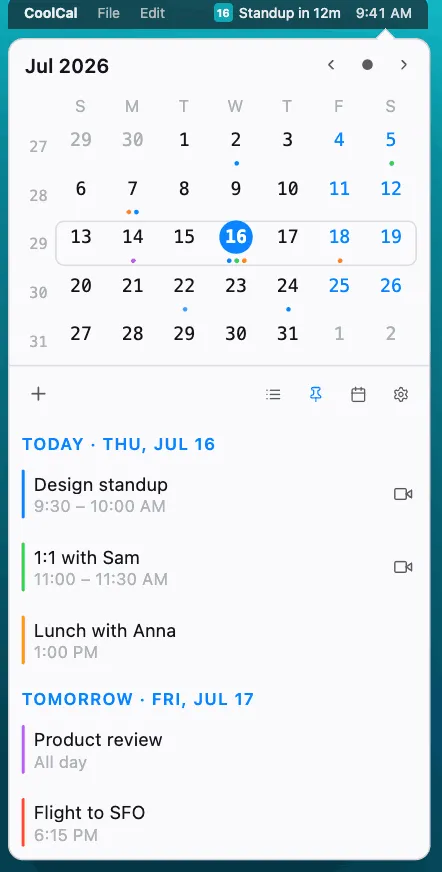
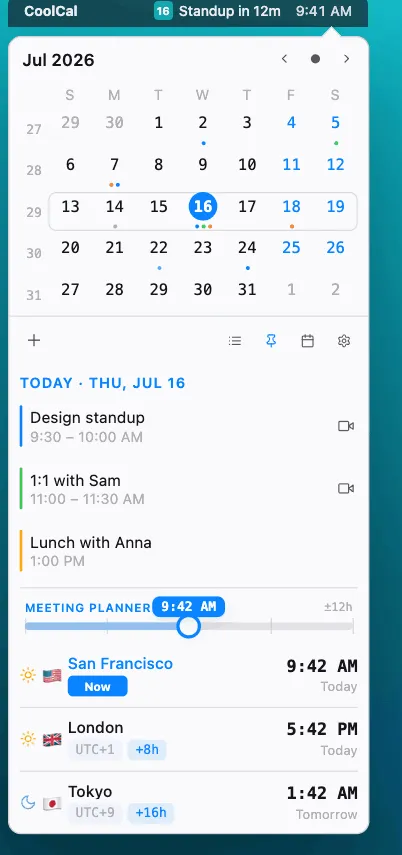
CoolCal popover in the Snow theme: month grid and today’s agendaCoolCal popover in the Midnight theme with Join buttons on meetings

A full calendar in the menu bar

Read straight from macOS Calendar. No setup and no accounts — click the menu bar and everything is there.

CoolCal agenda for today with world clocks below
The daily view

Click once, see everything

  • A month grid with coloured dots for your events
  • Today’s agenda, grouped by day
  • Your next meeting with a live countdown in the menu bar
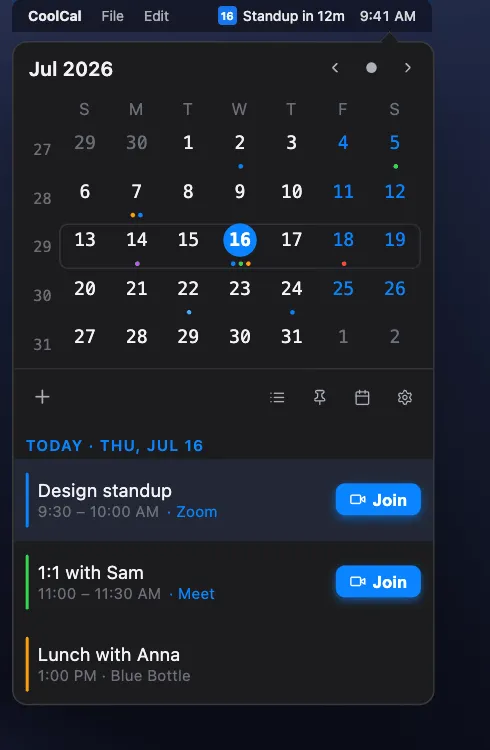
CoolCal in the Midnight theme with Join buttons on two meetings
One-click join

Join the call in one click

  • Spots Zoom, Google Meet and Microsoft Teams links
  • Puts a Join button right on the event
  • No hunting for the link
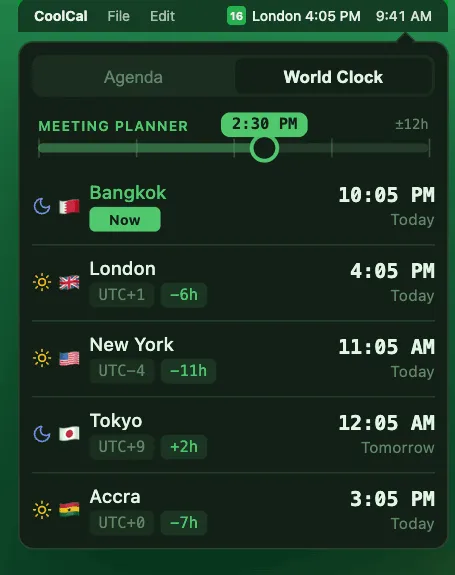
CoolCal world clocks for five cities with a meeting planner slider
Across time zones

World clocks and planner

  • See the time across cities at a glance
  • A ±12-hour scrubber to find the right time
  • Copy everyone’s local time as text
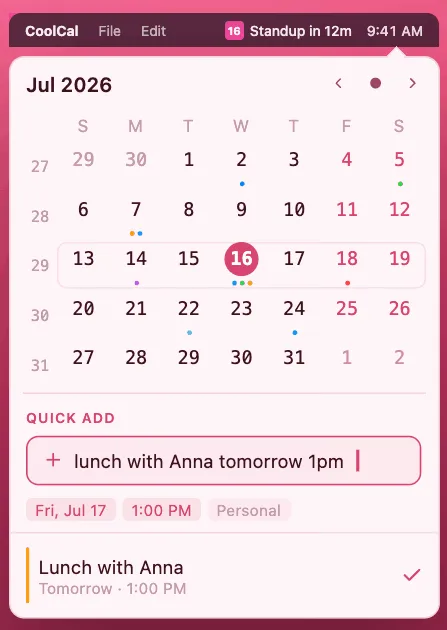
CoolCal quick add turning “lunch with Anna tomorrow 1pm” into an event
Quick add

Add events in plain words

  • Type “lunch with Anna tomorrow 1pm”
  • CoolCal turns it into a real event
  • Arrow keys to move days, T for today
40+ themes

Yours to style

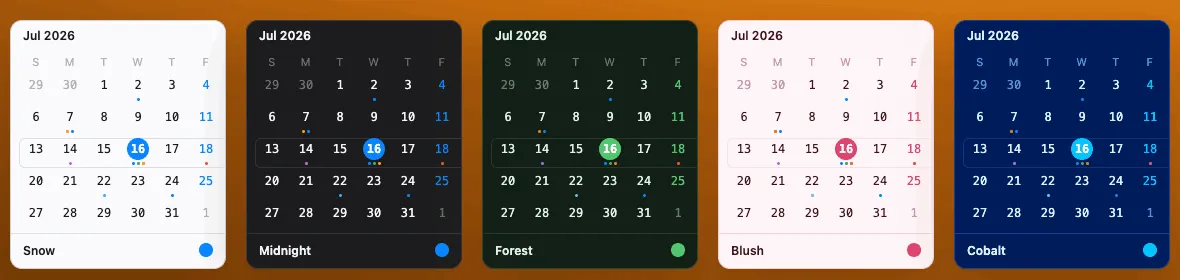
  • 40+ handcrafted light and dark themes
  • Build your own theme and share it
  • Menu bar icon styles, date and time text, week numbers
Five CoolCal themes side by side: Snow, Midnight, Forest, Blush and Cobalt

Keyboard first

  • ⌃⇧COpen CoolCal
  • ← →Move days
  • TJump to today
  • NNew event
Private by design

Your calendar stays on your Mac.

  • Read locallyYour calendar is read on your Mac and never leaves it.
  • No accountsNo sign-ups, no logins, no cloud.
  • No trackingNo analytics and no data collection.

Questions

Is CoolCal a subscription?

No. One payment, yours to keep. No recurring fees and no renewals.

Does my calendar data leave my Mac?

Never. CoolCal reads your macOS Calendar locally. There are no accounts, no servers and no tracking.

Which video calls does one-click Join support?

Zoom, Google Meet and Microsoft Teams links on your events get a Join button.

Can I change how it looks?

Yes — 40+ light and dark themes, your own themes, menu bar icon styles, date and time text, week numbers and weekend highlighting.

What do I need to run it?

A Mac with macOS 14 or later. After purchase you download a small ZIP; unzip it and move CoolCal to Applications.

$5 once, yours to keep
  • One-time purchase, free updates
  • Lives in the menu bar
  • Download, unzip, move to Applications
Buy CoolCal — $5