
Konpo Player
A music player for people who keep their music in folders.
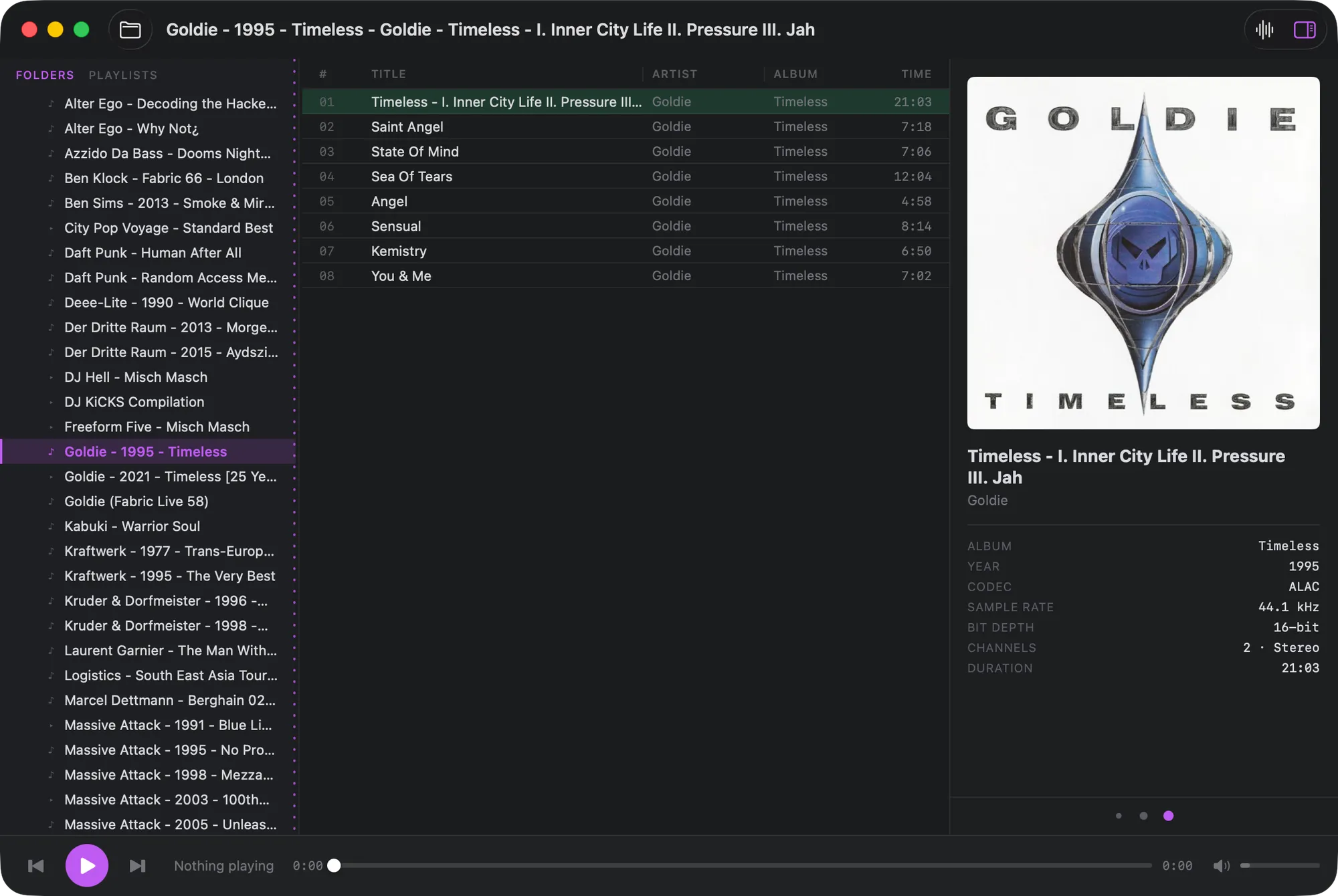
Point Konpo at your music folder and browse it exactly as it is on disk. Quiet, dense and run entirely from the keyboard — with the MilkDrop visualizer from the Winamp days, if you want it.
Apple silicon & Intel
What you get
Your folders are the library
No importing, no scanning, no database to look after.
Plays your files
ALAC, AAC/M4A, MP3, FLAC, WAV, AIFF and more.
Album view
A cover grid with live search; multi-disc albums show as one.
Gapless playback
For albums mixed to run straight through.
Album art
Embedded art, or cover.jpg and folder.jpg in the folder.
Track details
Codec, sample rate, bit depth, channels and length.
Playlists
Saved automatically; add tracks or whole folders.
Media keys
Play, pause and skip, with Control Center and the lock screen.
Make it yours
Accent colour, column widths and three art panel sizes.

MilkDrop, back on the Mac
Press ⇧⌘V and the classic Winamp visualizer opens in its own window, reacting live to whatever is playing. Konpo uses Butterchurn, a faithful WebGL rebuild of MilkDrop, and cycles through its presets — or load a folder of your own.
It takes no memory until you open it, and closing it frees everything again.
Why Konpo brings back MilkDrop →Keyboard
- Switch between listsTab
- Play the selected trackReturn
- Play / pauseSpace
- Next / previous⌘→ / ⌘←
- Skip 10 seconds⌥⌘→ / ⌥⌘←
- Folders, albums, playlists⌘1 ⌘2 ⌘3
- Album art panel⌘B
- Visualizer⇧⌘V
“I’m a big fan of foobar2000, but I wanted something even more minimal and keyboard-first. I also grew up with Winamp — so I brought back its MilkDrop visualizer.”
