
CoolCal Manual
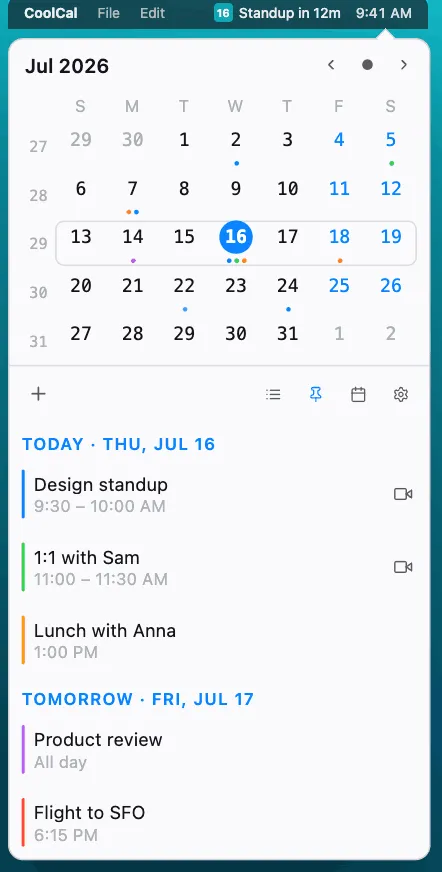
CoolCal puts a calendar in your menu bar: the month, your agenda, your next meeting and a world clock, one click away. It shows the calendars you already have on your Mac.
- Click the date in the menu bar to open the calendar.
⌃⇧Copens and closes it from anywhere. - Right-click it for Join Meeting, Settings…, registration, shortcuts to System Settings, and Quit.
The first time, macOS asks whether CoolCal may use your calendars. If you said no, turn it on in System Settings › Privacy & Security › Calendars.
Every page
Section titled “Every page”| Page | What it covers |
|---|---|
| Calendar and events | The month grid, the agenda, new events, quick add |
| Meetings | The countdown to your next meeting, joining in one click |
| World clocks | Cities, the ±12-hour planner, copying times |
| Themes and the menu bar | 40+ themes, your own, the menu bar icon |
| Settings and purchase | Every setting, the free trial and registering |
| Keyboard shortcuts | Every key |