
World clocks
The world clock shows the time in every city you’ve added: each row has the city’s flag, its name, its offset from you and its time.
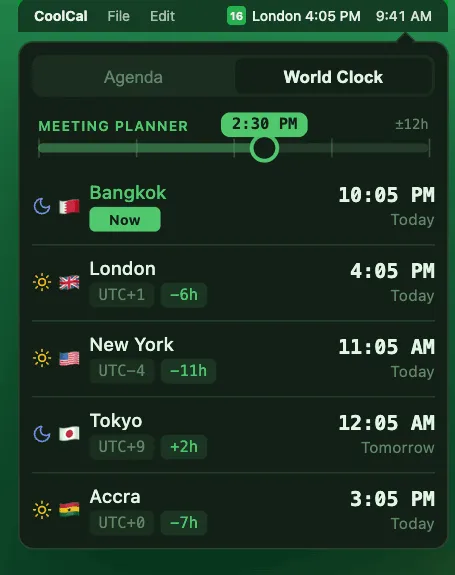
- Find a time: drag the scrubber up to 12 hours either way, and every city’s time moves with it. Now brings it back.
- Copy the times: copy every city’s time as text, ready to paste into an invitation or a chat.
- Add or remove cities in Settings → Time Zones: + Add Time Zone, or select one and Remove.