Calendar and events
The month and the agenda
Section titled “The month and the agenda”The month grid shows coloured dots on days with events. Below it, the agenda lists your events, grouped by day.
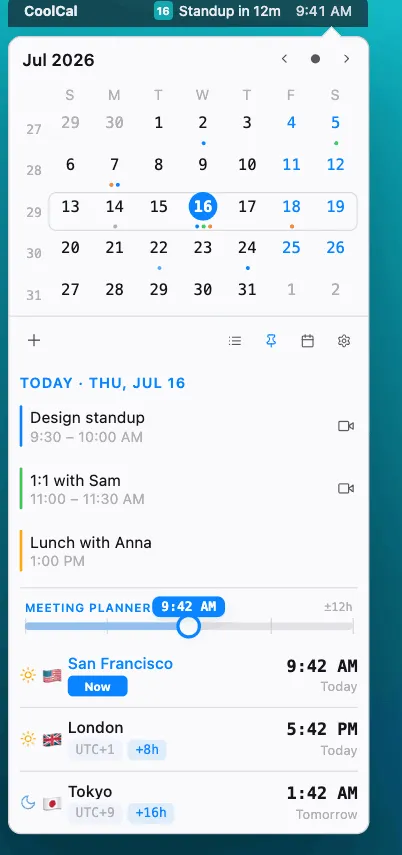
- Move the selected day with the arrow keys, and change month with
Page UpandPage Down.Tgoes back to today. - Week numbers (ISO), the first day of the week and highlighted weekends are set in Settings → General.
- Show or hide calendars with the filter in the toolbar.
- Delete an event by right-clicking it in the agenda and choosing Delete Event.
Add an event
Section titled “Add an event”Click + in the toolbar, or press N. Fill in the title, the time (or All day), notes, a URL and an alarm.
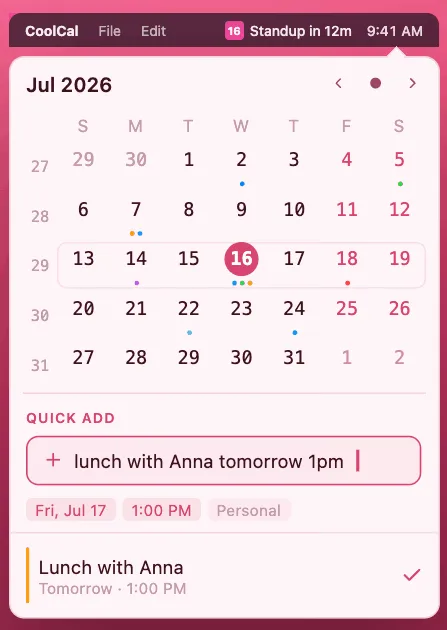
Quick add
Section titled “Quick add”Or type it in plain words in the quick add field at the top, and press Return:
lunch with Anna tomorrow 1pm
CoolCal turns it into an event with the right day and time.