
Media Spy Pro
Media Spy Pro is the same app with five tools added for checking files before you deliver them. It includes everything in Media Spy, so you only need one of the two.
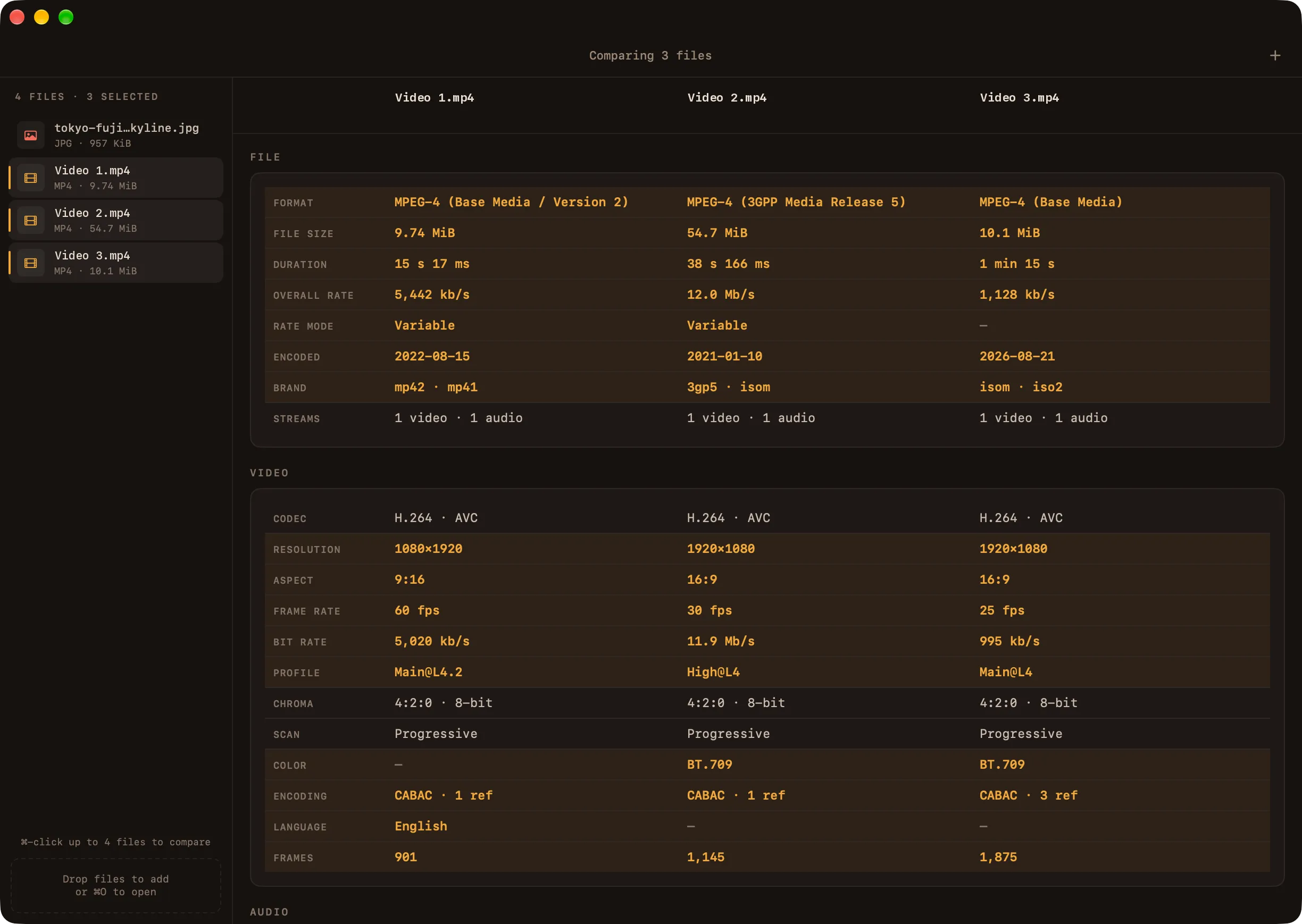
Compare up to four files
Section titled “Compare up to four files”⌘-click up to four files in the sidebar to line them up in columns. Values that differ are highlighted, so a wrong frame rate or a different codec stands out at a glance.
Delivery specs
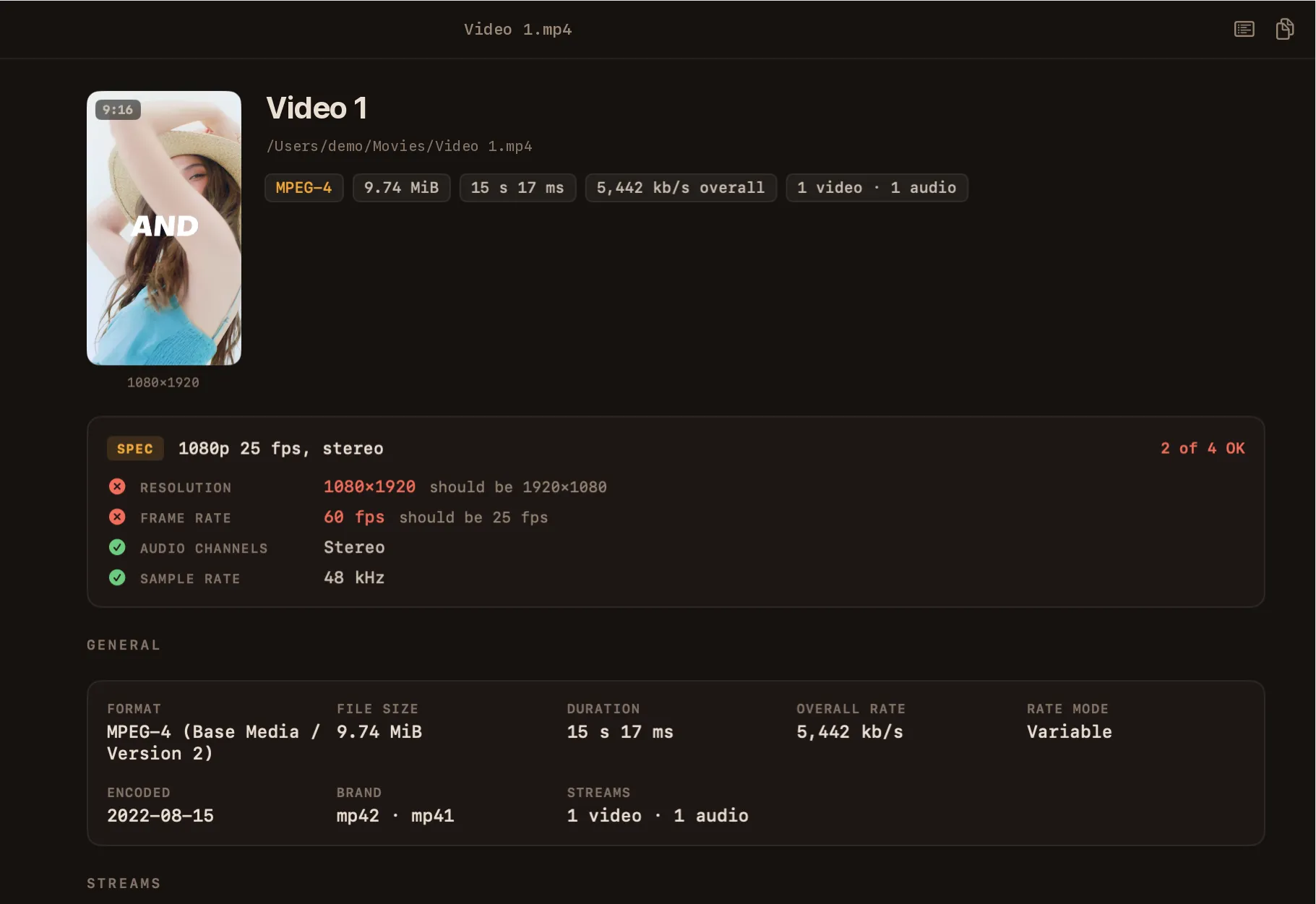
Section titled “Delivery specs”Save the specs your clients ask for: codec, resolution, frame rate, HDR, audio channels, sample rate and so on.
- Choose Edit Specs… and add a spec with
+. Add its rules; the common values are offered. - Pick the spec. Every file you open now shows a tick or a cross for each rule, with what it should be, and how many of the rules are OK.
- No spec turns the check off.
Loudness
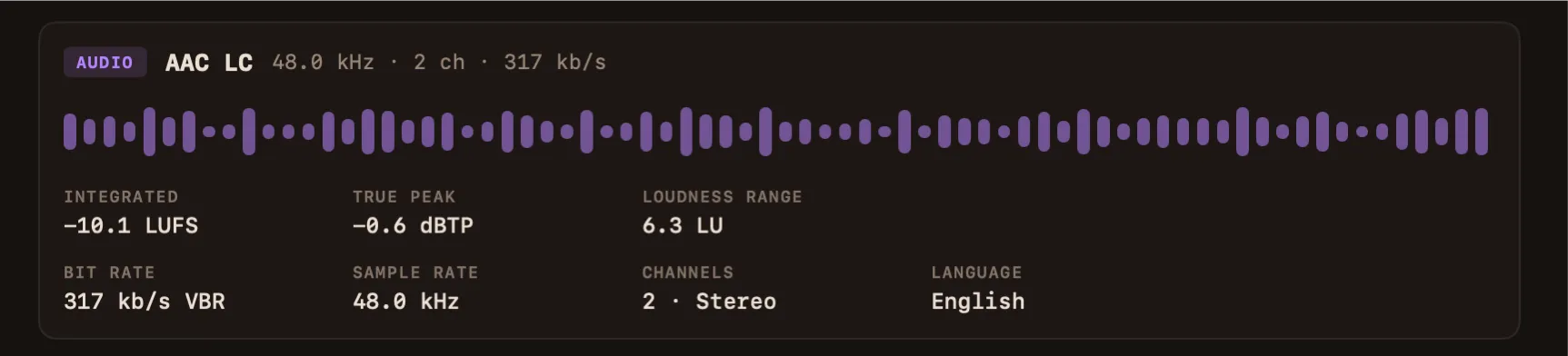
Section titled “Loudness”Integrated loudness, true peak and loudness range, measured to the EBU R128 standard.
- Audio files are measured as soon as you open them.
- For a video, click Measure on its audio card. It reads the whole audio track, which can take a while for a long file.
Bitrate graph
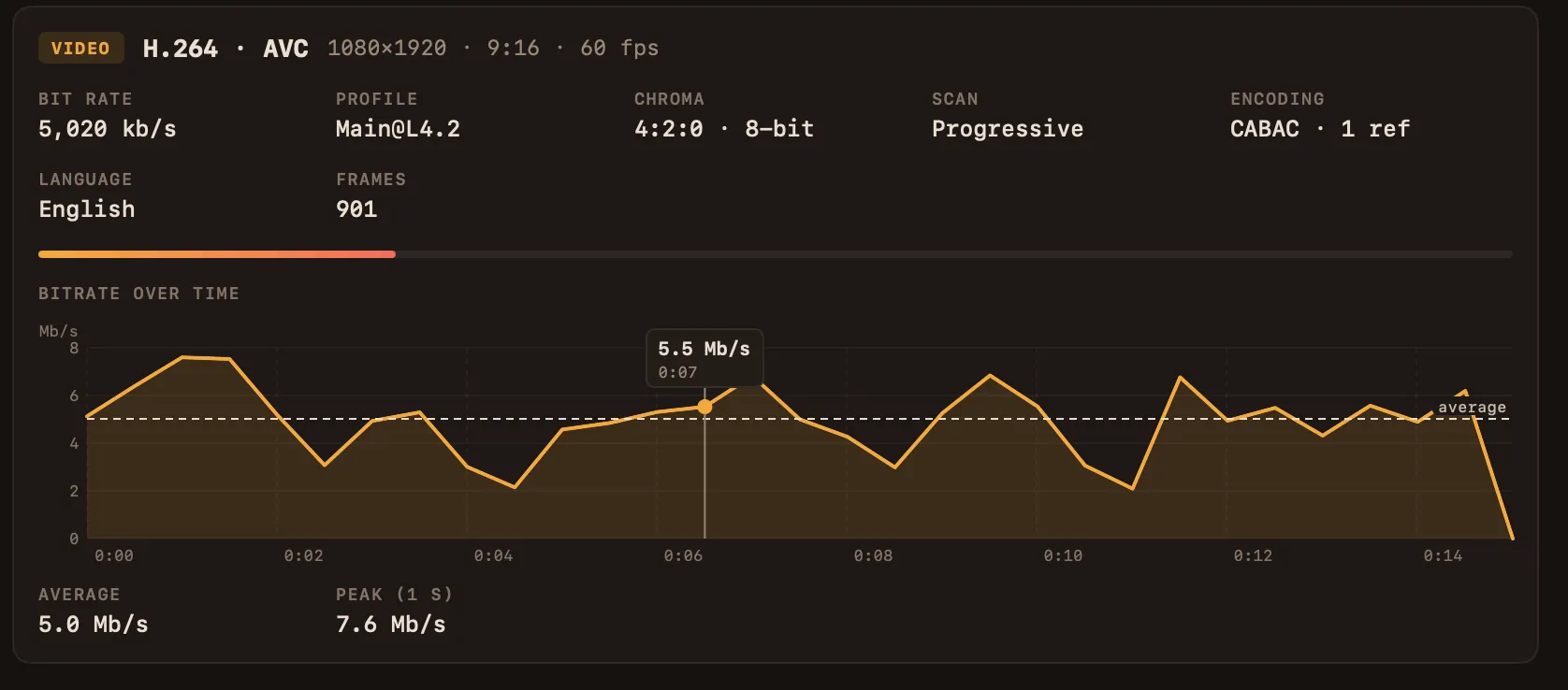
Section titled “Bitrate graph”A graph of the bitrate over the length of an MP4 or MOV video, with the average and the highest one-second peak. Hover to read any point. Even very large files graph in a moment. For other formats the graph says it isn’t available.
Folder to CSV
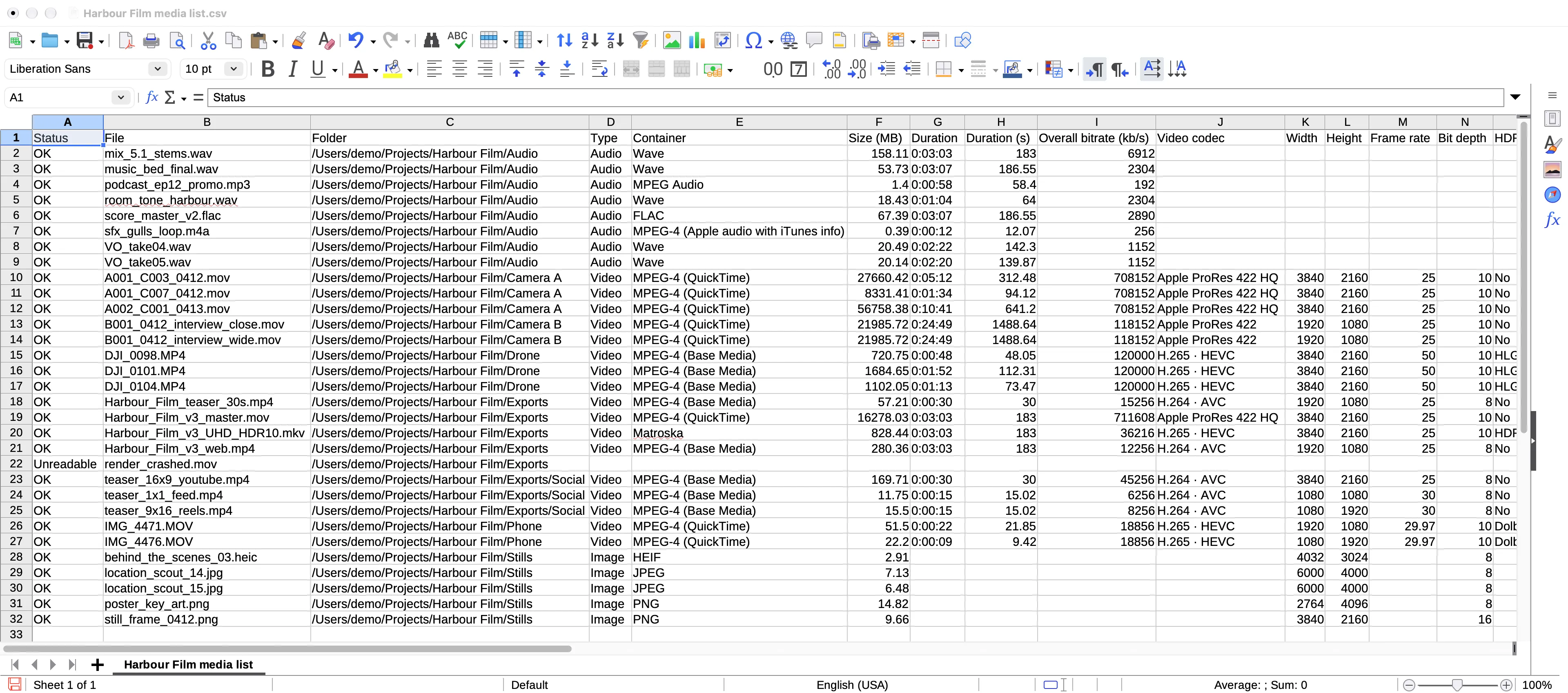
Section titled “Folder to CSV”Export Folder to CSV… (⇧⌘E) asks for a folder, then reads every media file in it and its subfolders: one row per file, with format, size, duration, codecs, resolution, frame rate, audio and HDR. Files it can’t read are listed too, so nothing goes missing.
The licence
Section titled “The licence”Media Spy Pro is a one-time purchase, and your licence key works on five Macs.
- Activate: the first time, Media Spy Pro asks for the licence key from your purchase email.
- License… shows your licence. Deregister This Mac… frees this Mac’s place, for example before you move to a new Mac; Media Spy Pro then asks for a key again on this Mac.
- Pro goes online only to activate your key and to check it about once a month. Your files never leave your Mac.