StepSnip
Every step, captured.
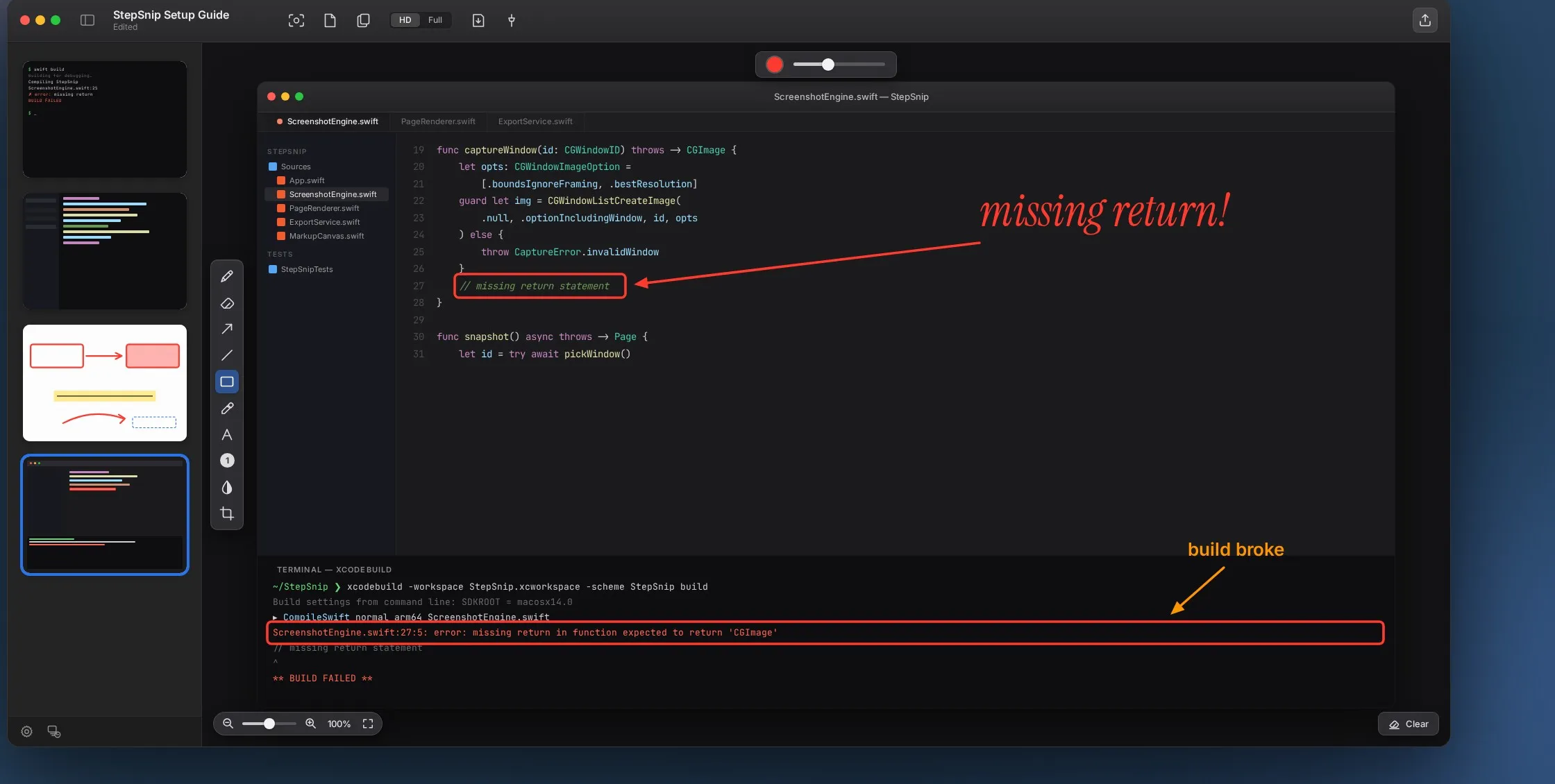
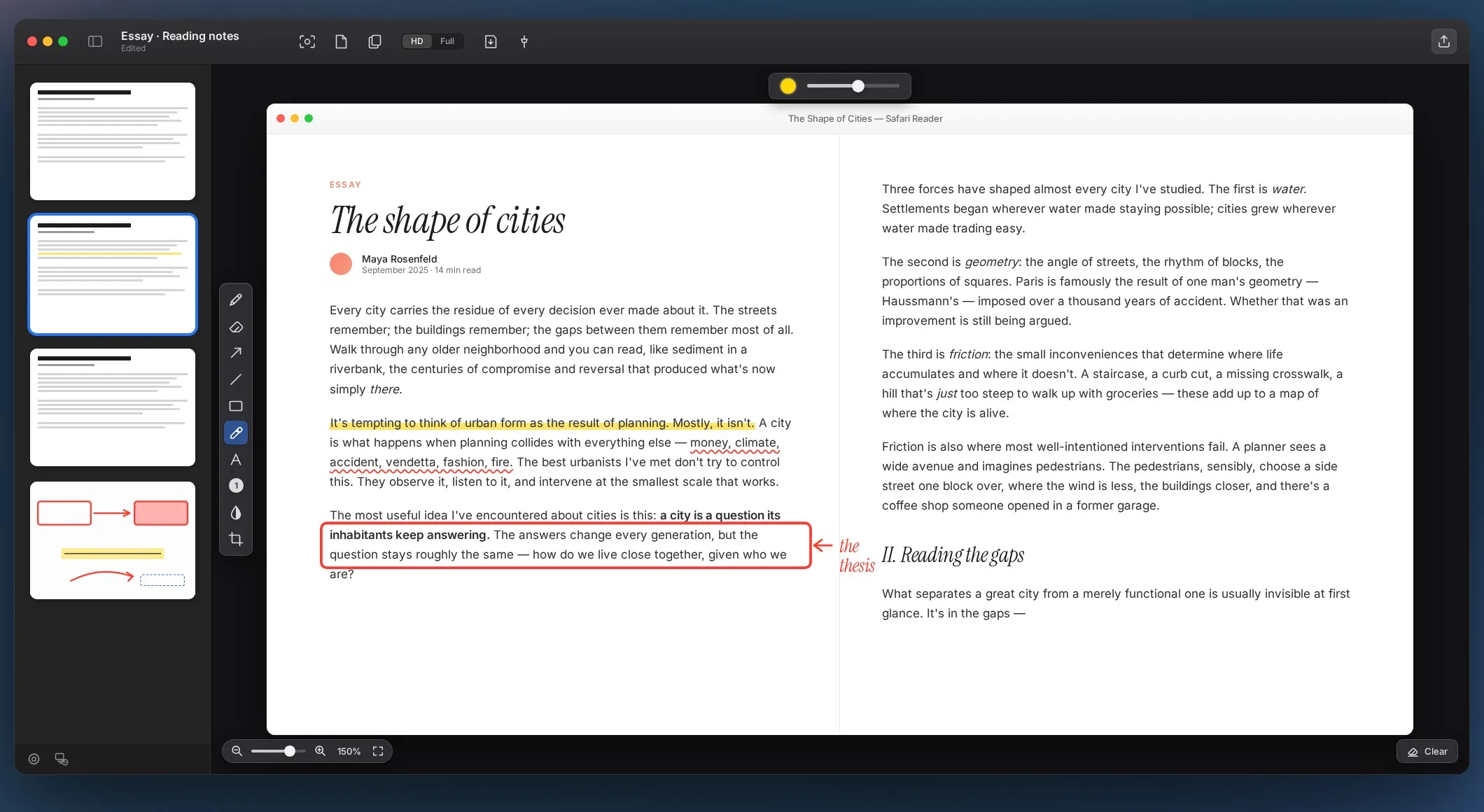
Every other screenshot tool leaves you a folder of loose PNGs. StepSnip captures into one growing document instead — a Preview-style window with page thumbnails on the left and a full markup canvas on the right. Export the whole thing as one PDF.
macOS 14+ · Apple silicon & Intel · no account
Perfect for
- i.
How-to guides & SOPs
Walk a coworker through a process. Every step is its own page, in order, ready to export.
- ii.
Bug reports & QA
Capture each reproduction step, circle the broken bit, blur the tokens, send.
- iii.
Onboarding & training
Build training docs as fast as you can capture a screen. No switching to a doc app.
- iv.
Design reviews
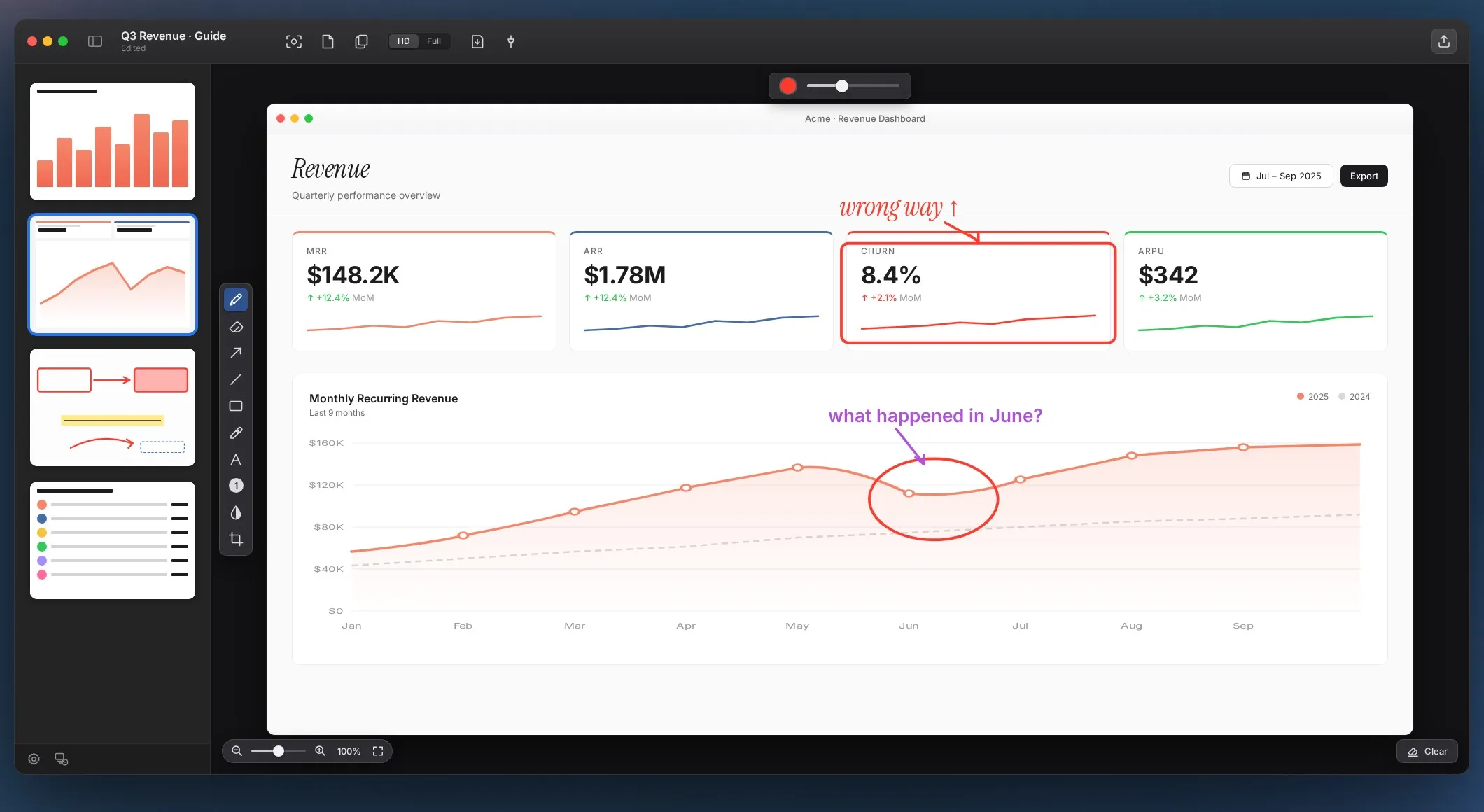
Drop in screenshots of a design, arrow and note every comment, hand over one PDF.
Features
Swift, ScreenCaptureKit, menu bar. No Electron, no account, no telemetry.
Multi-page documents
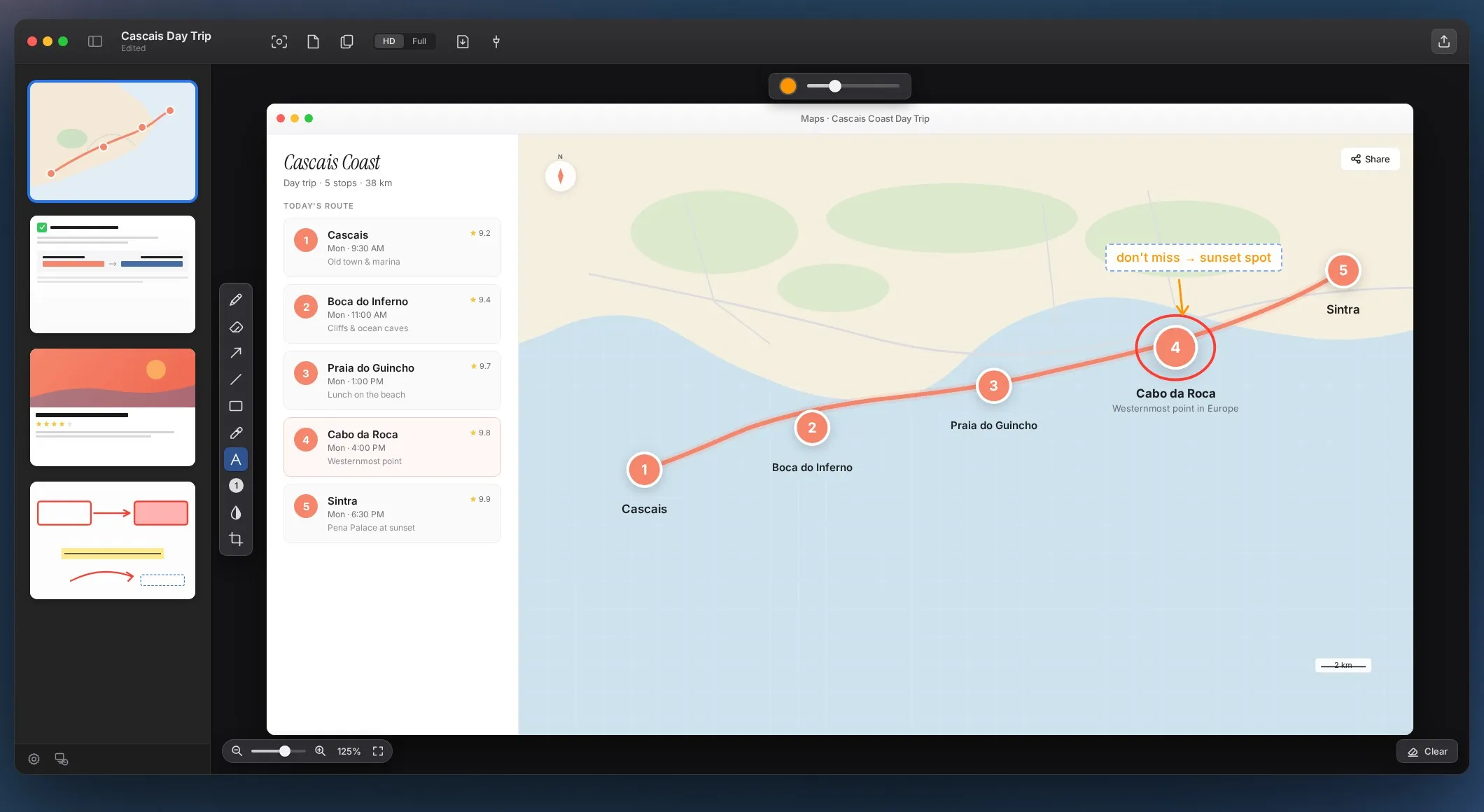
Every capture becomes a new page in the same file.
Area, window and full screen
Powered by Apple’s ScreenCaptureKit.
Markup toolbar
Pen, eraser, arrows, lines, rectangles, highlighter, text, blur.
Drag-to-reorder sidebar
Thumbnails on the left, like Preview.
Blank pages for notes
Section breaks, diagrams or notes between screenshots.
Global hotkey
Capture without leaving the app you’re documenting.
Auto-copy to clipboard
The latest snip is always one ⌘V away.
PDF, PNG and JPG export
One PDF, or individual pages as images.
Drag out
Drop any page straight into Slack, Mail or Notion.
Menu bar app
Out of your way until you press the hotkey.
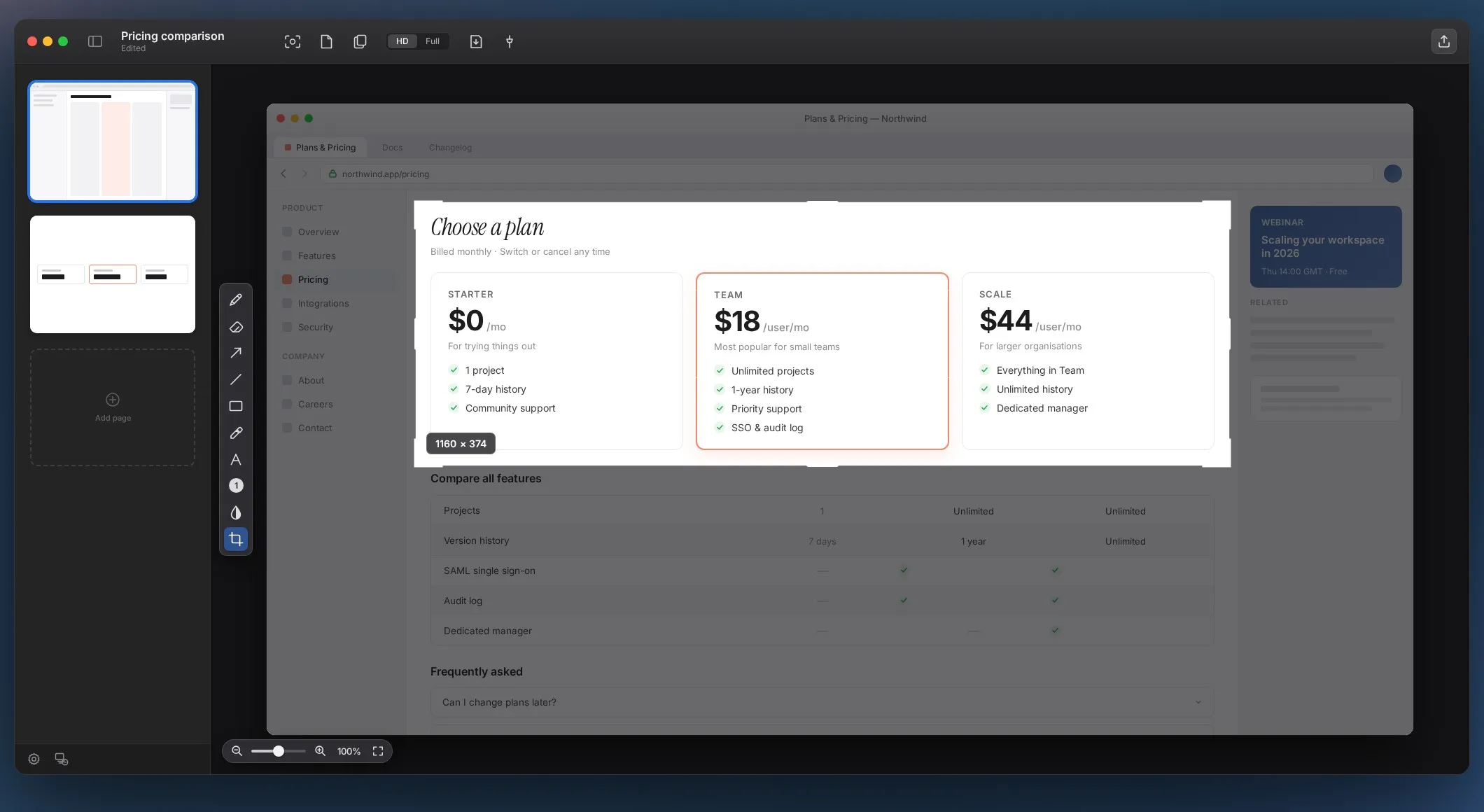
Crop tool
Trim browser chrome, sidebars and banners away.
Numbered step badges
Auto-incrementing markers so readers follow in order.
HD or full resolution
A lighter HD capture or full Retina, per document.
Zoom and fit
From 12.5% to 800%, or fit the whole page on screen.
How it works
- i.
Trigger
Press the hotkey or click the menu bar icon, then drag a region.
- ii.
Land
The capture lands as a new page in the active document.
- iii.
Annotate
Arrows, callouts, numbered steps, crops and redactions.
- iv.
Arrange
Add more pages and blank pages; reorder in the sidebar.
- v.
Export
Send one PDF, or drag a single page out to another app.
- All capture modes and markup tools
- Unlimited pages and documents
- Full PDF, PNG and JPG export
- No credit card — your documents stay yours
- Lifetime unlock, or $0.99 a month if you prefer
- Bought through the Mac App Store
- Same app as the trial — nothing to reinstall
- No account, no telemetry
What’s new
Version 1.1 · August 2026Crop tool New
Screenshot, strokes and annotations move together. One undo step.
Zoom New
12.5% to 800%; each page remembers its own zoom.
Clear Markup New
Strip every stroke from a page and keep the screenshot.
Clear All New
Empty the whole document in one go, after a confirmation.
Tools on the canvas Improved
The ten markup tools now sit in a strip beside the canvas.
Edit shapes after drawing Improved
Click any shape to change its colour or width.