Why Konpo brings back the Winamp MilkDrop visualizer
How Winamp and MilkDrop turned music into light, why the visualizer still has fans, and how the free Konpo player brings it to the Mac with Butterchurn.
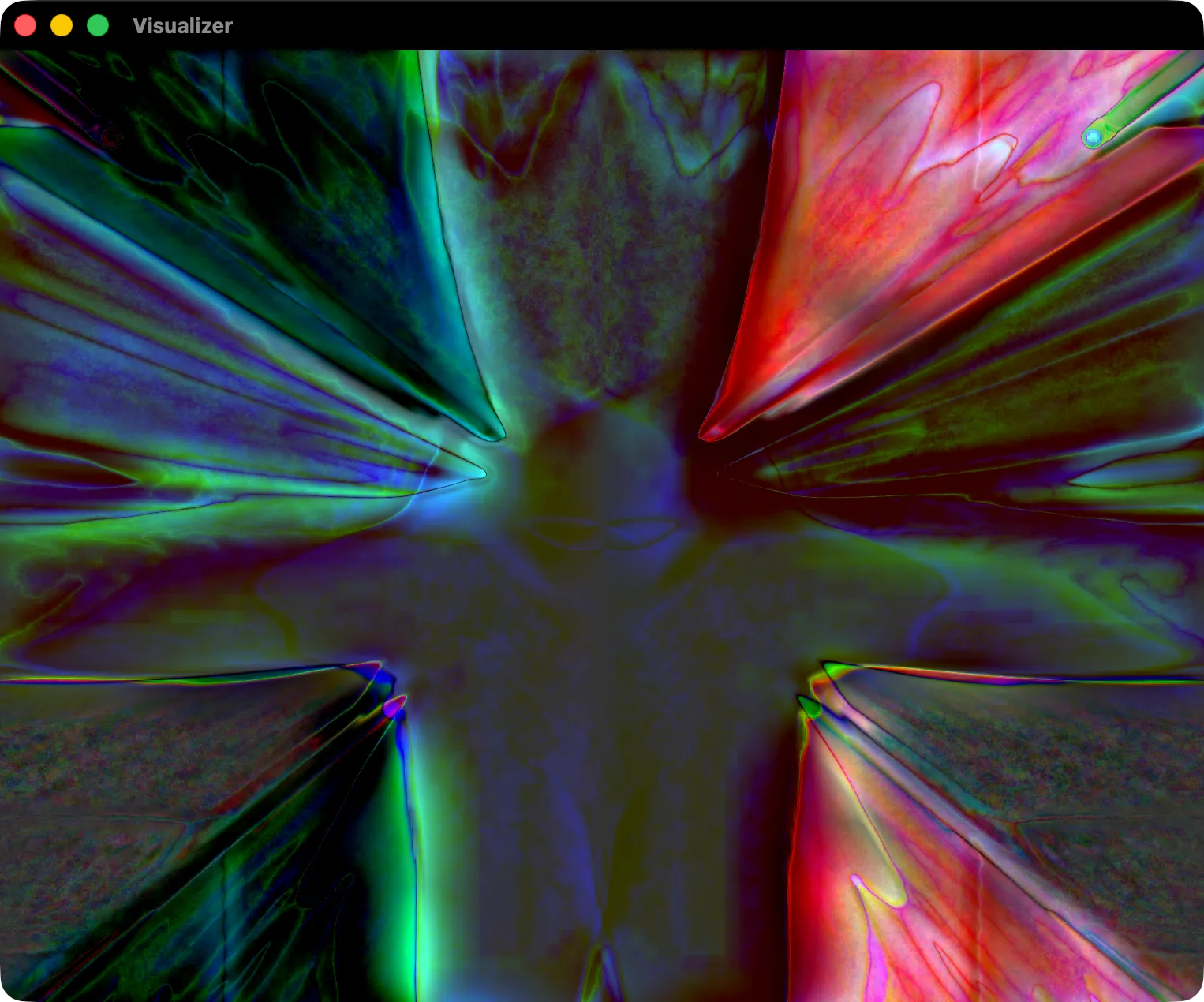
Konpo is a small, free music player for the Mac. It plays your music folders as they are on disk, it’s fast, and you can run it without touching the mouse. It also has one thing most modern players dropped long ago: a visualizer. Press ⇧⌘V and a window opens with swirling, pulsing colour that moves with the music.
That visualizer is MilkDrop, and if you used a Windows PC around 2002, there’s a good chance you have already lost an evening to it.
Winamp, and a player you could make your own
Winamp came out in April 1997, written by Justin Frankel and Dmitry Boldyrev at a tiny company called Nullsoft. MP3 files were just starting to spread, and Winamp was the player everyone installed to play them. It was small, it was fast, and its startup sound announced that it really whipped the llama’s ass.
What made Winamp stick was that you could change almost everything about it. Version 1.90, in March 1998, added support for plugins, and people built them for everything: new audio formats, output devices, and above all visualizations. Skins changed how the player looked; visualizers turned the music itself into pictures. Nullsoft did well enough that AOL bought it in 1999.
From Geiss to MilkDrop
Ryan Geiss had already written one of the most loved Winamp visualizers, the Geiss plugin, in 1998. It ran on the processor and squeezed out its speed with hand-tuned assembly code.
On 5 November 2001 he released MilkDrop. This time the work was done by the graphics card, which had just become fast enough for it, and the difference showed: smooth, full-screen, high-resolution motion that responded to every beat.
The real trick was the presets. A MilkDrop preset is a small set of equations that describe how the image moves, warps, zooms and fades from one frame to the next, and how the waveform of the music is drawn into it. Because each frame is built from the one before, simple rules turn into endless tunnels, smoke and liquid light. Anyone could write a preset, and thousands of people did. They were swapped on the Winamp forums and on personal homepages, and big collections still circulate today.
Why it never really went away
MilkDrop was made for the moment you stop doing anything else and just listen. It never repeats in quite the same way, the presets are made by people rather than generated, and it reacts to the music instead of playing a video next to it. For a lot of people it is also simply what music looked like at the time.
In 2005, MilkDrop’s source code was released under a BSD licence. That opened the door to recreations, and there are now several:
- projectM rebuilt MilkDrop in C++ and OpenGL and runs inside many music players, on Linux, Windows and the Mac.
- Butterchurn, by Jordan Berg, rebuilt it in WebGL, so it runs in a browser. It comes with a converter that turns classic MilkDrop presets into its own format, which is why so many of the old favourites work in it.
How Konpo does it
When adding a visualizer to Konpo, both projectM and Butterchurn were on the table. projectM is native code, but it has to be built for both Apple silicon and Intel, linked in a particular way for its licence, and fed the audio by hand. Butterchurn runs in a web view, draws with the graphics card through WebGL, and brings the converted presets with it.
Konpo uses Butterchurn. The visualizer lives in its own window, reacts live to whatever is playing, and cycles through its built-in presets. Right-click it to load a folder of your own presets, or to go back to the built-in ones.
The other rule was that the player must stay light. The visualizer takes no memory until you open it, and closing the window frees everything again. If you never press ⇧⌘V, Konpo is just a quick, quiet player for your folders.
Try it
Konpo is free and runs on macOS 14 or later, on Apple silicon and Intel. Point it at your music folder, put on a record you know well, and open the visualizer.