
MacBulwark Manual
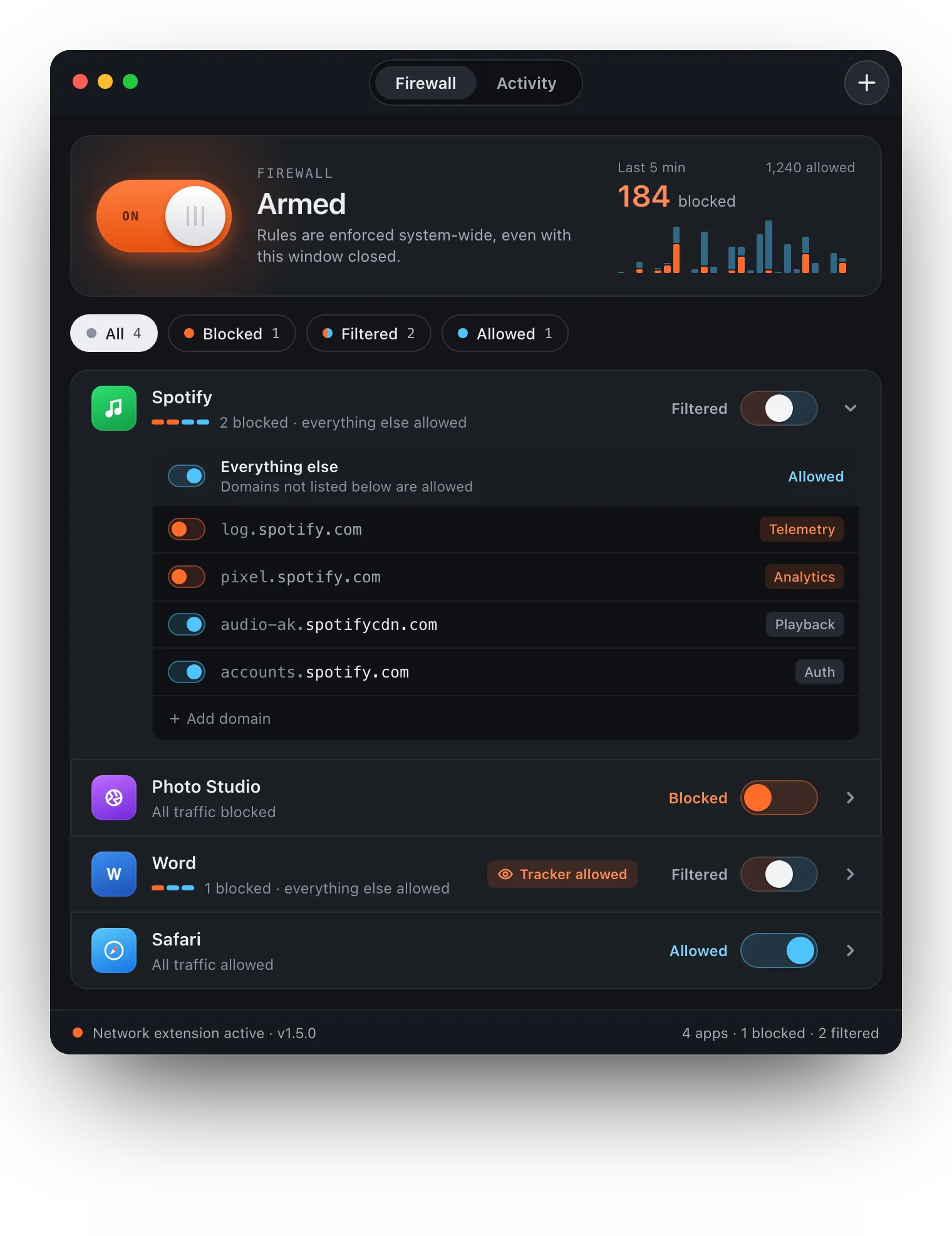
MacBulwark is a firewall for what leaves your Mac. It decides which apps may connect to the internet, and to which domains. Your rules are enforced by a macOS network extension, so they keep working after you close the MacBulwark window and after every restart.
- Per app: block an app completely, allow it completely, or filter it domain by domain.
- Allow-lists and block-lists: choose whether an app may reach only the domains you allow, or everything except the domains you block.
- Activity: see which apps and processes connected to which domains in the last 5 minutes, and block or allow any of them with one click.
- Tracker hints: telemetry and analytics domains are labelled, and apps that can still reach one are flagged.
- Light, Dark or Match system appearance.
MacBulwark needs macOS 14 Sonoma or later, on Apple silicon or Intel.
Every page
Section titled “Every page”| Page | What it covers |
|---|---|
| Getting started | The trial or your licence, turning on the firewall and approving its extension |
| The Firewall tab | The master switch, adding apps, Blocked / Filtered / Allowed, an app’s domains |
| Activity | What went online in the last 5 minutes, and blocking from there |
| How rules work | Everything else, exceptions, which rule wins, examples |
| Audio plug-ins | Blocking a plug-in’s connections without taking your DAW offline |
| Domain labels | What Telemetry, Analytics, CDN and the other labels mean |
| Settings and licence | Appearance, registering, moving to another Mac, updates |
| Troubleshooting | When the firewall won’t turn on or an app still connects |