


MacBulwark
Stop your apps from phoning home.
A firewall for what leaves your Mac. See which domains each app contacts, block the telemetry and trackers, and keep everything the app actually needs.
macOS 14+ · Apple silicon & Intel
What is your software actually doing?
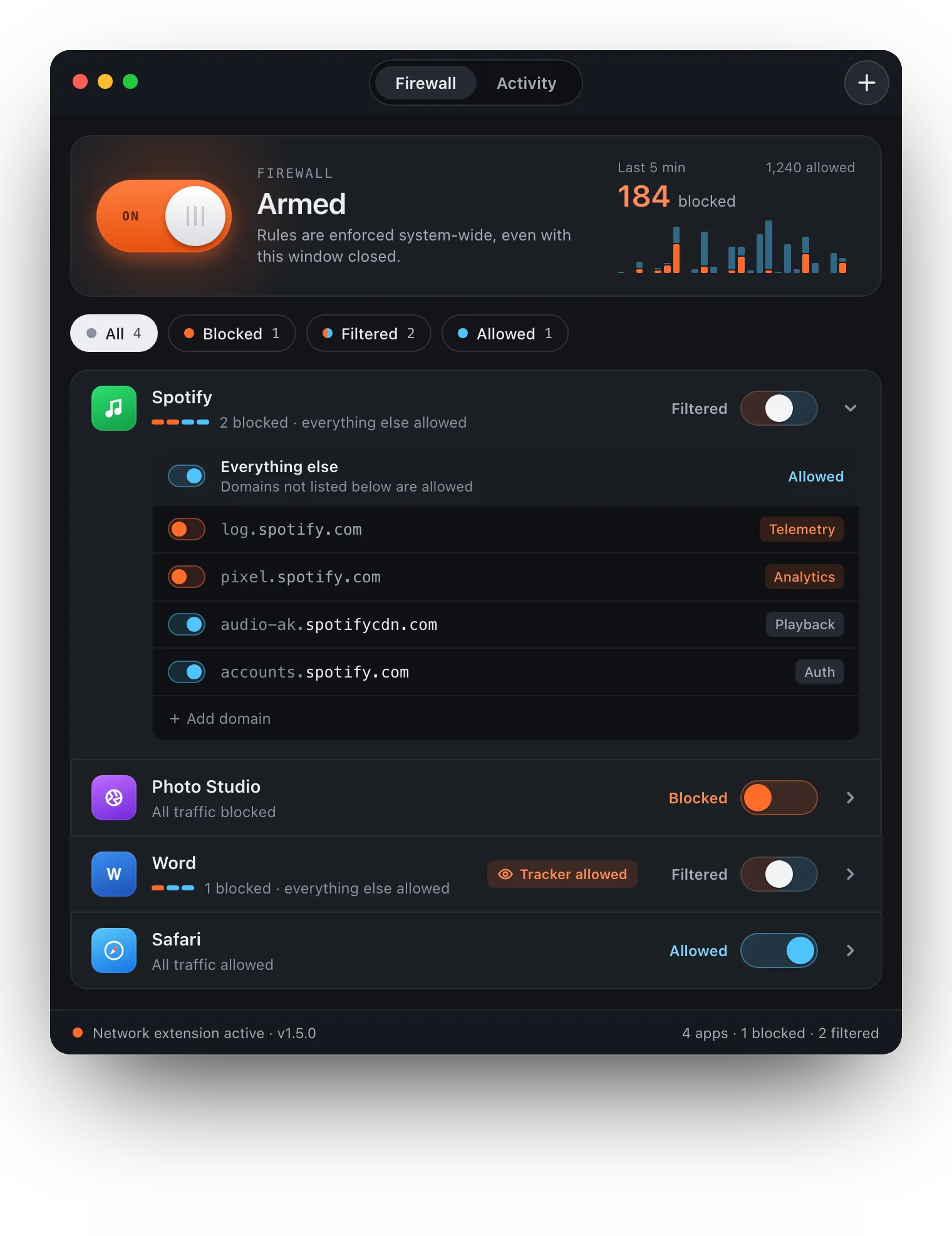
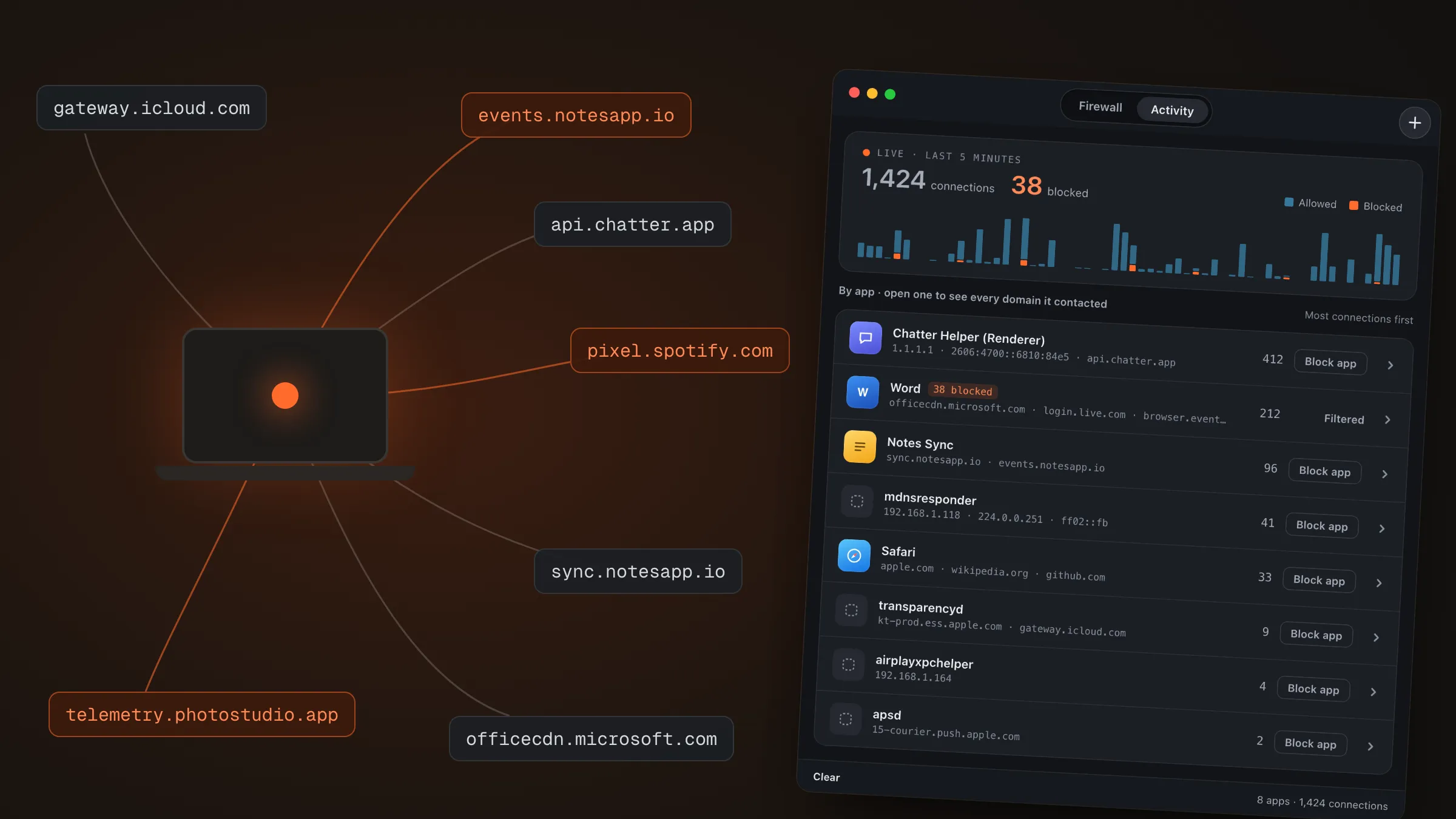
Open almost any app and it starts talking: usage reports, crash diagnostics, analytics, ad networks, sync. None of it asks first, and macOS doesn’t show it. MacBulwark does, app by app and domain by domain, so you decide what goes out.
- 09:41:02Spotifylog.spotify.comblocked
- 09:41:02Spotifyaudio-ak.spotifycdn.comallowed
- 09:41:05Wordbrowser.events.data.msn.comblocked
- 09:41:07Photo Studiotelemetry.photostudio.appblocked
- 09:41:09Safariapple.comallowed
- 09:41:12Wordlogin.live.comallowed
- 09:41:15Spotifypixel.spotify.comblocked
Three steps, then forget it
Set a rule once. A system network extension enforces it from then on, even when MacBulwark is closed and after a restart.
- 01
Add an app
Click + and pick any app, or drop it on the window. It starts out blocked.
- 02
Pick a state
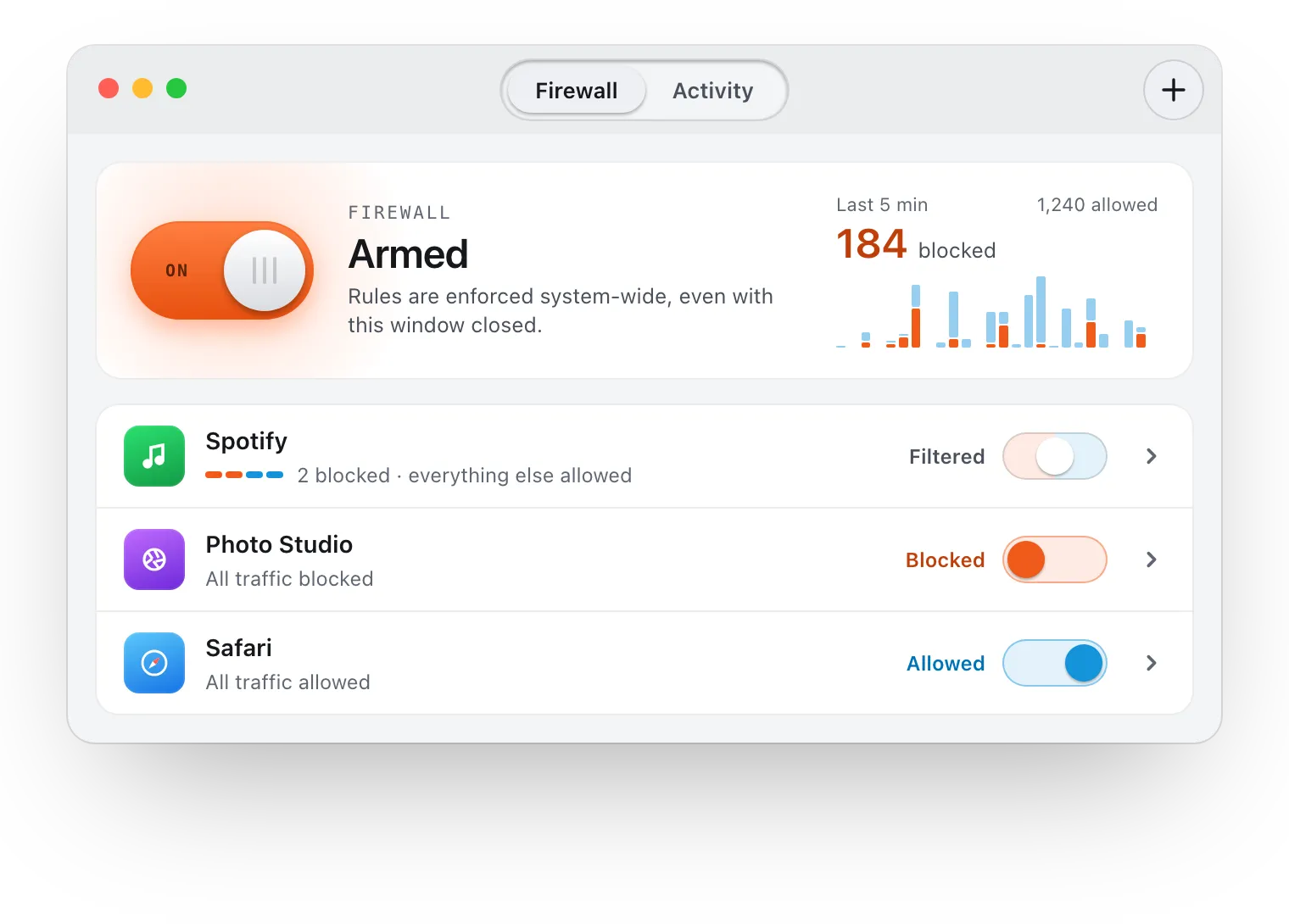
Blocked drops everything. Allowed lets everything through. Filtered blocks only what you choose.
- 03
Fine-tune domains
Open the app to switch single domains, and choose what happens to everything else.
Control where it matters
Powerful enough to cut an app’s trackers without breaking it, simple enough to understand in a minute.
Per app
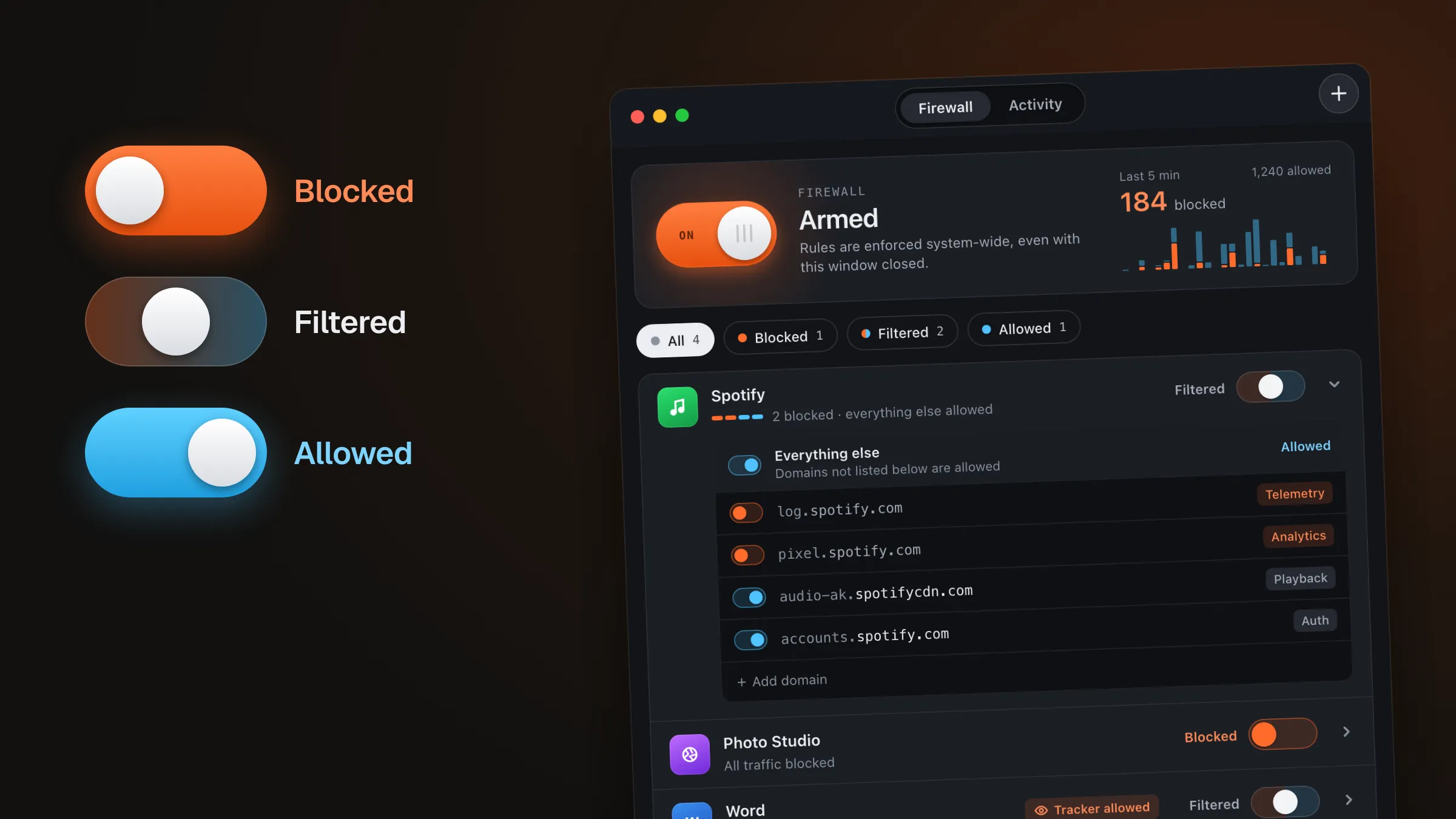
Every app gets one switch: Blocked, Filtered or Allowed.
BlockedFilteredAllowedPer domain
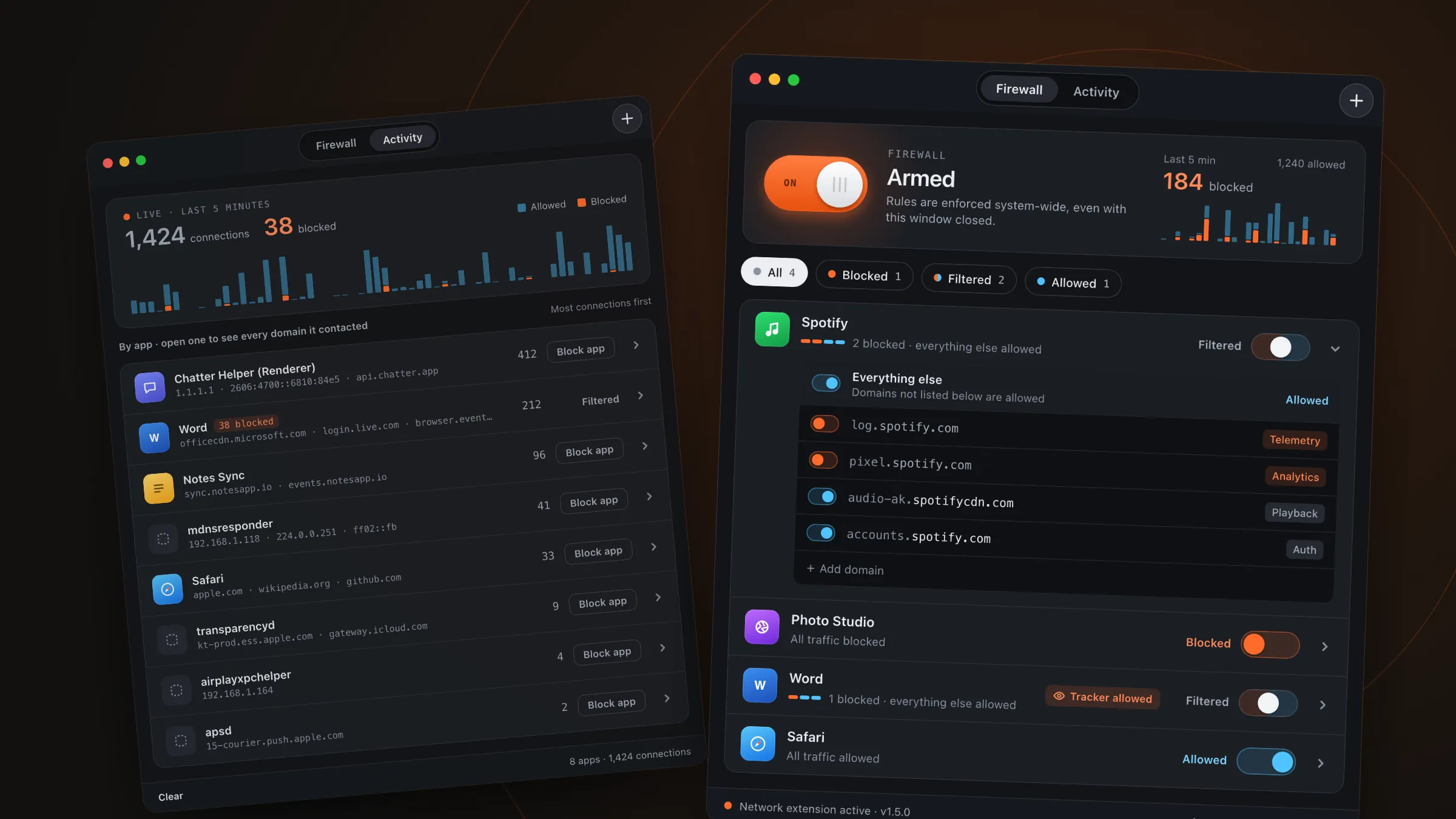
Keep the service, drop the analytics. The most specific rule wins, so log.spotify.com can differ from spotify.com.
Plain-English labels
Each domain is tagged with what it’s for. Telemetry and analytics stand out in orange.
TelemetryAnalyticsCDNAuthSyncUpdateAIAllow-lists too
Choose whether everything else is allowed or blocked, then list the exceptions.
Tracker hints
An app that can still reach a telemetry or analytics domain is flagged Tracker allowed, so nothing slips through unnoticed.
Works while closed
Rules live in a system network extension. Quit the app or restart the Mac, and they stay on.
See what really went out
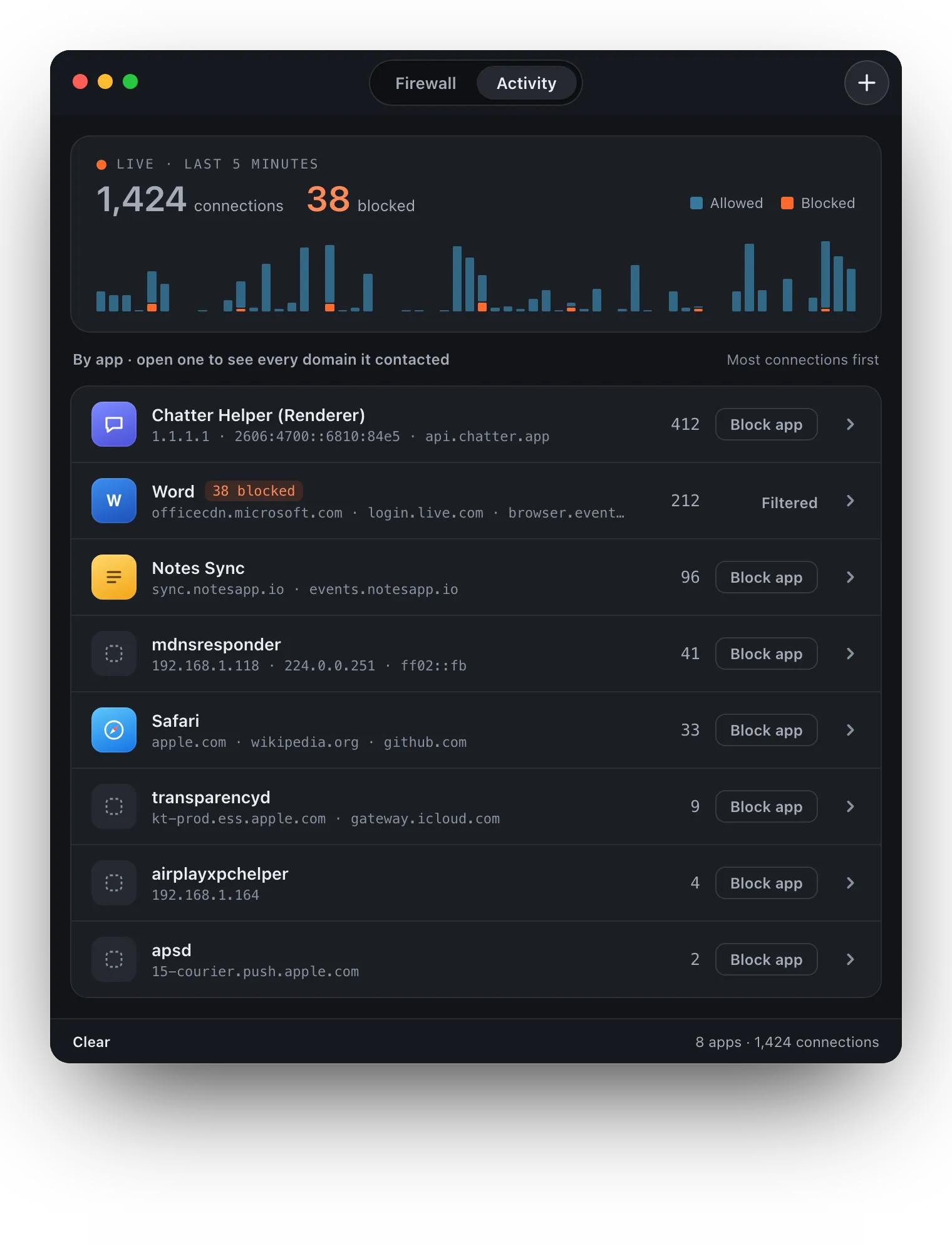
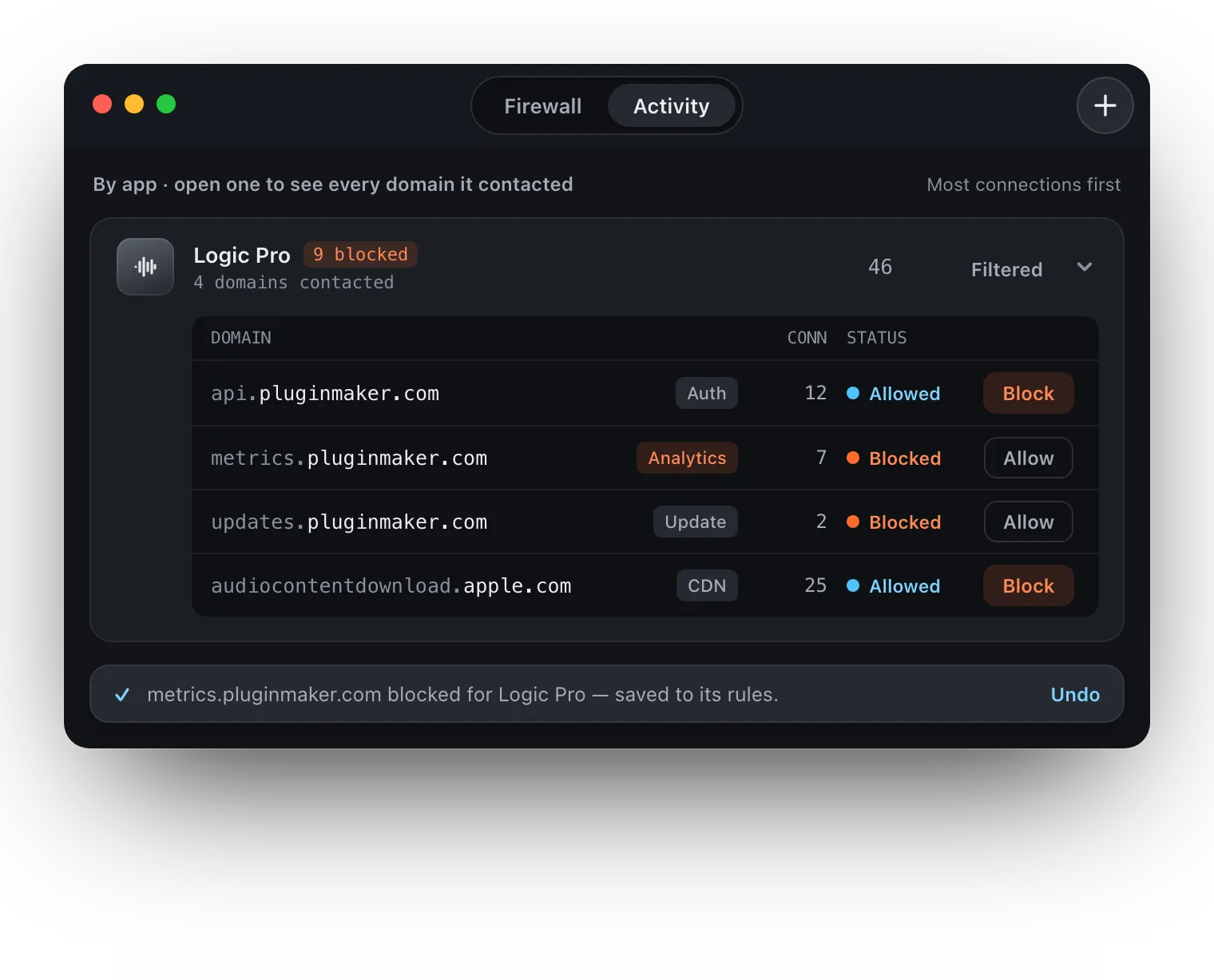
The Activity tab lists every app and background process that went online in the last five minutes, busiest first, with the domains and addresses it reached. One click on Block app cuts it off. Open a row to see every domain it contacted and block or allow each one, saved straight to that app’s rule.
Silence a plug-in, keep your DAW
Plug-ins run inside your music app, so their connections show up as the DAW’s. Add the DAW, open a project and watch the Activity tab: the plug-in maker’s domains appear under it. Block just those, and Logic, Live or Cubase keep working as before.
Light, dark or your Mac’s choice
Graphite and orange in both. Orange always means blocked, blue always means allowed.
Questions
Will it break my apps?
It can, if you block a domain an app needs. Start with Filtered and block step by step: anything you haven’t blocked keeps working.
Do I need to keep MacBulwark open?
No. Rules are enforced by a system network extension, so they stay on when the app is closed and after a restart.
What does setup involve?
Turn the firewall on once, approve MacBulwark’s network extension in System Settings and allow it to filter network content. A short guide in the app walks you through it.
Does it work for audio plug-ins?
Plug-ins connect through the music app that loads them. Add your DAW, then block the plug-in maker’s domains in its rule. The manual shows how.
Is there a trial?
Yes. MacBulwark runs for 7 days with everything working and no limit on apps before it asks for a licence key.
How many Macs can I use it on?
One licence covers two of your own Macs. To move it, choose MacBulwark ▸ Register… on the old Mac and click Unregister.
Does MacBulwark send my data anywhere?
No. Your rules and activity stay on your Mac. MacBulwark only goes online to check your licence and look for updates.
Which macOS versions are supported?
macOS 14 Sonoma or later, on Apple silicon and Intel.
- Blocks per app and per domain
- Keeps working when the app is closed
- Works on two of your own Macs
- No subscription, no account
Articles about MacBulwark
 MacBulwark · How-toHow to see which apps on your Mac connect to the internet22 November 2026
 MacBulwark · ComparisonRadio Silence vs MacBulwark: two quiet Mac firewalls compared20 November 2026
 MacBulwark · ComparisonLittle Snitch alternatives for Mac: LuLu, Radio Silence and MacBulwark17 November 2026