
Wolfgang Manual
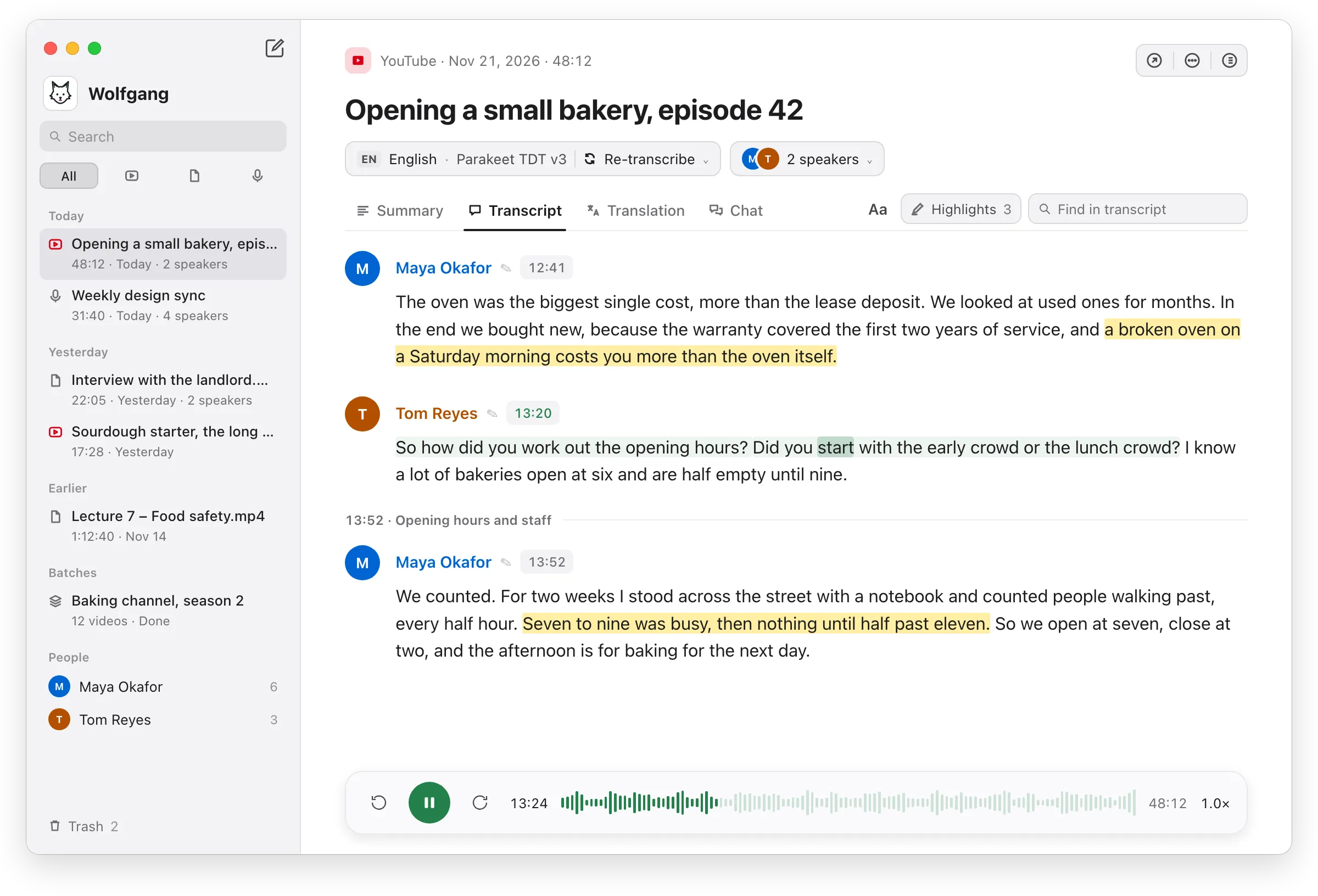
Wolfgang turns speech into text on your Mac. Drop in an audio or video file, paste a YouTube link or record from your microphone, and you get a transcript you can read, play back word by word, correct and export. The transcription models run on your Mac, so your audio never leaves it.
- Four ways in: File, YouTube, Record and Batch, all on the New Transcription page.
- Five models: Whisper Tiny and Whisper Medium for free; Parakeet TDT v3, Parakeet TDT v2 and Whisper Large v3 with Pro.
- A transcript you can work with: click a word to hear it, type to correct it, highlight what matters, find anything.
- Speakers (Pro): see who said what, name them once, and Wolfgang recognises their voices next time.
- AI tools (Pro): summaries, chat with the transcript, translation and chapters, with a local Ollama model or your own Claude or OpenAI-compatible key.
- Export: TXT and SRT for free; Markdown, PDF, HTML and JSON with Pro.
Wolfgang needs macOS 14 Sonoma or later on a Mac with Apple silicon.
Free and Pro
Section titled “Free and Pro”Wolfgang is free to use, with no time limit and no cap on how much you transcribe. Pro is a one-time purchase of $9.99 that unlocks the rest on two of your Macs.
| Free | Pro | |
|---|---|---|
| Models | Whisper Tiny, Whisper Medium | + Parakeet TDT v3, Parakeet TDT v2, Whisper Large v3 |
| Sources | Files, YouTube links, microphone recordings | + meeting recording (your mic and the call), batches, watch folders |
| Transcript | Play back, edit, highlight, find | + speakers, People and voice memory |
| AI tools | Summary, Chat, Translation, Chapters | |
| Export | TXT, SRT | + Markdown, PDF, HTML, JSON |
Pro features carry a small beige PRO tag in the app. The Free and Pro comparison has the full list. Clicking one on Free explains what it does and how to get Pro. See Settings and licence for entering your key.
Every page
Section titled “Every page”| Page | What it covers |
|---|---|
| Getting started | Installing, the first model, which model to pick |
| Files and YouTube | The File and YouTube tabs, languages, captions, the options |
| Recording and meetings | Recording your mic, recording a call, quick record from the menu bar |
| Batches and watch folders | Many files or links at once, folders that transcribe themselves |
| The transcript | Playback, editing, highlights, find, re-transcribing, your library |
| Speakers and people | Naming, moving and merging speakers, remembered voices |
| AI tools | Setting up a model, Summary, Chat, Translation, Chapters |
| Export and copy | Copying, the six export formats and their options |
| Settings and licence | Every settings section, Pro, moving to another Mac, updates |
| Keyboard shortcuts | Every shortcut on one page |