



WolfgangTranscribe audio, video and YouTube on your Mac
Drop in a file, paste a YouTube playlist or record a call. Wolfgang turns it into a transcript with speakers, timestamps and word-by-word playback, and your audio never leaves the Mac: Parakeet and Whisper run right on it.
Free forever · Pro $9.99 once · macOS 14+ · Apple silicon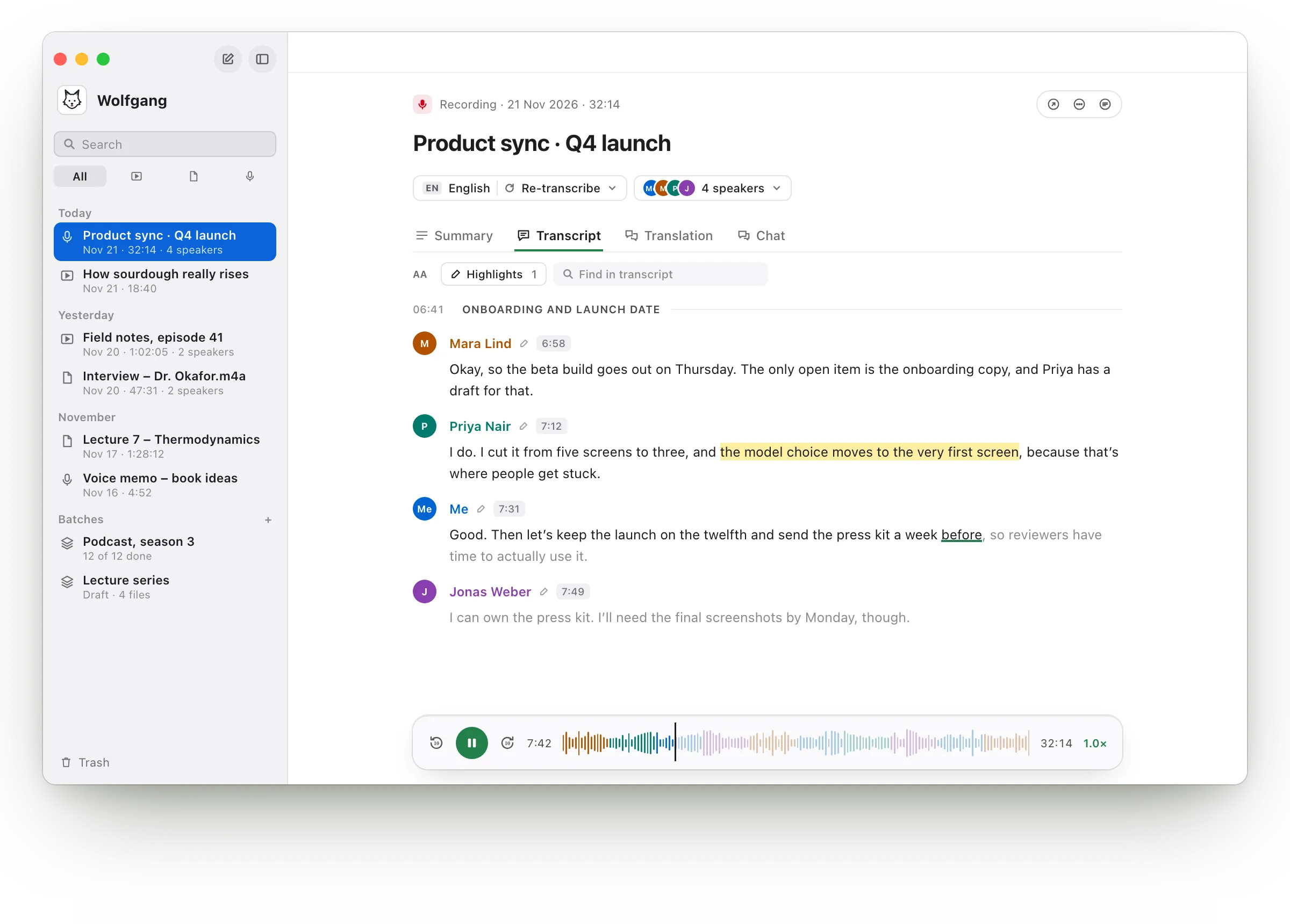
Anything you can hear, as text
Every transcription starts in the same place. Pick a source and a model, then press ⌘↵.
Files
Audio and video: MP3, M4A, WAV, FLAC, AIFF, MP4, MOV and more. Drag one in, or drop a stack for a batch.
YouTube
Paste a video, a playlist or a channel. Wolfgang fetches the audio, the chapters and the creator’s own captions.
YouTube →Recordings
Record your microphone, or your mic and the call on two tracks, whichever call app you use.
Recordings →
Fast when you want speed. Thorough when it counts.
Both run on your Mac’s Neural Engine. Wolfgang shows how long a file will take before you start, and suggests the better model for the language you pick.
- Very fastPro
Parakeet TDT v3
NVIDIA’s speech model, for English and 17 other European languages.
- Speed
- Accuracy
- Most accuratePro
Whisper Large v3
OpenAI’s largest Whisper model, for 99 languages.
- Speed
- Accuracy
- BalancedFree
Whisper Medium
A strong all-rounder in 99 languages, and in the free version.
- Speed
- Accuracy
- Rough draftsFree
Whisper Tiny
A 75 MB download for quick notes, also free.
- Speed
- Accuracy
A transcript you fix like a document
Click into the text and type. Wolfgang keeps the timing of every word through your edits, so playback still lines up with what you read.
- Click any word to play from there
- The spoken word lights up as it plays
- Highlight what matters with ⇧⌘H
- Find anything with ⌘F, or search every transcript from the sidebar
- Return splits a paragraph, Backspace joins it
- Undo anything; every edit saves itself
I cut it from five screens to three, and the model choice moves to the very first screen, because that’s where people get stuck.
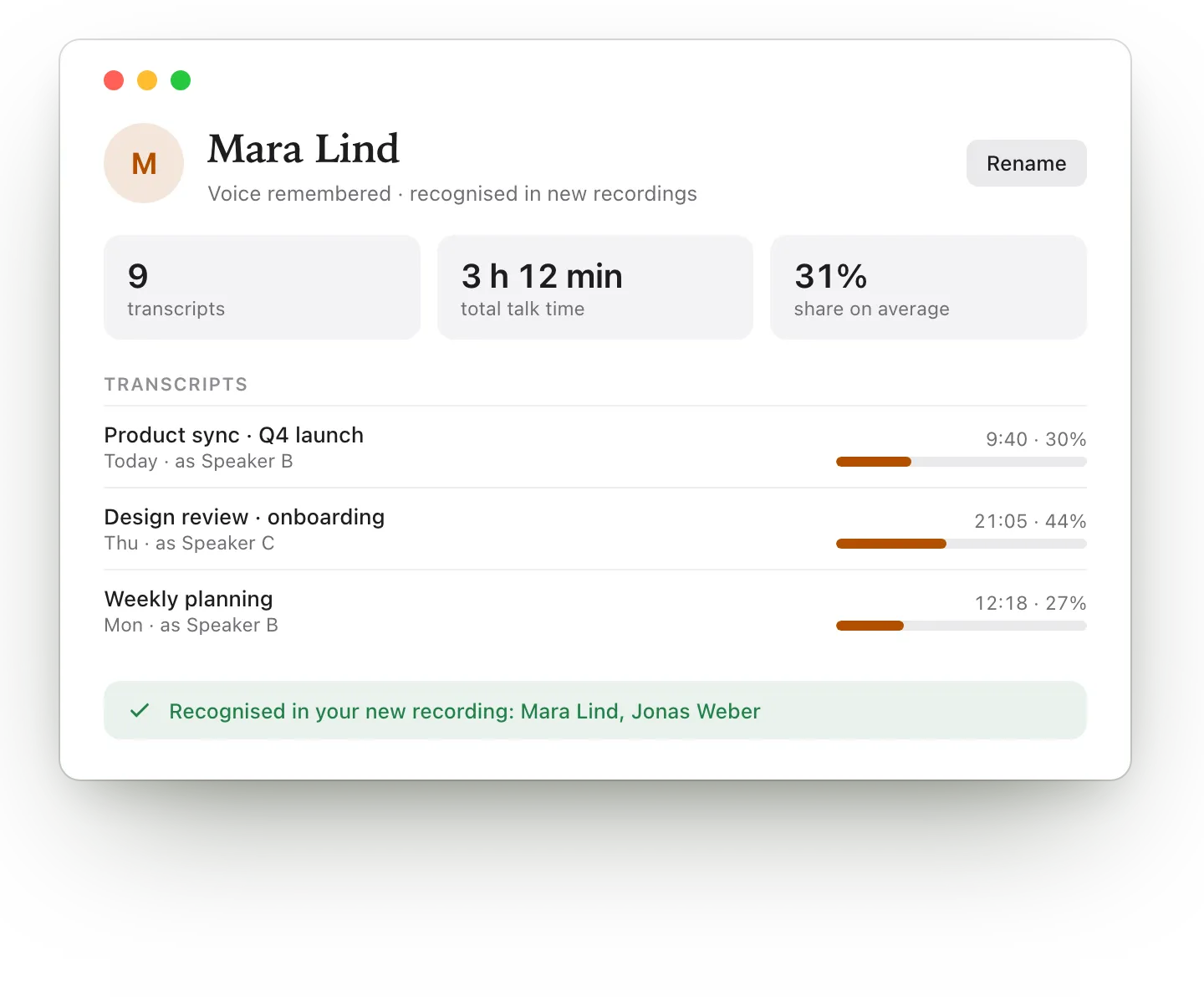
Name a voice once. Wolfgang remembers it.
Speaker identification splits a recording into who said what, down to the word where the speaker changes. Name someone once and they’re recognised in every recording after that. Their page under People lists each transcript they’re in and how long they talked.
How it works in meetings →Summaries, chat and translation
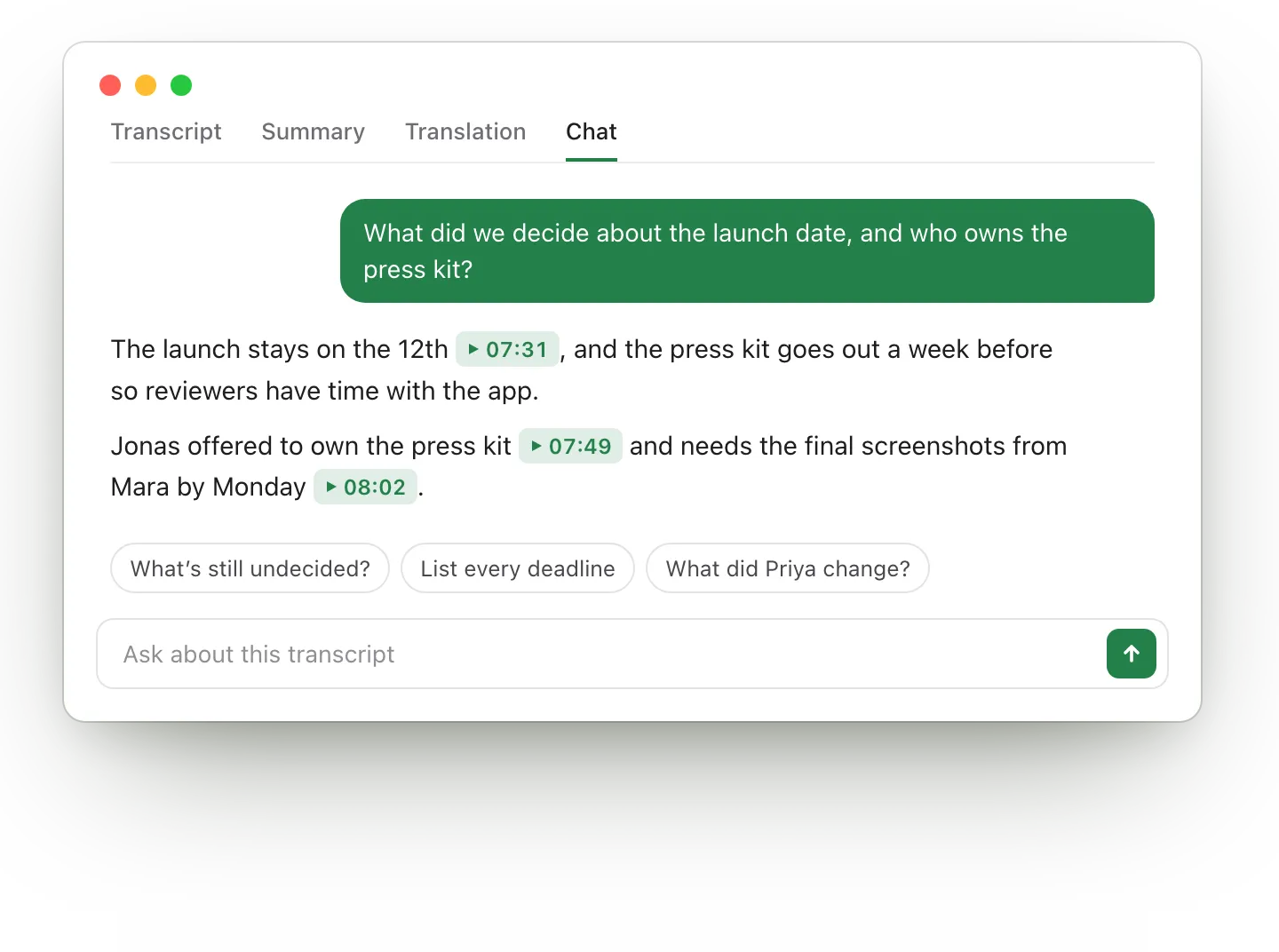
Ask a question in Chat and every answer cites where it comes from: click the timestamp and the player jumps there. Summaries come in six styles, from meeting notes with owners and due dates to a short brief.
- SummaryMeeting notes, key points, brief, detailed, action items or Q&A.
- ChatAsk anything about a transcript, with clickable timestamps.
- TranslationInto 21 languages, side by side with the original.
- ChaptersTitled sections for long recordings.
Your choice of model: Ollama keeps AI on your Mac, or bring your own key for Claude, OpenAI, Groq or any OpenAI-compatible service.
Let the transcripts come to you
- 01
Watch folders
Drop a file into a folder and it’s transcribed and exported, with the format, model and options you chose for that folder.
- 02
Batches
Queue files or YouTube links. Pause, resume, retry what failed, and get one digest when it’s done.
- 03
Quick record
Press ⌃⌥⌘R anywhere, or click the mic icon in the menu bar, to record a thought. It’s transcribed when you stop.
Export it the way you need it
Subtitles, documents or data, with speakers, timestamps and highlights in or out. Or copy the whole transcript as Markdown, plain text or rich text.
- SRT
- TXT
- Markdown
- HTML
- JSON
Your audio stays on your Mac
Transcription, speaker identification and your whole library live on this Mac. There’s no account and no tracking.
Always on your Mac
- Transcription, with every model
- Speakers and remembered voices
- Your transcripts, edits and highlights
- AI tools, when you use Ollama
Online only when you ask
- Downloading a model, once
- Fetching a YouTube video
- Checking for updates and your licence
- An AI service you set up yourself
Free to use, with no time limit
No minute limits, no cap on file length and no account. Pro adds the fastest and most accurate models, plus everything for meetings, batches and AI.
Free
$0Forever- Whisper Medium and Tiny
- Files, YouTube videos and recordings
- No limit on minutes or file length
- Edit, highlight and play back
- Export to TXT and SRT
Pro
$9.99Once · two Macs- Parakeet and Whisper Large v3
- Speakers, remembered voices and People
- Meetings with call audio
- Batches, playlists, channels and watch folders
- Summaries, chat, translation and chapters
- Export to Markdown, PDF, HTML and JSON
What’s next
Wolfgang is in active development. These are next on the list:
See what’s new in the changelog →- More transcription models, on your Mac and through services you choose
- Dictation into any app, with a shortcut
- Live transcription while you record
- Export to VTT subtitles and Word
- Send transcripts to Notion, Obsidian and webhooks
- A command-line tool for scripts and automations
- Translation on your Mac, without an AI service
- A transcript in its own window
Questions
Is Wolfgang really free?
Yes. The free version has no time limit and no cap on how much you transcribe. It includes Whisper Medium and Tiny, YouTube videos, recordings, the editor and TXT and SRT export. Pro unlocks the rest for $9.99, once.
Is my audio uploaded anywhere?
No. Transcription and speaker identification run on your Mac. Text only leaves it if you connect a cloud AI service for summaries, chat or translation, and with Ollama even that stays on your Mac.
Which languages does it understand?
The Whisper models understand 99 languages and can detect the language on their own. Parakeet TDT v3 covers English and 17 other European languages; Parakeet v2 is English only.
How fast is it?
That depends on your Mac and the model. Parakeet is by far the fastest. Wolfgang estimates the time before you start and shows the real speed when it’s done.
Can it transcribe YouTube videos?
Yes: single videos in the free version, whole playlists and channels in Pro. If the creator wrote captions, you can use them instead of speech recognition.
Do I need an AI subscription?
No. Transcription never needs one. For summaries, chat and translation, run a free local model with Ollama, or use your own key for Claude or an OpenAI-compatible service.
How many Macs can I use Pro on?
Two of your own. To move the licence, deactivate one Mac in Settings › Licence.
What do I need?
A Mac with Apple silicon (M1 or later) and macOS 14 Sonoma or later. Each model downloads once, from 75 MB to about 3 GB, and models can live on an external drive.
Start free. Go Pro when you need more.
The free version is the whole app with the Whisper models, and it never runs out. Pro unlocks the fastest and most accurate models, meetings, batches and the AI tools.
- Free forever, no account
- Pro once, no subscription
- Works on two of your own Macs
- Transcription stays on your Mac