Chili RAW: a free Lightroom alternative for the Mac
What the free version of Chili RAW covers — culling, RAW developing, masks and a searchable library — what the Pro licence adds, and who it suits.
Most photographers who look for a Lightroom alternative want the same three things: sort through a shoot quickly, develop the RAW files properly, and find any photo again later. Ideally without a monthly subscription, and without handing the library to a cloud service.
Chili RAW is a Mac app that does those three things, and the free version does all of them in full. This is an overview of what you get for nothing, what the Pro licence adds, and where Chili RAW is not the right fit.
Culling a shoot
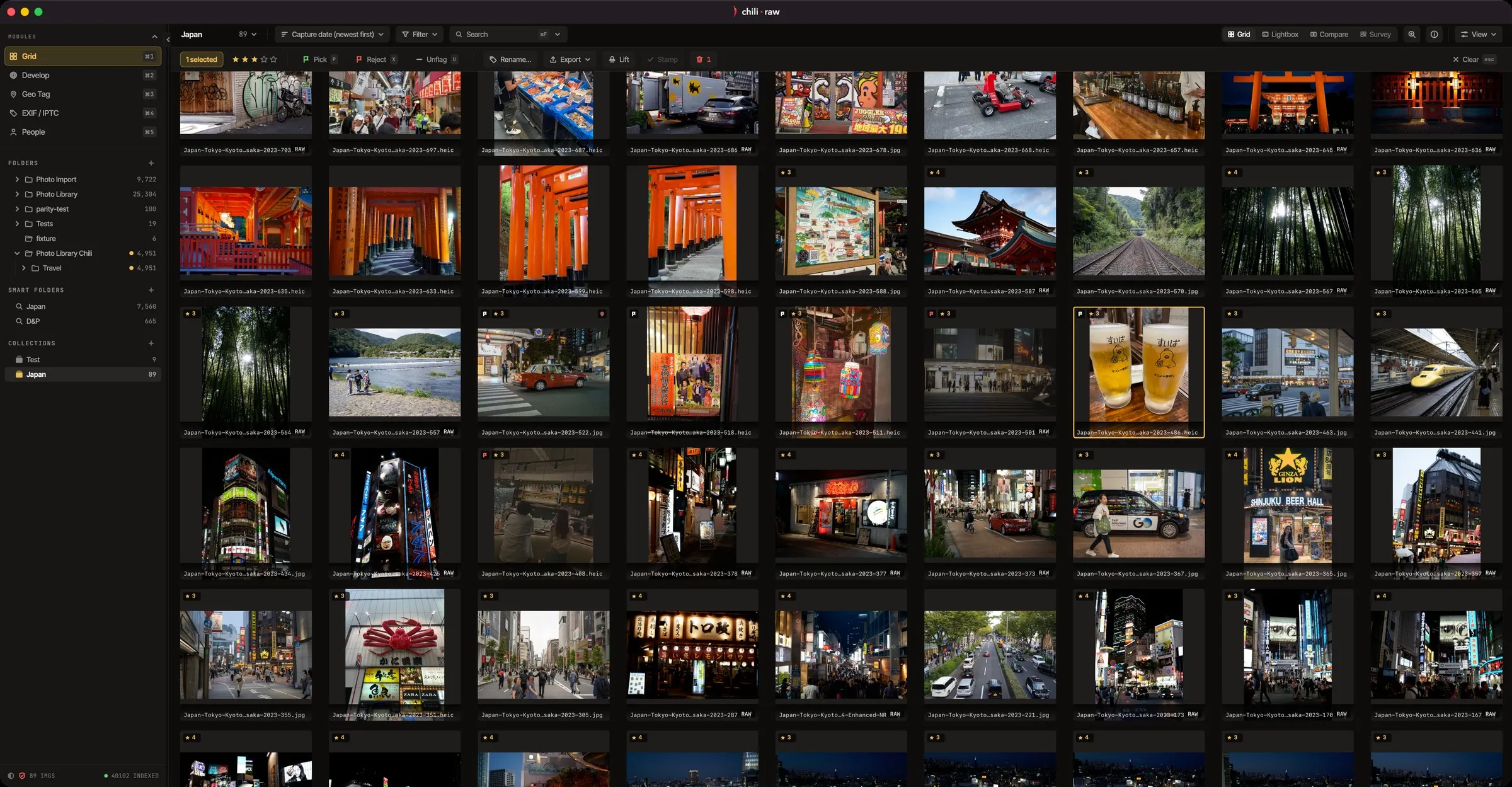
Culling happens in the grid, from the keyboard. You rate and flag photos as fast as you can look at them, and burst stacks fold each run of near-identical frames into a single tile, so you scan scenes instead of fifty versions of one moment.
To check focus, drag the loupe across a thumbnail and see the real pixels at 1:1 without opening the photo. Compare puts frames side by side when you are choosing between two.
Developing RAW files
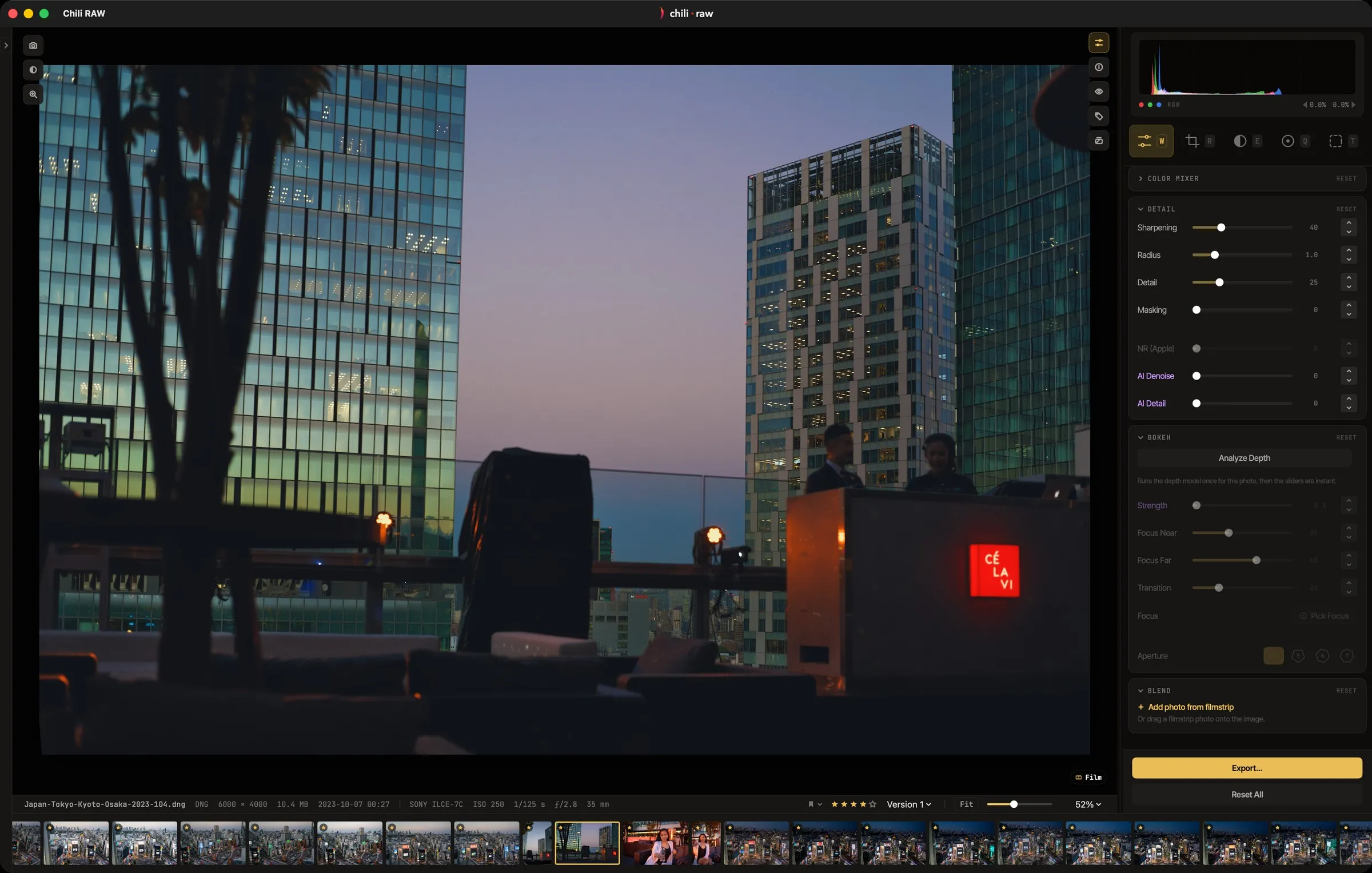
The develop tools cover what you would expect from a full RAW developer: white balance, tone, curves and colour, with highlight recovery and AgX tone mapping. Edits never touch the original file.
One choice is unusual. Chili RAW can decode a RAW file with Apple’s own engine, the Adobe DNG SDK or LibRaw, and you can switch between them per photo to compare the starting points. On top of that come eleven kinds of masks you draw or compute, heal and clone with automatic dust spotting, lens corrections from camera profiles or the Lensfun database, versions of the same photo side by side, and your own LUT files next to the built-in looks.
Keeping the library
There is no catalogue to import into. Chili RAW reads your photos where they are, and saves edits, masks and versions in small sidecar files next to the originals, which are never modified. If you stop using the app one day, your folders are exactly as you left them.
Finding photos again works by file name, keyword, place, person or what is in the picture. Faces are grouped and named across the whole library, photos can be placed on a map, and every folder can carry its own page of notes. EXIF data is shown, and captions, keywords and copyright are written as standard IPTC.
Video clips sit in the grid next to the photos, with the same ratings and colour grading, and export covers JPEG, HEIC, TIFF, JPEG XL and layered PSD at any size.
What the Pro licence adds
The free version has no time limit and no watermark. Pro is a one-time licence that adds the tools built on machine-learning models and the creative extras:
- One-click AI masks for the sky, a subject, an object or a slice of the scene by depth
- Portrait masks for skin, eyes, lips and hair
- Generative fill to remove, move or extend
- Bokeh: lens blur driven by the depth of the scene
- Film Labor, which renders photos the way a real film stock and paper would
- Pixels, a layer canvas for text, borders, frames and date stamps
- Match Colours and one-press Auto adjustments
All of these run on the Mac itself. No photo is uploaded for any of them.
Who it suits, and who it doesn’t
Chili RAW suits photographers who work on one Mac, keep their photos in folders on their own drives, and would rather pay once than every month — or not at all.
It is not the right choice if you need your library synced to a phone or tablet, or if your Mac has an Intel processor: Chili RAW needs Apple silicon and macOS 15 or later.
Trying it
The free app is a download from the Chili RAW release page, with no account. Pro can be tried for seven days inside the app before you decide, and the Pro licence is available from Monokern. For every feature in detail, see chiliraw.com.