How Chili RAW was built: from first build to version 1.3
Chili RAW went from an internal test build in March 2026 to a full RAW developer by October. A look back at the releases, and the rules that shaped it.
Chili RAW is a young app. The first internal build is dated 28 March 2026; version 1.0 shipped on 5 September, and 1.3 followed four weeks later. In between came eleven releases and close to two thousand changes. This is a look back at how it got from one to the other — what was added when, and the few rules that stayed the same the whole way through.
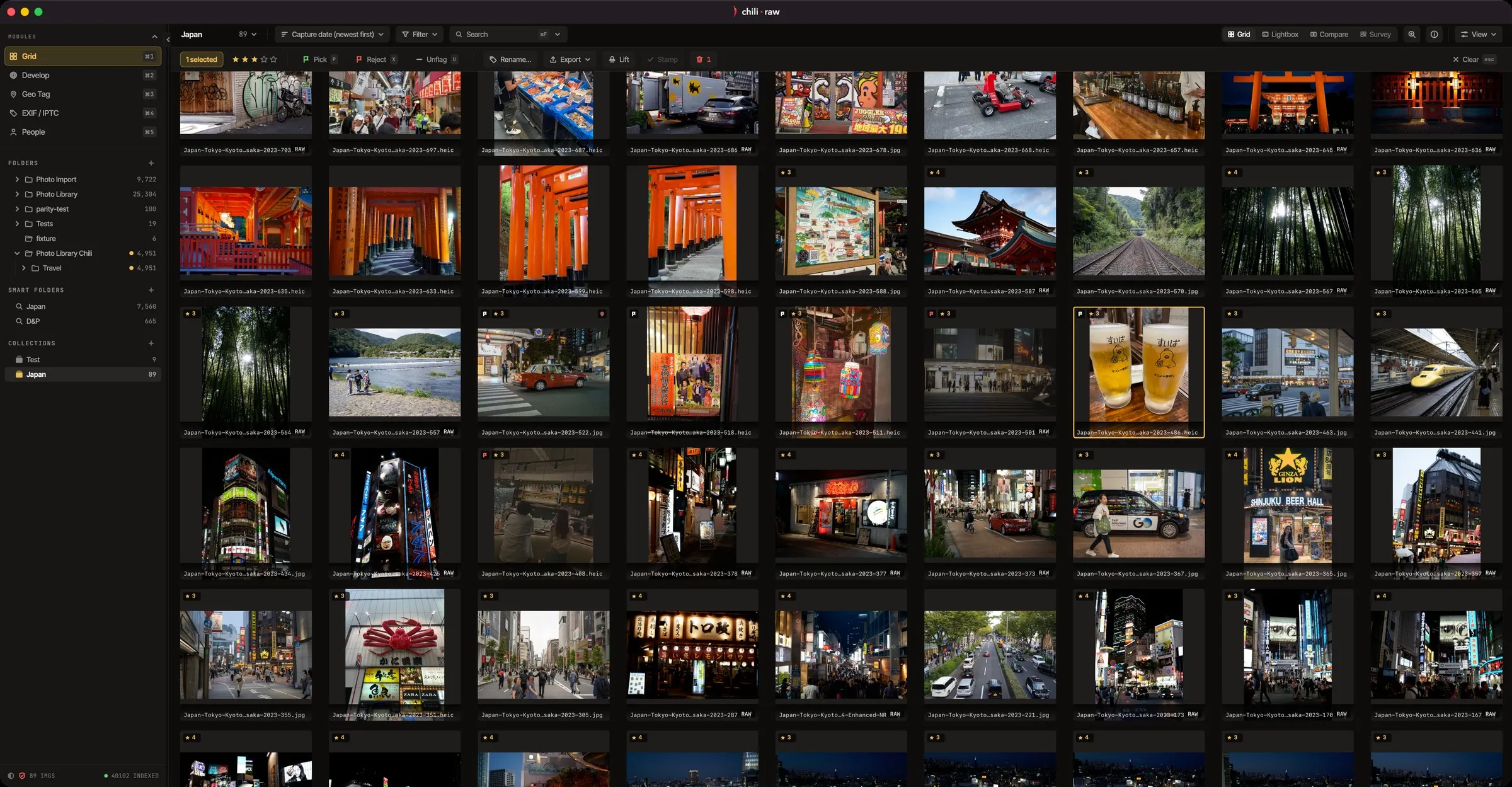
It started as a culler
The first useful version, 0.2 in April, was mostly about getting through photos: a fast grid with ratings and flags, batch renaming, a map to place photos on, and EXIF and IPTC editing. The project’s working name at the time was literally a description of that job — a culler with geotagging. A first Develop page was there too, with film LUTs, crop and three kinds of masks, but the focus was sorting a shoot quickly.
Then it became a library
Version 0.3, in May, turned the browser into a catalogue you could search: smart folders, collections, stacks for bursts, people recognised by face, AI keywords, video next to photos, and a loupe with focus peaking for checking sharpness.
From the start, the catalogue was built so that it never owns your photos. They stay in the folders where you put them, and edits are written to sidecar files beside them. Later releases added automatic backups of the catalogue, a “Media Offline” placeholder for files on a drive that isn’t plugged in, and the option to look inside a backup and restore it.
The RAW engine, rebuilt
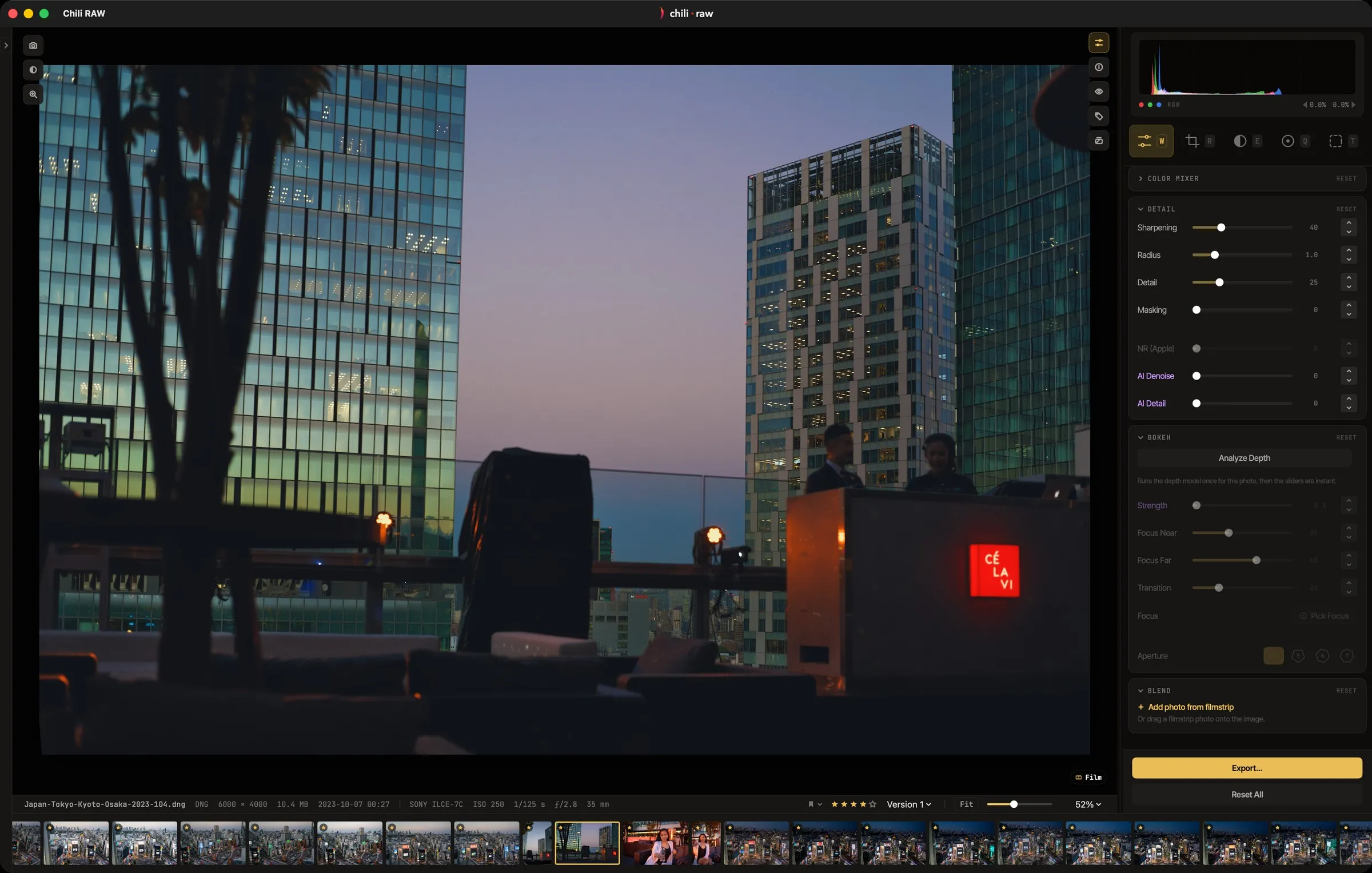
June’s 0.4 is where Chili RAW became a real RAW developer. A new engine added the Adobe DNG SDK and LibRaw alongside Apple’s own decoder, and three tone-mapping looks — Standard, AgX and Neutral — gave every photo a choice of starting point. Film grain, dust removal, colour grading and a rebuilt clarity control came with it.
July’s 0.5 gave the app its name and its chili icon, and reworked the hardest part of any RAW developer: what happens at the edges of the histogram. Highlight recovery was rebuilt to bring back real detail in blown skies, and a new shadows engine lifted dark areas without halos.
A busy August
Four releases landed in ten days in early August:
- 0.6 redesigned export, with file naming, presets and remembered settings, and added a dehaze engine.
- 0.7 added HDR bracket merging into a single DNG, the Compare and Survey views for choosing between frames, blend modes for double exposures, and the Punch slider.
- 0.8 brought on-device AI masking: sky, object, people — down to eyes, lips and hair — and depth, all combinable with the masks you draw.
- 0.9 added Generative Remove, search by what is in a photo, AI Denoise and AI upscaling on export.
That burst also set one of the app’s firmest rules. No AI model ships inside the app. Each one is downloaded only when you ask for it in Settings, shows its licence, and can be deleted again. The AI tools are colour-coded so you always know whether you are using something built into macOS, a model you downloaded, or a tool you drive by hand.
Version 1.0 and after
Version 1.0 on 5 September added lens corrections from your camera’s own correction data or the Lensfun database, Auto Sync for editing a whole selection at once, Enlarge, and the full set of eight Film Labor print papers.
The releases since have mostly been about the details of daily work:
- 1.1 made the app update itself, gave masks names, and added five scopes to Develop, including a vectorscope that shows where skin tones fall.
- 1.2 made it possible to export every version of a photo, restore earlier edits and backups, add watermarks and borders on export, and drive Chili RAW from the Shortcuts app.
- 1.3 added a white balance picker, nested keywords, a starting look per camera, deband for stepped JPEG skies, and HDR: photos with real highlights now show them brighter than white, and export as HDR HEIC.
What stayed the same
A few rules have held from the first build to today:
- Your files are yours. Nothing is imported, copied or converted on the way in, and originals are never modified.
- Nothing leaves the Mac. There is no account, and no photo is uploaded for any feature.
- AI is optional. Every model is a download you choose, and the app works without any of them.
- The changelog is written for photographers. Each entry says what changed for the person using the app, in a sentence or two.
What comes next
Plans for iPad and iPhone, syncing and tethering are covered in What’s next for Chili RAW on the Chili RAW site, and every release is in the full changelog there.
The app itself is a free download, and the Pro licence for the AI and film tools is available here on Monokern.