
Equalizer and volume
The equalizer
Section titled “The equalizer”Konpo has a 10-band equalizer, from 31 Hz to 16 kHz. Open it with ⇧⌘E, the slider button in the top-right of the window, Window › Equalizer, or the mini player’s right-click menu. Press ⇧⌘E again to close it.
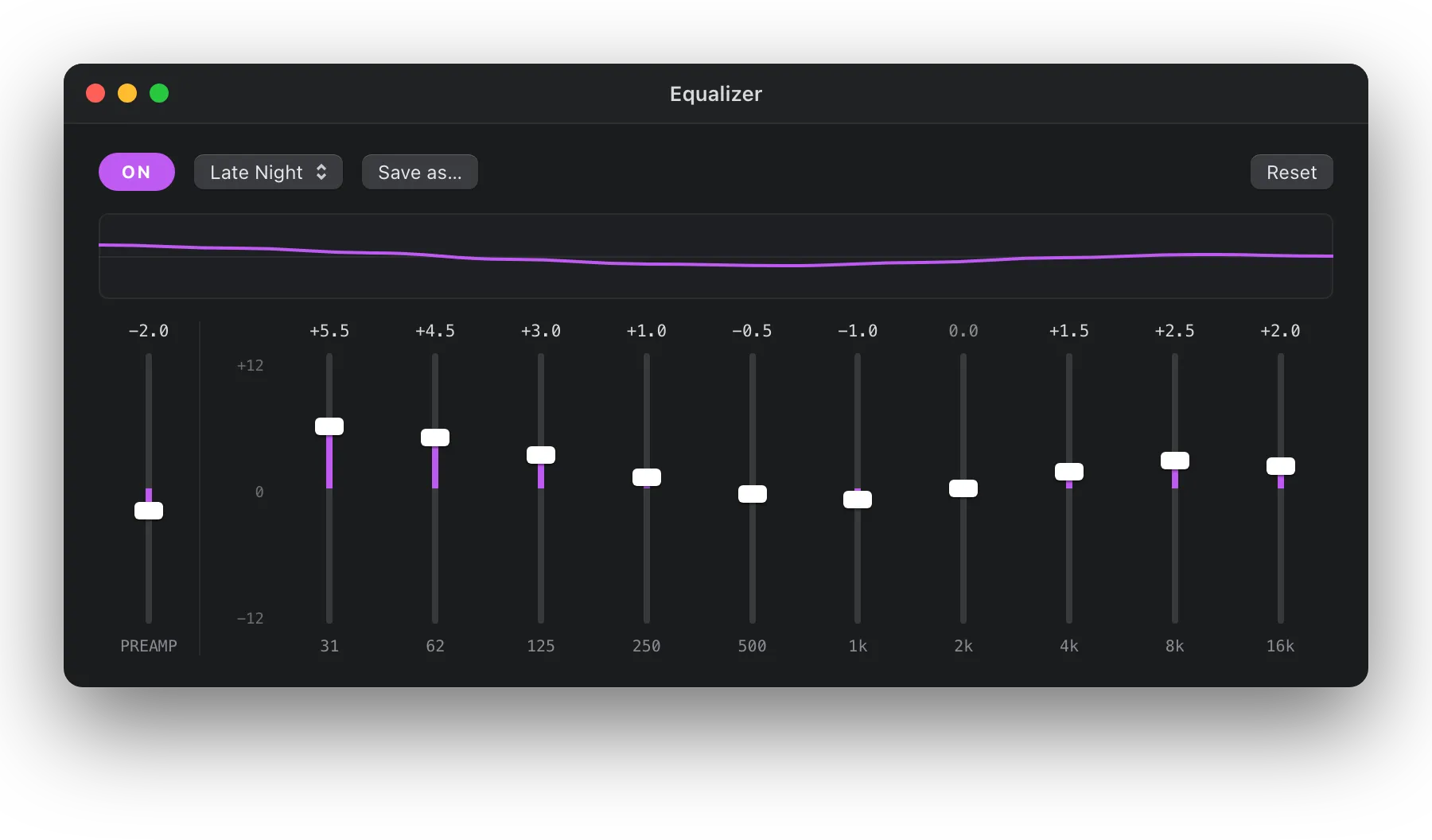
- On / Off: the switch at the top left. While it’s off, Konpo leaves the sound alone. While it’s on, the slider button in the window’s top-right shows in the accent colour, so you can tell even with the equalizer closed.
- Bands: drag a slider up or down, between −12 and +12 dB, in half-decibel steps. Double-click a slider to set it back to 0.
- Preamp: the slider on the left lifts or lowers everything at once. If a big boost makes loud music distort, bring the preamp down a little.
- The curve above the sliders shows the overall shape, preamp included.
- Reset sets every band and the preamp back to 0.
Presets
Section titled “Presets”The menu next to the switch has the built-in presets: Flat, Rock, Pop, Classical, Dance, Bass, Treble and Vocal. Once you move a band, the menu says Custom.
- Save as… keeps the current bands as your own preset, under a name you choose. Your presets appear in the same menu, below the built-in ones.
- Delete Preset, at the bottom of the menu, removes one of yours.
Konpo remembers the equalizer, on or off, between launches.
ReplayGain
Section titled “ReplayGain”Many rippers and taggers write ReplayGain tags: how much louder or quieter each track or album should play to match the others. Konpo can use them, so you don’t have to reach for the volume between albums. Set it in Settings › Playback:
- Off, Track or Album. Track evens out every track. Album keeps the loud and quiet parts of an album as they were mixed, and falls back to Track when an album has no album gain.
- Preamp: raise or lower the levelled volume.
- Prevent clipping: keeps a boost from distorting.
Files without ReplayGain tags play unchanged.