
Jump to file
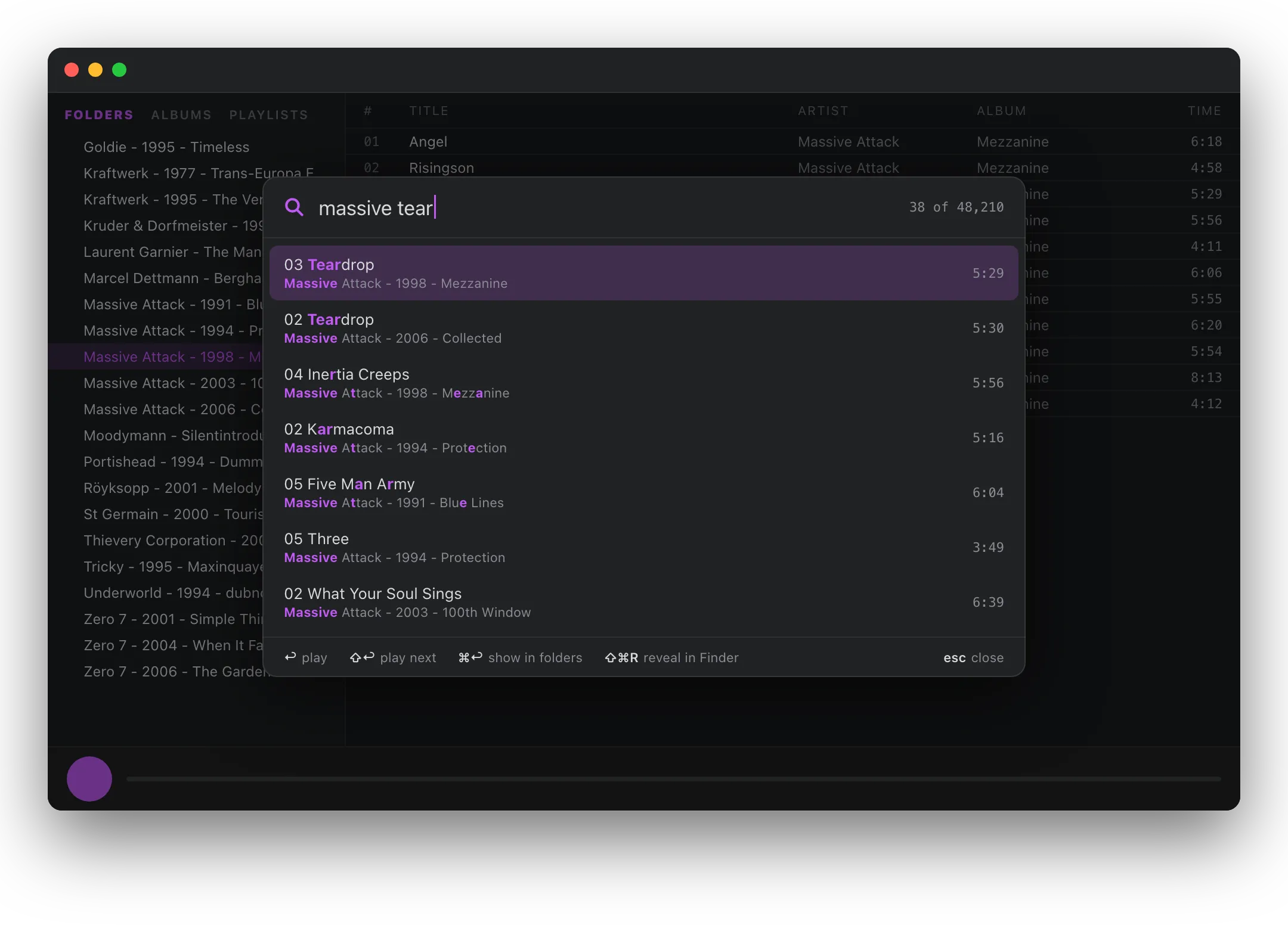
Jump to file finds any track in your music folder from the keyboard. Press J (or ⌘J, or Jump to File… in the menu), type a few letters and press Return.
How the search works
Section titled “How the search works”- It searches every file under your music folder, by its folder and file name. A collection kept as
Artist - Year - Album/01 Titlealready holds the artist, album and title, so Konpo doesn’t need to read any tags and even a huge library answers as you type. - Type words in any order, separated by spaces. Each word has to appear in the path, but its letters don’t have to be next to each other:
massive tearfinds Teardrop by Massive Attack. - Whole-word matches and matches in the file name come first. The matching letters are highlighted, and the count at the top right shows how many files match.
What the keys do
Section titled “What the keys do”| Key | What it does |
|---|---|
↑ / ↓ |
Move through the results |
Return |
Play the file now |
⇧Return |
Play it next, after the current track (see Up Next) |
⌘Return |
Show it in the folder tree, with its folder open |
⇧⌘R |
Reveal it in Finder |
Esc |
Close, or click anywhere outside the panel |
Jump to file opens in the main window. If you press J in the mini player, the main window comes back first.