
Mini player and Winamp keys
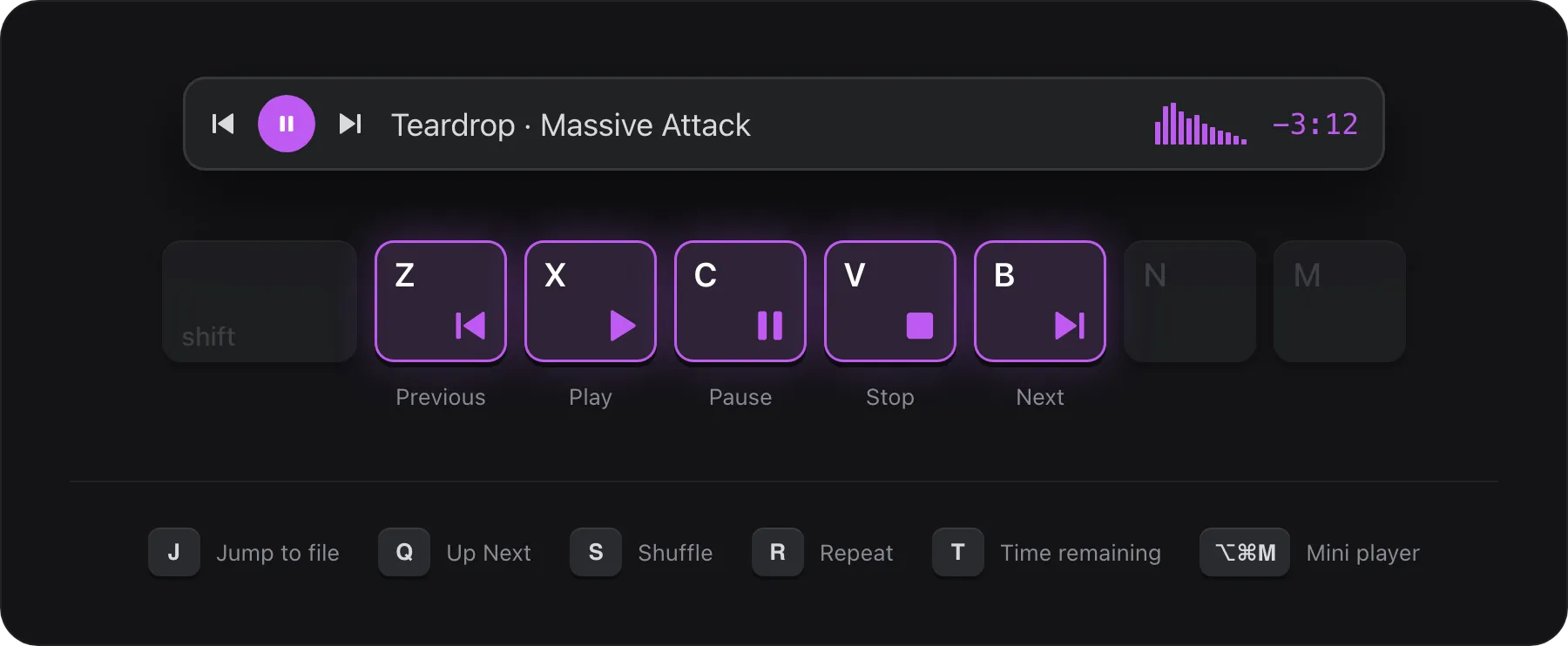
Winamp keys
Section titled “Winamp keys”If your fingers still remember Winamp, turn on Use Z X C V B for playback in Settings › Playback:
| Key | What it does |
|---|---|
Z |
Previous track |
X |
Play. If a track is already playing, it starts again from the top |
C |
Pause, or carry on if paused |
V |
Stop: pauses and rewinds to the start of the track |
B |
Next track |
They work whenever a list or the album grid has focus, and never while you’re typing in a search or a playlist name.
The mini player
Section titled “The mini player”Press ⌥⌘M (or Window › Mini Player) and the main window turns into a slim bar: previous, play/pause and next, the track title scrolling past, a small spectrum analyzer and the time. Press ⌥⌘M again to get the full window back.
- Drag the bar anywhere; Konpo remembers where you put it.
- Hover over it for two buttons: the pin keeps it on top of other windows, the arrows bring back the full window.
- Right-click for Always on Top, Show Spectrum, Show Time Remaining, Jump to File… and Equalizer….
Space, the Winamp keys and the other single-letter keys work in the mini player too.
The spectrum analyzer
Section titled “The spectrum analyzer”The small bars beside the title in the transport bar (and in the mini player) move with the music. Click them to switch to an oscilloscope, and click again for bars. They only run while music plays and the window is on screen, so they cost nothing otherwise. Show spectrum in Settings › Playback turns them off altogether.
Elapsed or remaining time
Section titled “Elapsed or remaining time”Press T to see how much of the track is left. In the main window, the time at the right end of the seek bar switches between the track’s length and the time left; in the mini player, the time switches between the time played and the time left, and turns the accent colour. Clicking the time does the same.