
Tasks and reminders
A reminder is a task with a date
Section titled “A reminder is a task with a date”momo writes the date at the end of the task, as @2026-09-28 or, with a time, @2026-09-28 09:00:
- [ ] Renew the passport @2026-09-28- [ ] Send the quarterly report @2026-09-30 09:00You don’t type that yourself. Type @ after a space and a list opens under the text cursor: Today, Tomorrow, Next week and Pick a date… (a small calendar). Choose a day and the list asks for a time: No time, 09:00, 12:00, 18:00, or type one.
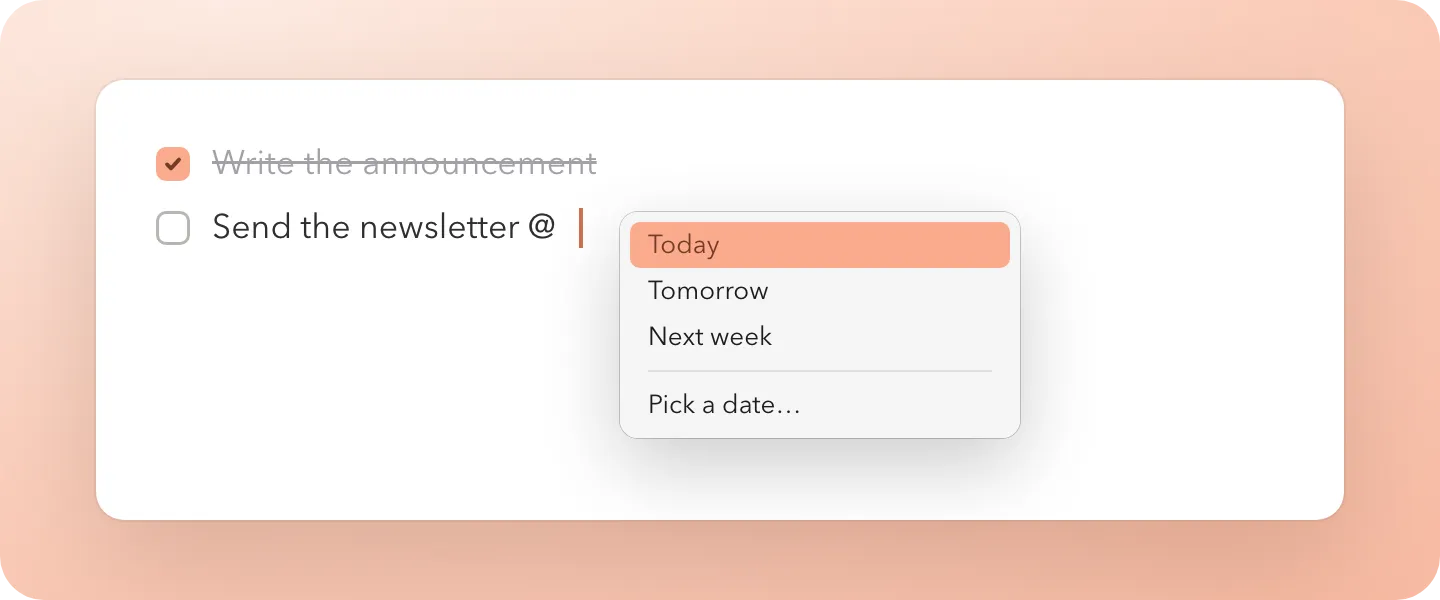
Or type what you mean after the @. The list shows what it understood before you press Return:
| You type | The list shows (on Sun 27 Sep) |
|---|---|
@tom |
Tomorrow, Mon 28 Sep |
@tomorrow 9 |
Tomorrow, Mon 28 Sep, 09:00 |
@fri, @fri 2pm |
Fri 2 Oct (the next Friday, never today), at 14:00 |
@3 oct, @oct 3 |
Sat 3 Oct (the next 3 October) |
@3.10, @3/10 |
Day and month in the order of your Mac’s region |
@in 3 days, @in 2 weeks |
Wed 30 Sep, Sun 11 Oct |
@next week |
Mon 5 Oct (the coming Monday, or the one after when that’s tomorrow) |
@14:30 |
Today at 14:30 |
A small typo still works, as long as the letters come in order (@tomorow).
- If nothing is understood, the list closes and nothing is set.
- On a line that isn’t a task yet, choosing a date makes it one:
- [ ]goes in front, or a box after a bullet’s-. - The list follows Settings → General → Autocomplete. With autocomplete off, a date typed in the exact form still counts.
Dates show as pills
Section titled “Dates show as pills”In Rendered and Hybrid mode a date shows as a pill: Today, Tomorrow, a weekday in the coming week (Wed), or else the day (3 Oct), with the time after it (Mon 09:00).
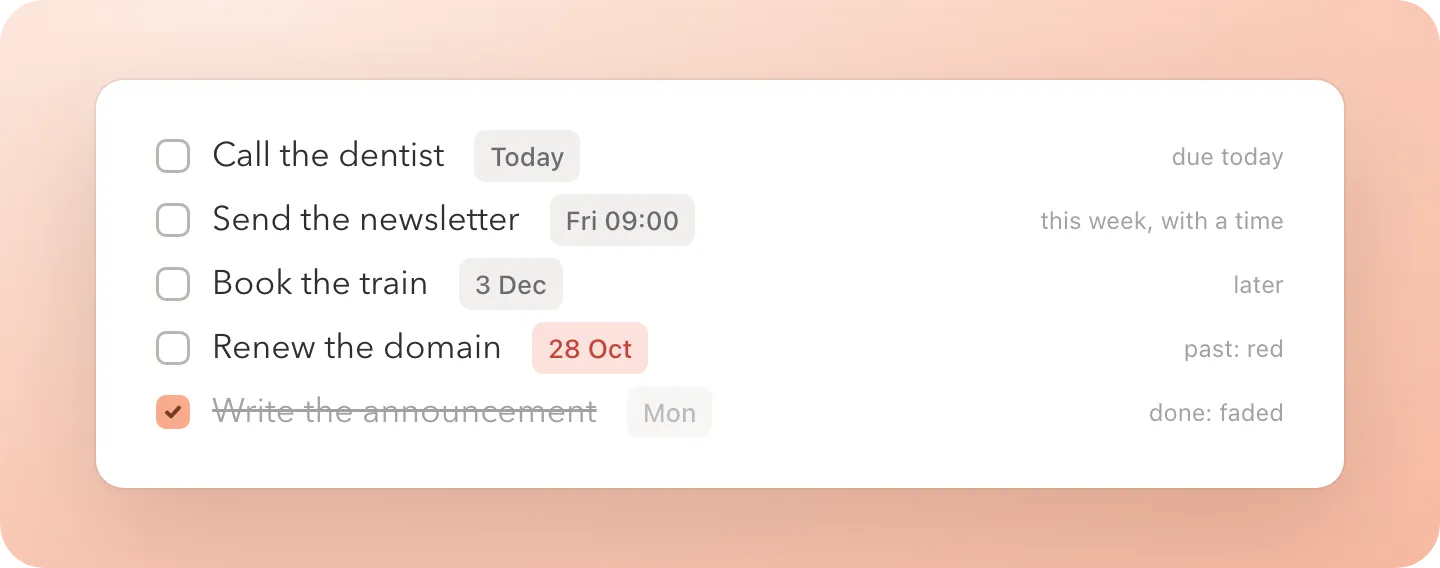
- The pill turns red once the date is past, and fades when the task is done.
- Put the text cursor on it and you see the markdown, to edit. This happens in Rendered mode too: it’s the one thing Rendered mode reveals.
Plain text means no reminder: a date momo didn’t understand never turns into a pill.
- Only a task’s date counts (a
-,*or+bullet with a box), outside code, and only its first date. - Where the task is in the note doesn’t matter.
- To be reminded of a whole note, write a task that says so:
- [ ] Look at this note again @2026-10-05.
Apple Reminders
Section titled “Apple Reminders”The first time a note has a dated task, macOS asks whether momo may use Reminders. From then on, every open dated task has a reminder in a list called MoMo, in your default Reminders account. If that’s iCloud, the reminders reach your iPhone too.
- Reminders sends the notification, even when momo is closed: at the task’s time, or at 09:00 for a day without one.
- Calendar shows the reminders too.
- Tick the task in momo and the reminder is completed. Untick it and the reminder opens again. Change or delete the date or the task, and the reminder follows.
- Complete a reminder in Reminders or on your iPhone, and momo ticks the task in its note, while momo is running or the next time it starts.
- The note wins in everything else: a new date or title given in Reminders, or a reminder deleted there, is put back.
Without access to Reminders, everything in momo still works. Only notes in your folders count.
My Things and Reminders in the sidebar
Section titled “My Things and Reminders in the sidebar”Under Notes in the sidebar (The library sidebar):
- My Things lists the notes with a task due today or before, not done.
- Reminders lists the notes with a dated task not done, the soonest first.
The My Things page
Section titled “The My Things page”Clicking My Things also shows a page in place of the note: Today and Upcoming in one, as in Things. Under Today is every task due today or before and not done, and under Upcoming every task due later, each under its note’s name:
My ThingsSunday, 27 September
Today  Inbox  ☐ Call the dentist             Today  ☐ Renew the passport           25 Sep   (red: overdue)  Shopping  ☐ Pick up the new lens         Today 18:00
Upcoming Inbox ☐ Send the quarterly report Wed 09:00- Click a note’s name to open the note, or a task’s words to open its note with the text cursor at the end of that task.
- Click a box to tick the task in its note (and in Reminders). It stays on the page, struck through, until you leave, so you can undo a wrong click by clicking again.
The page isn’t a file: momo builds it when you click My Things, and keeps it up to date while it shows. You can’t type into it, and opening any note takes you back.