
momo
Markdown that renders while you type.
A free markdown editor for the Mac with one quiet page to write on. Type **bold** and it turns bold the moment you close it: no preview pane, no button to press. Your notes stay plain .md files in your own folders, and a task with a date becomes a reminder on your Mac and iPhone.
Apple silicon & Intel · signed & notarized
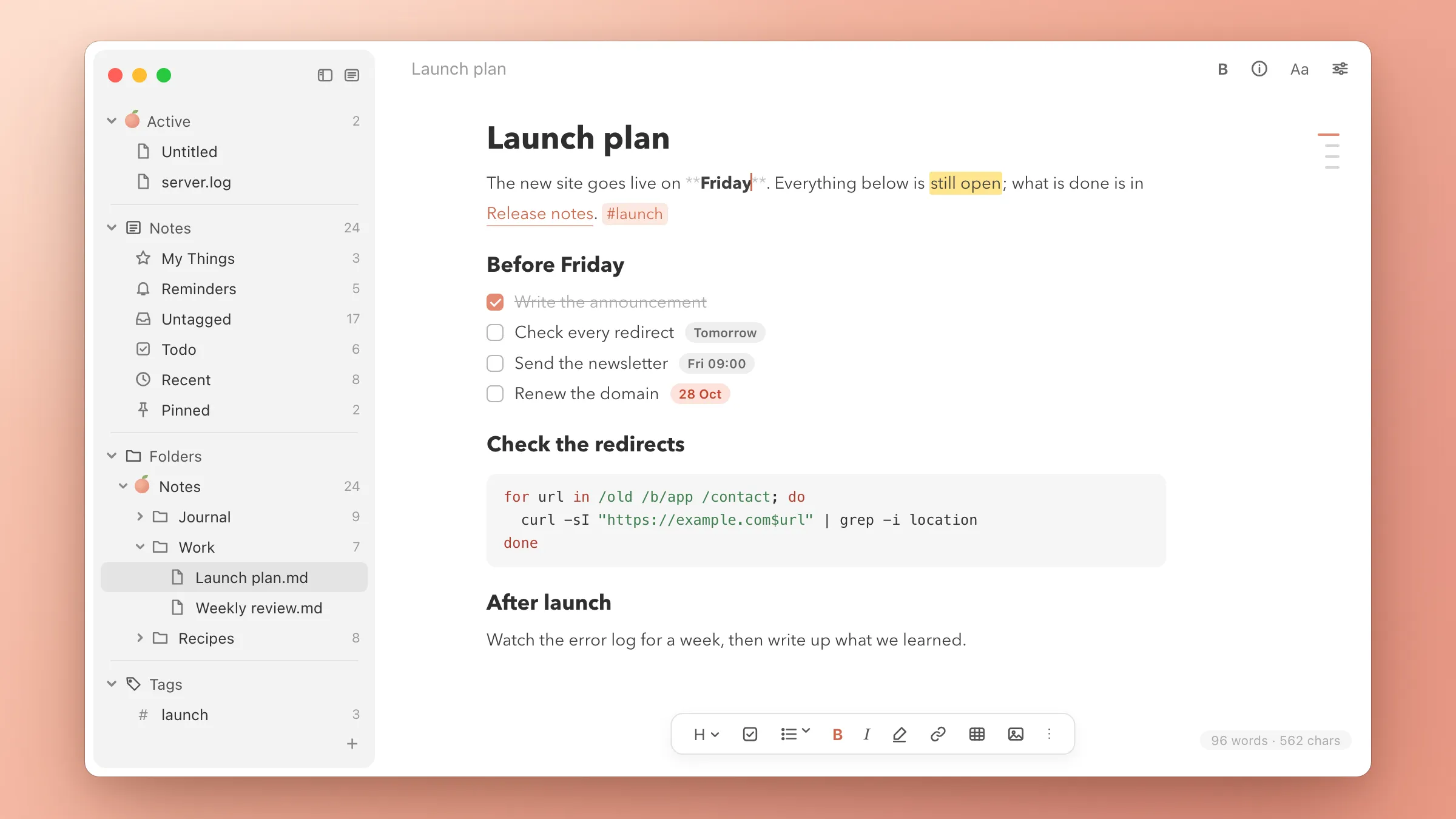
See the result, keep the markdown
Headings, emphasis, lists, task boxes, tables, code with syntax colours and images all render in place. The markdown characters are hidden rather than removed, and they come back, dimmed, around the word you are editing. Nothing is lost when you save.
Write the way you like
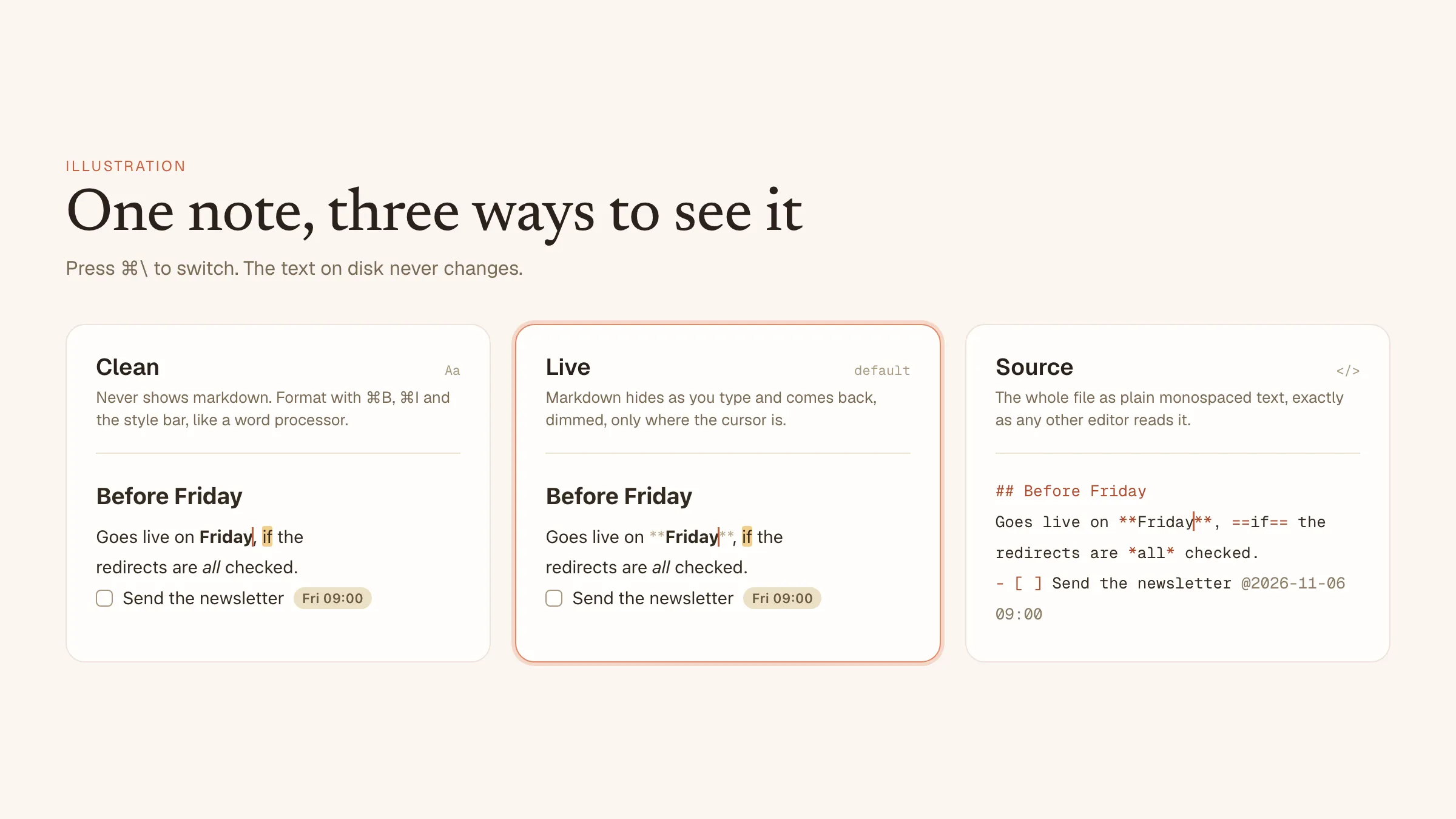
Live is the default. Clean never shows a single asterisk, so you format with ⌘B, ⌘I or the style bar as in a word processor. Source shows the raw text in a monospaced font. ⌘\ switches between them.
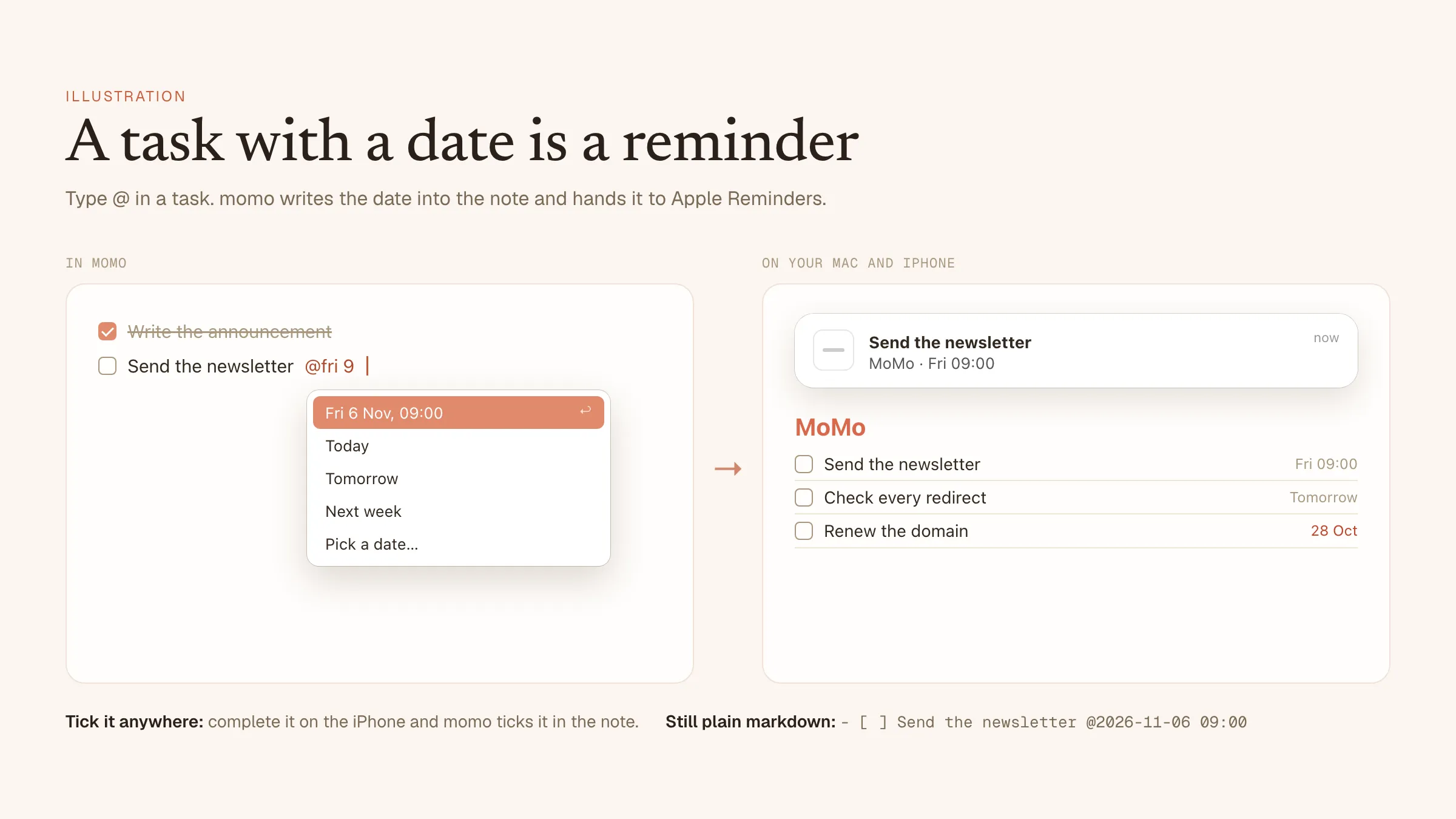
Your to-dos live in your notes
Type @ in a task and pick a day, or just write @fri 2pm or @in 3 days. The date shows as a small pill, and the task goes to Apple Reminders, which notifies you even when momo is closed. Tick it off on your iPhone and it is ticked in the note.
Today and upcoming, across every note
The My Things page in the sidebar collects what is due today or overdue, then what is coming up, grouped by note. And the note itself still holds nothing but markdown: - [ ] Send the newsletter @2026-11-06 09:00.
Light, dark or your own colours
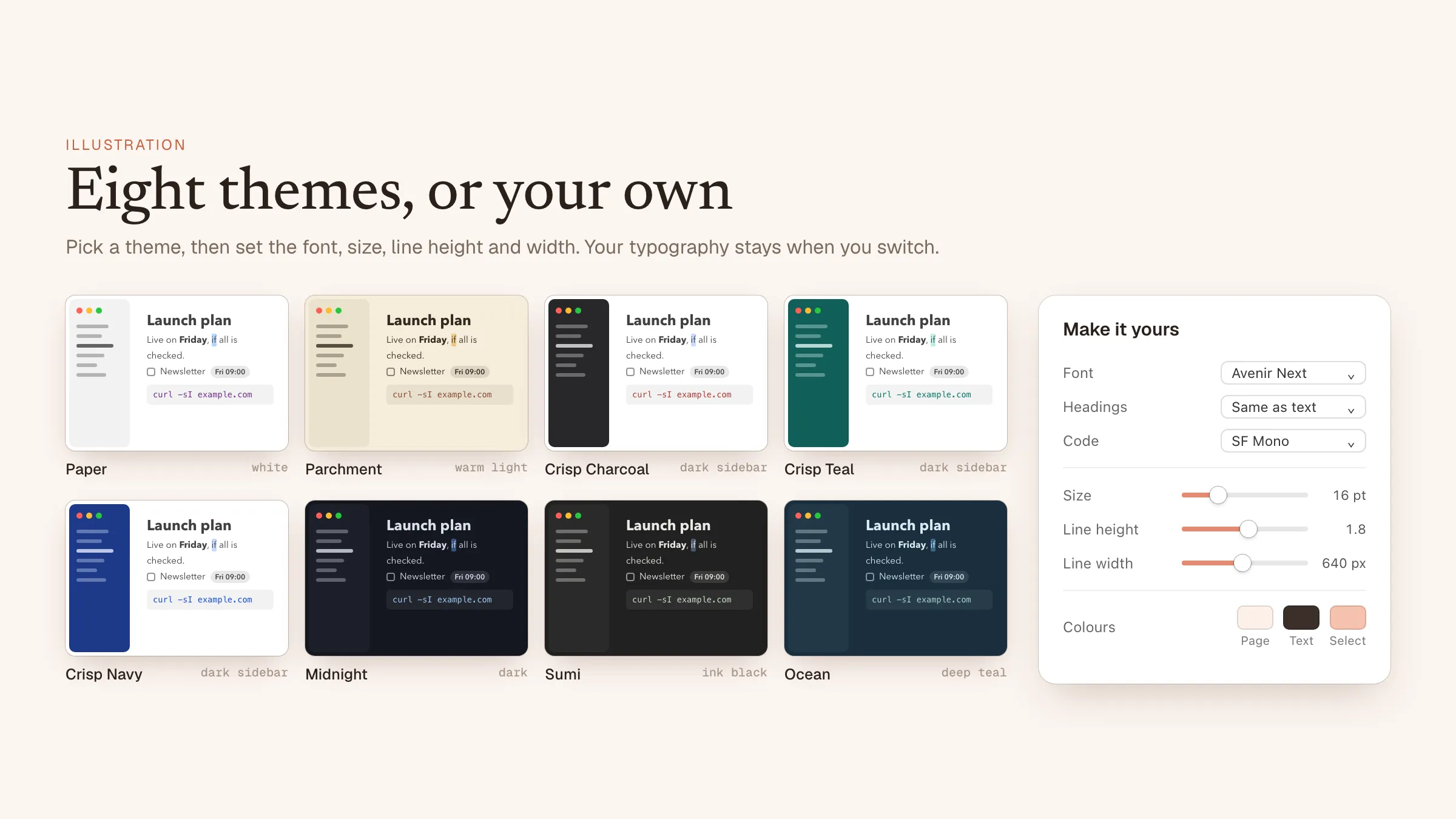
Eight themes come with momo: white Paper, warm Parchment, three Crisp themes with a white page beside a charcoal, teal or navy sidebar, and the dark Midnight, Sumi and Ocean. Or choose your own page, text and selection colours. The window follows light or dark mode from your page colour.
Set the page the way you read
Pick a font for text, one for headings and one for code, then the size, line height, line width, paragraph spacing and indent. Every change shows as you make it, and it stays when you switch themes. Any note can also run wider or narrower on its own.
Everything else it does
Your folders, your files
Add any folders to the sidebar. Notes are ordinary .md files on disk, so every other app can still read them.
Quick Open and search
⌘P finds a note by name, ⌘F narrows the note list with every letter, ⇧⌘F searches every line and jumps to the match.
Wiki links and tags
Link notes with [[Note name]], down to a heading. ⌘-click opens the note, or creates it. #tags list their notes.
Note list
Show a folder as cards with title, preview, first image and date, and walk through them with the arrow keys.
Images and files
Paste or drop an image, a PDF or any file. It is copied into an assets folder and linked, and the links follow the note when it moves.
Never asks you to save
Notes save themselves a second after you stop typing. ⌘N starts a scratch note momo keeps for you until you file it.
Local history
The last 50 versions of every file, to browse and restore. A file changed by another app is never silently overwritten.
Every text file
.txt, .log, .csv, .json and the rest open as plain text and save back in their own encoding and line endings.
Room to think
Typewriter mode, focus mode that dims all but the paragraph you are on, and a heading index in the margin. Export to HTML or PDF.
Questions
Is momo really free?
Yes. There is no account, no trial, no subscription and no in-app purchase.
Which Macs does it run on?
macOS 13 Ventura or later, on Apple silicon and Intel Macs. The download is signed and notarized by Apple.
Where are my notes stored?
Wherever you keep them. momo works on folders you choose, and every note is a plain .md file in that folder. There is no database and no sync service of its own, so your notes work with iCloud Drive, Dropbox, Git or any other editor.
Does it change my markdown?
No. Rendering only hides the markdown characters on screen. What momo saves is exactly what you typed, and Source mode shows the raw text.
Do reminders need an account?
No. momo hands dated tasks to the Reminders app on your Mac, in a list called MoMo. If your Reminders sync with iCloud, they reach your iPhone too. Without access to Reminders, everything else in momo still works.
Can I open plain text files too?
Yes. Any text file opens in a plain view and is saved back as it came, encoding and line endings included. A double-click in Finder opens just that file, quickly.
