Chili RAW 1.4: black-and-white film, and editing many photos at once
Chili RAW 1.4 adds Tri-X 400 black-and-white and three slide films, Process for a separate answer on every photo, a Best setting for Generative Remove, and folder notes.
Chili RAW 1.4 is out, and it has two themes. The first is film: Film Labor, the darkroom inside Chili RAW, can now develop black-and-white, and it has three more slide films. The second is editing a whole selection at once — not by pasting the same settings onto every photo, but by working out the right answer for each one.
Here is what’s new, what changed, and what was fixed. The update is free for everyone, and tools marked Pro need the Pro licence.
Film Labor: black-and-white, and three more slide films
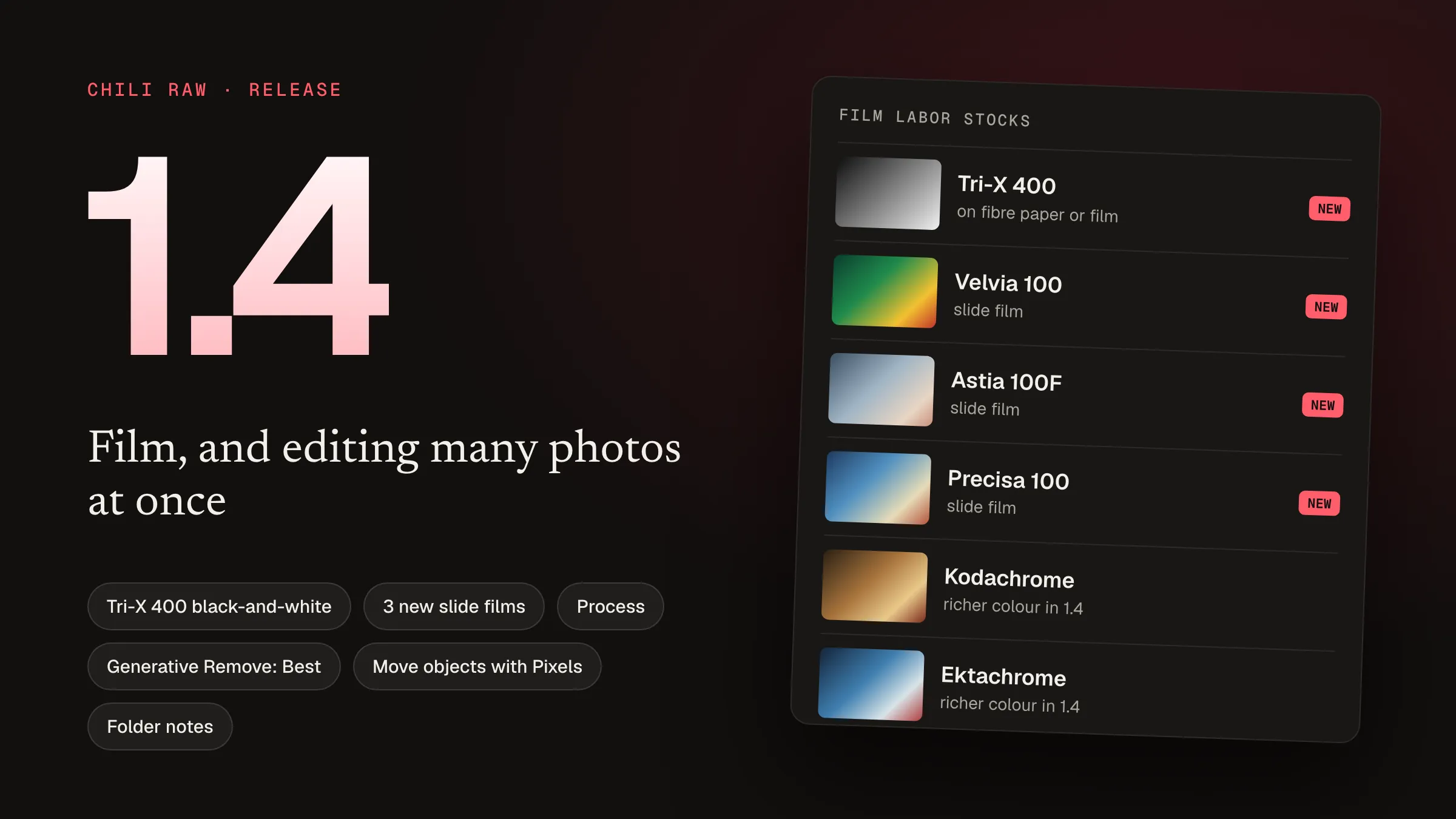
Tri-X 400 arrives as Film Labor’s first black-and-white film. You can print it on Polymax Fine-Art fibre paper or on Kodak 2302 film, and, like a real darkroom, you choose a development time for the negative and a contrast grade — or a development time — for the print. (Pro)
Three slide films join the colour stocks: Fuji Velvia 100, Fuji Astia 100F and Agfa Precisa 100. (Pro)
The existing slide films also look better. Provia, Velvia, Kodachrome and Ektachrome had been rendering noticeably paler than their looks intend; in 1.4 they carry their full colour.
Process: a different answer for every photo
Chili RAW already had Lift and Stamp, which copy one photo’s settings onto others. That’s right when every photo should get the same edit. Often they shouldn’t: a crop has to sit around each photo’s own subject, and exposure should suit the faces in each frame.
Process works that out per photo. Select a set and ask it to:
- crop each photo around its own subject or faces,
- set the exposure for the faces in each photo,
- match the whole set to one reference photo,
- add sky and subject masks, or remove dust. (Pro)
Crops, masks and dust spots are shown for review before anything is applied. You can save several steps as a chain and run it on the next shoot in one click.
On macOS 26 and later, you can also describe what you want in a sentence — “4:5 around the person with a bit of headroom” — and the Process dialog fills itself in. Like everything else in Chili RAW, that is worked out on the Mac itself; nothing is sent anywhere.
Generative Remove and Pixels
- A Best setting redraws a removed area with real detail, using a larger model you download in Settings ▸ AI. (Pro)
- Remove all detected dust in one click. Detect Spots now offers Remove All next to Accept All. (Pro)
- Removals copy across a burst. Lift & Stamp can carry Generative Remove regions, so a removal painted on one frame lands in the same place on the others. (Pro)
- Paint removals on any photo, including ones that are straightened, rotated, flipped, transformed or lens-corrected. Before, painting paused until those were undone. (Pro)
- Move an object, or make it smaller, with Pixels. Switch on Move in Enlarge, and the spot it was cut from is rebuilt. (Pro)
- A Pixels mount can continue the photo into its border instead of using a flat colour. (Pro)
Photos exported with Generative Remove regions now say so in their metadata, using the standard “edited with generative AI” label that competitions and picture desks look for.
Library and editing
- Notes for every folder. Click Notes above the grid to write in a Markdown editor built into Chili RAW. The notes are saved as a Markdown file inside the folder, so they move and back up with the photos.
- Reset Edits returns a whole selection to how it first opened, after asking. Ratings, keywords and other versions are kept.
- Perspective corrections can keep the whole frame. Fill edges, next to Constrain under Transform, fills the empty corners left by a vertical or horizontal correction with more of the picture instead of cropping them away.
Faster, and fixed
- Thumbnails of edited photos appear at once. The grid and filmstrip show the photo straight away and swap in the edited look when it’s ready, and renaming keeps thumbnails in place.
- Edited DNGs render up to eight times faster when they still hold the camera’s raw data.
- Long removals are clean. Generative Remove rebuilds a long stroke, like a power line across the sky, without the smeared band it used to leave.
- The Generative Remove model is listed in Settings ▸ AI on a fresh install, even before the app has been online.
- No faint line along the top edge of previews and resized exports.
- A continued Pixels mount carries on what reaches the edge — a sign, a post, a person — instead of drawing it a second time in the border.
Getting 1.4
Chili RAW updates itself: open the app and accept the update. New to it? Download Chili RAW 1.4 — a 50 MB disk image, no account needed. It runs on Macs with Apple silicon and macOS 15 Sequoia or later.
The free version is a complete RAW editor and library. The Pro licence is a one-time $39.90 with every future version included, and you can try Pro for seven days inside the app first.
For how Chili RAW got here, read how Chili RAW was built.