How to cull a photo shoot fast on a Mac
A practical way to cull hundreds of RAW photos on a Mac — in passes, from the keyboard, with burst stacks and a 1:1 focus check — and the free app to do it in.
Culling is the least glamorous part of photography and often the longest. You come back from a wedding, a holiday or an afternoon of birds with eight hundred frames, and somewhere in there are the forty worth keeping. Get through them quickly and you’ll edit while you still remember the day. Get bogged down and the card sits on your desk for a month.
Here is a method that works, and how to do it on a Mac with photo culling software that is free.
Cull in passes, not in one go
The slow way is to look at each photo and decide its final fate: rate it, compare it, zoom in, think. The fast way is to make several quick passes, each asking one simple question.
Pass 1: reject. Go through everything once, fast, and only mark the obvious failures: missed focus, closed eyes, the lens cap, the shot of your shoe. Don’t think about the good ones yet. This pass should take a second or two per frame.
Pass 2: pick. Go through what’s left and flag anything you might want. Be generous; you’re only saying “maybe”.
Pass 3: choose. Now look only at the picks and give stars. This is the pass where you compare similar frames and check focus closely.
Each pass is easy, so you don’t get tired, and by the third one you are choosing among a few dozen photos instead of hundreds.
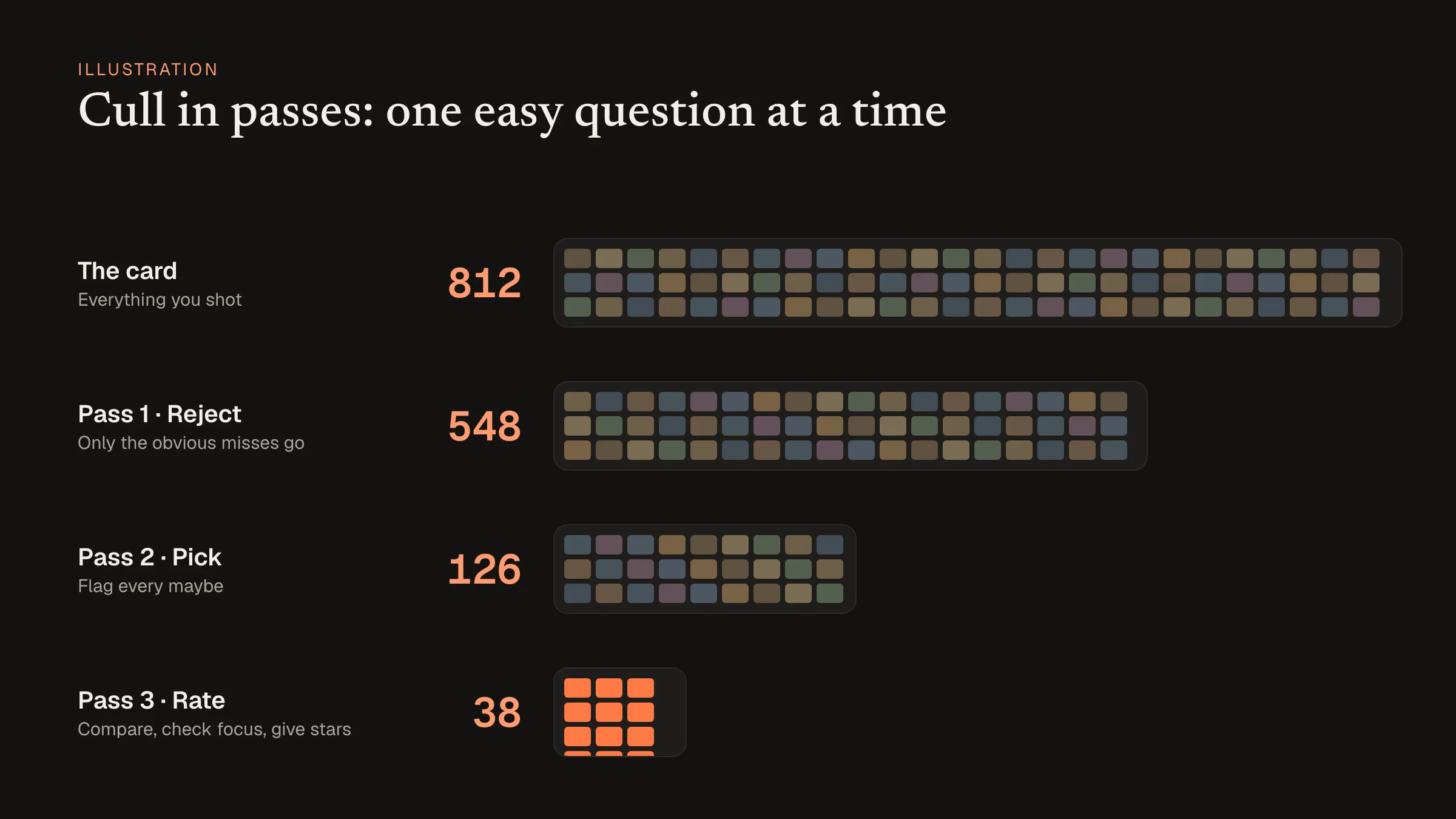 A typical cull: each pass asks one question, and the pile shrinks fast. Illustration with example numbers.
Keep your hands on the keyboard
Reaching for the mouse between every photo doubles the time a cull takes. Use an app where the arrow keys move, numbers set stars, and single keys flag and reject. After the first hundred frames it becomes muscle memory.
Fold bursts into one
If you shoot sports, wildlife or children, a lot of your frames are bursts: ten nearly identical shots of one moment. Looking at each separately is where culls lose most of their time. Stacking bursts into a single tile lets you judge the moment first, then open the stack only for the moments worth keeping.
Check focus without opening the photo
A thumbnail can’t tell you whether the eye is sharp. Opening every frame to 100% is slow. The fastest check is a loupe you can drag over a thumbnail to see the real pixels, plus focus peaking that highlights the sharp edges.
Compare only when you need to
Side-by-side comparison is for the final pass, when you have two or three frames of the same moment and need to pick one. Doing it earlier slows everything down.
Culling in Chili RAW
Chili RAW is a Mac RAW editor whose free version includes all of the above. It reads your photos where they already are, so there’s no import step before you start: open the folder from the card or the drive and begin.
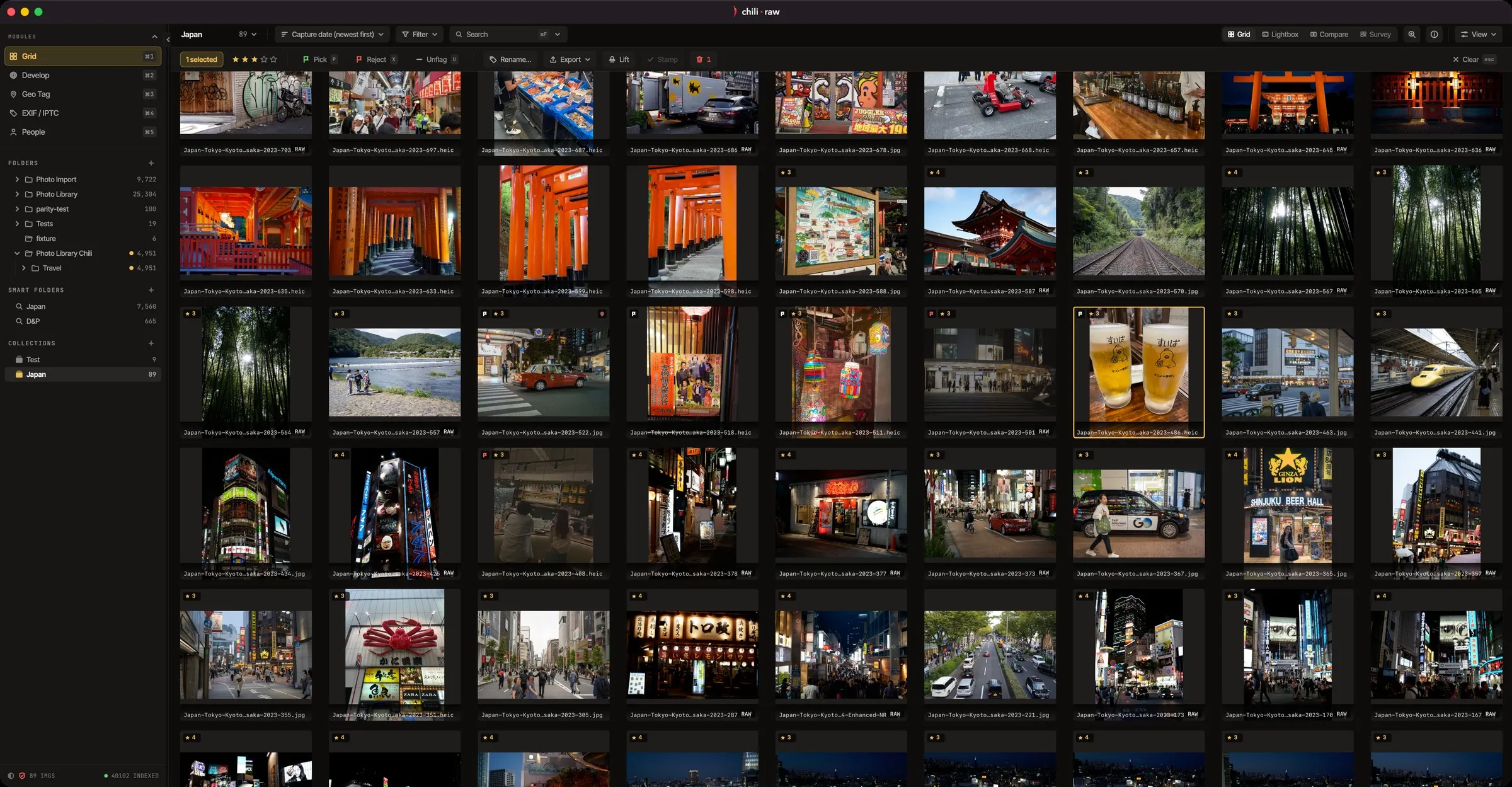
- Rate and flag from the keyboard in the grid.
- Burst stacks fold each run of near-identical frames into one tile.
- Drag the loupe across a thumbnail to see it at 1:1, with focus peaking.
- Compare puts two frames side by side; Survey shows a small set together so you can narrow it down.
The originals are never modified. When the cull is done, the picks are already in the editor, so developing them is the next click. For the rest of what the free version covers, see Chili RAW: a free Lightroom alternative for the Mac.