Photo Mechanic alternatives on the Mac
Photo Mechanic moved to subscriptions and Photo Mechanic 6 has an end date on Apple silicon. The alternatives for fast culling on a Mac, and who should stay.
For more than twenty years, Photo Mechanic has been the tool press, sports and wedding photographers use to get through a card fast. It shows RAW files instantly, lets you tag and caption at speed, and gets the selects out the door before anyone else’s.
Two things have sent many of its users looking for alternatives. Camera Bits moved Photo Mechanic to a subscription model, and it has said that Photo Mechanic 6, the last version many people bought outright, will stop running on Apple silicon Macs with macOS 28. If you own a PM6 licence and a recent Mac, that date matters.
Here’s what is out there, and who should simply stay with Photo Mechanic.
What Photo Mechanic does so well
It’s worth being clear about why people use it, because that’s what an alternative has to match:
- Speed. It shows the JPEG preview embedded in each RAW file instead of rendering the RAW, so moving between photos is instant.
- Metadata. Captions, keywords and copyright written as standard IPTC, with templates and code replacements that turn short codes into full player names. This is why press photographers depend on it.
- Ingest. Copying from several cards at once, renaming on the way, with backups.
What it costs now
At the time of writing, Camera Bits’ pricing page lists the standard edition at $14.99 a month or $149 a year, with a one-time licence still offered at $299; Photo Mechanic Plus, with its catalogue, costs more. There’s a free 30-day trial. Check their site for current prices.
Who should stay with Photo Mechanic
If you file captions to an agency on deadline, rely on code replacements, or work in a newsroom built around it, nothing else on this list replaces Photo Mechanic’s metadata tools. The subscription is a business cost, and for you it’s probably worth it.
The alternatives
Lightroom Classic. If you already pay for it, its Library module can cull. It is noticeably slower than Photo Mechanic, because it imports and builds previews first, but it saves you a second app.
AI culling tools. Apps like Aftershoot and Narrative Select group similar shots, flag closed eyes and missed focus, and suggest picks. They suit wedding and event photographers with thousands of frames per job. Most are sold as subscriptions.
Fast RAW viewers. Lightweight viewers built around embedded previews are as quick as Photo Mechanic for looking and rating, though usually lighter on metadata and ingest.
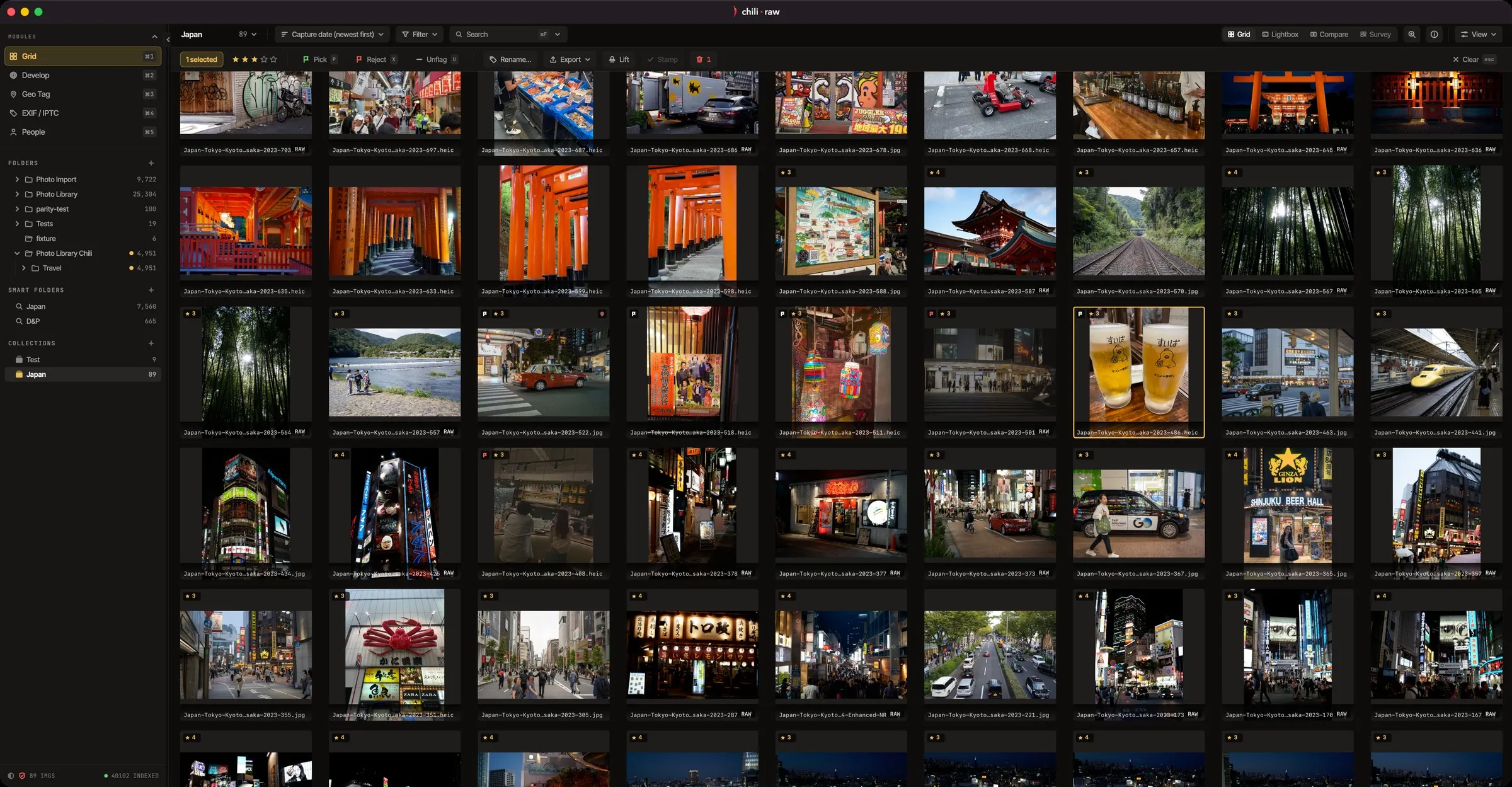
Chili RAW. Chili RAW is a Mac RAW editor whose free version includes a full culling workflow, so the photos you pick are already in the editor when you are done.
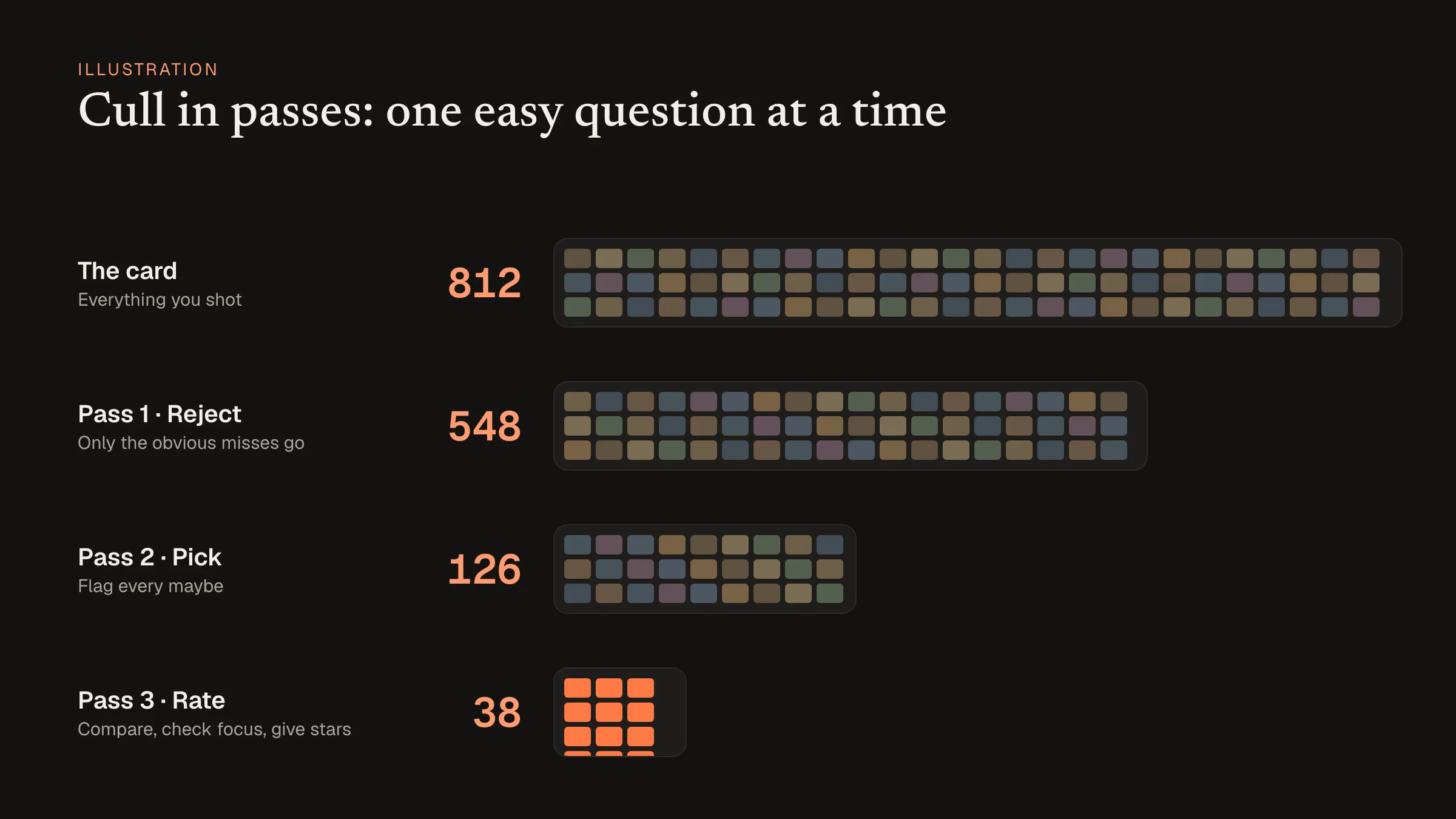 Culling in passes works the same in any of these apps. Illustration with example numbers.
Culling in Chili RAW
Chili RAW reads photos from the card or the folder where they are, with no import step. In the grid you rate and flag from the keyboard; burst stacks fold each run of near-identical frames into one tile; and you can drag a loupe across a thumbnail to check focus at 1:1, with focus peaking. Compare and Survey help with the final choice between similar frames.
For metadata, it writes captions, keywords and copyright as standard IPTC, and faces are grouped and named across the library. It doesn’t have Photo Mechanic’s code replacements or its multi-card ingest, so it suits photographers who cull their own work and then edit it, rather than wire photographers filing on deadline.
The culling tools are all in the free version. The Pro licence, $39.90 once, adds the AI and film tools for the editing that follows.
For a step-by-step method, see how to cull a photo shoot fast on a Mac.