A Soulver and Numi alternative for $5: how Zahl compares
Soulver and Numi made the plain-text calculator popular on the Mac. How Zahl compares on features and price, and when one of the others is the better buy.
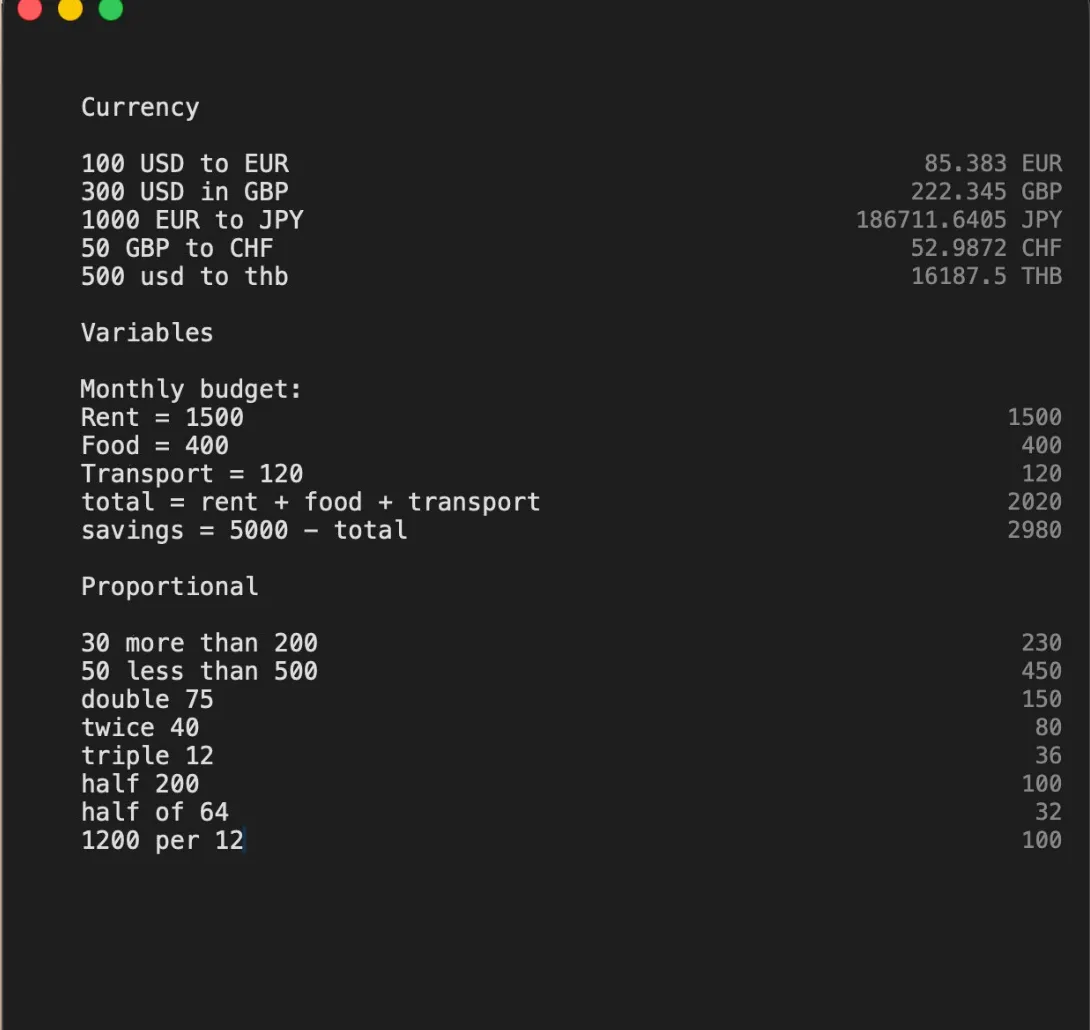
If you’ve ever written a sum on a notepad, with the numbers on the left and the answers on the right, you already understand Soulver and Numi. Both are Mac calculators where you type lines of plain text — 20% off 150, 100 usd to eur, today + 30 days — and see the answer next to each line. Once you get used to it, the regular Calculator app feels like a pocket calculator from 1985.
Both are excellent. Neither is cheap. Zahl is our take on the same idea, for $5. Here is how they compare, including the cases where we’d tell you to buy one of the others.
Prices are as of October 2026. Check each app’s own page before you buy.
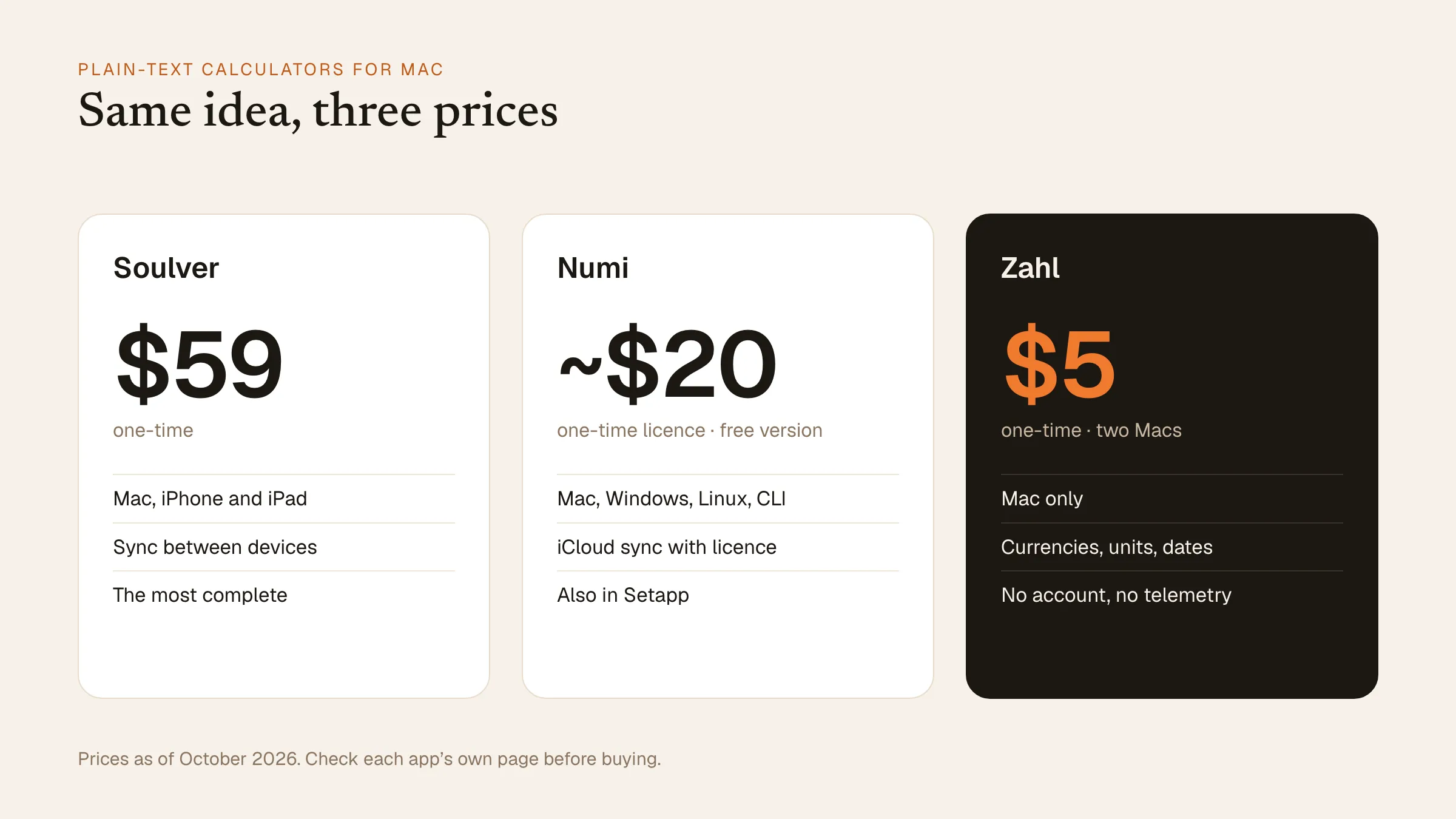 The three plain-text calculators side by side, as of October 2026.
Soulver
Soulver, by Acqualia, is the app that started the category on the Mac, and it is still the most complete. It understands a huge range of plain-English phrasing, has line references and totals, and runs on Mac, iPhone and iPad with sync between them.
At the time of writing it is a one-time purchase of $59 on the App Store, covering all three platforms, with a free trial.
Buy Soulver if you want your sheets on your iPhone and iPad too, or you do complex work in it every day and want the most mature app in the category.
Numi
Numi is a beautiful, minimal calculator that also runs on Windows and Linux and has a command-line version. It’s free to download, and a one-time licence (reported at around $20) unlocks unlimited notes and iCloud sync. It is also included in Setapp.
Buy Numi if you work across Mac, Windows and Linux, or you already pay for Setapp.
Zahl
Zahl costs $5 once, for two of your own Macs. It does the things most people use these apps for, every day:
- Plain language and operators.
20% off 150,8 times 9,twice 50. - Variables.
price = 120, thentax = price * 0.2, thenprice + tax.prevtakes the answer from the line above. - Currencies. Hourly rates from the European Central Bank, cached so they still work offline, with the cache date shown when it is used.
- Units. Length, mass, volume, area, energy, data, temperature and angle:
5 km to miles,70 kg to lbs. - Dates and time zones.
today + 30 days,next Monday,9 am PST in Tokyo. - Totals.
sum,averageormeanon a line adds up the block above it. - Hex, binary and octal, mixed freely.
- Sheets that save themselves, in tabs, with a global hotkey (⌘⇧Space), always-on-top and a menu bar mode.
There is no account, no analytics and no subscription. Sheets stay on your Mac.
What Zahl doesn’t have: an iPhone or iPad app, sync between devices, or a Windows version. It is a Mac app, and that’s all it is.
Side by side
| Soulver | Numi | Zahl | |
|---|---|---|---|
| Price | $59 once | Free; ~$20 licence | $5 once |
| Platforms | Mac, iPhone, iPad | Mac, Windows, Linux, CLI | Mac |
| Sync | Yes | iCloud (paid) | No |
| Currencies, units, dates | Yes | Yes | Yes |
| Account needed | No | No | No |
Which one should you get?
If you live on your iPhone as much as your Mac, Soulver is worth the money. If you need Windows or Linux, get Numi. If you want a plain-text calculator on your Mac for the cost of a coffee, that is exactly what Zahl is for.
New to the idea? Read what a notepad calculator is, and why it beats the Calculator app.