
PDFBoy Manual
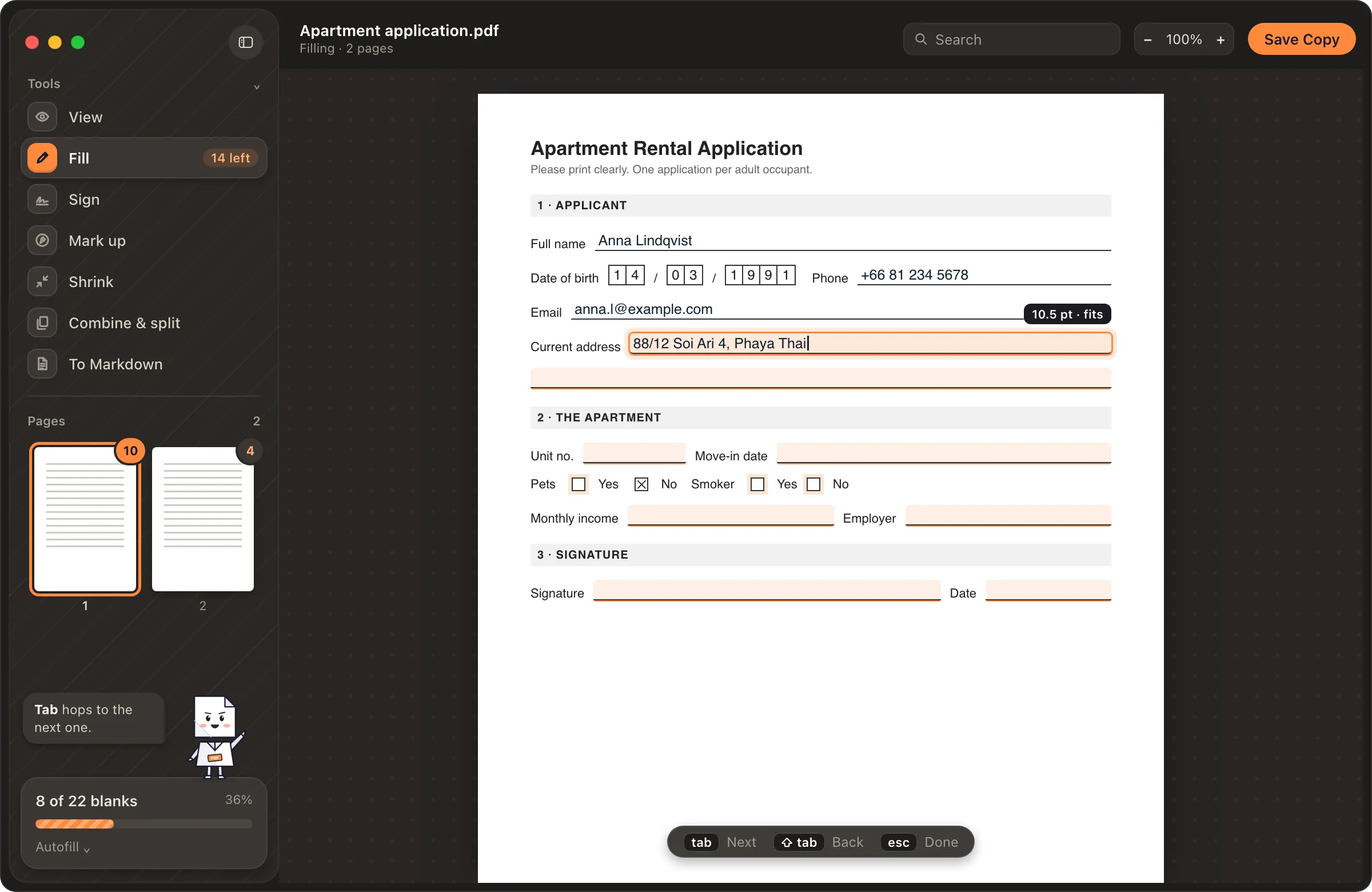
PDFBoy is a PDF app for the Mac that’s built around filling forms. Open a PDF and it finds the lines, boxes, comb boxes and checkboxes on the page, even when the PDF has no real form fields. Click a blank, or press Tab, and type. Your text sits on the line at the right size.
Seven tools sit at the top of the sidebar:
- View (⌘1): read, search and zoom.
- Fill (⌘2): type into the blanks, tick the boxes, let PDFBoy fill in your details from a profile.
- Sign (⌘3): draw your signature or add a photo of it, keep stamps, and put them on the signature line at their real size.
- Mark up (⌘4): draw, highlight, add shapes, notes and stamps, cover old text with Whiteout, or remove it for good with Redact.
- Shrink (⌘5): make a PDF smaller with three settings.
- Combine & split (⌘6): put several PDFs together, or save parts of one as separate files.
- To Markdown (⌘7): turn the text of a PDF into Markdown, scans included.
Everything happens on your Mac. Text recognition for scans runs on the device, and your profiles and signatures stay on this Mac. PDFBoy never changes the PDF you opened: Save Copy always writes a new file.
PDFBoy needs macOS 14 Sonoma or later, on Apple silicon or Intel.
Every page
Section titled “Every page”| Page | What it covers |
|---|---|
| Getting started | Installing, the trial and your licence, opening PDFs, the window |
| Viewing and searching | The View tool, search, zoom, the pages in the sidebar |
| Filling forms | Blanks, Tab, text size, comb boxes, checkboxes, free text, saving |
| Smart fill and profiles | Your details filled in for you, after you check them |
| Signing | Drawing or adding a signature, stamps, real size, placement |
| Mark up | Pen, shapes, highlights, text, notes, stamps, Your marks |
| Whiteout and redaction | Correcting a value, and removing text for good |
| Shrink | Light, Medium and Strong, and when shrinking can’t help |
| Combine and split | Several PDFs into one, one PDF into several |
| To Markdown | The text of a PDF as Markdown, to copy or save |
| Scans | What PDFBoy reads from scanned pages, and how |
| Settings and licence | The boy’s messages, profiles, signatures, licence, updates |
| Keyboard shortcuts | Every shortcut on one page |
| Troubleshooting | Locked PDFs, missed blanks, saving after the trial and more |