
To Markdown
Switch to To Markdown (⌘7). PDFBoy reads the pages (“Reading the pages…”) and shows the result in the panel at the bottom, As Markdown, with its word count.
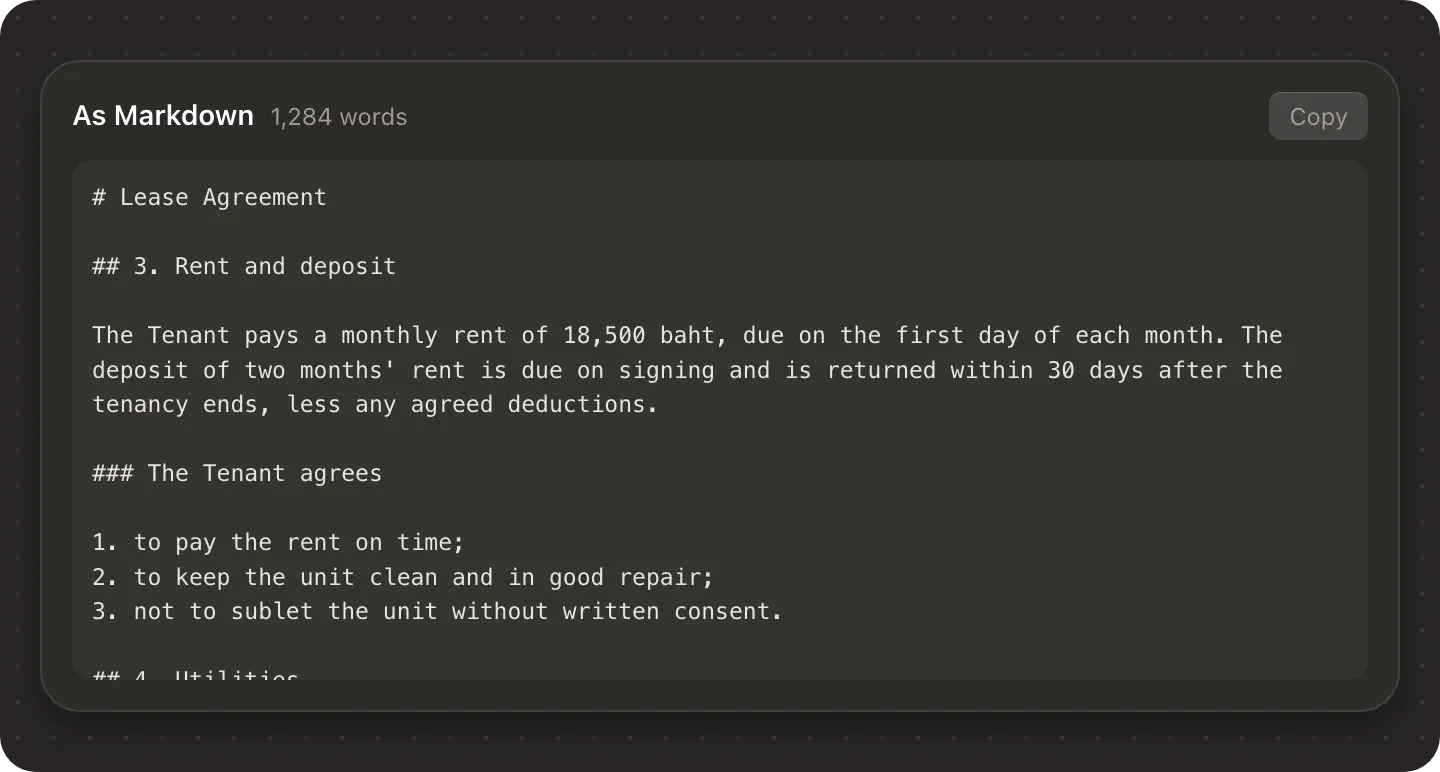
- Copy puts all of it on the clipboard. Paste it into a notes app, an editor or a chat.
- Save Markdown… in the toolbar (or ⌘S) saves it as a .md file named after the PDF.
The panel previews the start of a long document; Copy and Save always take all of it. You can also select part of the preview and copy that.
What you get
Section titled “What you get”- Headings come from the font sizes: text noticeably bigger than the body becomes a heading, in three levels. Short bold lines become small headings.
- Lists: lines starting with a bullet become
- item, numbered lines become1. item. - Paragraphs: lines that wrapped on the page are joined again, and words broken with a hyphen at a line end are put back together.
- Left out: page headers and footers that repeat on every page, lone page numbers, and the dotted leaders of forms and tables of contents.
Anything you typed, signed or marked up in PDFBoy is part of the page it’s read from.
Pages without a text layer are read with text recognition on your Mac. The boy says how many: “2 were scans, so I read them with OCR.” See Scans.
If the PDF has no text at all, the panel says “There’s no text in this PDF to turn into Markdown.”