Fill in any PDF form.
Just click and type.
Not your usual PDF editor.
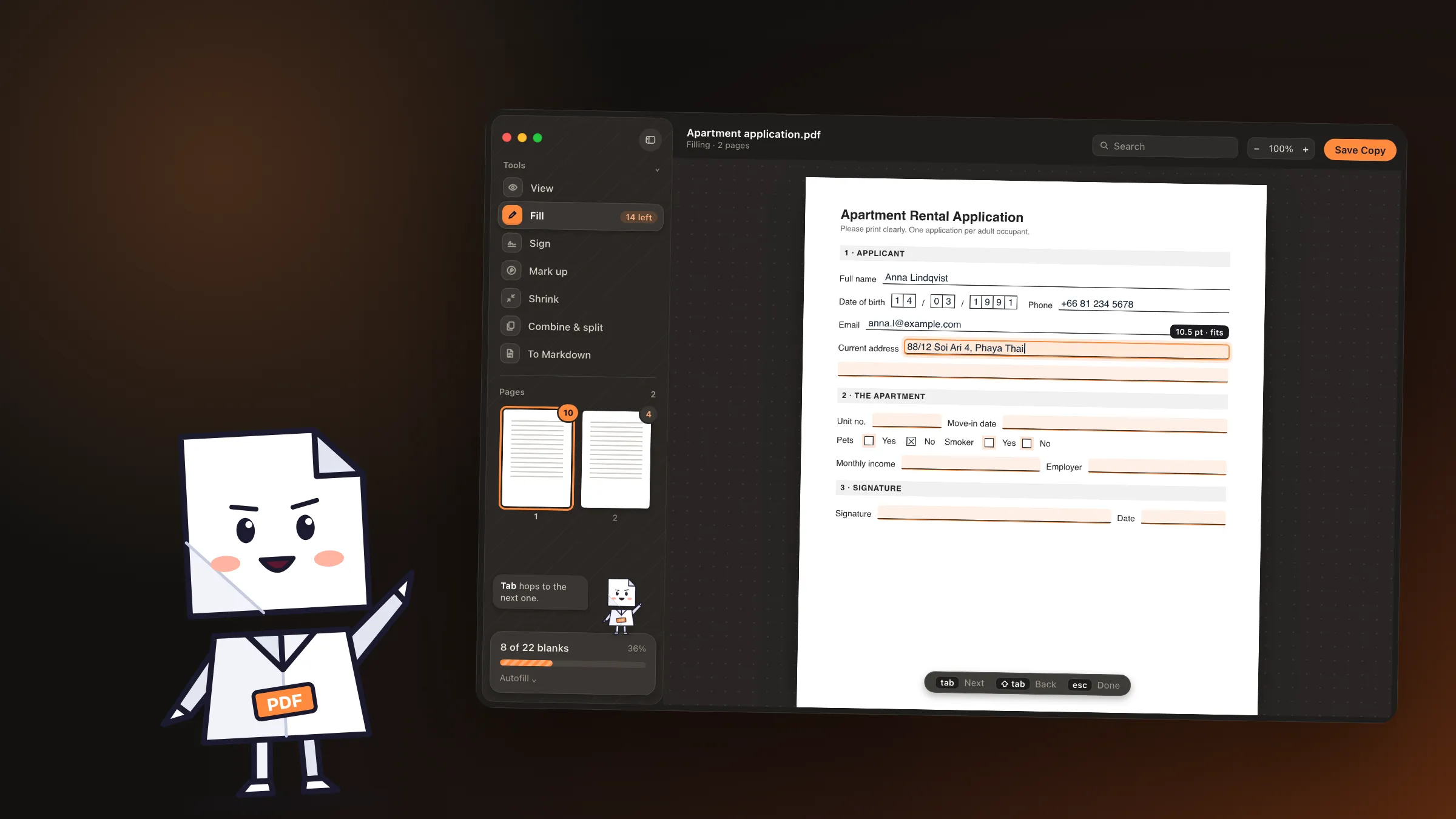
A small, fast Mac app that does the fiddly part for you. Click a line on any form and type: PDFBoy finds the blanks, puts your text on the line at the right size, and Tab takes you to the next one. Mark up, sign, redact, shrink and combine in the same window.
macOS 14+ · one licence for three Macs
Drop a PDF. I’ll take it from here.
Apartment Rental Application
No form fields?
He finds the lines.
Most PDFs you’re asked to fill aren’t real forms. They’re scans and exports with lines drawn on them, and other apps hand you a floating text box to drag around. PDFBoy reads the page, finds every line, box and checkbox, and puts the caret where the text belongs.
Visitor Registration
- 01
He finds the blanks
Lines, underscores, dotted leaders, boxes, comb boxes and checkboxes glow softly a moment after the PDF opens. Scans too.
- 02
Click near a line
The caret snaps to the start of the line, on its baseline. No text box to place, no guessing the height.
- 03
Tab to the next
Tab and ⇧Tab move through the blanks in reading order. The text size matches the label next to each one.
- 04
Boxes fill themselves
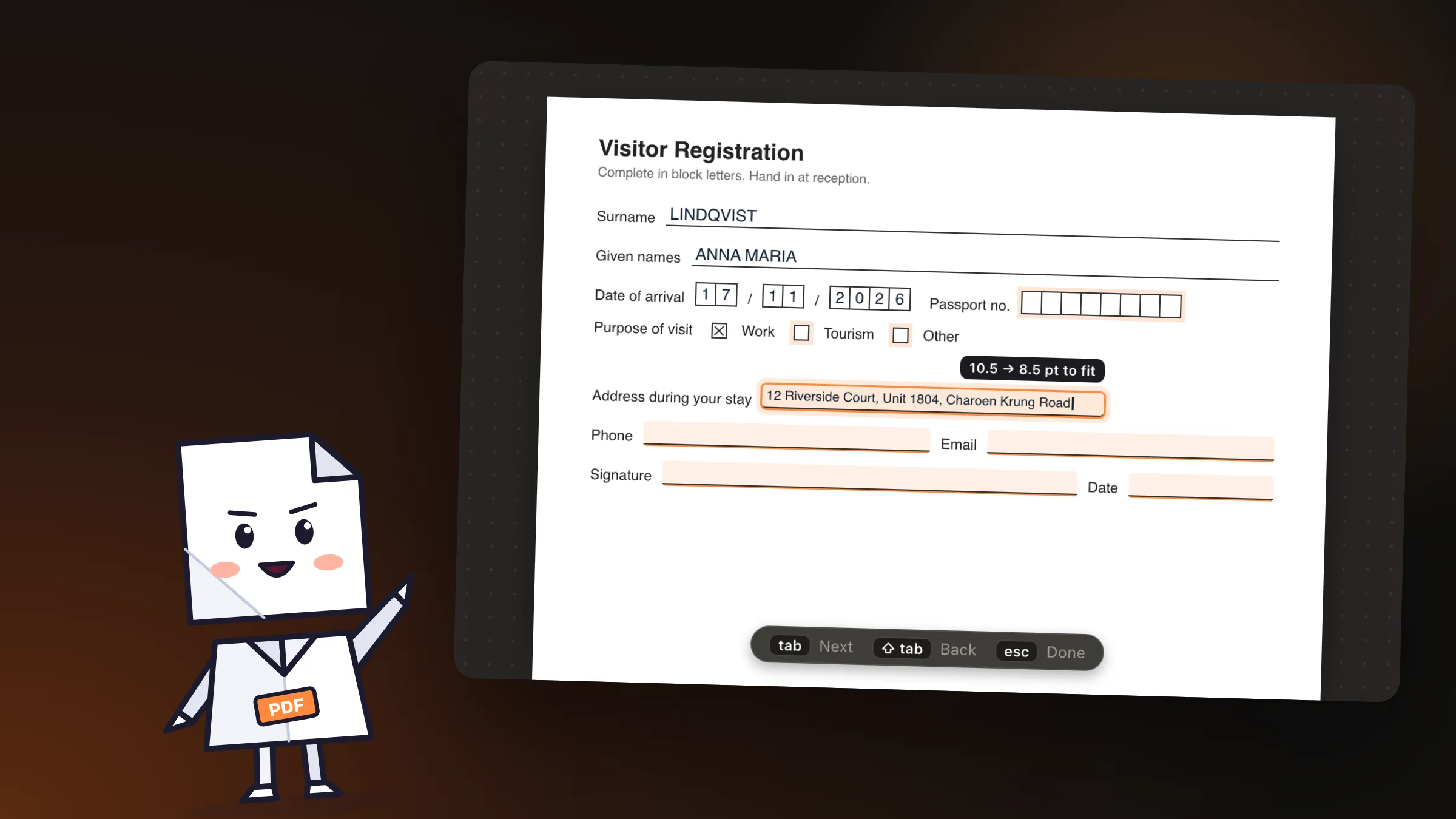
One character per comb box, evenly spaced. A click or Space ticks a checkbox. Too much text for the line? It shrinks to fit.
The usual way Other PDF apps
- Add a text box, drag it onto the line, nudge it down
- Guess a font size, then fix the one that’s off
- Start again for every line on every page
With PDFBoy Click · type · Tab
- Every line is already a place to type
- Same size, same baseline, lined up
- Real form fields work the same way, and stay fillable
Comb boxes
One character per cell, spaced to the boxes.
Checkboxes
Click or press Space for a centred ✕.
Shrink to fit
Long answers get smaller instead of running off the line.
Tables
Every cell of a drawn table is a blank of its own.
“I can fill 9 of 20 blanks for you.”
Save your details once: name, address, date of birth, passport, tax ID, company. PDFBoy reads the label beside each blank and offers the matching value in light grey. Return accepts them all, or Tab through and check each one.
- Profiles for you, your partner and your company. Pick who you’re filling as.
- Skips the sections that aren’t yours, like “For office use” or the landlord’s signature.
- IDs and numbers fit comb boxes, one character per cell, with spaces and dashes dropped when that makes them fit.
- Reads labels in English, German and Thai, and learns from the suggestions you turn down.
- Your details stay on your Mac. Nothing is sent anywhere.
Change of Address Notification
Change a word.
Nobody can tell.
A wrong date, an old address, a typo in a PDF you can’t edit? Click it. PDFBoy covers it with the paper’s own colour, then puts the caret on the same line in the same font and size, so the new words look like they were printed there.
Certificate of Residence
| Name | Anna Maria Lindqvist |
| Address | 88/12 Soi Ari 4, Phaya Thai |
| Resident since | 1 June 2024 |
| Valid until | 31 December 2025 |
Certificate of Residence
| Name | Anna Maria Lindqvist |
| Address | 88/12 Soi Ari 4, Phaya Thai |
| Resident since | 1 June 2024 |
| Valid until | 31 December 2026Paper colour matched✎Georgia 12 pt |
Paper colour, picked for you
White, cream, grey or a tinted scan: the patch takes the colour around it. Off? The eyedropper fixes it.
The font it covered
Font, size and baseline come from the text underneath, so the new value sits right where the old one did.
Click a word or drag an area
A click fits the patch to the word. A drag covers a whole line, a logo or a stray mark.
Whiteout hides the old text, but it’s still in the file. For anything secret, use Redact: one click turns a whiteout into a real redaction.Every mark on its own layer.
Highlight, draw, add notes, arrows and stamps. Each one is listed in Your marks, like layers in a photo editor: click one to jump to it and edit it, delete one without touching the rest. On save, flatten them into the page or keep them editable for the next person.
Lease Agreement: Unit 1804
1. The Tenant agrees to rent the premises for a term of twelve (12) months, beginning on the first day of the month following signature.
2. Rent of THB 28,000 per month is due on the 5th. Deposit due within seven days of signing, equal to two months' rent.
3. The Landlord may enter the premises at any time with 24 hours' written notice, except in an emergency.
4. Pets are not allowed without written permission. The Tenant is responsible for minor repairs below THB 2,000.
5. Either party may end this agreement with sixty days' notice after the first six months of the term.
Ink that feels like ink
Pressure-sensitive pen with a trackpad or tablet, and an eraser that takes strokes away.
Sketch becomes shape
Draw a rough box, circle or arrow and it turns clean. Stars, speech bubbles and more in Shapes.
Highlight, underline, strike
Along the real text of the page, in your colours. Notes and callouts point at what you mean.
Stamps in one click
Tick, cross, dot, today’s date (Buddhist-era too) and your initials.
Loupe and mask
Magnify a detail, or dim everything but the part that matters for a screenshot.
Lined up
Alignment guides as you drag, arrow keys to nudge, ⇧ for bigger steps.
Marks that came with it
Edit and remove annotations someone else added to the PDF.
Copy an area
Drag over part of a page to copy it as a picture.
Blacked out means gone.
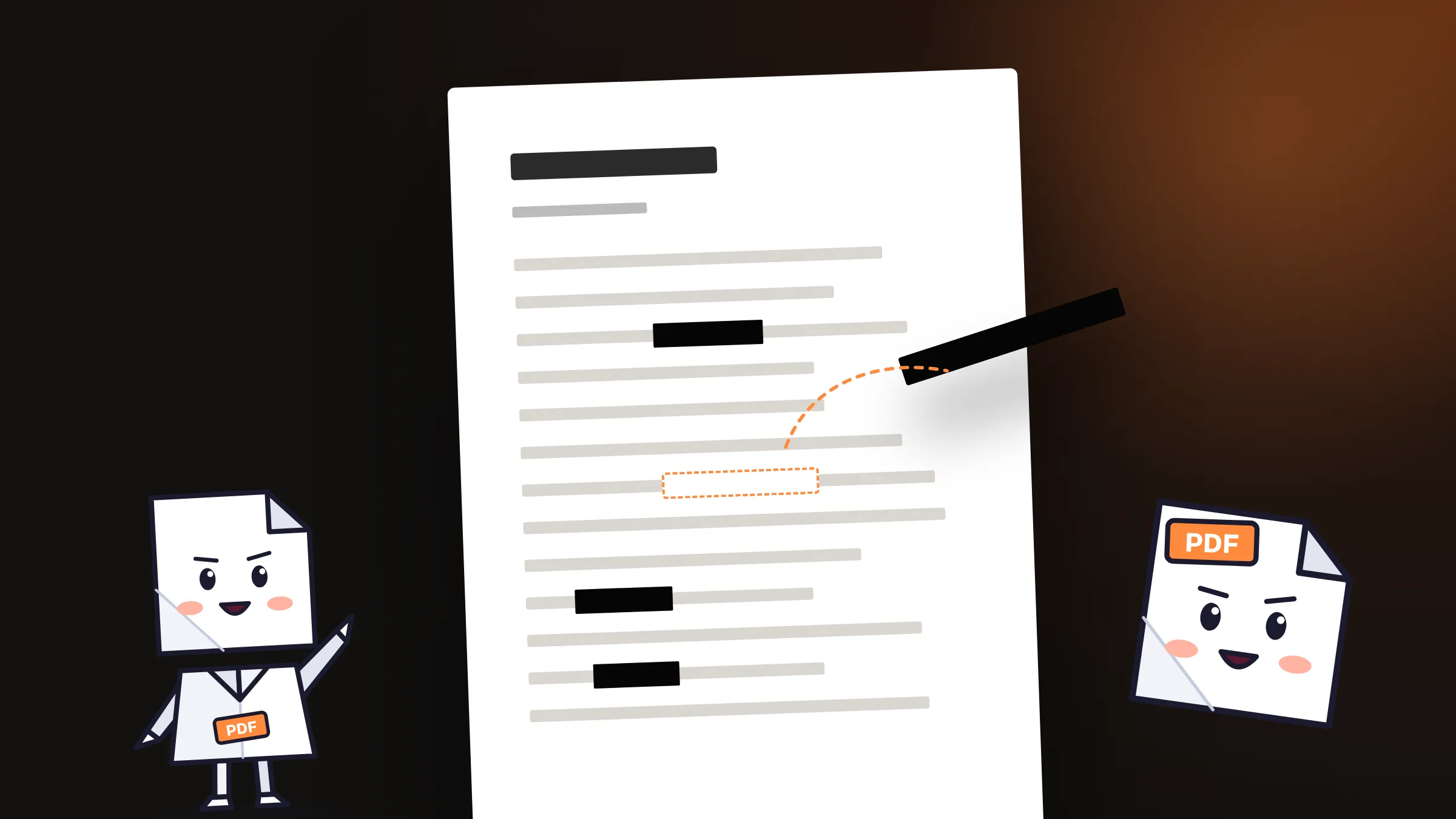
A black box drawn over text hides it from the eye, but the words are still in the file: select, copy, paste, and there they are. PDFBoy rebuilds a redacted page so the words under the box exist nowhere in it, then reads the rest of the page back in, so it stays searchable.
A black box on top Still there
IBAN:
Monthly salary:
Redacted with PDFBoy Gone
IBAN:
Monthly salary:
“Blacked out. When you save, it’s gone for real.” The loupe and copied areas never show what’s under a redaction either.STUDIO
CO., LTD.
Your signature, at its real size.
Draw it on the trackpad, sketch it on your iPhone or iPad, or take a photo of it on paper. PDFBoy lifts the ink off the paper and keeps it in your library with your company stamps.
- mm
True to size
A signature is about 45 mm wide on paper, and that’s how it lands on the page. It only shrinks when the line is too short.
- ✦
Ink, not a sticker
Form lines show through the ink, the way they do on a printed page.
- ◎
Stamps where they go
A company stamp sits beside the signature and overlaps it a little, slightly turned, as it’s done in Thailand.
An image signature is not a cryptographic digital signature.
The rest of the toolbox.
The things you’d otherwise open three apps or a website for. All on your Mac, all in the same window, each one a keystroke away.
Shrink
Make a PDF small enough to email. Three settings, each showing the size it will give before you save. Text, links and form fields stay as they are.
Combine & split
Drop several PDFs in, put them in order, save one. Or split a long PDF into every page or the ranges you choose.
To Markdown
Turn a PDF into clean Markdown: headings from the font sizes, lists and paragraphs. Scans are read with text recognition.
• New office in Chiang Mai
• Two product launches
Revenue grew in every region. Highlights:
- New office in Chiang Mai
- Two product launches
Scans too
A crooked scan or a phone photo of a form? PDFBoy allows for the tilt, finds the blanks and reads the labels with text recognition.
found
Fast, light, and ready to replace Preview.
A 9.5 MB native app that opens in a blink and scrolls long documents smoothly. Make it your default for every PDF, not just the forms: a double-click opens straight into View, with just the pages and nothing in the way. When something needs filling, signing or fixing, it’s one keystroke away instead of another app.
Opens to read
PDFs open in View in a moment, with page thumbnails beside them.
Search and zoom
⌘F finds text on every page; zoom stays in the toolbar.
Room to read
Hide the sidebar and the tools fold into a slim rail.
Default in two clicks
Finder ▸ Get Info ▸ Open with ▸ PDFBoy ▸ Change All.
Letter to shareholders
This was our strongest year yet. Revenue grew in every region, led by the new studio in Chiang Mai.
We shipped two products and hired forty people, most of them engineers.
Next year we focus on the things our customers use every day.
Highlights
Revenue up 24% to THB 410 million.
Customer count passed 12,000.
Two new offices and a second data team.
 PDFBoy▾
Use this application to open all documents like this one.
Change All…Feels like it came with your Mac.
Built with Apple’s own frameworks, on the same PDF engine as Preview. Native controls, light and dark mode, Continuity Sketch from your iPhone or iPad, and every tool on the keyboard.
1. The Tenant agrees to rent the premises for a term of twelve (12) months.
2. Rent is due on the 5th of each month.
3. Deposit equal to two months' rent.
Folded from a single page.
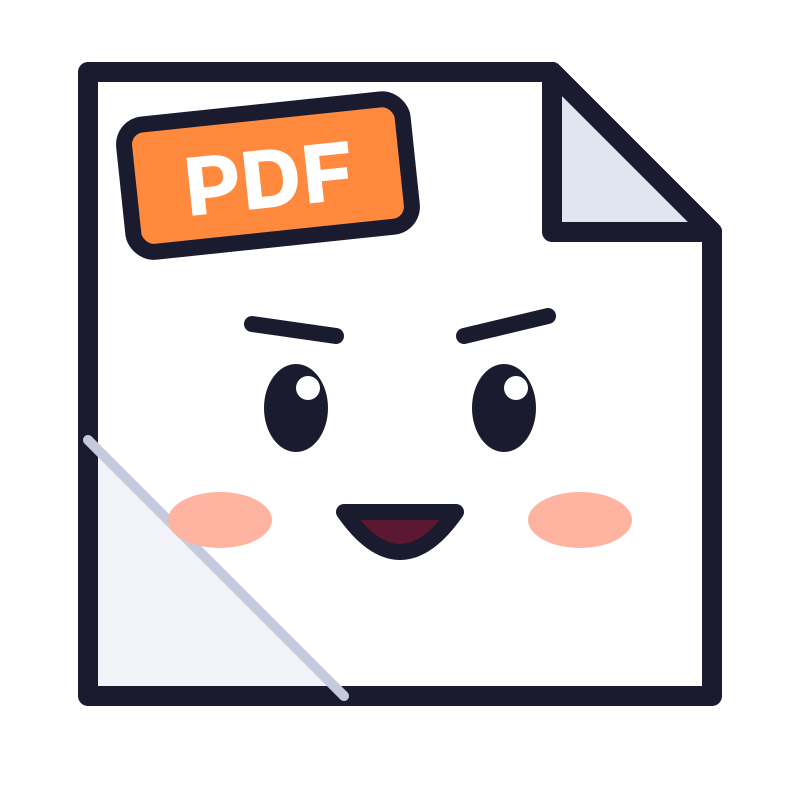
PDFBoy is a boy made of paper, with a dog-eared corner for hair and an orange tag on his head. He sits in the corner of the window, keeps count of the blanks, and pipes up when he has something useful to say.
The PDF app that does the fiddly part.
Fill, fix, sign, mark up, redact, shrink, combine and convert. One payment, no subscription, no account.
One licence for up to 3 of your Macs · Updates included
Try everything free for 14 days first. If PDFBoy earns its place, the licence is $9.99, once.
macOS 14 Sonoma or later · Apple silicon and Intel · Updates built in
Questions
Does it work with PDFs that have no form fields?
Yes, that’s what it’s best at. PDFBoy finds the lines, boxes, comb boxes and checkboxes on the page itself, so a scanned or exported form fills like a real one. PDFs with real form fields work too, and can stay fillable when you save.
Can I try it first?
Yes. Download PDFBoy and every tool works for 14 days. Buy a licence any time to keep saving after that; nothing you did in the trial is lost.
How many Macs can I use it on?
One licence unlocks PDFBoy on up to 3 of your Macs. To move it to another Mac, deactivate it on one in Settings ▸ Licence.
Is it a subscription?
No. $9.99 is a one-time payment, and updates are included.
Do my files or details leave my Mac?
No. Everything happens on your Mac, text recognition included. Your smart fill profiles and signatures are stored only on your Mac. The licence check sends only your key and an anonymous ID for the Mac.
Is redaction really permanent?
Yes. A redacted page is rebuilt without the covered words, then its remaining text is read back in so you can still search and select it.
Is a drawn signature a digital signature?
No. It’s a picture of your signature, which is what most forms ask for. It isn’t a cryptographic digital signature.