
Signing
Switch to Sign (⌘3). A panel at the bottom, Sign and stamp, holds your saved signatures and stamps.
Add your signature
Section titled “Add your signature”Draw it. Click Draw Signature…. Sign on the line with the trackpad, a mouse or a pen tablet.
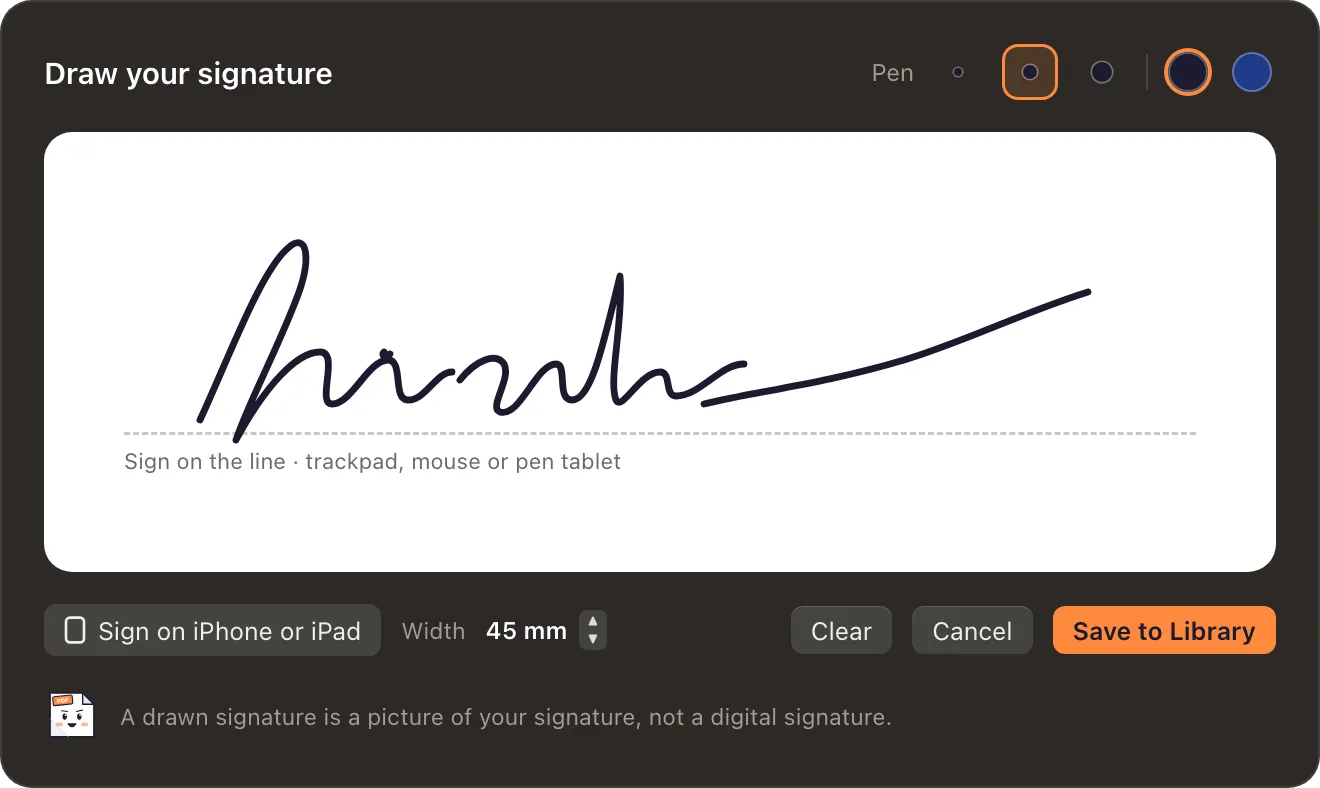
- Pen: Fine, Medium or Bold, in black or blue ink.
- Width: how wide the signature is on paper, 25 to 80 mm.
- Clear starts again. Save to Library keeps it and puts it on the form.
Sign on your iPhone or iPad. In the same sheet, click Sign on iPhone or iPad and pick your device. Sign with your finger or Apple Pencil and tap Done. This uses Apple’s Continuity Sketch, so both devices need the same Apple Account, with Wi-Fi and Bluetooth on.
Add a photo or scan. Click Add Signature… and choose a picture or PDF of your signature on white paper. PDFBoy removes the paper, keeps the ink and trims it.
Stamps
Section titled “Stamps”Click Add Stamp… and choose a photo or scan of a company stamp or seal. As with signatures, the paper is removed.
Put it on the form
Section titled “Put it on the form”Click a signature or stamp in the panel.
- A signature goes on the first signature line that doesn’t have one yet: a line or box labelled “Signature”, “Sign here”, “Unterschrift”, “ลงชื่อ” and the like. It sits on the line and crosses it slightly, like real ink. Lines for someone else, such as an officer or a witness, are skipped.
- A stamp goes next to the signature and partly over it, turned a little, as stamps are in real life.
- If there’s no signature line, it goes in the middle of the page you’re looking at.
Then adjust it:
- Drag it where you want it. It lines up with other marks nearby.
- Arrow keys nudge it (with ⇧ in bigger steps, with ⌥ in smaller ones).
- ⌥⌘+ and ⌥⌘− make it bigger or smaller.
- Delete removes it.
Signatures and stamps are always drawn into the page when you save.
Real size
Section titled “Real size”Every signature and stamp keeps its size on paper in millimetres: 45 mm wide for a new signature, 40 mm for a stamp. So it looks the same on an A4 form as on a small receipt. It only gets smaller when the line is too short for it.
Change the width, rename an item, switch it between Signature and Stamp, or delete it in PDFBoy ▸ Settings… ▸ Signatures.
Not a digital signature
Section titled “Not a digital signature”A signature in PDFBoy is a picture of your signature, placed on the page. It is not a cryptographic digital signature, the kind that proves who signed a document and that it wasn’t changed afterwards. Where a form asks for that kind of signature, PDFBoy can’t make it.
Your signatures and stamps are stored only on this Mac.