
Quick Access
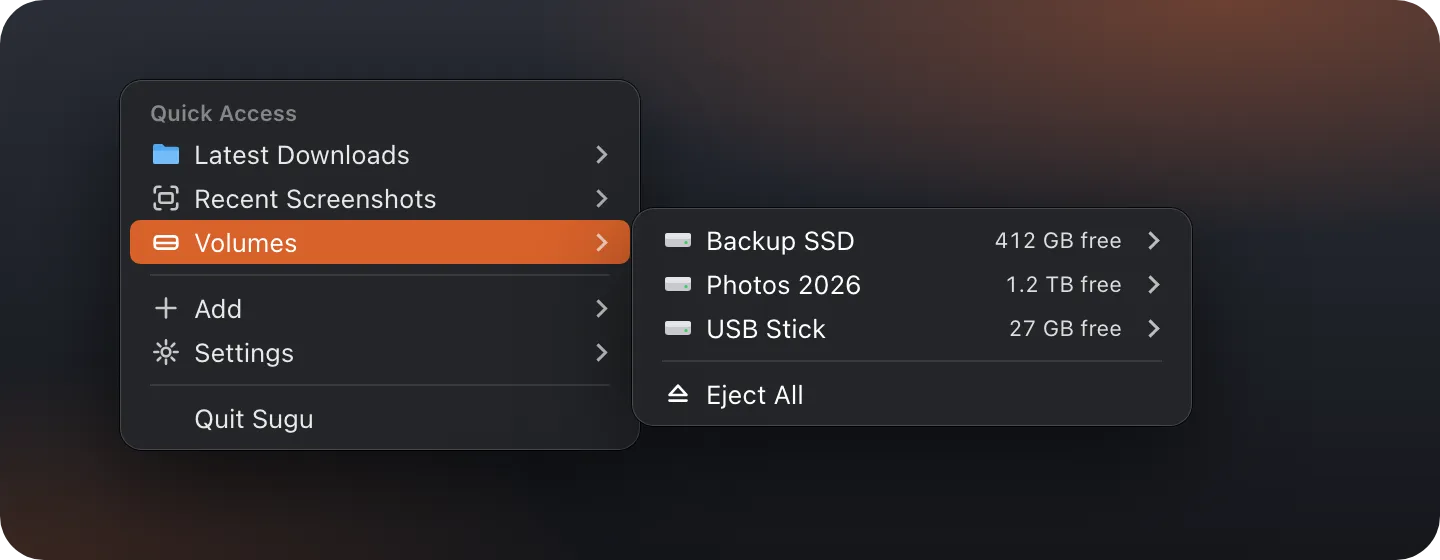
Quick Access holds three ready-made submenus. Turn each one on or off in Settings → Quick Access.
Latest Downloads
Section titled “Latest Downloads”The 15 newest items in your Downloads folder, by the time they arrived, with Open Downloads Folder at the top.
Recent Screenshots
Section titled “Recent Screenshots”Your 15 newest screenshots and screen recordings, with Open Screenshots Folder at the top. Sugu looks where your Mac saves screenshots: the folder you chose in the Screenshot app’s Options, or the Desktop.
Volumes
Section titled “Volumes”Every external drive, disk image and network volume, with its free space. Each one is a submenu you can browse like a folder, with Eject at the top for drives that can be ejected. Eject All at the bottom ejects every ejectable volume after you confirm.
Like everything in the menu, hold ⌥ on a download, a screenshot or a volume for its actions.