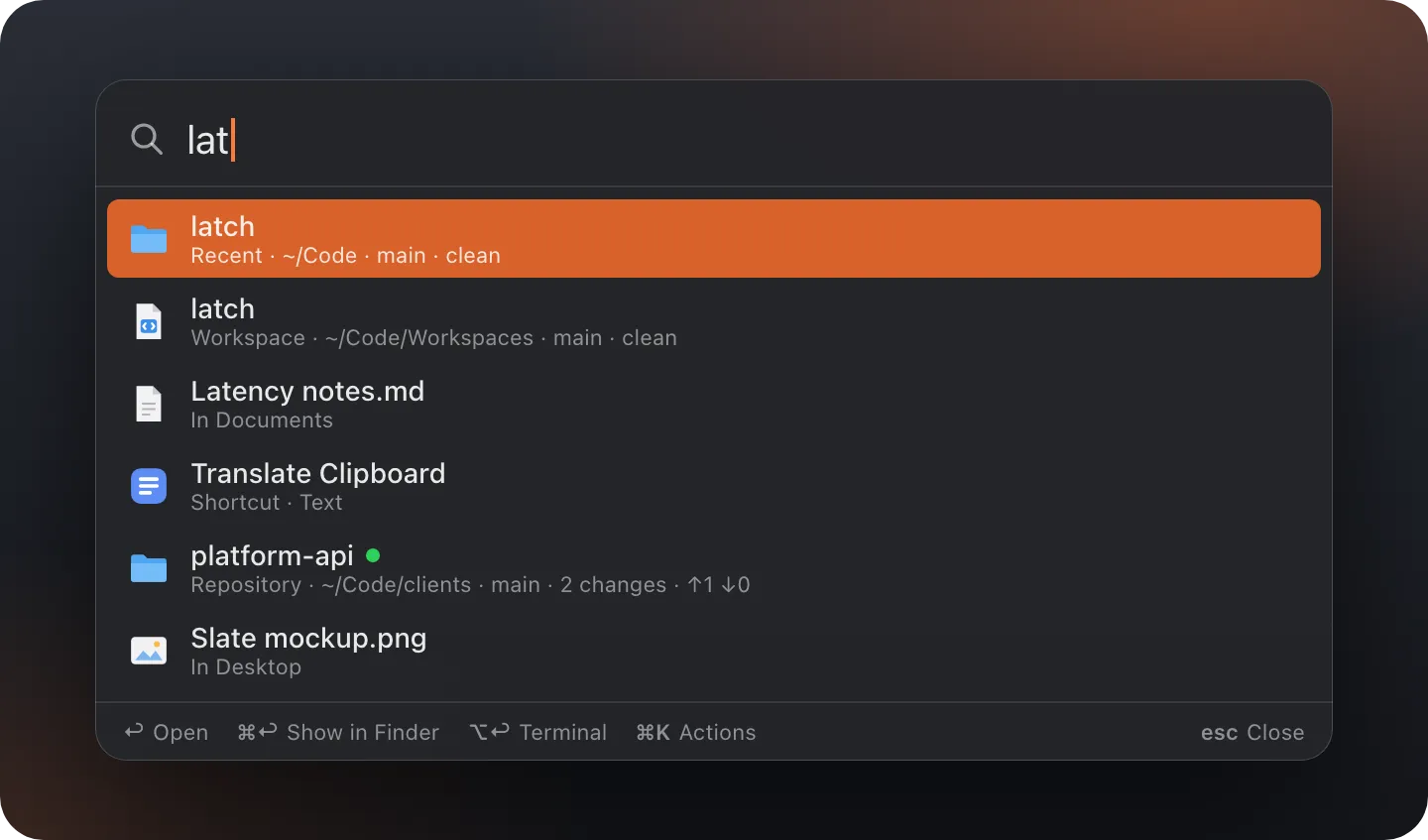
Find it with ⌃⌥Space
A search box over everything in the menu: favourites, recent projects, workspaces, repositories, folders and shortcuts. Type a few letters and press ↩. ⌘↩ shows it in Finder, ⌥↩ opens Terminal there, ⌘K lists every action.
Apps
Free apps
Every project you open, one click from the menu bar.
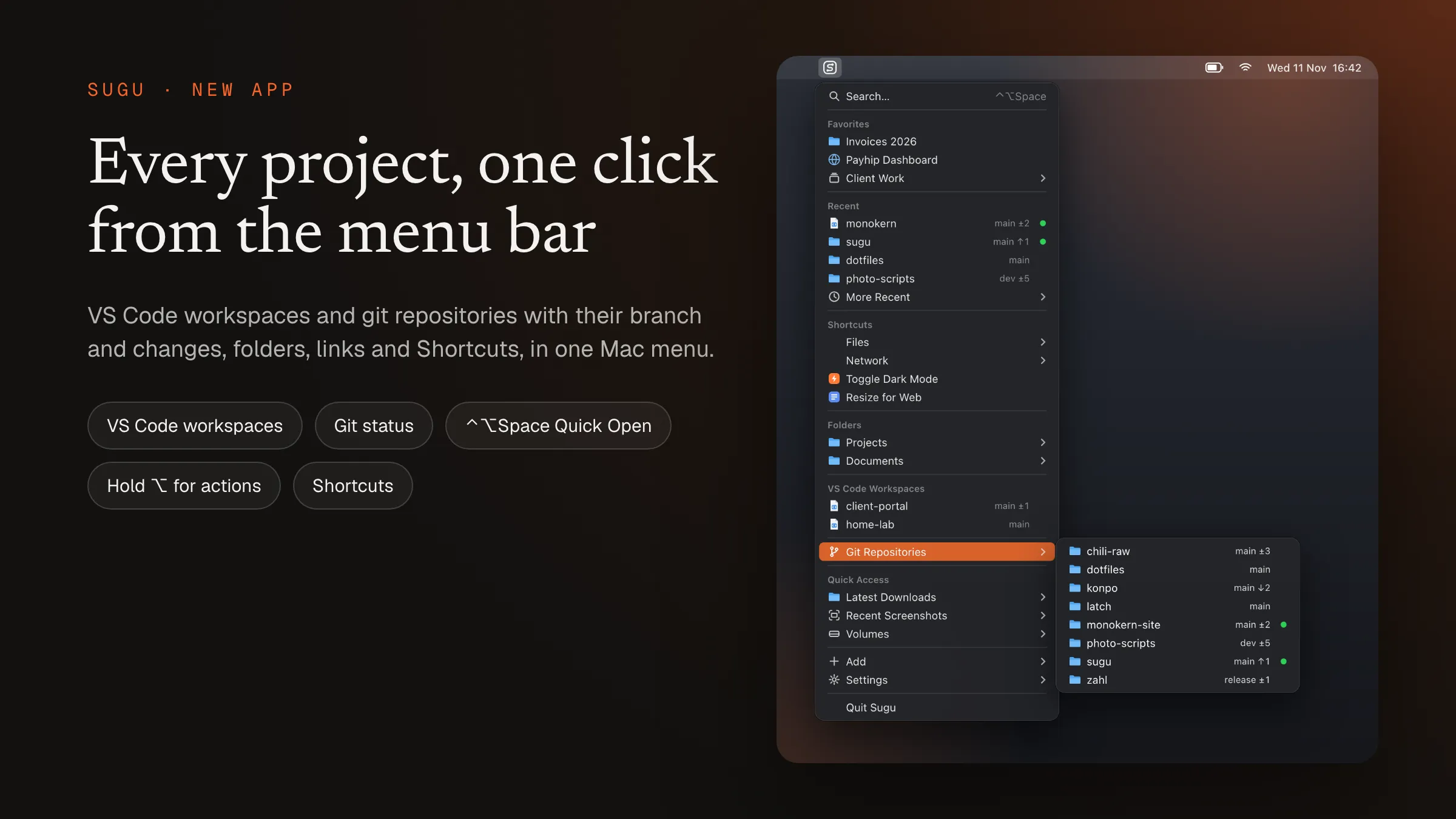
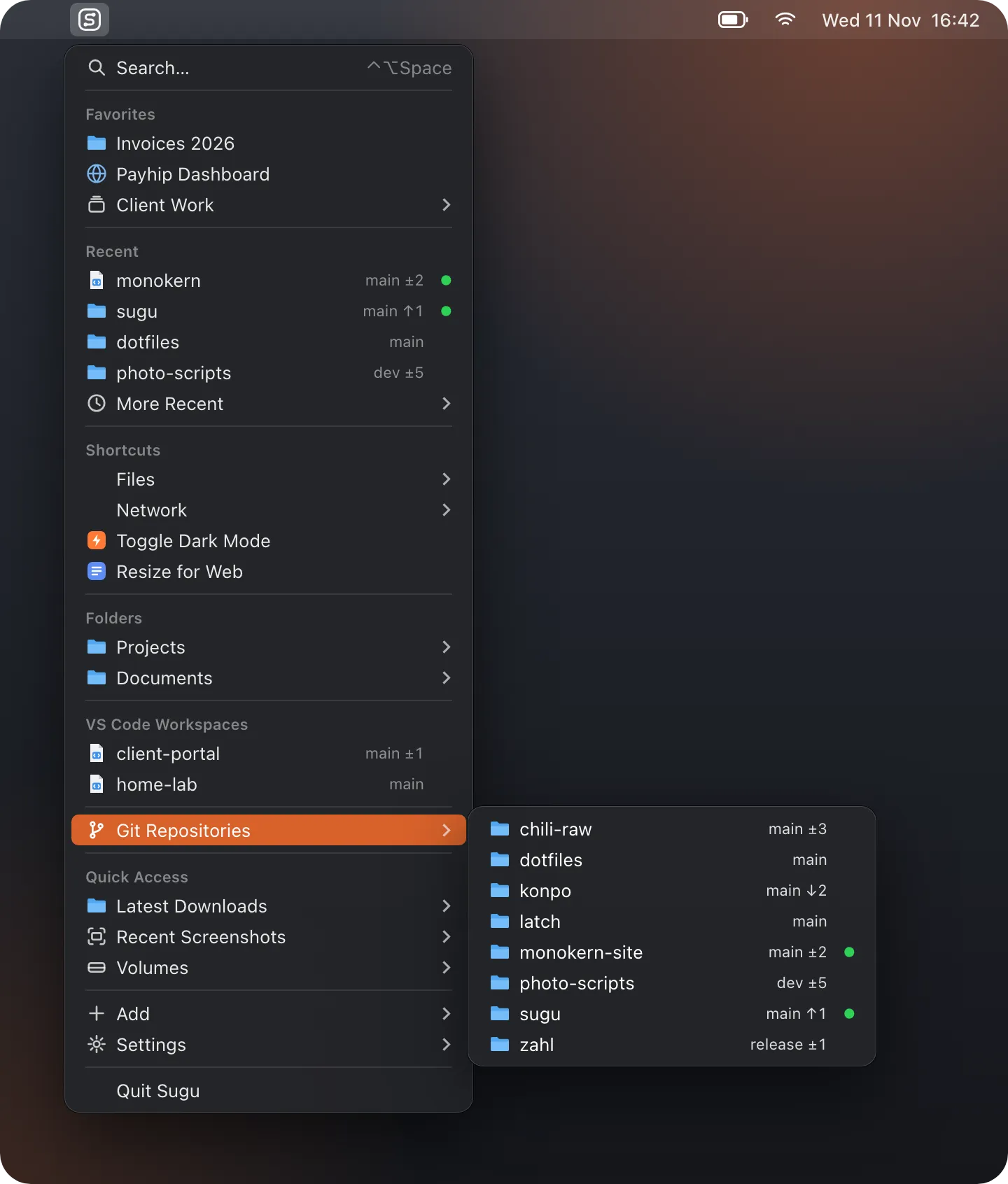
Sugu gathers your VS Code workspaces, git repositories, folders, links and Shortcuts into one menu, with each repository’s branch and changes beside it. Press ⌃⌥Space to search all of it.
14-day free trial · then $2.99 once
macOS 14+ · one key for two Macs

Add the folders your work lives in. Sugu finds every git repository and .code-workspace file inside them, lists the folders you recently opened in VS Code, and puts your favourite files, links and shortcuts beside them. Each section can sit in the menu, fold into a submenu, or stay hidden.

A search box over everything in the menu: favourites, recent projects, workspaces, repositories, folders and shortcuts. Type a few letters and press ↩. ⌘↩ shows it in Finder, ⌥↩ opens Terminal there, ⌘K lists every action.

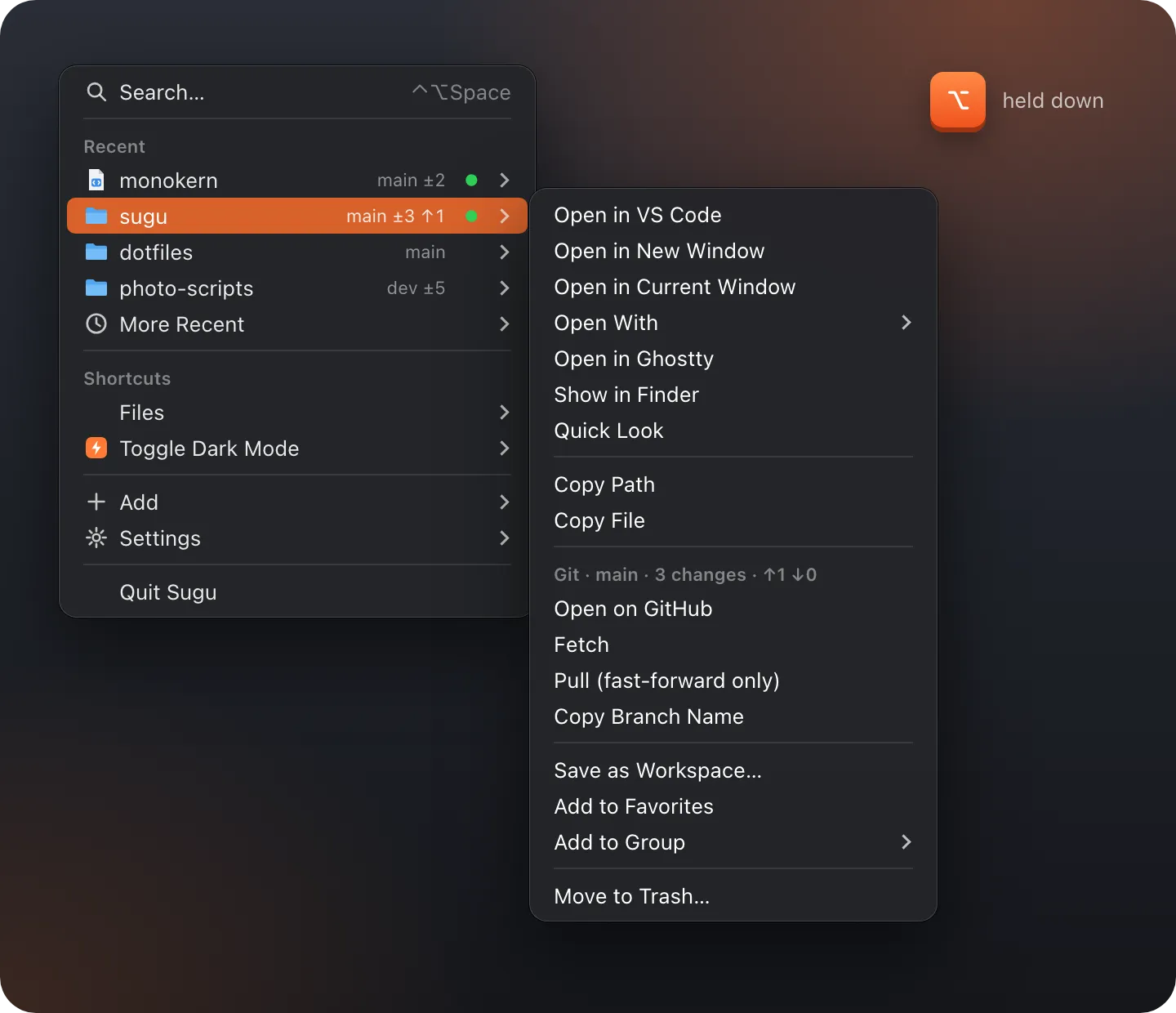
Every item becomes a submenu of actions: a new editor window, Open With, Terminal, Quick Look, Copy Path. Repositories add Open on GitHub, Fetch and a fast-forward-only Pull, and any folder can be saved as a VS Code workspace.

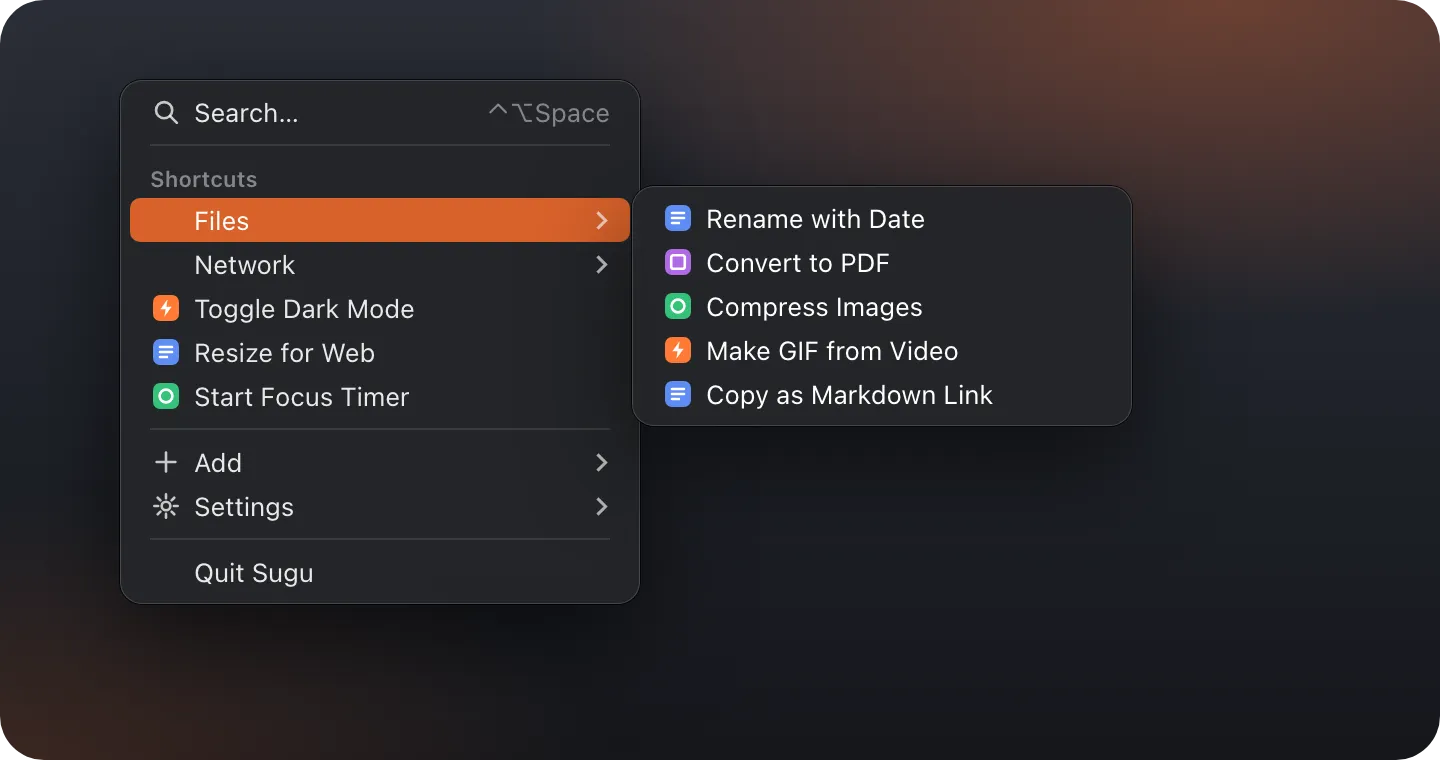
Sugu lists the shortcuts from Apple’s Shortcuts app and runs them in the background, without opening Shortcuts. Keep the app’s own folders, or make folders of your own with only the shortcuts you use.
Branch, changed files, and commits to push or pull beside every repository: main ±3 ↑1. Read on your Mac, without the network.
See which projects are already open in an editor window, and go to that window instead of opening a second one.
VS Code, Cursor, Windsurf, VSCodium, Zed, Sublime Text, Nova or Xcode. Set it once, or per folder.
Open any folder in Terminal, iTerm, Ghostty or Warp.
Pin files, folders and workspaces, sort them into groups, and open a whole group at once.
Web pages, vscode:// links, a pane of System Settings, or any app’s URL scheme.
Your latest downloads and screenshots, and every drive with its free space and an Eject button.
Sort by name, date, size or kind, show hidden files, and limit the list, folder by folder.
Press ⌃⌥M and the whole menu opens where your pointer is.
No. Try it free for 14 days with everything working, then buy a licence for $2.99, once. Updates are included.
No. Folders, repositories, files, links and Shortcuts work with any editor: VS Code, Cursor, Windsurf, VSCodium, Zed, Sublime Text, Nova or Xcode. Only the Recent section needs VS Code or an editor built on it, because it reads that editor’s history.
No. Sugu runs git status on your Mac while the menu is open. Fetching, for one repository or all of them, only happens when you choose it.
None to start with. The green dot for projects open in an editor window is optional: it needs the Accessibility permission to read window titles.
One licence key works on two Macs. To move it to a new Mac, remove the licence on the old one in Settings → License.
A Mac with macOS 14 Sonoma or later. Download the DMG, drag Sugu to Applications and open it; it asks which folders to look in.
Everything works during the trial. If Sugu earns its place in your menu bar, a licence is $2.99, once.