
Settings
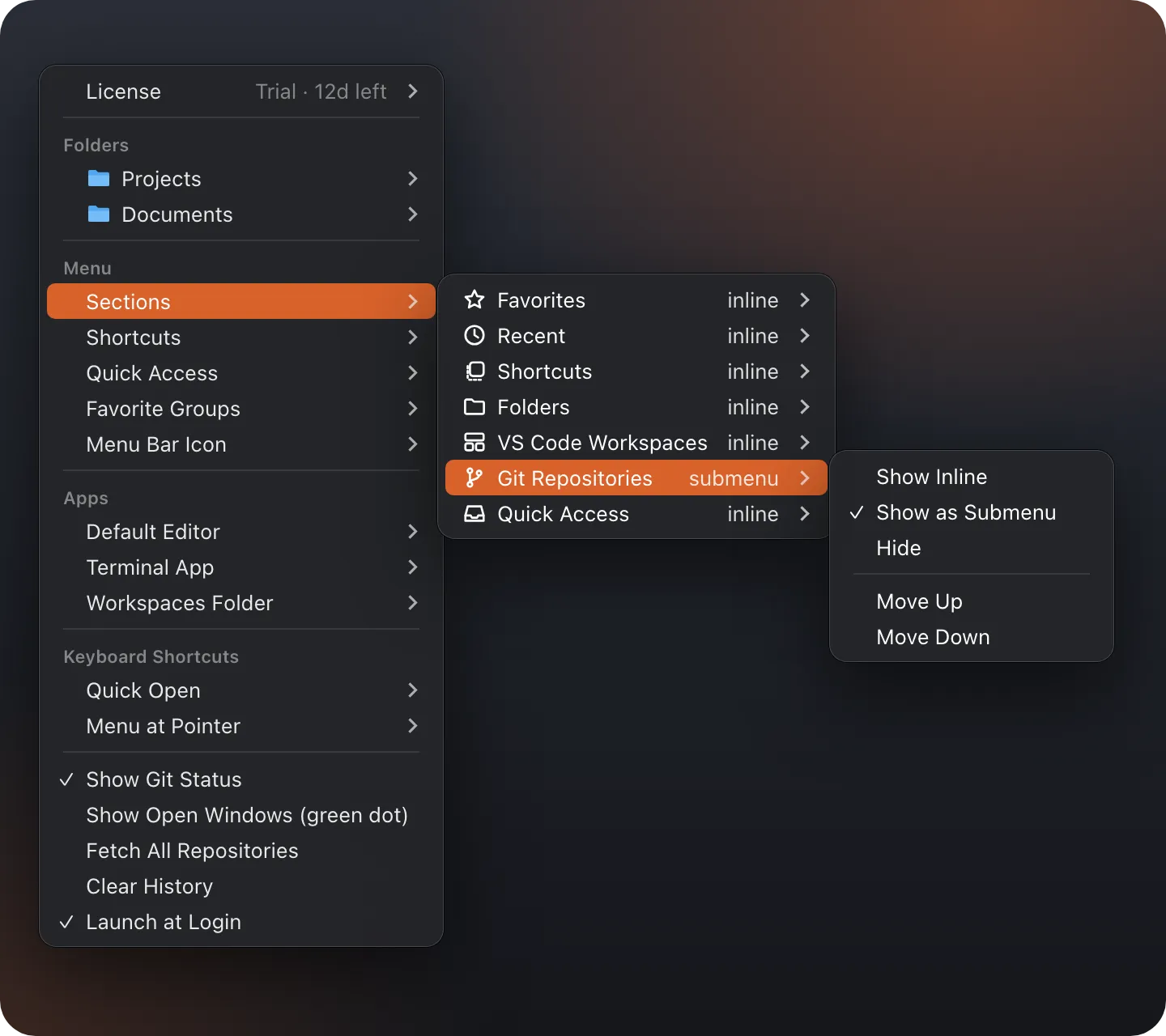
Sugu has no settings window. Everything is in the Settings submenu at the bottom of the menu, and a change applies at once.
License
Section titled “License”The days left in your trial, Buy Sugu, Enter License Key…, or once you have a licence, who it is licensed to and Remove License…. See Trial and licence.
Folders
Section titled “Folders”One submenu per added folder, with its sort order, hidden files, item limit, editor and more. See Folders, repos and workspaces.
Sections
Section titled “Sections”One entry per section of the menu: Favorites, Recent, Shortcuts, Folders, VS Code Workspaces, Git Repositories and Quick Access. For each:
- Show Inline: its items right in the main menu, under a header;
- Show as Submenu: one row that opens into the section;
- Hide;
- Move Up and Move Down to change the order of the sections.
Git Repositories starts as a submenu; the others start inline.
Shortcuts
Section titled “Shortcuts”How the Shortcuts section is arranged. See Shortcuts.
Quick Access
Section titled “Quick Access”Latest Downloads, Recent Screenshots and Volumes, each on or off.
Favorite Groups
Section titled “Favorite Groups”Each group, to show it as a section, rename it or delete it, and New Group….
Menu Bar Icon
Section titled “Menu Bar Icon”The Sugu key (at first), or a stack, a folder, </> code brackets or a bolt. All of them follow the menu bar’s light or dark look.
- Default Editor: the editor that opens folders, repositories and workspaces. Lists the supported editors you have installed: VS Code, VS Code Insiders, VSCodium, Cursor, Windsurf, Zed, Sublime Text, Nova and Xcode. A folder can use its own.
- Terminal App: Terminal, iTerm, Ghostty or Warp, whichever you have, for every Open in Terminal.
- Workspaces Folder: where Save as Workspace… puts new
.code-workspacefiles.
Keyboard Shortcuts
Section titled “Keyboard Shortcuts”- Quick Open: ⌃⌥Space at first.
- Menu at Pointer: ⌃⌥M at first.
Each can be set to one of eight combinations or Off. See Quick Open.
The rest
Section titled “The rest”| Setting | What it does |
|---|---|
| Show Git Status | The branch and change counts beside repositories (on at first) |
| Show Open Windows (green dot) | A green dot on items open in an editor window. Needs the Accessibility permission. |
| Fetch All Repositories | Runs a fetch in every repository in the menu, a few at a time, to update the ↓ counts |
| Clear History | Forgets the files and folders opened through Sugu (in Recent → More Recent) |
| Launch at Login | Starts Sugu when you log in |
Sugu keeps up to 50 items it opened in its history. They stay on your Mac.