
Quick Open
Quick Open is a search box over everything in Sugu’s menu. Press ⌃⌥Space from any app, type a few letters, and press ↩.
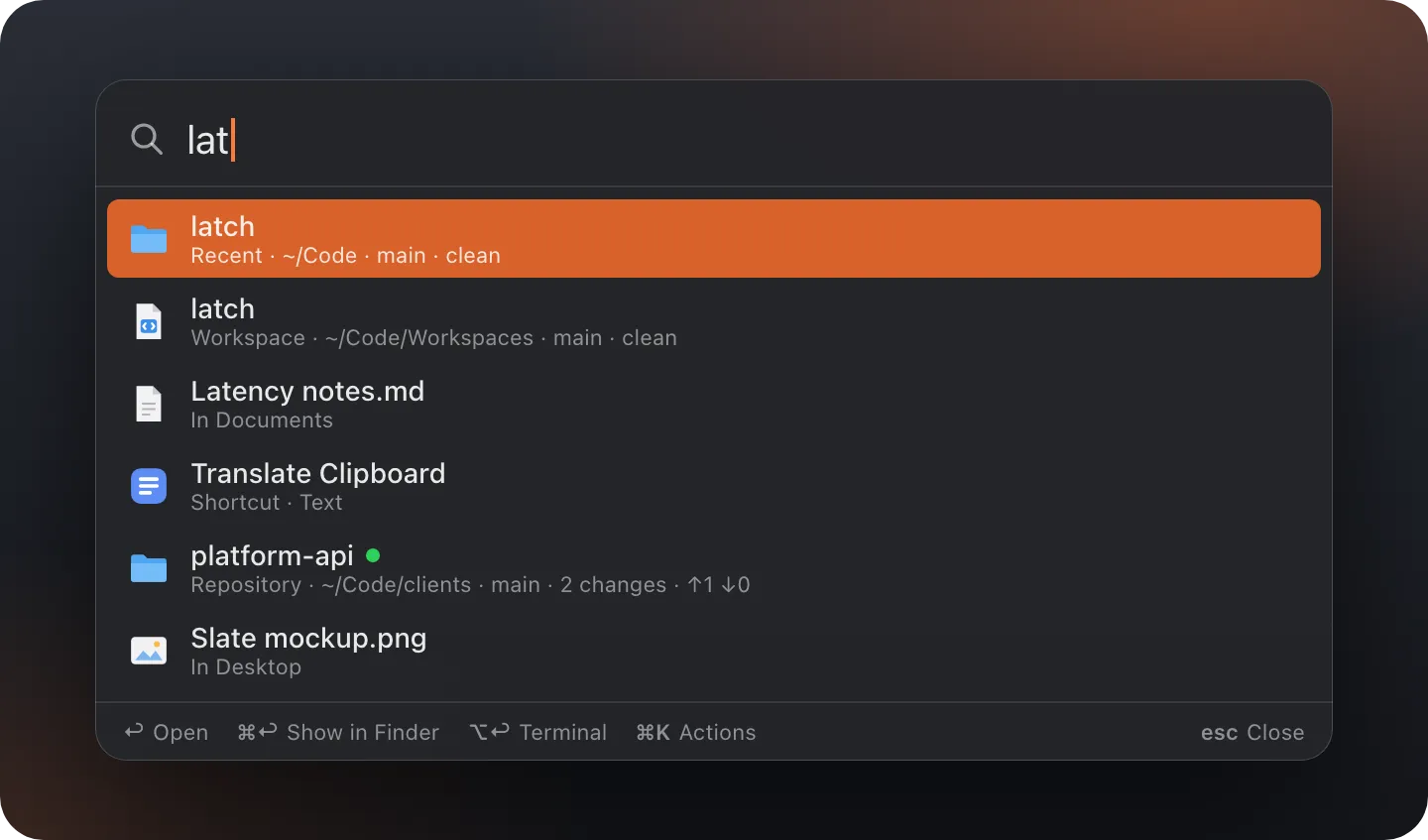
What it searches
Section titled “What it searches”Your favourites and links, recent folders and workspaces, shortcuts, VS Code workspaces, git repositories, your added folders, and the files and folders directly inside each added folder.
Names that start with what you typed come first, then names with a word that starts with it, then names that contain it. Letters in order also match, so mks finds monokern-site. The line under each name says what it is and where it lives, and for repositories the branch and changes, as in main · 2 changes · ↑1 ↓0.
The keys
Section titled “The keys”| Key | What it does |
|---|---|
| ↑ ↓ | Move through the results |
| ↩ | Open the result, as a click in the menu does |
| ⇧↩ | Open it in the background |
| ⌘↩ | Show it in Finder |
| ⌥↩ | Open it in Terminal (or your terminal app) |
| ⌘K | Show the actions for the result |
| esc | Close Quick Open |
You can also click a result.
The menu at the pointer
Section titled “The menu at the pointer”⌃⌥M opens Sugu’s whole menu right where the pointer is, without moving to the menu bar. It is handy on a large display.
Changing the keys
Section titled “Changing the keys”Both shortcuts can be changed or turned off: Settings → Quick Open and Settings → Menu at Pointer. Each offers ⌃⌥Space, ⌥Space, ⇧⌥Space, ⌃⌥⌘Space, ⌃⌥M, ⌃⌥O, ⌃⌥U and ⌥⌘O, or Off. If another app already uses the one you pick, Sugu tells you, and you can choose another.
Sugu’s shortcuts need no special permission.