
Shortcuts and automation
Settings → Shortcuts has a global shortcut for nine actions. Two are set to begin with: ⌃⌥V pastes the original and ⌃⌥M pastes as Markdown.
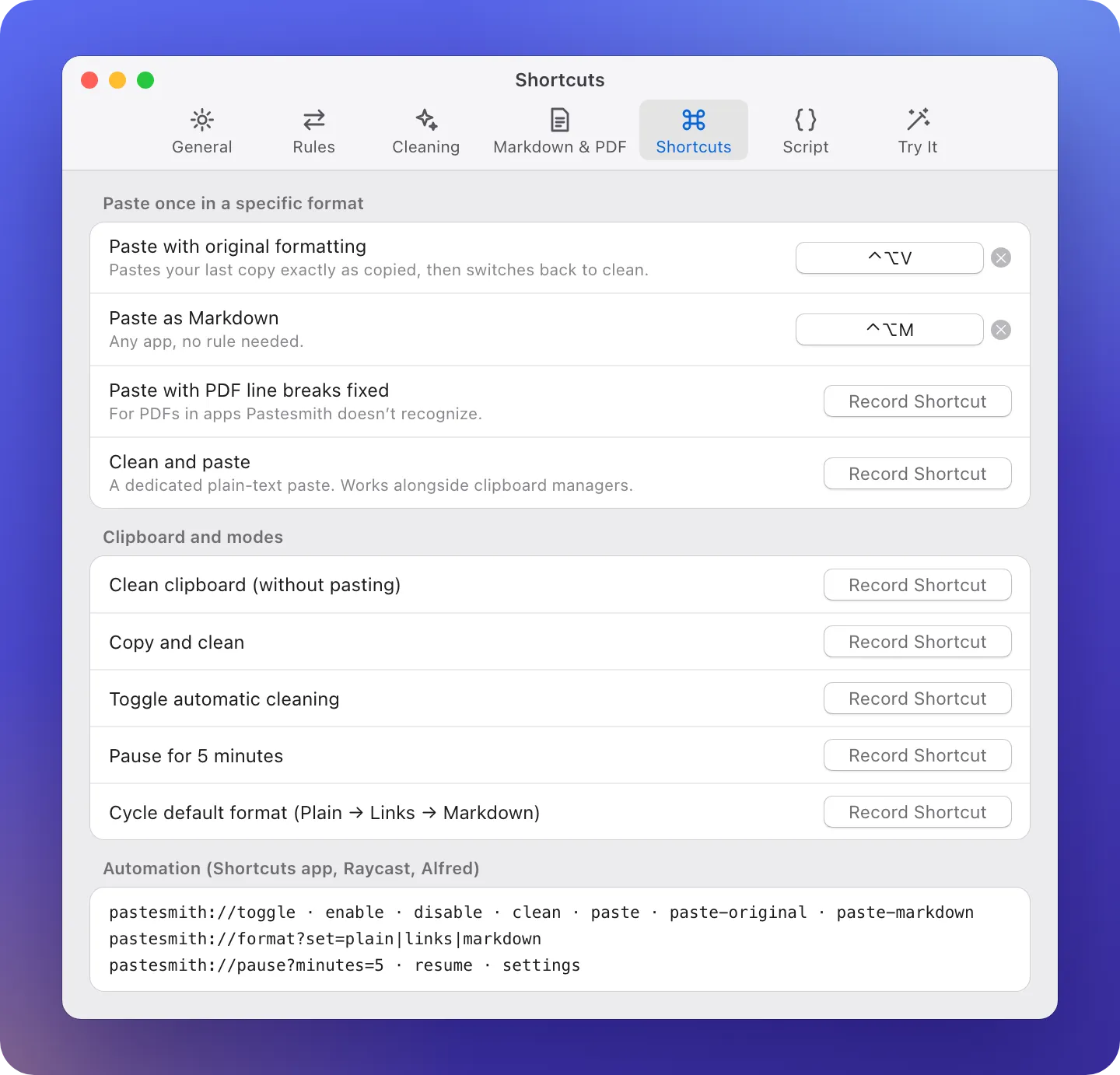
Paste once in a specific format
Section titled “Paste once in a specific format”These paste right away, in the app you’re in, then put the clipboard back as it was:
| Action | What it does |
|---|---|
| Paste with original formatting | Your last copy exactly as copied. |
| Paste as Markdown | Markdown in any app, no rule needed. |
| Paste with PDF line breaks fixed | The PDF fix, for PDFs in apps Pastesmith doesn’t recognise. |
| Clean and paste | Plain text, pasted. This one leaves the clipboard as plain text. It’s handy with automatic cleaning off, or alongside a clipboard manager. |
Clipboard and modes
Section titled “Clipboard and modes”| Action | What it does |
|---|---|
| Clean clipboard (without pasting) | The same as Clean Clipboard Now in the menu. |
| Copy and clean | Copies the selection and cleans it, in one go. |
| Toggle automatic cleaning | Turns Clean Automatically on or off. |
| Pause for 5 minutes | Pauses cleaning. |
| Cycle default format (Plain → Links → Markdown) | Steps through the three default formats. |
The paste actions and Copy and clean press ⌘V or ⌘C for you, so they need Accessibility access. The tab shows a Grant Access… button until you allow it.
Recording a shortcut
Section titled “Recording a shortcut”Click Record Shortcut and press the keys. A shortcut needs ⌘, ⌃ or ⌥ (⇧ can be added). Press Esc to cancel, or click ✕ to clear a shortcut. If another app already uses the combination, the tab says Already used by another app.
URL scheme
Section titled “URL scheme”Shortcuts, Raycast, Alfred and scripts can control Pastesmith with pastesmith:// links:
| Link | What it does |
|---|---|
pastesmith://enable, disable, toggle |
Turns automatic cleaning on, off, or the other way. |
pastesmith://clean |
Cleans the clipboard. |
pastesmith://paste |
Clean and paste. |
pastesmith://paste-original |
Pastes the original once. |
pastesmith://paste-markdown |
Pastes as Markdown once. |
pastesmith://markdown |
Converts the clipboard to Markdown. |
pastesmith://format?set=plain |
Sets the default format: plain, links or markdown. |
pastesmith://pause?minutes=5 |
Pauses for that many minutes. |
pastesmith://resume |
Ends a pause. |
pastesmith://settings |
Opens Settings. |
In the Shortcuts app, use the Open URLs action. In Terminal: open "pastesmith://format?set=markdown".