
Try It
Settings → Try It shows what a copy will paste as, without touching your clipboard. It’s the quickest way to check a rule or a setting.
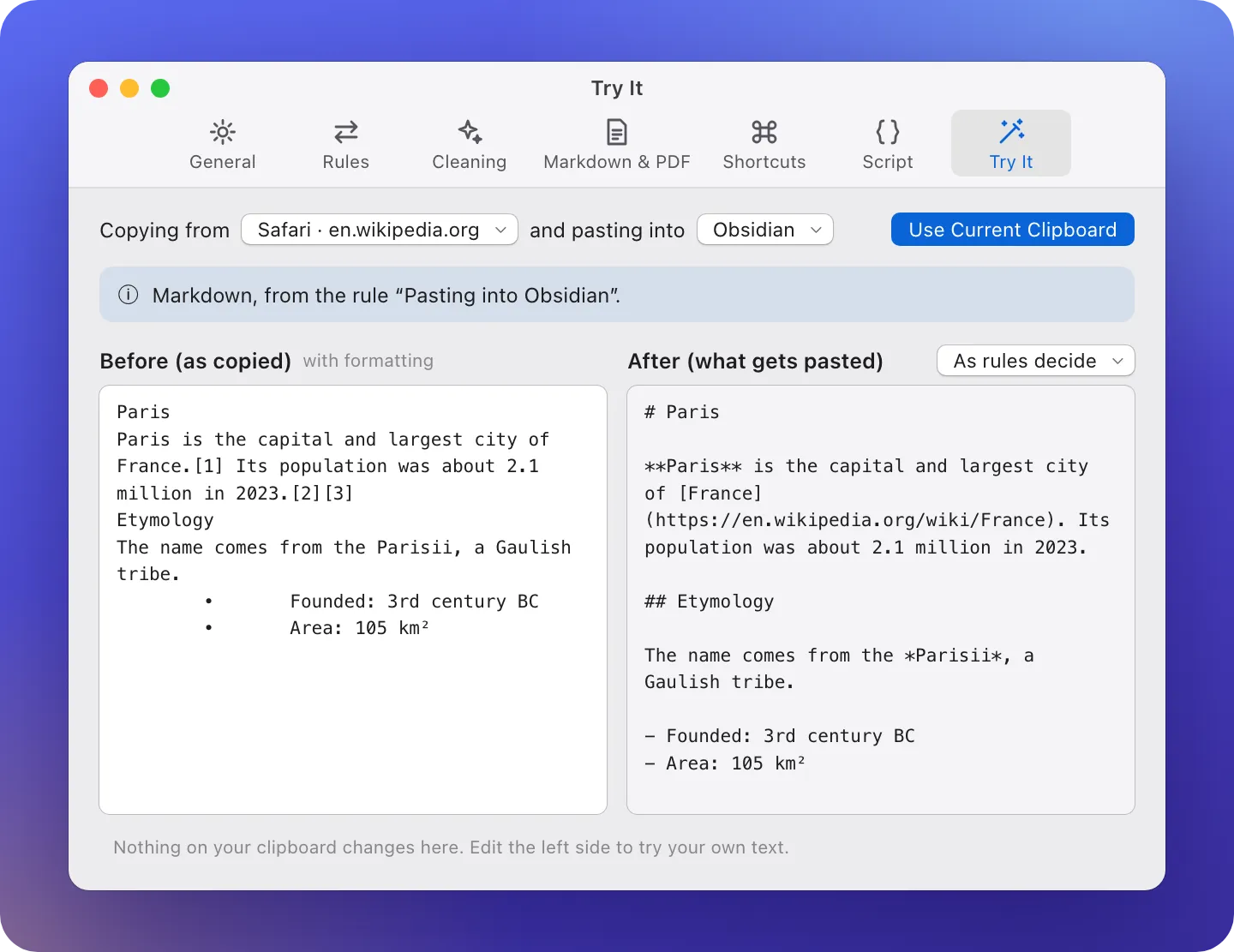
- Choose where the text is Copying from: any other app, Safari on Wikipedia, Preview (for a PDF), one of your copy rules, or your last copy.
- Choose where it is pasting into: any other app, or one of your paste rules.
- The line under them says what will be pasted and why, for example Markdown, from the rule “Pasting into Obsidian”.
Before (as copied) is the text as copied; edit it to try your own. After (what gets pasted) is the result. Its menu shows a single format instead of what the rules decide: Plain Text, Plain Text with Links, Markdown or Keep Original.
Your own clipboard
Section titled “Your own clipboard”Use Current Clipboard loads what you last copied, with its formatting and where it came from. Nothing on the clipboard changes. If the clipboard holds no text, or a password, Try It says so.
Try It uses all your settings, including the custom script, so it’s also the place to test a script.