A shared link
https://www.youtube.com/watch?v=xR7mT2kq9Lw&si=AbC123xyz&utm_source=newsletter
https://www.youtube.com/watch?v=xR7mT2kq9Lw
Tracking removed: utm_*, fbclid, gclid, si and more than 350 others.
Apps
Free apps
Copy anything. Paste it clean.
Pastesmith reshapes what you copy before you paste it: plain text, plain text with links, or Markdown, chosen for each app and website. It repairs text copied from PDFs, strips tracking from links, and keeps the original one keystroke away.
14-day free trial · then $3.99 once
macOS 14+ · one key for two Macs

https://www.youtube.com/watch?v=xR7mT2kq9Lw&si=AbC123xyz&utm_source=newsletter
https://www.youtube.com/watch?v=xR7mT2kq9Lw
Tracking removed: utm_*, fbclid, gclid, si and more than 350 others.
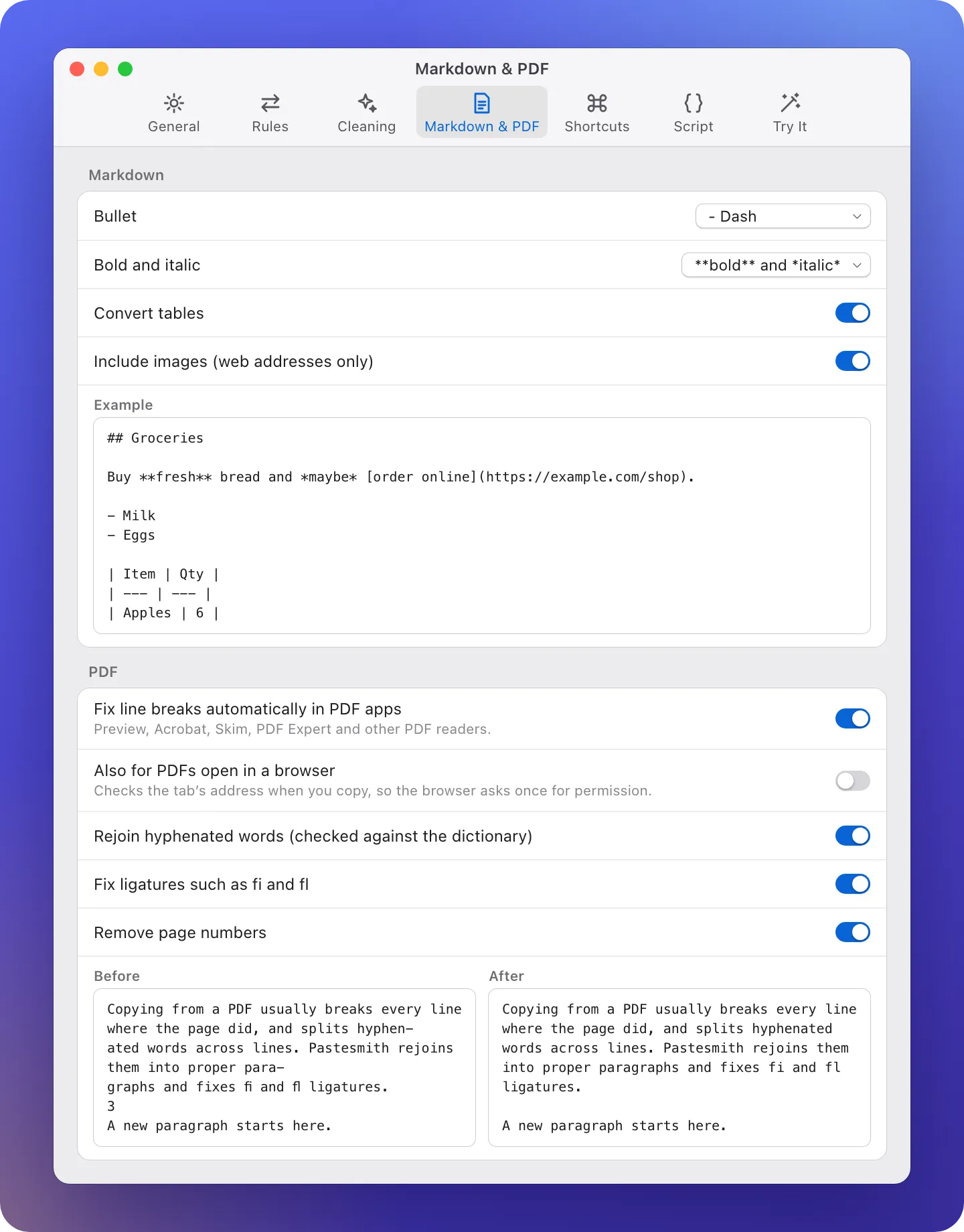
and splits hyphen-
ated words across lines. Pastesmith rejoins them into proper para-
graphs and fixes fi and fl ligatures.
and splits hyphenated words across lines. Pastesmith rejoins them into proper paragraphs and fixes fi and fl ligatures.
Lines rejoined, hyphens checked against the dictionary, ligatures fixed.
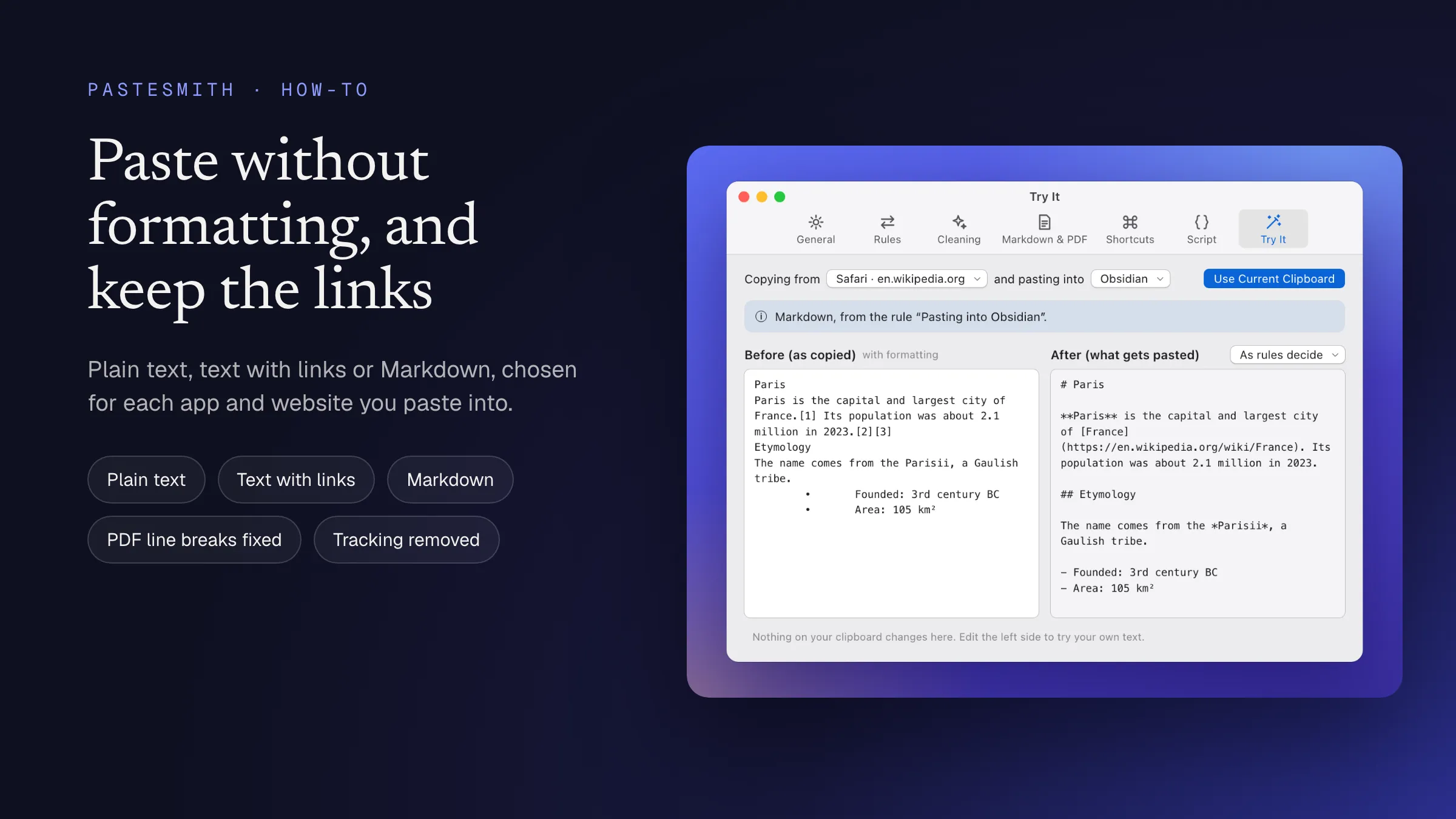
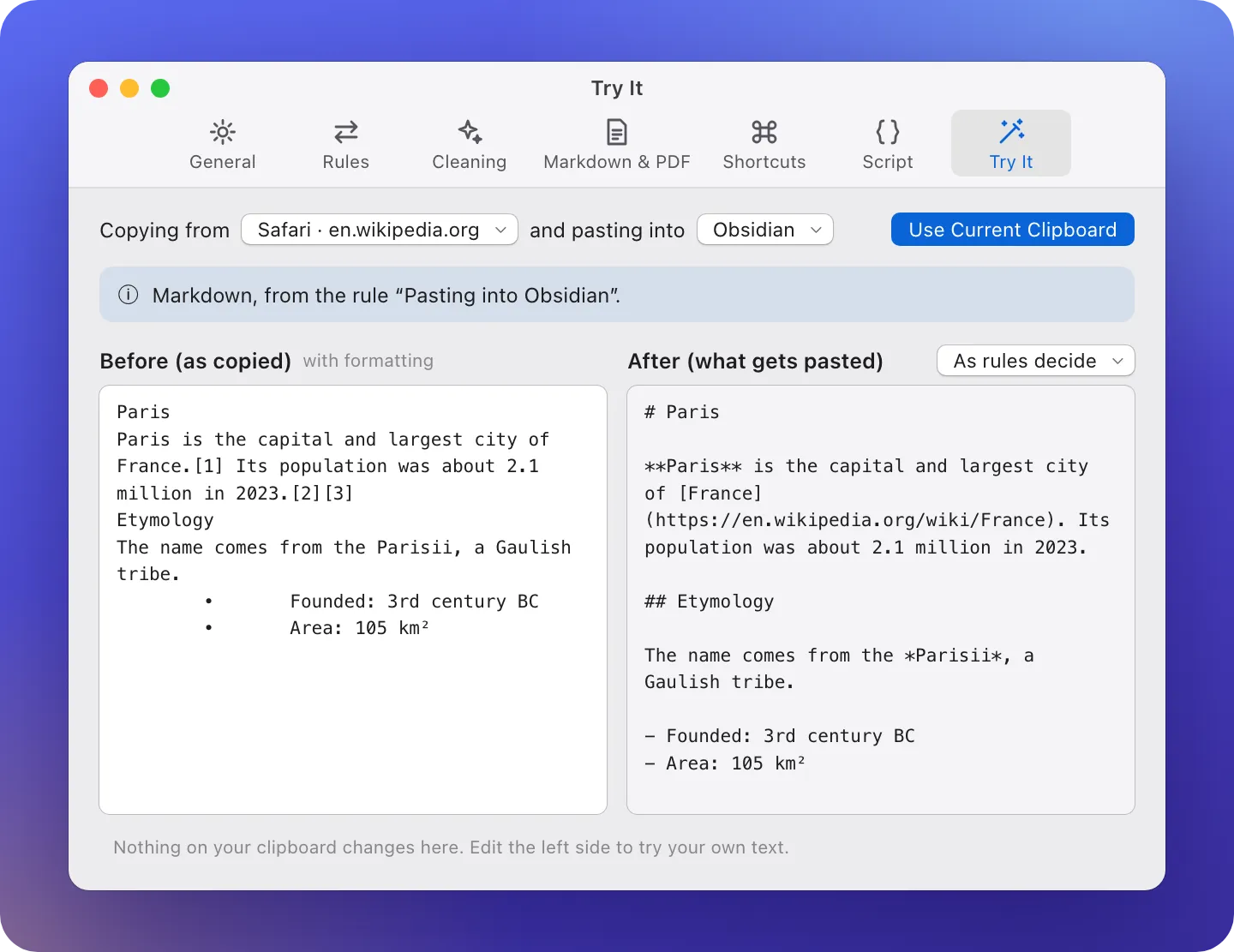
Paris is the capital and largest city of France.[1] Its population was about 2.1 million in 2023.[2][3]
**Paris** is the capital and largest city of [France](https://en.wikipedia.org/wiki/France). Its population was about 2.1 million in 2023.
Markdown with bold, italics and links. Footnote markers gone.

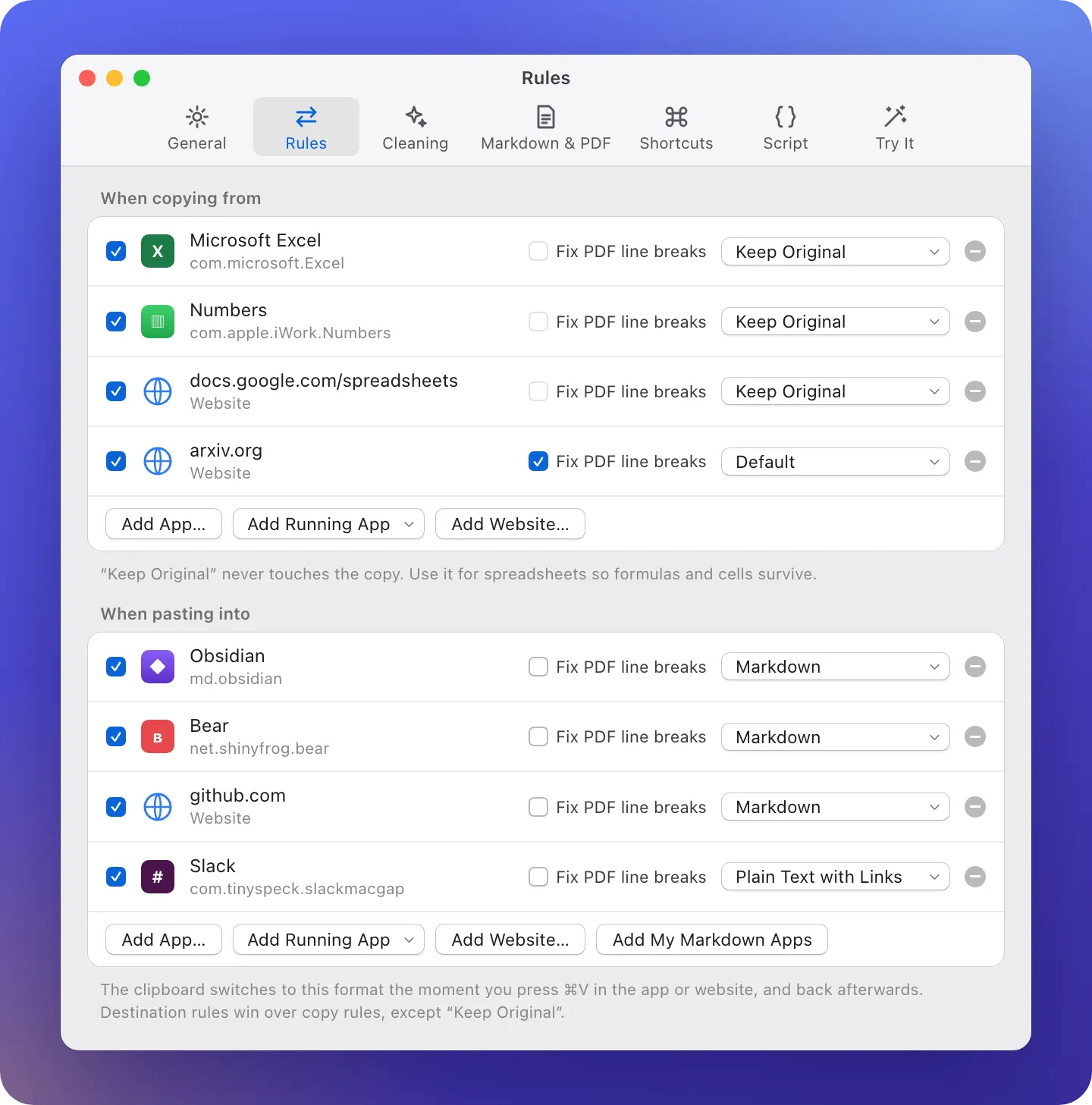
Rules work in both directions. Copy from Excel, Numbers or Google Sheets and the copy is left alone, so cells and formulas survive. Paste into Obsidian or github.com and the clipboard turns into Markdown the moment you press ⌘V, then switches back.

Pick where the text comes from and where it goes, and Try It shows exactly what will be pasted and which rule decided it. Use your own clipboard if you like: nothing on it changes.

Headings, bold and italics, links, nested lists, task lists, code blocks and tables. Choose your bullet and emphasis style. Copy from Preview, Acrobat, Skim or PDF Expert and broken lines become paragraphs again.
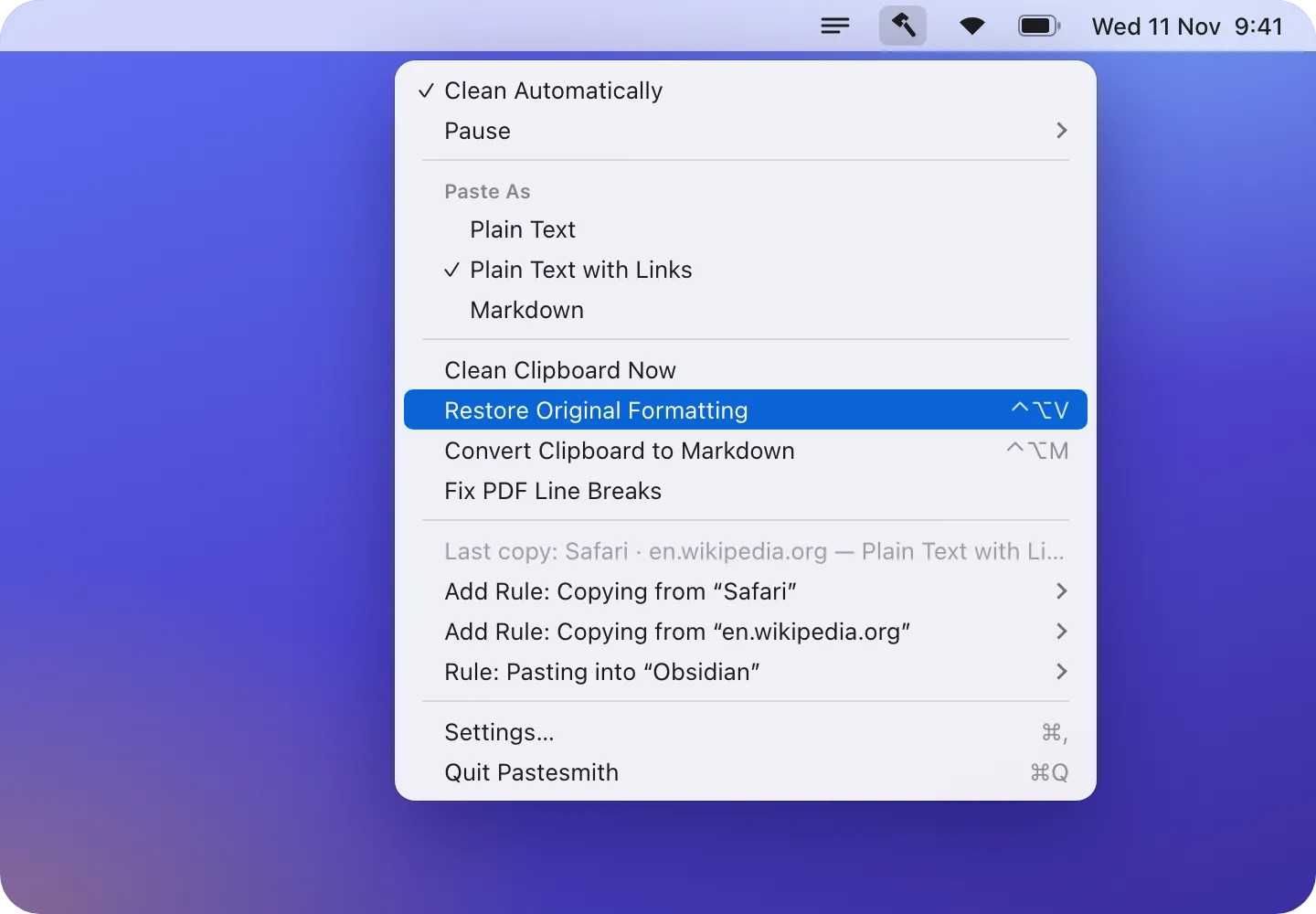
Plain Text, Plain Text with Links, or Markdown as your default, switched from the menu in one click.
A rule for github.com covers every subdomain. Add a path, docs.google.com/spreadsheets, to narrow it down.
Every copy is kept as it was. ⌃⌥V pastes it once with all its formatting, or restore it from the menu.
Tap ⌥, then copy. That one copy stays exactly as it was.
Zero-width spaces, soft hyphens, direction marks and hidden Unicode tags, the kind used as AI text watermarks. Emoji stay intact.
Tracking parameters removed, Google, Facebook and Outlook redirects unwrapped, TikTok links anonymised.
Files, images and passwords are never touched, nor anything a password manager marks as private.
Hotkeys for nine actions, and a pastesmith:// URL scheme for the Shortcuts app, Raycast and Alfred.
A JavaScript transform(text) function runs after cleaning, with examples to start from.
No. Try it free for 14 days with everything working, then buy a licence for $3.99, once. Updates are included.
No. Copies from Excel, Numbers and Google Sheets are kept exactly as copied, by rules that come with the app. You can add the same rule for any app or website, or tap ⌥ before a copy to keep that one copy as it is.
Yes. Pastesmith keeps the original of every copy. Press ⌃⌥V to paste it once with all its formatting, or choose Restore Original Formatting in the menu to put it back on the clipboard.
None for cleaning as you copy. Rules for the app you paste into and the paste shortcuts need Accessibility, to see ⌘V and press it for you. Website rules ask each browser once for the address of the current tab.
One licence key works on two Macs. The License window lists them, each with a Deactivate button, so you can move your licence to a new Mac yourself.
A Mac with macOS 14 Sonoma or later. Download the DMG, drag Pastesmith to Applications and open it; the hammer appears in your menu bar and Settings opens once to show you around.
Everything works during the trial. If it earns its place in your menu bar, a licence is $3.99, once.