BlickPix app icon

BlickPix

BlickPix is an image viewer that gets out of the way. The window takes the shape of your photo, the controls appear only when you point at it, and every image in the folder sits in a strip of thumbnails above the Dock. No import, no library, no waiting.

$4.99 once · no subscription
macOS 14+ · Apple silicon and Intel

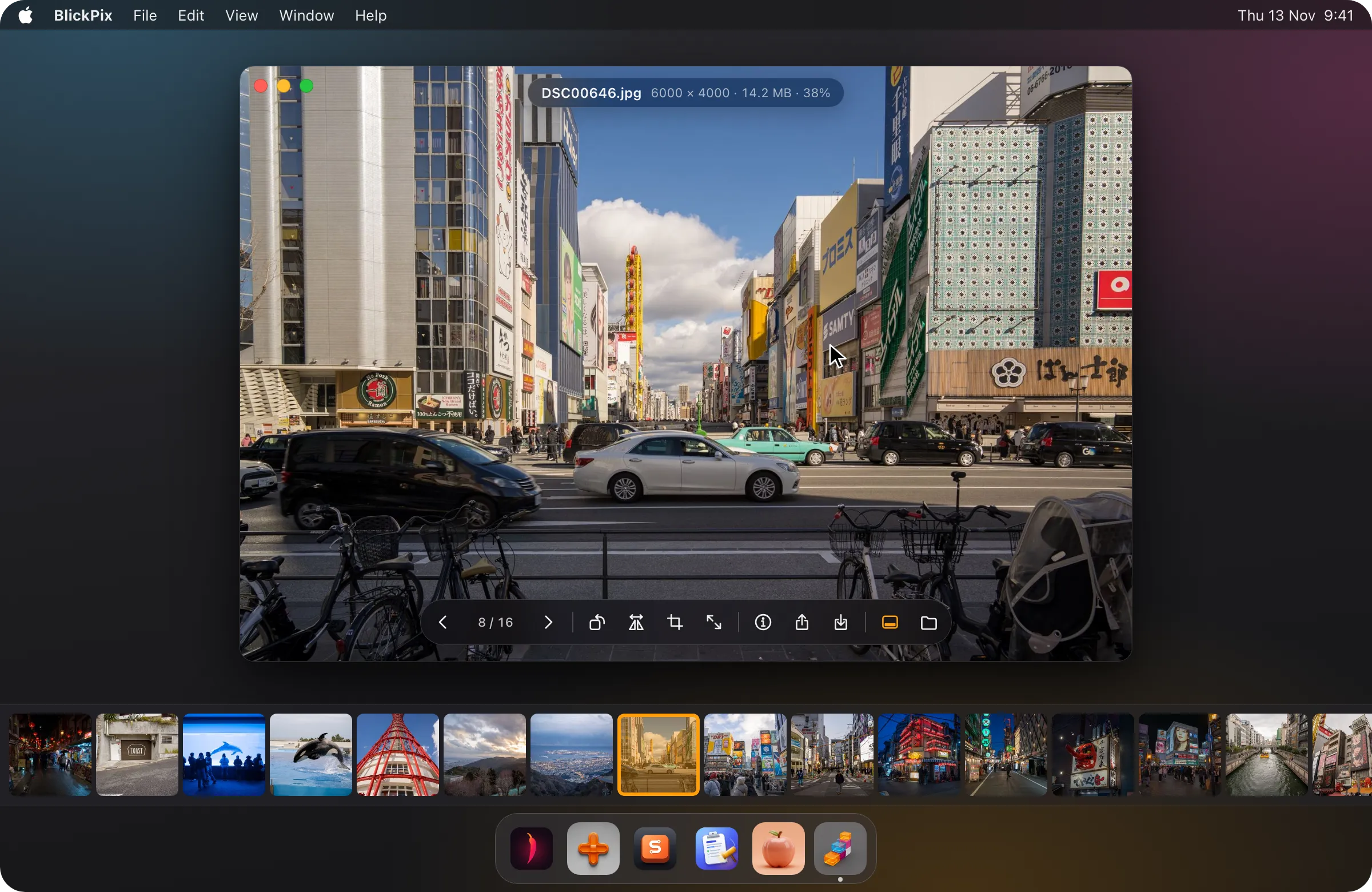
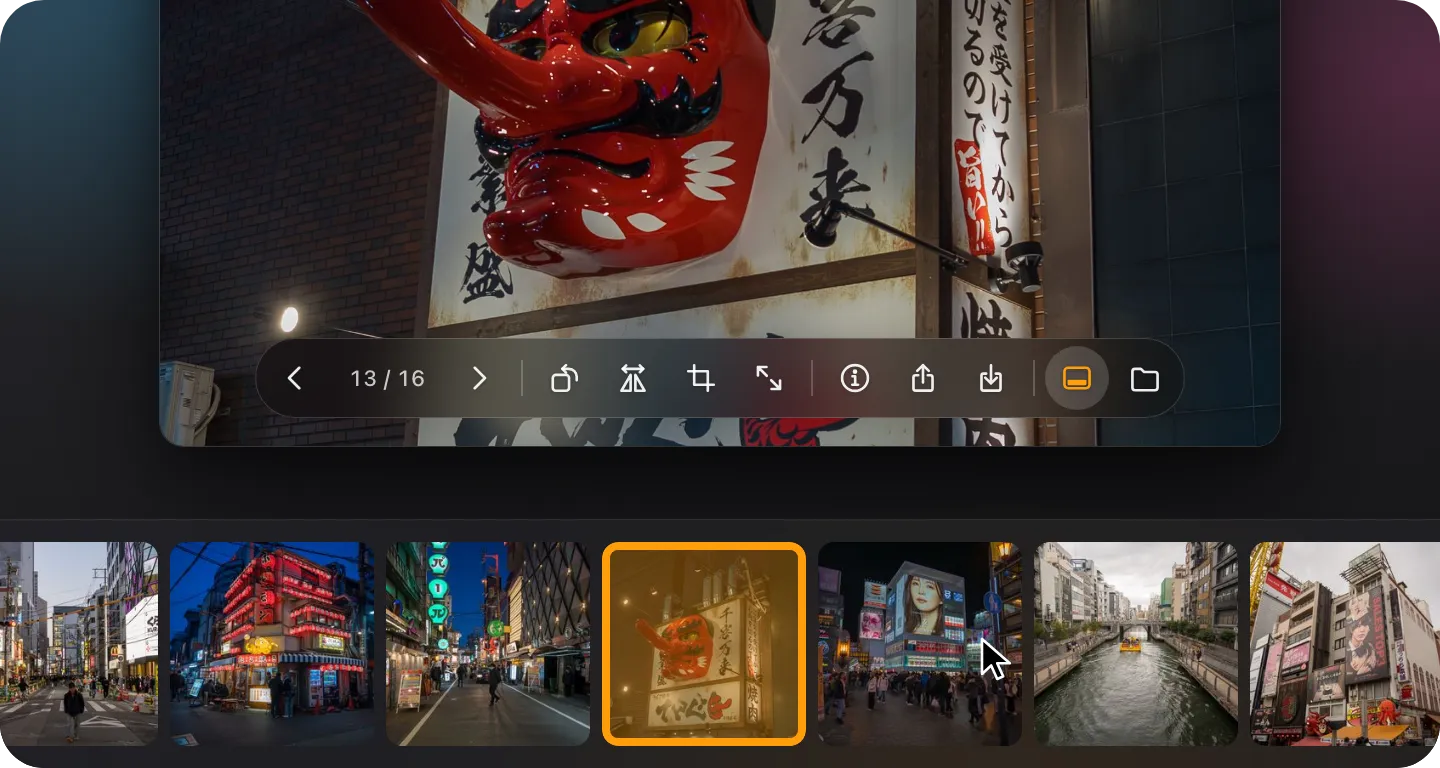
BlickPix on a Mac desktop: a street photo from Osaka in a borderless window with its name, size and zoom in a pill at the top and the toolbar floating at the bottom, and the thumbnail strip of the whole folder across the screen above the Dock, the current photo outlined in amber
The thumbnail strip

Every photo in the folder, one click away

The strip runs along the bottom of the screen, right above the Dock, and keeps the photo you are looking at in the middle, outlined in amber. Click any thumbnail to jump there. Press T when you want the screen to yourself.

The thumbnail strip close up: night photos from Osaka, the current one outlined and tinted amber, the pointer over the next one
Built for speed

Nothing between you and the next photo

  1. 01

    No import

    Open a photo from Finder, with ⌘O or by dragging it in. Its folder is ready to browse. Nothing is copied or catalogued.

  2. 02

    Already loaded

    The photos on either side are decoded in the background, so ← and → flip instantly.

  3. 03

    The window is the photo

    No fixed toolbar, no sidebar, no grey bars. The name, details and a floating toolbar appear on hover and fade away again.

  4. 04

    Keyboard first

    Browse, zoom, rotate, rename and trash without touching the mouse.

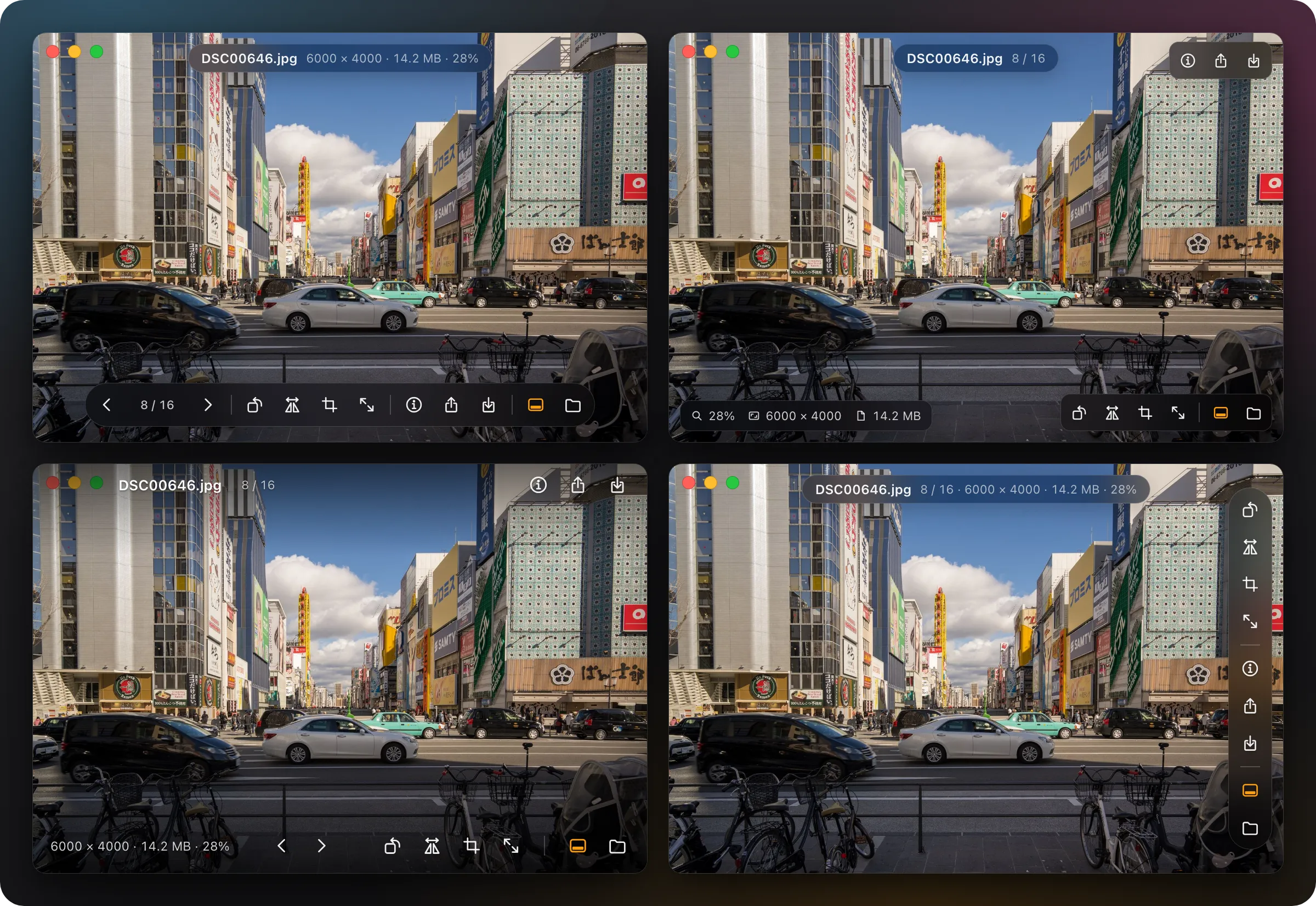
The same photo of Osaka four times, with the four toolbar layouts: Capsule, a floating bar at the bottom; Corners, small tiles in the corners; Scrim, dark fades at the top and bottom; Rail, a vertical bar on the right
Toolbar

Your controls, laid out your way

Point at the photo and one floating bar holds everything: previous and next, rotate, flip, crop, resize, info, share, export, the strip and subfolders. Or choose Corners, Scrim or Rail in Settings, to tuck the buttons into the corners, fade them in like a video player, or line them up along the right edge. Every layout sits on dark glass that stays readable on bright photos.
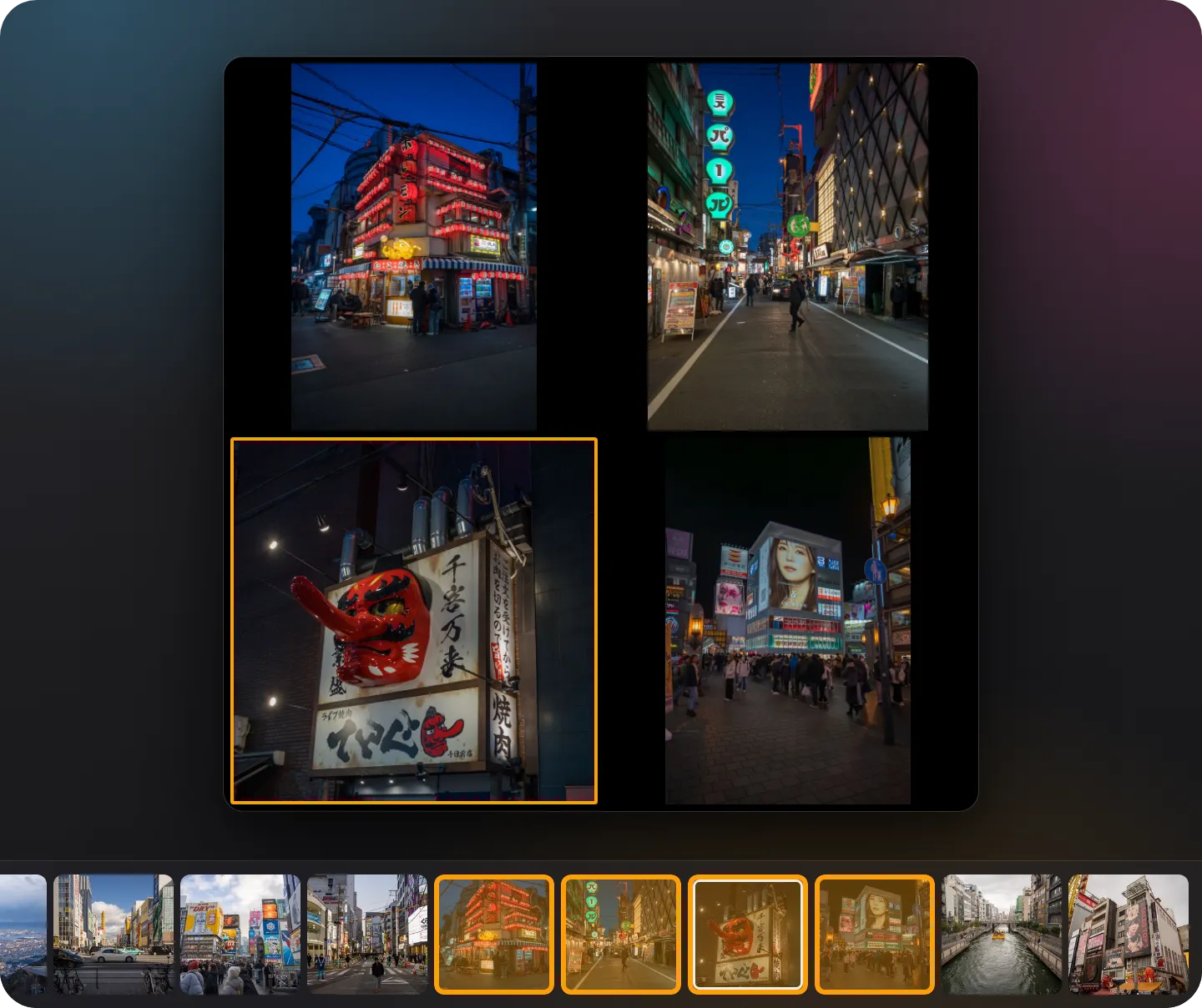
Compare mode: four night photos from Dotonbori in a two-by-two grid, the focused one outlined in amber, the same four selected in the strip below
Compare

Your best shots, side by side

Pick the shots you are choosing between in the strip and BlickPix lays them out: two side by side, three or four in a grid, more in a scrolling gallery. ← and → move the amber focus; ↑, ↓ or Escape opens the one you settled on.

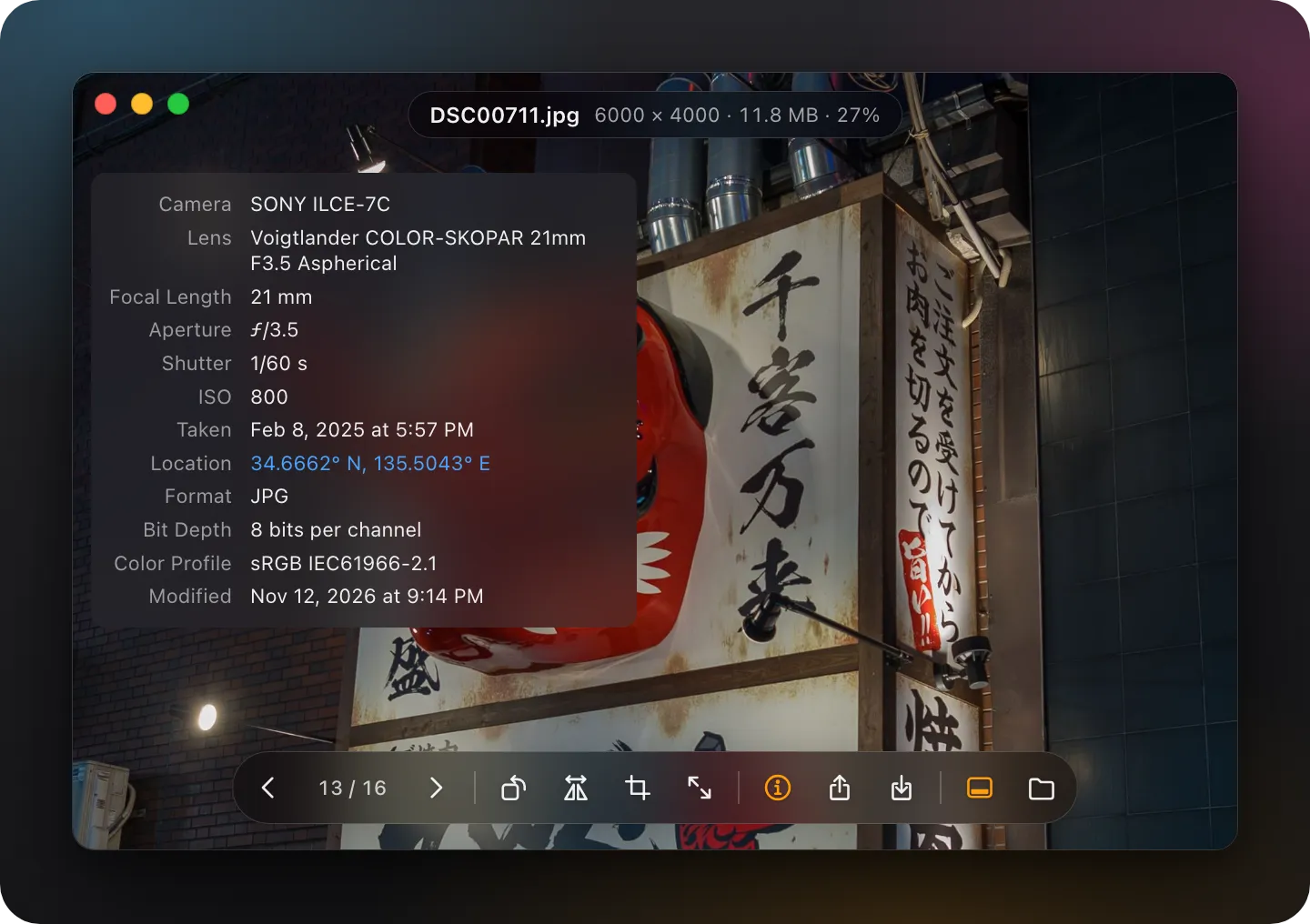
The info panel over a photo of a restaurant sign: Sony ILCE-7C, Voigtlander 21mm lens, ƒ/3.5, 1/60 s, ISO 800, date taken, location as a link, format, bit depth and colour profile
Photo info

The camera settings, one key away

Press I for camera, lens, focal length, aperture, shutter speed, ISO, the date taken and where. The panel stays open while you browse, so you can step through a shoot and see what changed. Click the location to open it in Maps.

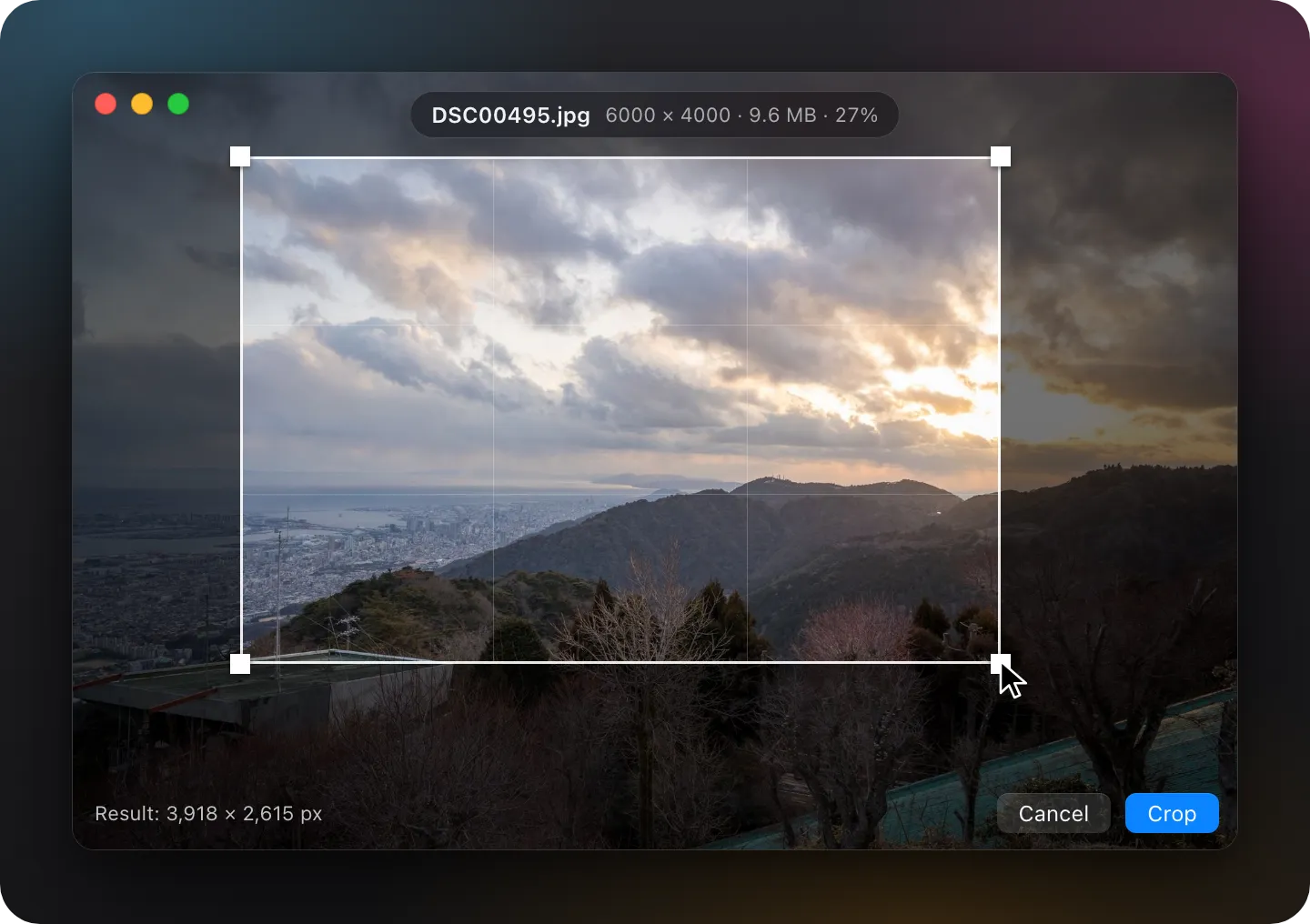
Crop mode: a sunset over Kobe with a crop rectangle, corner handles and thirds grid, the area outside dimmed, the result size and Cancel and Crop buttons below
Crop & resize

Quick fixes without opening an editor

Drag a crop on the photo itself, with a rule-of-thirds grid and the result size shown as you go. Resize to exact pixels. Rotate with ⇧← and ⇧→, flip with H and V, and undo any of it with ⌘Z.

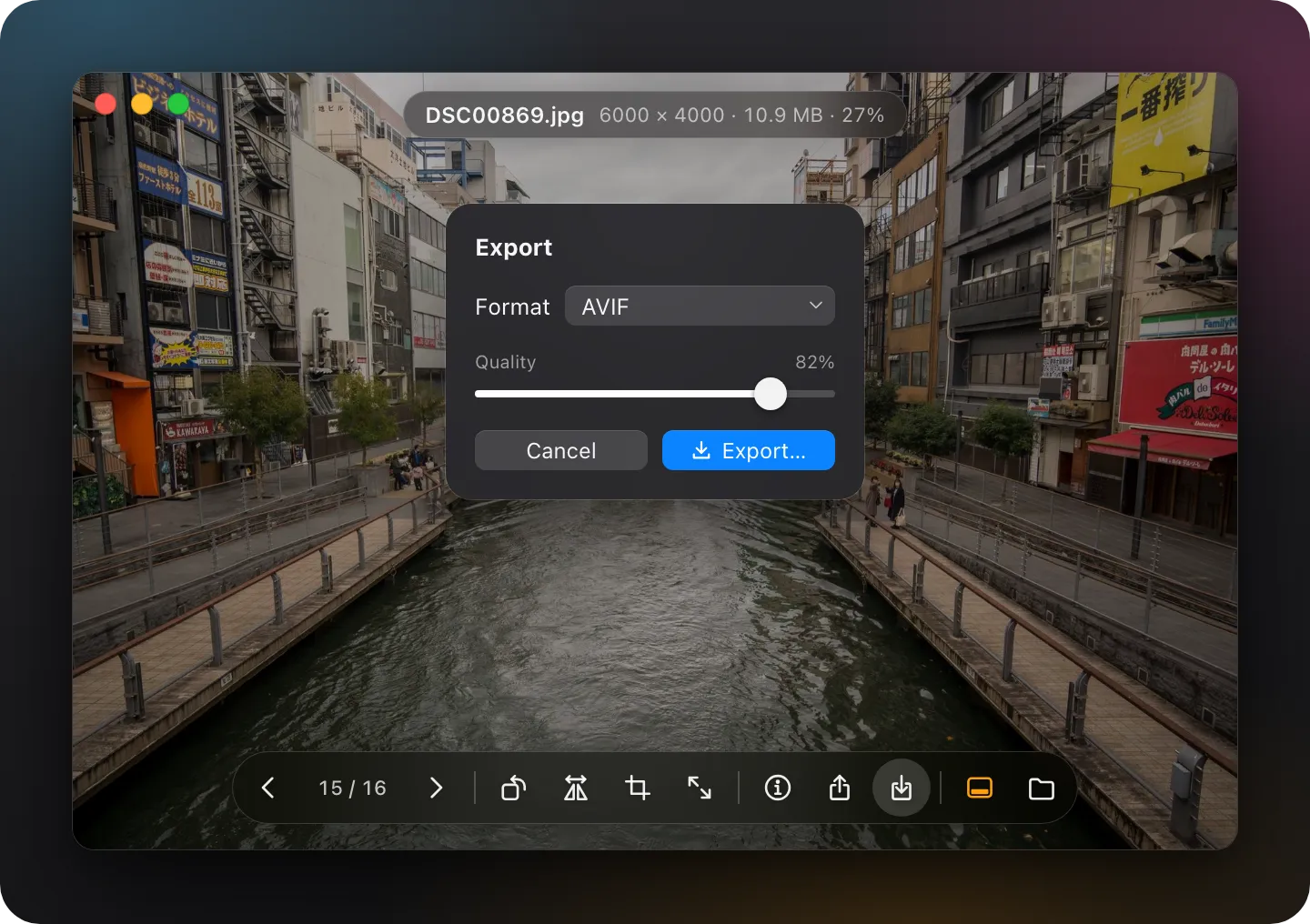
The Export panel over a photo of a canal in Osaka: Format AVIF, Quality 82 %, Cancel and Export buttons
Export

Save a copy in the format you need

Export as JPEG, PNG or HEIC with the quality you choose, and as AVIF when your Mac can write it. Rotations of JPEG, HEIC and TIFF files can also be saved straight into the original, without re-compressing it.

Opens

  • JPEG
  • PNG
  • HEIC
  • TIFF
  • AVIF
  • JPEG XL
  • WebP
  • GIF
Animated GIFs play.

Exports

JPEG · PNG · HEIC · AVIF when macOS can write it

And the small things

Keyboard first

  • ← →Previous / next
  • ↑ ↓Zoom
  • SpaceFit / actual size
  • TThumbnail strip
  • IPhoto info
  • FFull screen
  • ReturnRename
  • ⌘⌫Move to Trash
Stays on your Mac

Your photos never leave your Mac.

  • Read where they areBlickPix opens your files in place. Nothing is uploaded, copied into a library or analysed.
  • No account, no analyticsActivating a Payhip licence sends only the key, and the once-a-day update check only asks which version is newest. BlickPix works offline.
  • App Store versionBought on the Mac App Store, BlickPix makes no network connections at all.

Questions

Is BlickPix a subscription?

No. It is $4.99, once, on this site or on the Mac App Store. Updates are included.

Payhip or Mac App Store: which should I buy?

It is the same app either way. From this site you get a licence key for two Macs. On the Mac App Store it is tied to your Apple account and updates through the App Store.

Is there a free trial?

No. The screenshots on this page and the manual show everything BlickPix does before you buy.

Can BlickPix replace Preview for opening photos?

Yes. In Finder, select a JPEG, choose File → Get Info, pick BlickPix under Open with and click Change All. Repeat for the other formats you use. BlickPix also appears under Open With for every format it reads.

Does it open RAW files?

No. BlickPix opens JPEG, PNG, HEIC, TIFF, AVIF, JPEG XL, WebP and GIF. For RAW photos, have a look at Chili RAW.

Will it change my photos?

Only when you ask. Crop, resize, rotate and flip stay on screen until you export a copy or save the rotation. Renaming and Move to Trash act on the file, as in Finder.

What do I need to run it?

A Mac with macOS 14 Sonoma or later, with Apple silicon or Intel.

Look at your photos, not at the app

$4.99 once, for two Macs. Also on the Mac App Store.