


YouTube to text, a whole playlist at a time
Paste a video, a playlist or a channel. Wolfgang fetches the audio, transcribes every video on your Mac and writes one digest for the lot.
Free forever · Pro $9.99 once · macOS 14+ · Apple silicon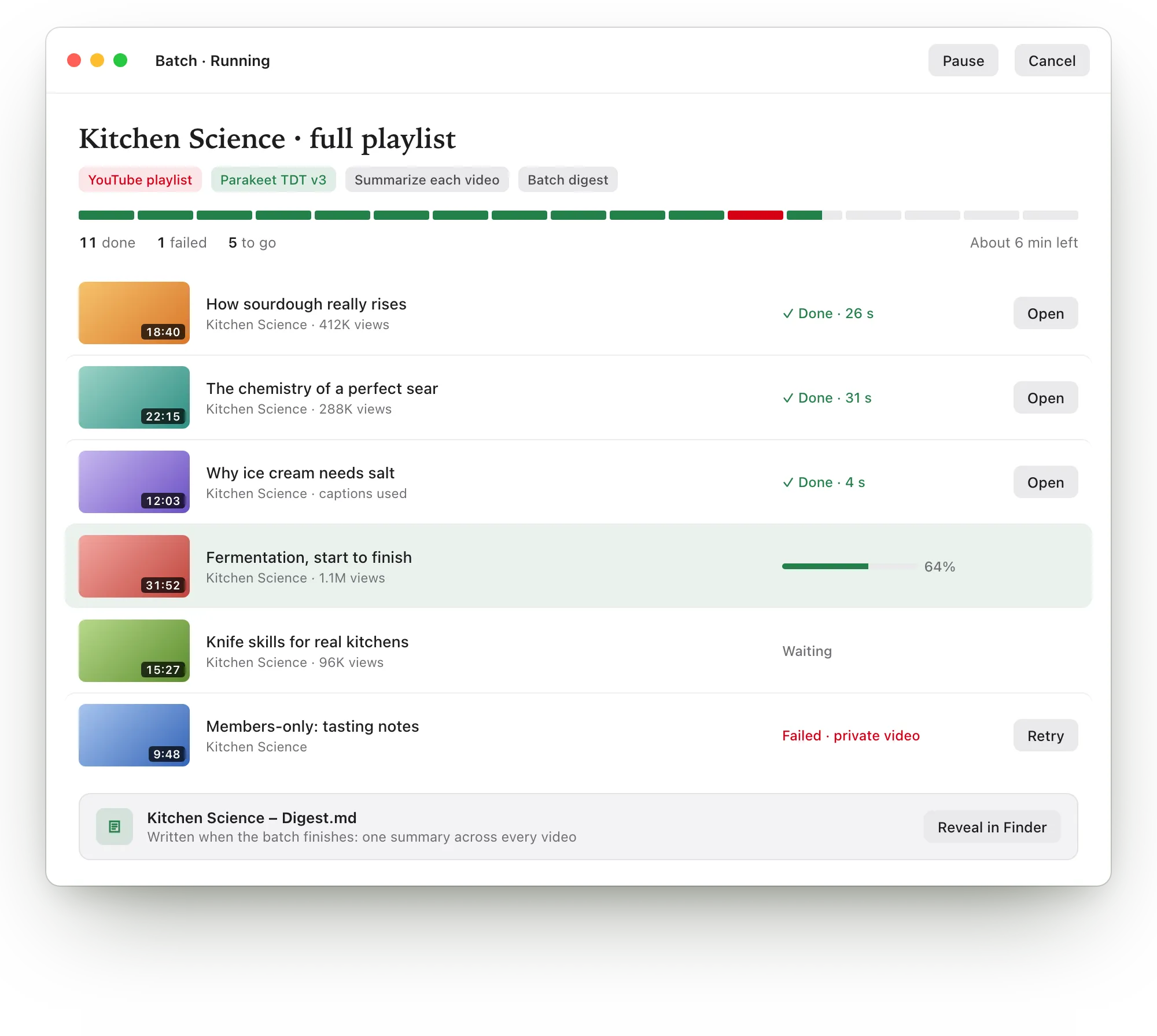
Paste, check, transcribe
Videos run one after another while you do something else. Close the window and the batch keeps going.
- 1
Paste
A link, a playlist, an @channel, or a .txt file with one link per line.
- 2
Check
Each video shows its thumbnail, title, length and caption languages. Skip the ones already in your library.
- 3
Transcribe
Pause, resume or retry failed videos at any time, and leave a pause between videos if you like.
Built for YouTube, not just audio files
Creator captions
When a video has captions written by a person, use them instead of speech recognition: exact text in seconds. Automatic captions are never used.
Chapters come along
The creator’s chapters become chapters in your transcript, so a two-hour video stays easy to find your way around.
99 languages
Whisper understands 99 languages, and the video’s own language is picked for you.
A summary for each, a digest for all
Summarize every video and get one Markdown digest across the whole batch.
Sign-in videos
Age-restricted videos work with your browser’s cookies, if you choose to allow it.
Keeps up with YouTube
The downloader inside Wolfgang updates itself every day, so a change on YouTube’s side doesn’t stop you.
What people use it for
- Study a lecture series and search across all of it
- Turn a podcast’s back catalogue into text
- Make SRT subtitles for a video
- Research a channel without watching 40 hours of it
- Quote an interview word for word, with timestamps
Single videos are free. Playlists, channels, batches and summaries come with Pro. Free vs Pro →
Questions
Is transcribing YouTube free?
One video at a time, yes, with Whisper Medium or Tiny. Playlists, channels, batches and the faster models come with Pro.
Can I use the YouTube transcript instead?
If the creator uploaded captions, Wolfgang can use them directly instead of transcribing. YouTube’s automatic captions are skipped, because Wolfgang’s own transcription is more accurate.
Does Wolfgang download the video?
Only the audio, which it needs to transcribe and to play back in the editor.
How long can a playlist be?
There’s no set limit. Videos run one after another, and you can pause and pick up later.
Can I export subtitles?
Yes. SRT export is in every version; Pro adds Markdown, PDF, HTML and JSON.
Am I allowed to transcribe someone’s video?
Transcribing for your own notes and research is a common use. Publishing someone else’s words depends on their rights and YouTube’s terms, so check before you share.
Start free. Go Pro when you need more.
The free version is the whole app with the Whisper models, and it never runs out. Pro unlocks the fastest and most accurate models, meetings, batches and the AI tools.
- Free forever, no account
- Pro once, no subscription
- Works on two of your own Macs
- Transcription stays on your Mac