


Record and transcribe meetings on your Mac
Zoom, Teams, Google Meet, Slack or FaceTime: Wolfgang records your microphone and the call’s audio on two tracks, then tells you who said what. Nobody in the call sees an extra guest, and nothing is uploaded.
Free forever · Pro $9.99 once · macOS 14+ · Apple silicon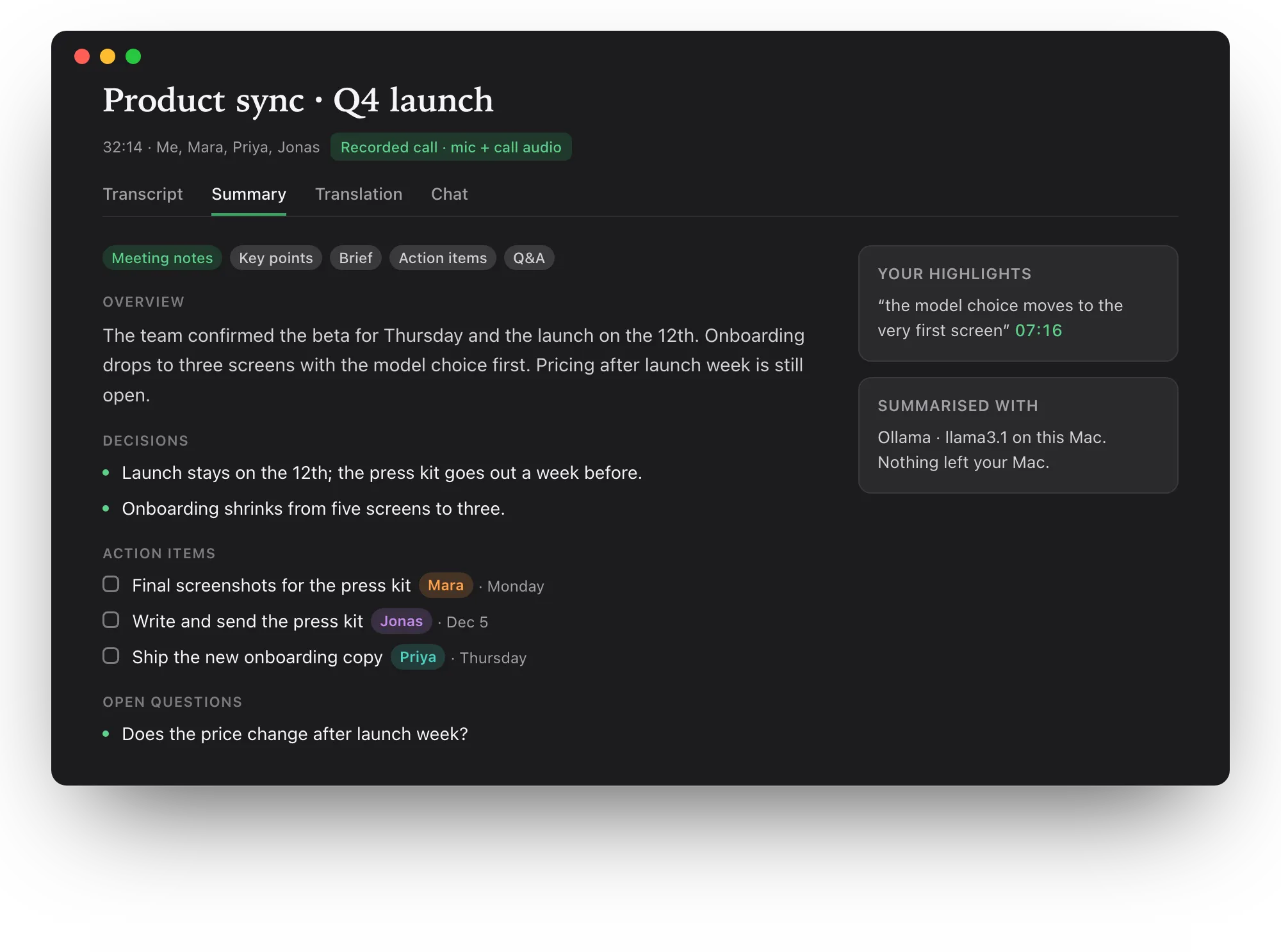
So “Me” is always right
Your microphone and the call are recorded separately. Everything on your track is you, for certain, and the call side is split into the other speakers. When your mic picks up the call from your speakers, Wolfgang removes the echo.
Three steps
- 01
Switch on call audio
In the Record tab, turn on Also record call audio. macOS asks once for microphone and system audio access.
- 02
Have your meeting
Use any call app or a browser. Wolfgang records quietly in the background.
- 03
Stop
The transcript arrives with speakers split, and a summary too if you switched it on.
Your colleagues, named for you
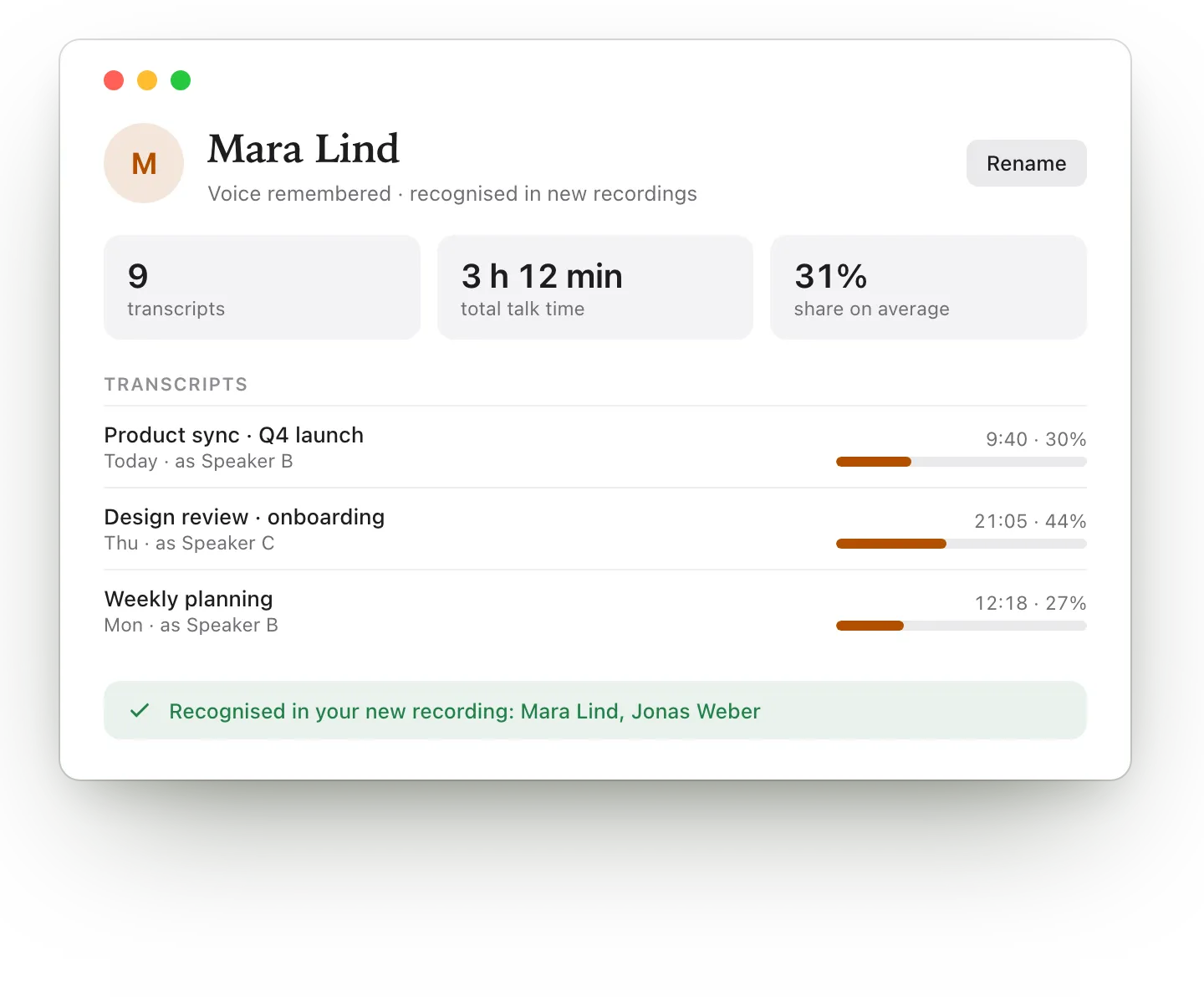
Name a speaker once and Wolfgang recognises that voice in your next meeting. If it ever guesses wrong, merge two speakers, rename one, or move a few words to the right person, with undo.
Decisions, owners and due dates
One click turns the transcript into meeting notes: an overview, the decisions, action items with who owns them and by when, and what’s still open. Wolfgang knows the speakers’ names, so the notes do too.
Ask what you missed
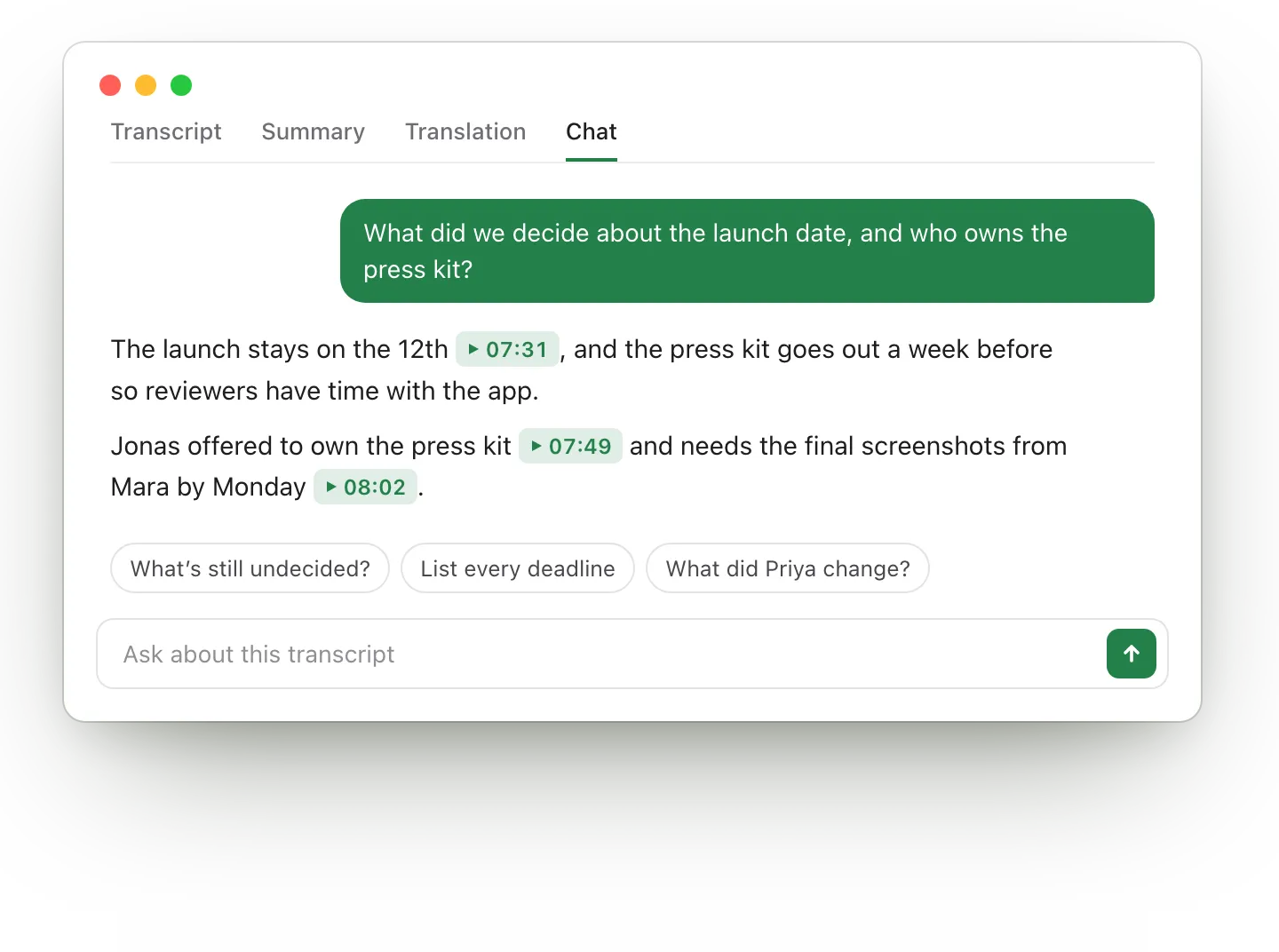
Chat answers questions about the meeting and links each answer to the moment it was said.
Quick record from anywhere
Press ⌃⌥⌘R or click the mic icon in the menu bar to record, for a voice memo or an idea between meetings.
Ask before you record
Let people know you’re recording. The rules differ from country to country, and asking first is simply polite.
Recording your microphone is free. Call audio, speakers, remembered voices and the AI tools come with Pro. Free vs Pro →
Questions
Which call apps does it work with?
All of them. Wolfgang records the Mac’s audio output rather than plugging into a particular app, so Zoom, Teams, Google Meet in a browser, Slack, Webex and FaceTime all work.
Will others in the call see that I’m recording?
No bot or extra guest joins the call. Do tell people you’re recording, though: it’s polite, and in many places it’s the law.
Does it transcribe live?
Not yet. Wolfgang transcribes when you stop, which takes seconds to a few minutes with Parakeet. Live transcription is on the roadmap.
Are meeting notes made on my Mac?
With Ollama, yes, entirely. You can also use Claude or an OpenAI-compatible service with your own key; then the transcript text is sent there for the summary.
How does it know who is who?
Your microphone track is always you. The call audio is split by voice, and voices you’ve named before are matched automatically. You decide how strict the matching is.
Start free. Go Pro when you need more.
The free version is the whole app with the Whisper models, and it never runs out. Pro unlocks the fastest and most accurate models, meetings, batches and the AI tools.
- Free forever, no account
- Pro once, no subscription
- Works on two of your own Macs
- Transcription stays on your Mac