A Typora alternative for the Mac: MarkText, Obsidian, iA Writer, Zettlr and momo
Typora costs $14.99. Free and paid Mac alternatives compared: MarkText, Obsidian, iA Writer, Zettlr and momo, with live preview, price and how they keep your files.
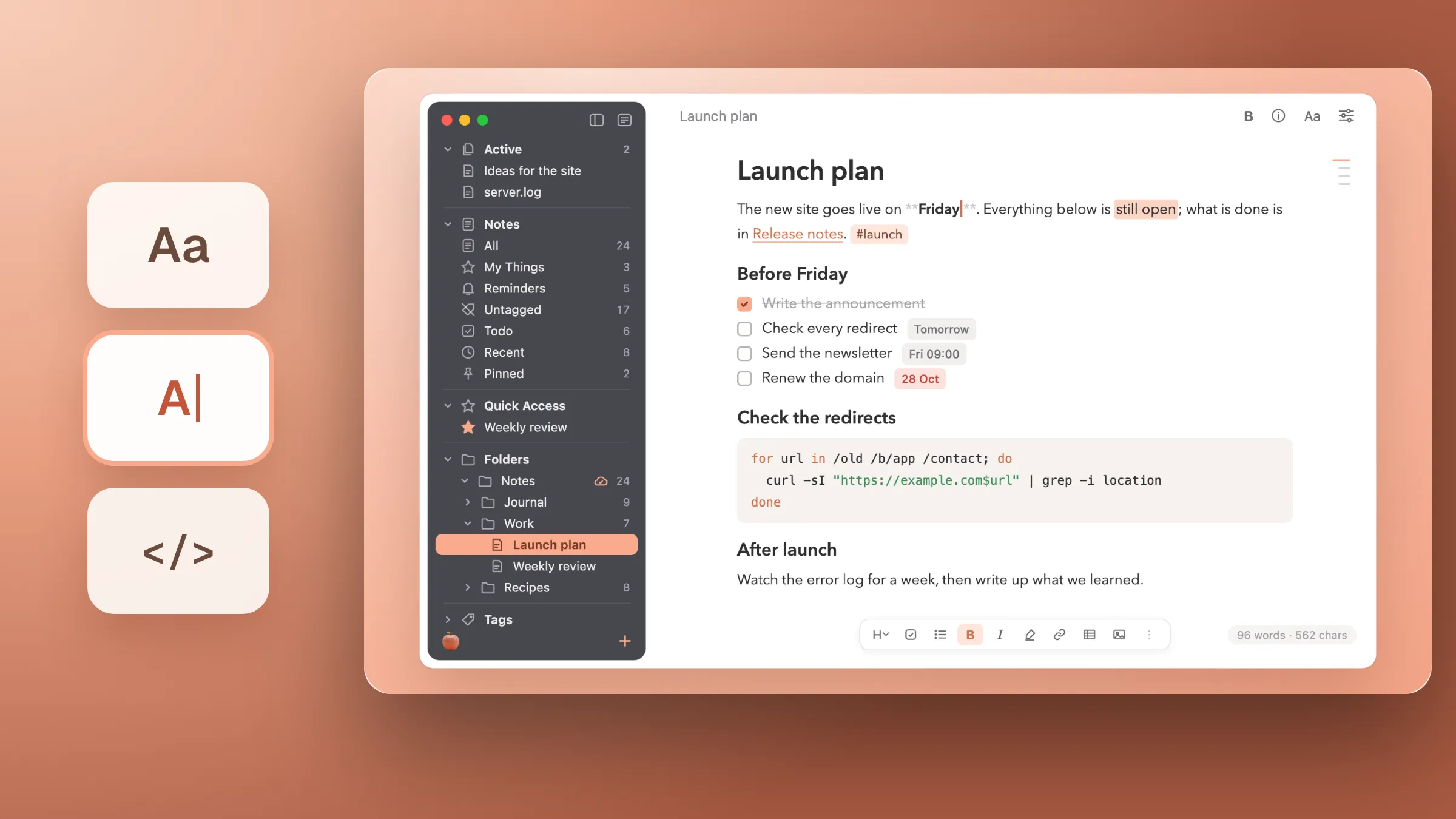
The closest free alternatives to Typora on the Mac are MarkText, which copies Typora’s seamless live preview and is actively developed again, Obsidian in its Live Preview mode, and our own momo, a native Mac editor with three modes from fully rendered to raw source. If you’d rather pay for polish, iA Writer is the classic. Zettlr is the pick for academic writing.
Typora itself is good and fairly priced, so this isn’t a “stop using Typora” article. Here’s what Typora costs, what people love about it, and which alternative suits whom. Everything is as of November 2026.
What Typora costs now
Typora was free during its long beta and became paid with version 1.0 at the end of 2021. Today it’s $14.99, a one-time purchase (plus tax where it applies), for one person on up to 3 devices, with a 15-day free trial. It runs on Mac, Windows and Linux, and the current version is 1.14.
That’s a fair price, and if Typora suits you, keep it. People look for alternatives mostly for three reasons: they want something free, they want a native Mac app rather than one built on web technology, or they want their editor to be a notes app too, with folders, search and sync.
What people love about Typora
Typora’s big idea is seamless live preview. There’s no split screen with Markdown on the left and a preview on the right: you type ## Title and it becomes a heading right there, **bold** turns bold, and the Markdown characters show again only in the block you’re editing. It feels like a word processor, but the file on disk is plain Markdown.
Around that come things writers rely on: an outline, focus and typewriter modes, tables you can edit as tables, maths and diagrams, themes written in CSS, and export to Word, PDF and more through pandoc.
So the real question for an alternative is: how close does it get to that live preview?
MarkText: the free Typora look-alike
MarkText is open source (MIT), free, and runs on Mac, Windows and Linux. Its editor works like Typora’s: Markdown renders as you type, and the syntax reappears where the cursor is. It also has source and focus modes, tables, maths and diagrams.
For four years it looked abandoned: no release between March 2022 and May 2026, and an old build that newer versions of macOS refused to open. Then the project came back to life, with frequent releases since May 2026; version 0.23 came out in October 2026, and 0.24 is in testing as we write. If you liked MarkText before, it’s worth another look.
Choose MarkText if you want the nearest free equivalent of Typora, on more than one operating system, and don’t mind an app built on Electron.
Obsidian: Live Preview inside a full notes system
Obsidian is free for personal and commercial use. Its default editor mode, Live Preview, hides Markdown syntax except on the line you’re editing, which is close to Typora. Your notes are .md files in a folder it calls a vault, and a huge library of community plugins adds almost anything. Sync between devices is paid: from $4 a month on the yearly plan, or use iCloud or another service yourself.
Obsidian is more than an editor: backlinks, a graph view, canvases, plugins for everything. That’s the attraction, and also the catch. Many people come for a clean writing app and end up maintaining a system.
Choose Obsidian if you want a notes system with links between notes and plugins, on every platform.
iA Writer: polished, paid, and not WYSIWYG
iA Writer is $49.99 once for the Mac app; iPhone, iPad and Windows versions are sold separately, and iA states there’s no subscription. It’s beautifully made, with focus mode, syntax highlighting for style, and excellent typography.
But it doesn’t work like Typora. The Markdown characters stay visible in the editor, dimmed, and the formatted result is in a preview. Some writers prefer exactly that; if live preview is what you love about Typora, iA Writer is a different philosophy.
Choose iA Writer if you write long texts, care about typography, and are happy to see your Markdown.
Zettlr: for academic writing
Zettlr is free and open source (GPL), with version 4.10 out in November 2026. It’s built for research: citations from Zotero and other reference managers, export to Word, PDF and LaTeX through pandoc, and a Zettelkasten-style approach to notes. It styles headings, links and images in the editor but keeps more of the Markdown visible than Typora does.
Choose Zettlr if you write papers or a thesis with citations.
momo: free, native, three ways to see a note
momo is our Markdown editor for the Mac, and it’s free: no account, no trial, no subscription. Your notes are ordinary .md files in your own folders, which any other app can open.
What makes it a Typora alternative is its editor. momo has three modes, and ⌘\ cycles through them:
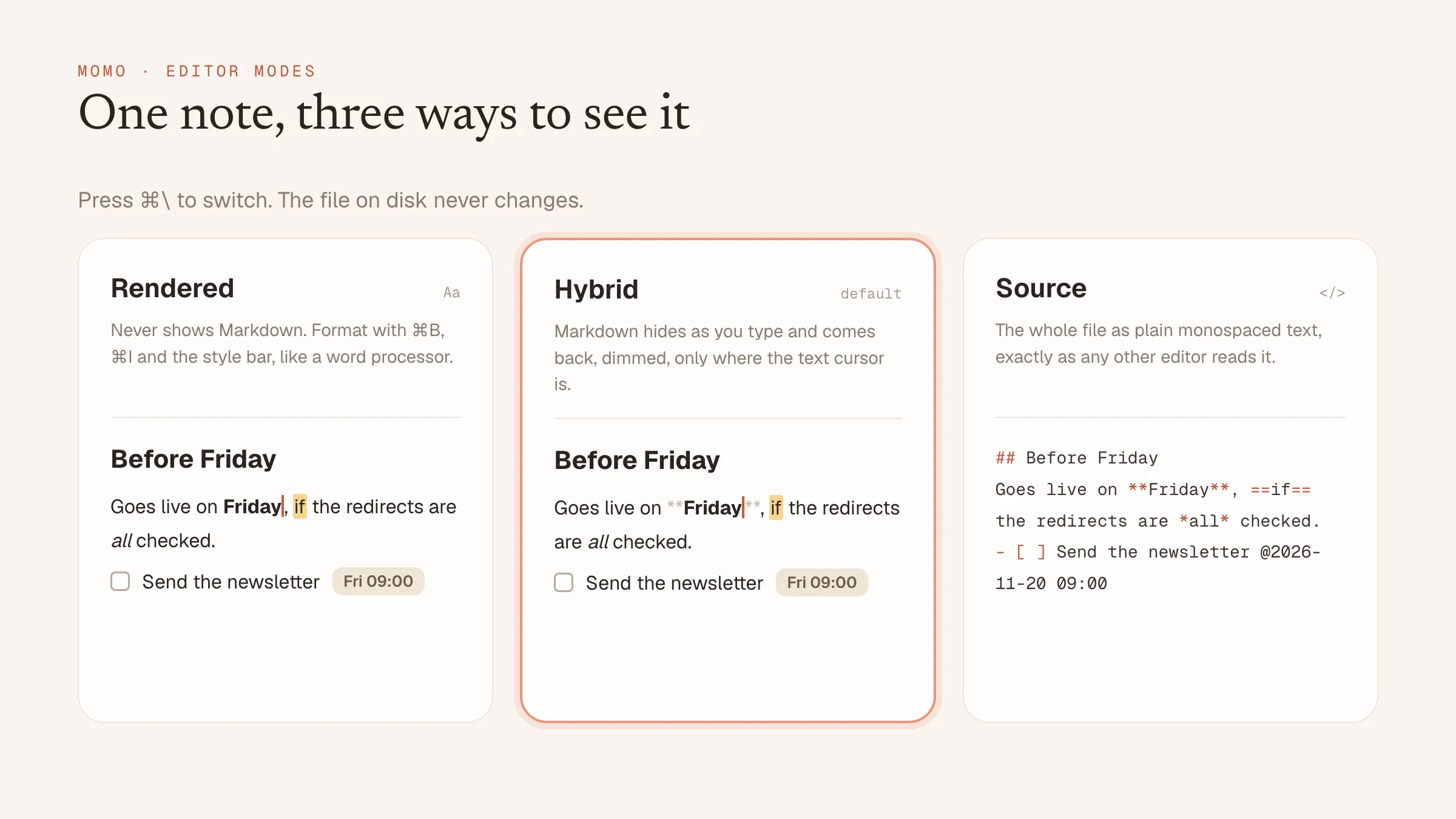 Rendered, Hybrid and Source. Switching never changes the file.
- Hybrid, the default, is the Typora feeling: Markdown renders as you type, and when you click into a bold word, its
**markers fade back in, dimmed, so you can edit them. - Rendered never shows Markdown at all, not even under the cursor. You format with ⌘B, ⌘I and the style bar, like in a word processor, and the file is still plain Markdown. This is the mode for people who don’t want to see a single
#. - Source shows the whole file as raw monospaced text.
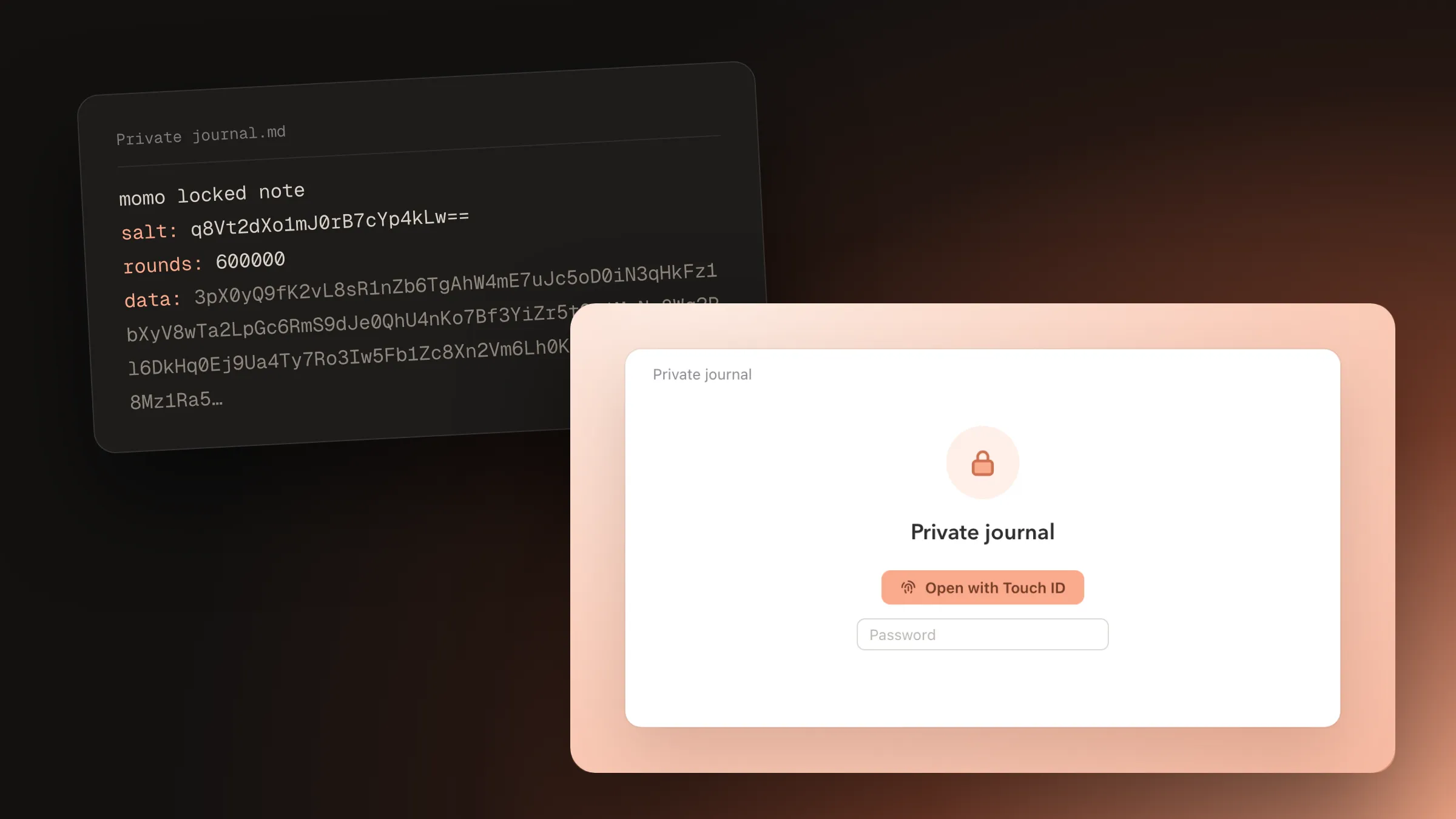
Around the editor: tables drawn as real grids, code blocks with syntax colours, footnotes, wiki links between notes, tasks with dates that become reminders in Apple’s Reminders app, typewriter and focus modes, eight themes, and export to HTML and PDF. Version 1.4 added sync of a notes folder through your own iCloud (free on the Mac), notes locked with a password and Touch ID, Quick Access for the notes you use most, and three layouts, from sidebar plus list plus note down to the note alone. Markdown pasted from other apps renders instead of showing its symbols. momo for iPhone and iPad is coming.
Where Typora is clearly better: momo is Mac only, it has no maths or diagram rendering, and it exports to HTML and PDF rather than Word. If you write equations, live on Windows too, or deliver .docx files, Typora (or MarkText) fits better.
Choose momo if you want a free, native Mac app that renders Markdown as you type, keeps plain files, and also works as your notes app. The manual shows everything it does.
Price and the essentials side by side
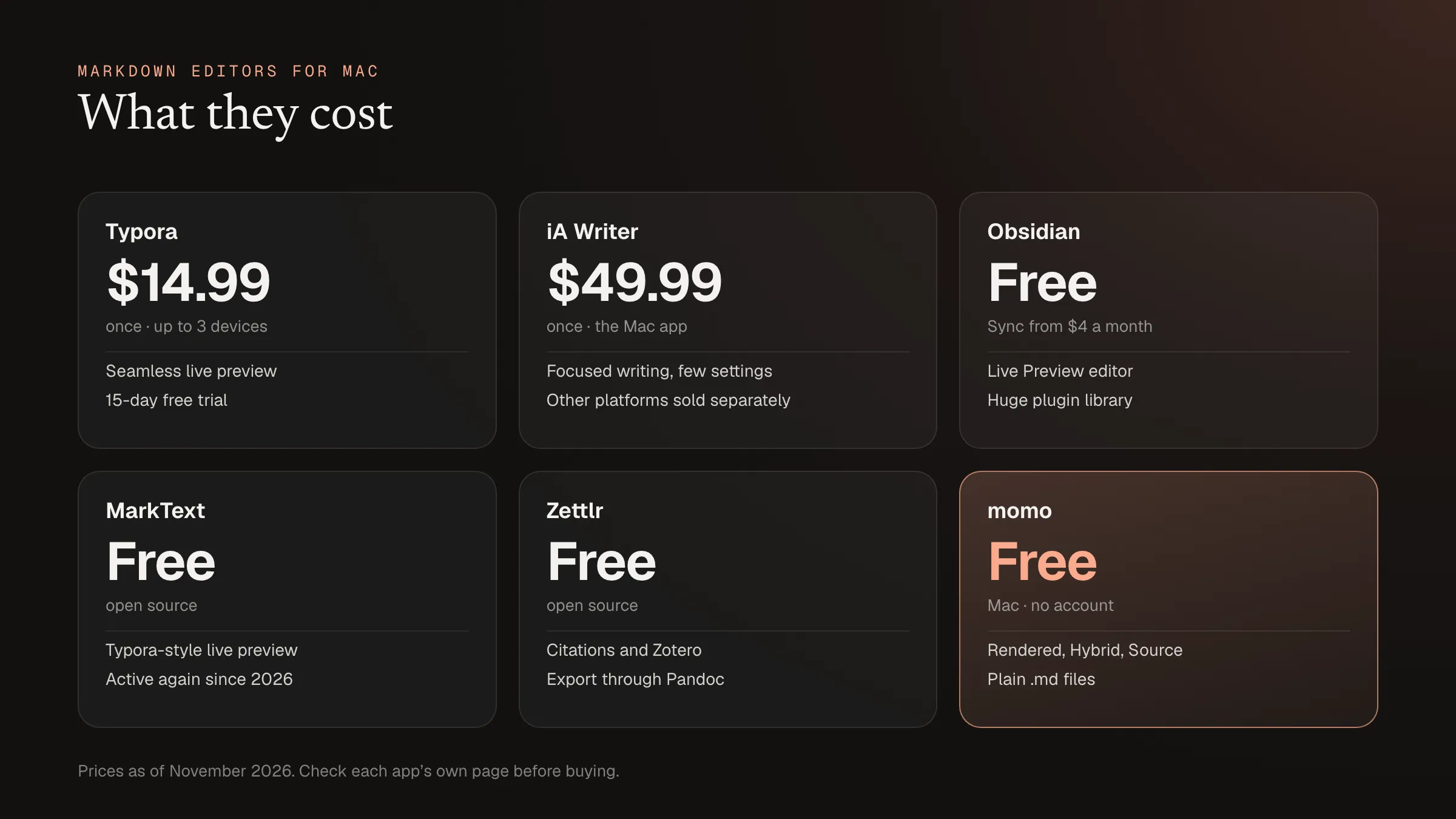 Prices as of November 2026.
| Price | Live preview like Typora | Platforms | Your files | |
|---|---|---|---|---|
| Typora | $14.99 once, 3 devices | Yes, the original | Mac, Windows, Linux | Plain .md |
| MarkText | Free, open source | Yes | Mac, Windows, Linux | Plain .md |
| Obsidian | Free; Sync paid | Yes, Live Preview mode | Everywhere | Plain .md in a vault |
| iA Writer | $49.99 once (Mac) | No, Markdown stays visible | Mac, iOS, Windows, Android | Plain .md |
| Zettlr | Free, open source | Partly | Mac, Windows, Linux | Plain .md |
| momo | Free | Yes, Hybrid mode, plus Rendered | Mac; iPhone and iPad coming | Plain .md in your folders |
So which one?
- Same experience, free, any platform: MarkText.
- A notes system with plugins: Obsidian.
- Focused long-form writing, and you’ll pay for it: iA Writer.
- Papers with citations: Zettlr.
- A native Mac app that renders as you type and is free: momo.
Every one of them saves plain Markdown, so the nicest thing about this choice is that it isn’t permanent. Point two of them at the same folder for a week and keep the one you reach for.
Questions people ask
Is Typora still free? No. The beta was free; since version 1.0 it’s $14.99 once, with a 15-day trial.
Is there a free Typora for Mac? MarkText is the closest copy. momo and Obsidian’s Live Preview give a very similar feel in a different app.
Can I open my Typora files in another editor? Yes. Typora saves standard Markdown files, and every editor here opens them as they are. Typora-only extras, such as some diagram syntax, may show as plain text elsewhere.
Which alternative hides Markdown completely? momo’s Rendered mode never shows Markdown characters, while still saving a normal .md file.