momo now syncs your Markdown notes between Macs, and iPhone and iPad are next
momo, the free Markdown editor for Mac, now syncs notes between your Macs through your own iCloud. momo for iPhone, iPhone Duo and iPad is in App Store review.
momo, our free Markdown editor for the Mac, can now keep your notes in step on every Mac you use, through your own iCloud. There is no account to make and no subscription, and on the Mac sync is free.
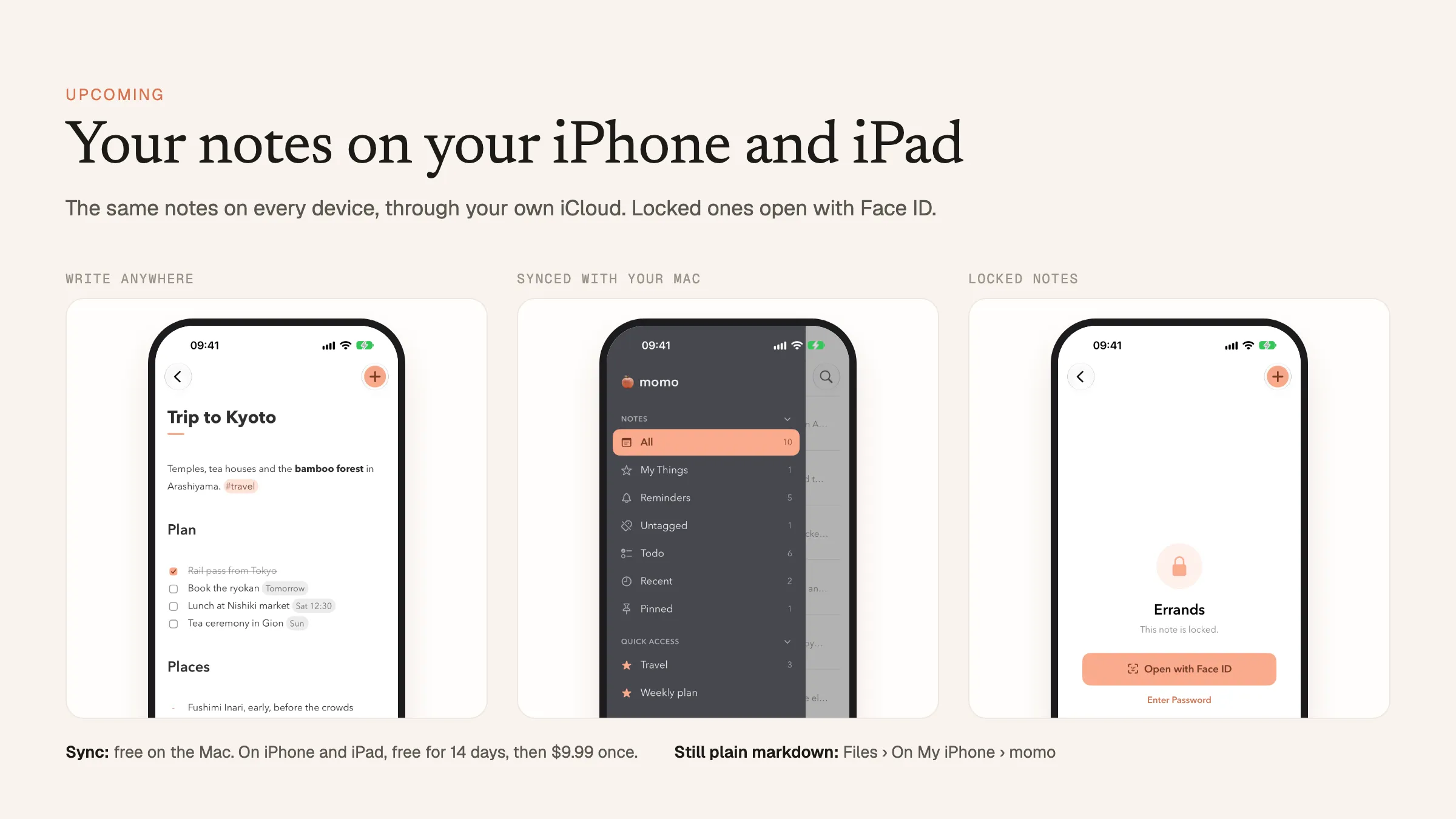
And the Mac is only the start. momo for iPhone and iPad is finished and in App Store review. It runs on iPhone, the foldable iPhone Duo and iPad, and we expect it on the App Store in about two weeks. Here’s how both work.
Sync between Macs, free
Turning sync on takes three clicks. Right-click a folder in momo’s sidebar, choose Sync with momo…, and click Sync. That folder, and every folder inside it, now stays the same on each Mac where you do the same.
A few things make it different from most note sync:
- Your notes stay plain
.mdfiles. On the Mac they are ordinary files in an ordinary folder, which any other editor, Git or backup can read. momo has no database to get stuck in. - It goes through your own private iCloud. Each file is stored as an encrypted record in your private iCloud database. There is no momo server, and we never see your notes.
- Changes go across at once. iCloud tells your other devices about a change, and they sync straight away.
- You choose what syncs. One folder syncs; the rest stay on that Mac. Inside the synced folder, Don’t Sync This Folder leaves a sub-folder out.
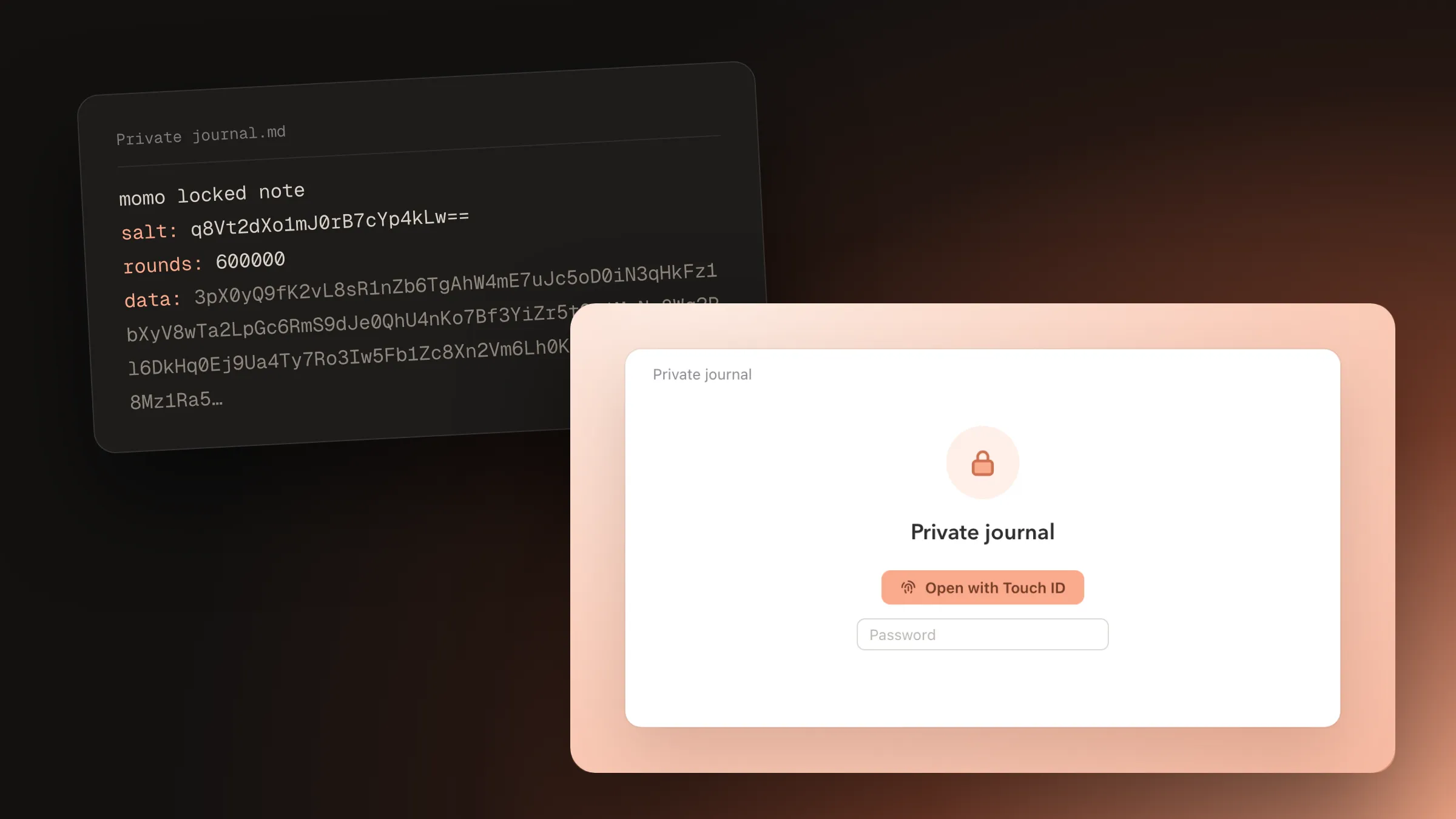
Images and attachments in the folder’s assets sync too, and so do empty folders, your scratch notes and locked notes, which stay locked. Here’s more on how to password-protect notes on a Mac, in momo and elsewhere.
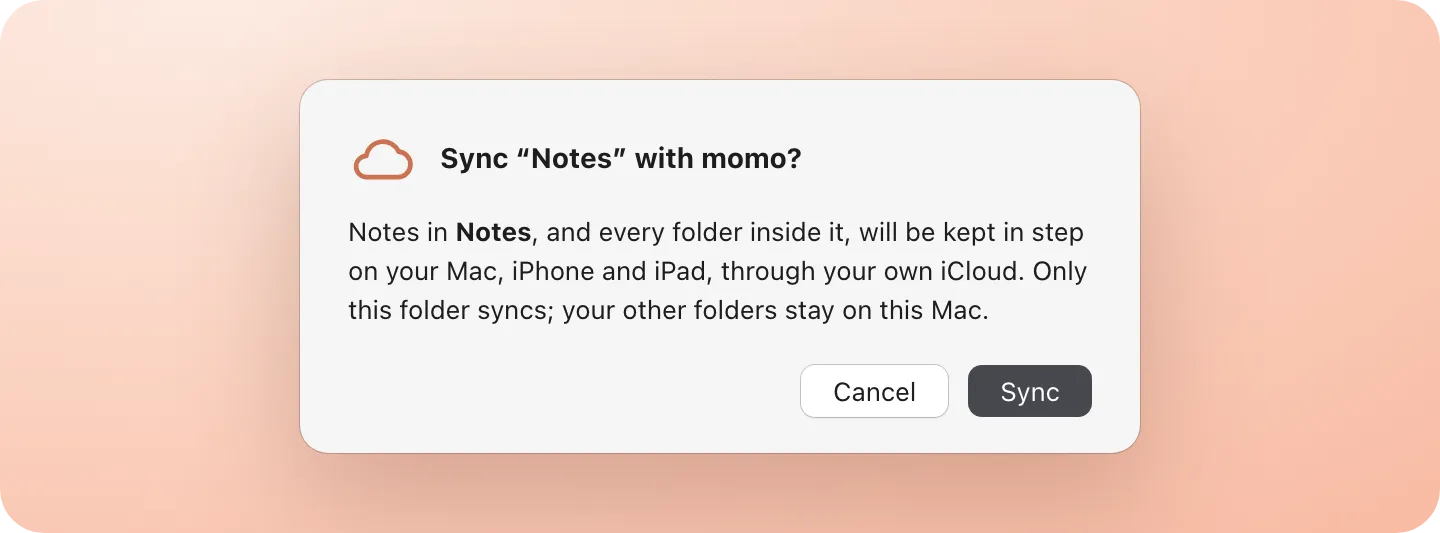 One folder, kept in step everywhere. The sheet says what will happen before anything does.
What happens when two devices change the same note
This is where sync usually goes wrong, so momo is careful:
- Edits in different parts of a note are merged.
- If the same lines changed differently on two devices, momo keeps both: the note, and a conflict copy beside it.
- An edit beats a delete. A note edited on one Mac and deleted on another is kept.
- A note deleted elsewhere goes to the Trash, never straight into nothing.
- Before sync writes over a note, the version it replaces goes into the note’s local history.
A note open on screen with unsaved edits takes a synced change by merging it, rather than interrupting you with a dialog.
Why not iCloud Drive or Dropbox?
You can keep momo’s notes in iCloud Drive or Dropbox, and many people do. But file sync services see whole files, not the edits inside them. Two devices saving the same note can leave a “conflicted copy” behind, and they never merge. momo’s own sync works on the notes themselves, which is why it can merge edits. One warning: don’t run both on the same folder. momo warns you if a folder you’re about to sync is already in iCloud Drive or Dropbox, because two sync services on the same files can fight.
momo for iPhone, iPhone Duo and iPad
The iPhone and iPad app writes the same plain .md files, with the same live Markdown as the Mac: formatting renders as you type and the Markdown characters show only where the cursor is.
- A bar above the keyboard for a task box, lists,
#tags and@dates. Aa swaps the keyboard for formatting buttons: headings, bold, highlight, links, tables and images from Photos. - Locked notes open with Face ID, with the same password as on your Mac.
- Your notes are files you can see, in the Files app under On My iPhone › momo.
- Tasks with a date show as small pills, and My Things lists what’s due today and next, ticked off right there.
- On iPad, the sidebar, the note list and the note sit side by side, and an attached keyboard gets the Mac’s shortcuts: ⌘B, ⌘I, ⌘K and ⌘P for Quick Open.
- On the foldable iPhone Duo, momo runs too, folded or open.
What it costs
- momo for Mac: free, sync included. No account, no trial, no in-app purchase.
- momo for iPhone and iPad: free to download and to write in. Sync and locking new notes are free for 14 days, then need a one-time unlock of $9.99, which covers both iPhone and iPad. No subscription.
After the trial everything else stays free, and your notes, locked ones included, stay readable on the device.
By comparison, the sync built into most note apps is a monthly fee for as long as you use it. We think a note app should cost once or nothing.
Get it
momo for Mac is a free download. Turn on sync now, and when the iPhone and iPad app arrives in a couple of weeks, the same folder will be waiting for you there. The sync chapter of the manual has every detail. Still choosing an editor? See momo next to Typora, Obsidian and iA Writer.
If you write in Markdown elsewhere too, Pastesmith turns what you copy from the web into Markdown as you paste it. For whole documents, here’s how to convert a PDF to Markdown on a Mac.