How to password-protect notes on a Mac: Apple Notes, other options and momo
Lock notes on a Mac with Apple Notes, an encrypted disk image, Standard Notes, an Obsidian plugin or momo, with Touch ID. What each encrypts and what it leaves readable.
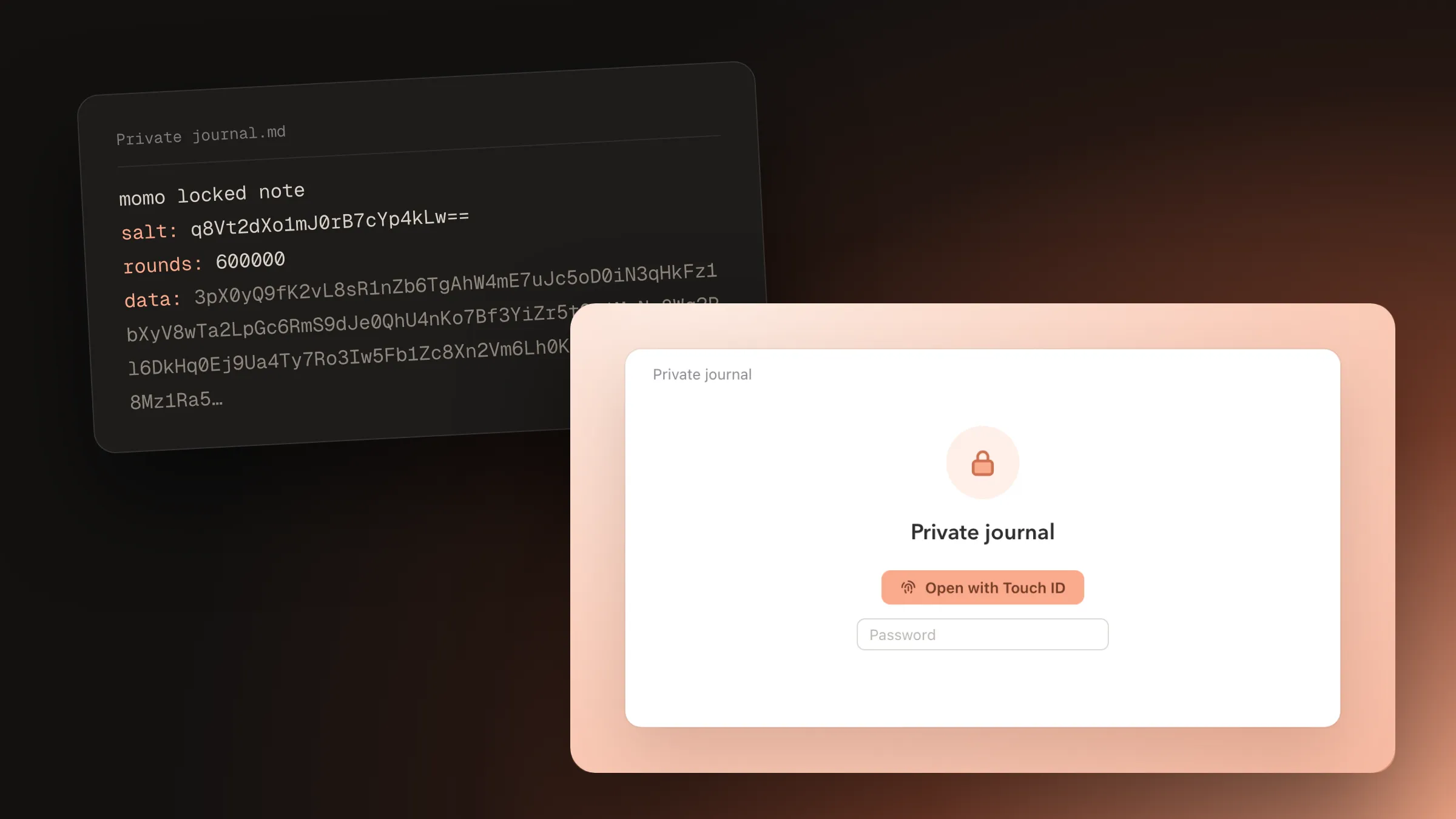
The built-in way to password-protect a note on a Mac is Apple Notes: select the note, click the lock button in the toolbar and choose Lock Note, and open it later with your password or Touch ID. If your notes are Markdown files rather than Apple Notes, you can lock them in momo, our free Markdown editor, which seals the note’s text inside its .md file and opens it with Touch ID. An encrypted disk image, Standard Notes and Obsidian plugins are the other main options.
They protect different things in different ways, so here’s what each one actually encrypts, what it leaves readable, and what happens if you forget the password.
Apple Notes: locked notes
Apple Notes can lock individual notes on Mac, iPhone, iPad and iCloud.com.
Setting it up. The first time you lock a note, Notes asks which password to use. Depending on where the notes are stored, you can choose:
- your Mac’s login password: one less password to remember. For notes in iCloud this needs two-factor authentication and iCloud Keychain, and your other devices must run macOS 13 or iOS 16 or later to open them;
- a separate password just for locked notes, with a hint. Apple strongly recommends the hint.
Tick Use Touch ID in Notes → Settings to open locked notes with your finger.
How secure it is. According to Apple’s Platform Security guide, a locked note’s content and attachments are encrypted with AES-GCM, under a key derived from your passphrase with PBKDF2 and SHA-256. Once you’ve opened locked notes, they stay open until you choose Lock Now or Notes has been in the background for 8 minutes on a Mac (3 on iPhone and iPad).
The limits. You can’t lock:
- a note you’ve shared with other people;
- a note with tags;
- a note with a video, audio file, PDF or document attached (tables, images, drawings, scans, maps and web links are fine);
- a Quick Note.
The note’s title stays visible in the notes list, so its first line shouldn’t be the secret. And if you forget a separate password and Touch ID can’t open the note, Apple can’t help you get it back.
Choose Apple Notes if your notes already live there and you want something built in that works on every Apple device.
An encrypted disk image
For files of any kind, macOS can make an encrypted container. In Disk Utility, choose File → New Image → Blank Image…, pick a size, set Encryption to 256-bit AES and choose a password. Double-click the image to unlock it, and it appears as a drive; everything you save inside is encrypted on disk.
It’s strong, built in and works with any app. But while the image is mounted, every file in it is open, so you have to remember to eject it. Don’t let macOS remember the password in your keychain if you want it to mean anything. And a single large image file is clumsy to sync between Macs.
Choose a disk image if you have whole folders of documents to protect, not just a few notes.
Standard Notes
Standard Notes encrypts every note end to end before it leaves your device, on every platform, and its free plan includes that encryption and sync. The free plan is plain text, though: the Markdown and rich-text editor (Super notes) is part of the Productivity plan, $90 a year, which also adds folders and revision history. Your notes live in Standard Notes’ encrypted cloud, not as files on your Mac.
Choose Standard Notes if you want everything encrypted by default and need Windows, Android or Linux too.
Obsidian with an encryption plugin
Obsidian has no locking built in, but community plugins add it. The best known, Meld Encrypt, can encrypt a whole note (saved as a .mdenc file instead of .md) or just a passage inside a normal note. It’s free and was last updated in October 2026.
Two things to know: the plugin’s own documentation warns that decrypting a note writes plain text to disk, which your sync or backup may pick up, and an .mdenc file is no longer a Markdown file that other apps can read.
Choose Meld Encrypt if you already live in Obsidian and need to hide a few notes or passages.
momo: a locked note that stays a Markdown file
momo is our free Markdown editor for the Mac, and since version 1.4 it can lock notes. Right-click a note in the list and choose Lock Note…. The first time, you choose a password (typed twice), add a hint if you like, and leave Open with Touch ID ticked. After that, one password and your finger open every locked note.
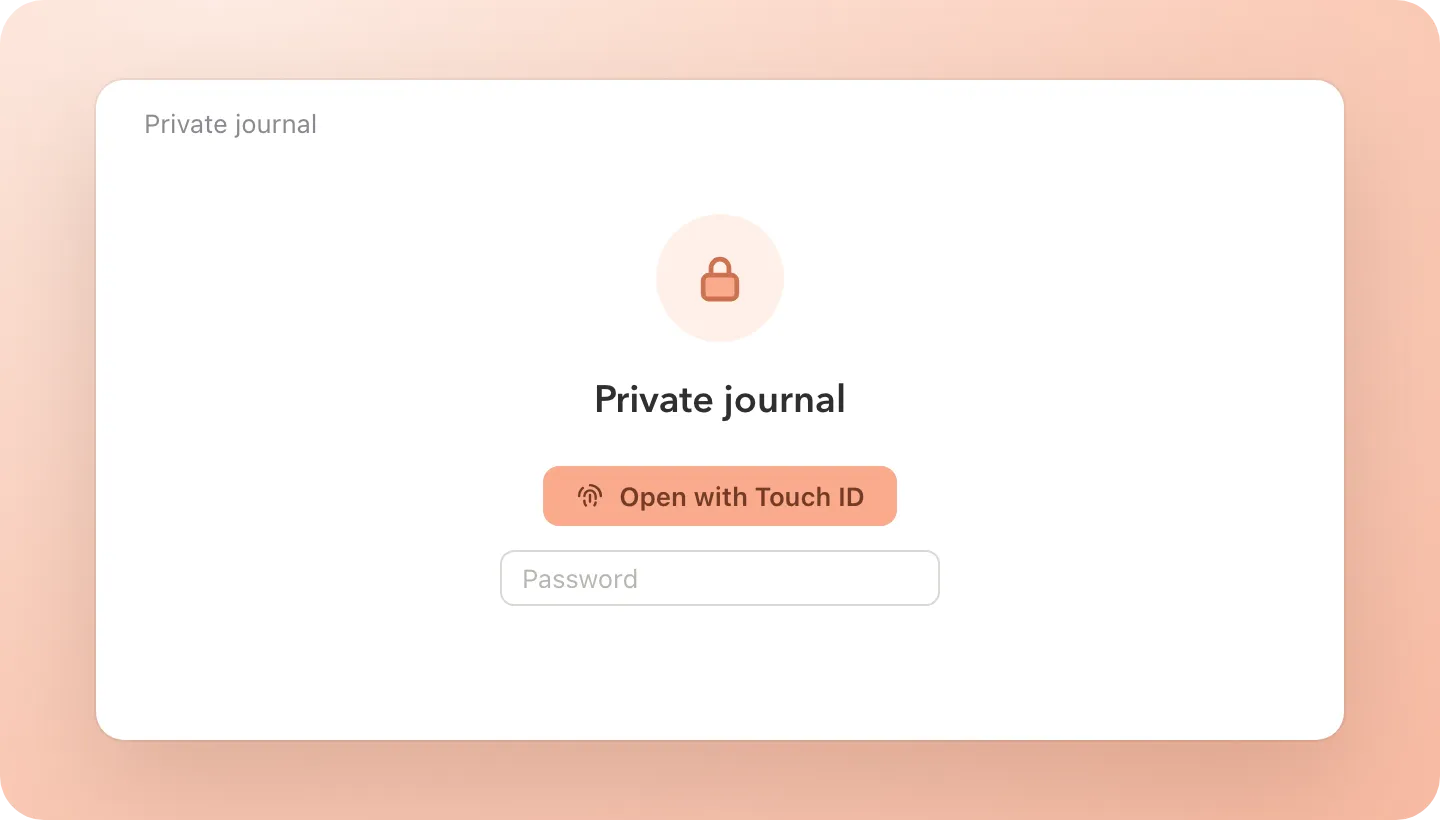 A locked note shows this screen in place of its words, every time you open it.
Here’s exactly what happens, because “locked” can mean many things:
- The note stays a
.mdfile in its folder. Moves, renames, backups and sync treat it like any other note. - Its words are sealed with AES-GCM, under a 256-bit key made from your password with PBKDF2-SHA256 and 600,000 rounds, deliberately slow to make guessing expensive. Opened in Finder or another app, the file reads momo locked note. This note is locked. Open it in momo to read it., followed by the sealed data.
- Touch ID doesn’t store your password. When you tick Open with Touch ID, momo keeps the derived key in this Mac’s keychain, handed back only after your fingerprint, never synced, and void if the enrolled fingerprints change. Your password isn’t stored anywhere.
- Each time you open the note, it asks again.
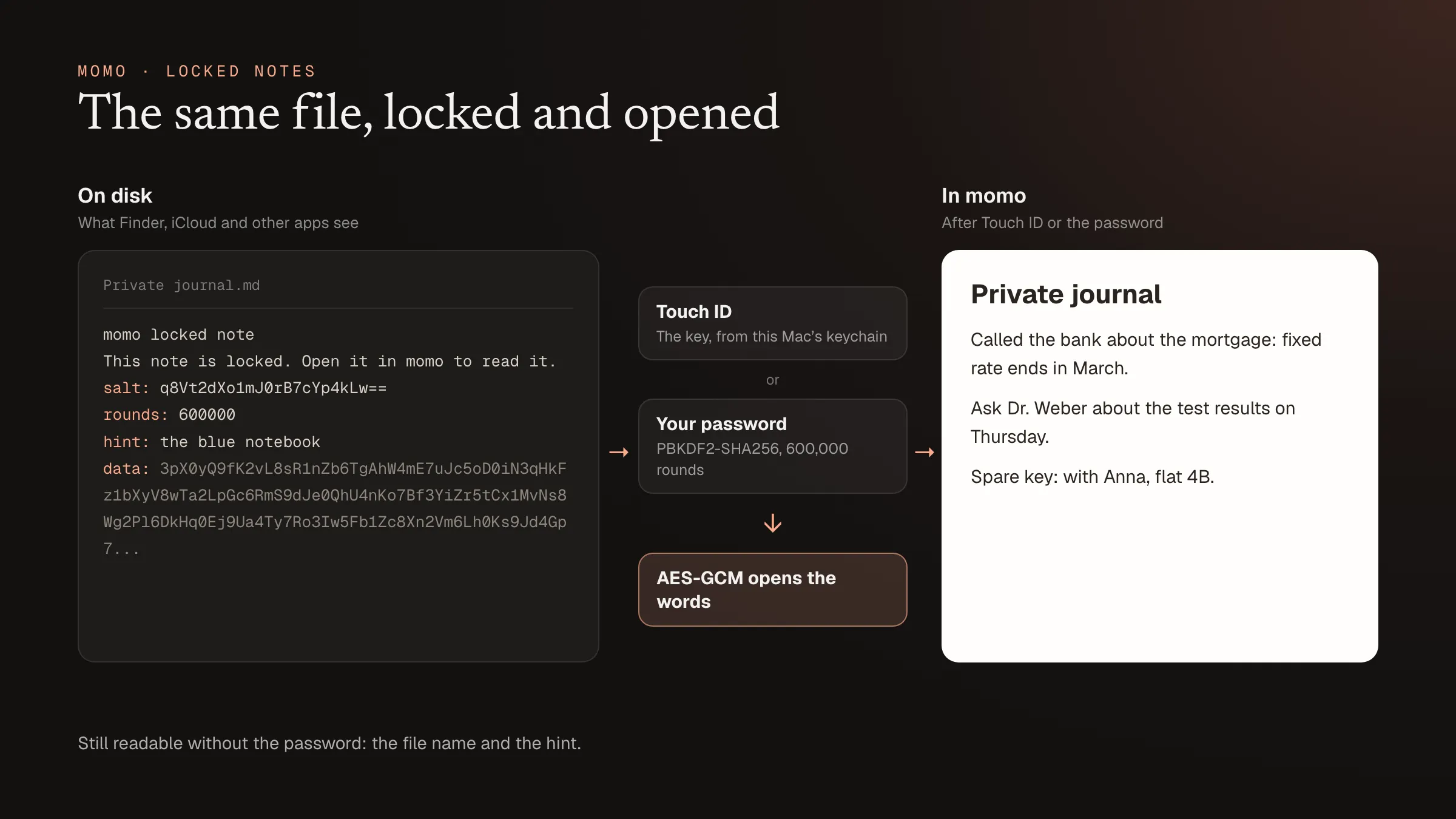 On disk the words are sealed; Touch ID or the password opens them in momo.
What stays readable, so you know what not to put where:
- the file name, which is the note’s name in momo;
- the hint, if you gave one;
- pictures you added to the note: they’re separate files in its
assetsfolder and aren’t sealed.
And with sync: if the note is in a folder you sync through your own iCloud, it travels still locked, so iCloud only ever holds the sealed text. Edits made on two devices at once meet as a conflict copy rather than a muddle.
A few more details from the locked notes page of the manual:
- Lists show a locked note as Locked. Search, tags and tasks see only its name, so its tasks don’t create reminders.
- A locked note keeps no local version history, which would hold its words unsealed.
- Remove Lock… (Touch ID or the password) puts the words back in the file as plain Markdown.
- Only notes in your folders can be locked, not the quick scratch notes.
- Locking is free on the Mac. momo for iPhone and iPad is coming, and will open the same locked notes with Face ID.
Like Apple Notes, momo can’t recover a forgotten password: if neither the password nor Touch ID can open a note, nobody can, us included.
Choose momo if your notes are Markdown files, or you’d like them to be, and you want a few of them locked without leaving plain files behind. momo is free; see our Typora alternatives comparison for how it compares as an editor.
Side by side
| Apple Notes | Disk image | Standard Notes | Obsidian + Meld Encrypt | momo | |
|---|---|---|---|---|---|
| Price | Free | Free | Free; Markdown editor $90 a year | Free | Free |
| What’s locked | Single notes | A whole container | Every note | Single notes or passages | Single notes |
| Touch ID or Face ID | Yes | No | In the iPhone and iPad app | No | Yes |
| Still readable | Title | Nothing while closed | Nothing | File name | File name, hint, pictures |
| Your notes are | Apple’s database | Any files | Their encrypted cloud | .mdenc files |
.md files |
| Forgotten password | Lost | Lost | Lost | Lost | Lost |
That last row is the same everywhere, and that’s how it should be: a lock someone else can open for you isn’t much of a lock. Write the password down somewhere safe, away from the Mac.
Questions people ask
Can I lock a folder in Apple Notes? No, only single notes. For a whole folder of files, use an encrypted disk image.
Are locked Apple Notes safe in iCloud? Their content is encrypted with your password before it’s stored, so Apple can’t read it. The title is visible.
Does Touch ID replace the password? No. In Apple Notes and in momo, Touch ID is a shortcut to the same lock. You still need the password on a new device, or after your fingerprints change.
Can someone see my locked momo note in Finder? They can see the file and its name, and open it to find only sealed data.