RapidRAW alternatives on the Mac: eight RAW editors worth a look
Why Mac photographers look past RapidRAW, and eight alternatives compared on price, Mac support and file handling, from darktable and ART to Lightroom and Chili RAW.
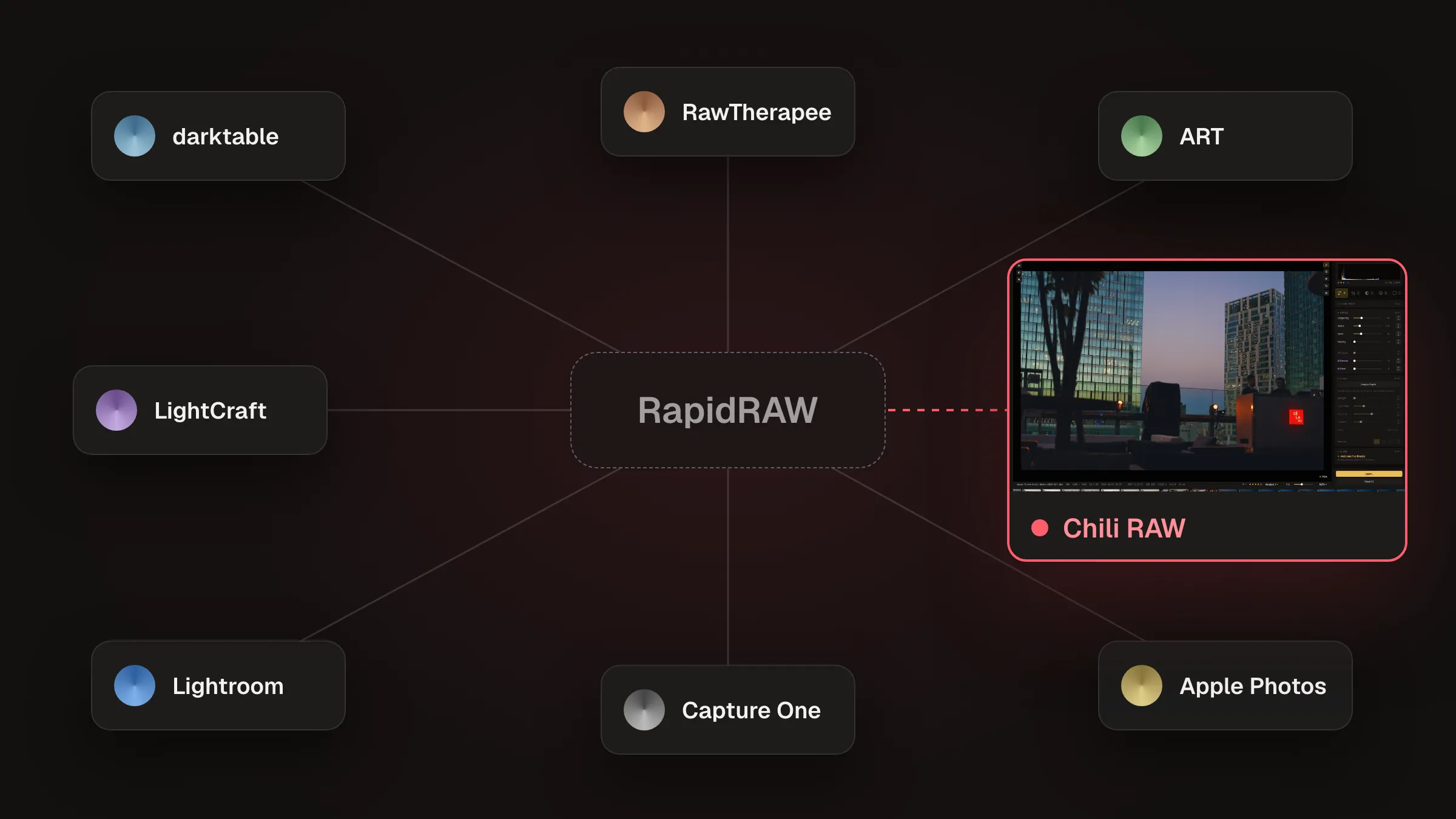
The best RapidRAW alternatives on a Mac are darktable and ART if you want free and open source, Lightroom Classic or Capture One if you want an industry-standard catalogue and can pay for it, and Chili RAW if you want a Mac-native editor that reads your folders and costs one payment at most. LightCraft is the one to watch if you like RapidRAW’s pace but want a catalogue, and Apple Photos is enough for a few quick fixes.
RapidRAW itself is good, and free. Our comparison of RapidRAW, LightCraft and Chili RAW covers how those three differ. This post is for the next question: you’ve tried RapidRAW on your Mac, something doesn’t fit, and you want to know what else is out there. Chili RAW is our app, so we’ve tried to be plain about where the others are the better choice.
Everything below is as of November 2026.
Why people look for a RapidRAW alternative
RapidRAW 1.7.0 came out on 15 November 2026. It’s free under the AGPL-3.0, runs on Windows, macOS, Linux and Android, and has local AI masks, AI denoise and now a 2× AI upscaler. With over 11,000 GitHub stars it is one of the most popular open-source photo projects there is. The reasons people still look elsewhere are mostly about fit, not quality:
- It doesn’t feel like a Mac app. RapidRAW is built with Tauri, a web-based interface shared by every platform. It works well, but menus, shortcuts and text fields behave differently from the rest of macOS.
- It isn’t notarized by Apple yet. The release notes say so: the first launch needs System Settings ▸ Privacy & Security ▸ Open Anyway, or a Terminal command. That’s a small hurdle once, and a bigger one if you install for someone else.
- It moves very fast. Releases arrive every week or two. 1.7.0 brought a new rendering engine, Furka, that changes how every photo looks, and the release notes recommend finishing and exporting current projects before upgrading. Great if you like progress; less so mid-way through a wedding edit.
- No catalogue. RapidRAW keeps edits in sidecar files next to the photos. Many people prefer that, but if you’re used to Lightroom’s catalogue, collections and smart filters across your whole archive, it’s a different way of working.
- Tethering needs extra steps. It exists on the Mac, but as a separate build that needs libgphoto2 installed through Homebrew.
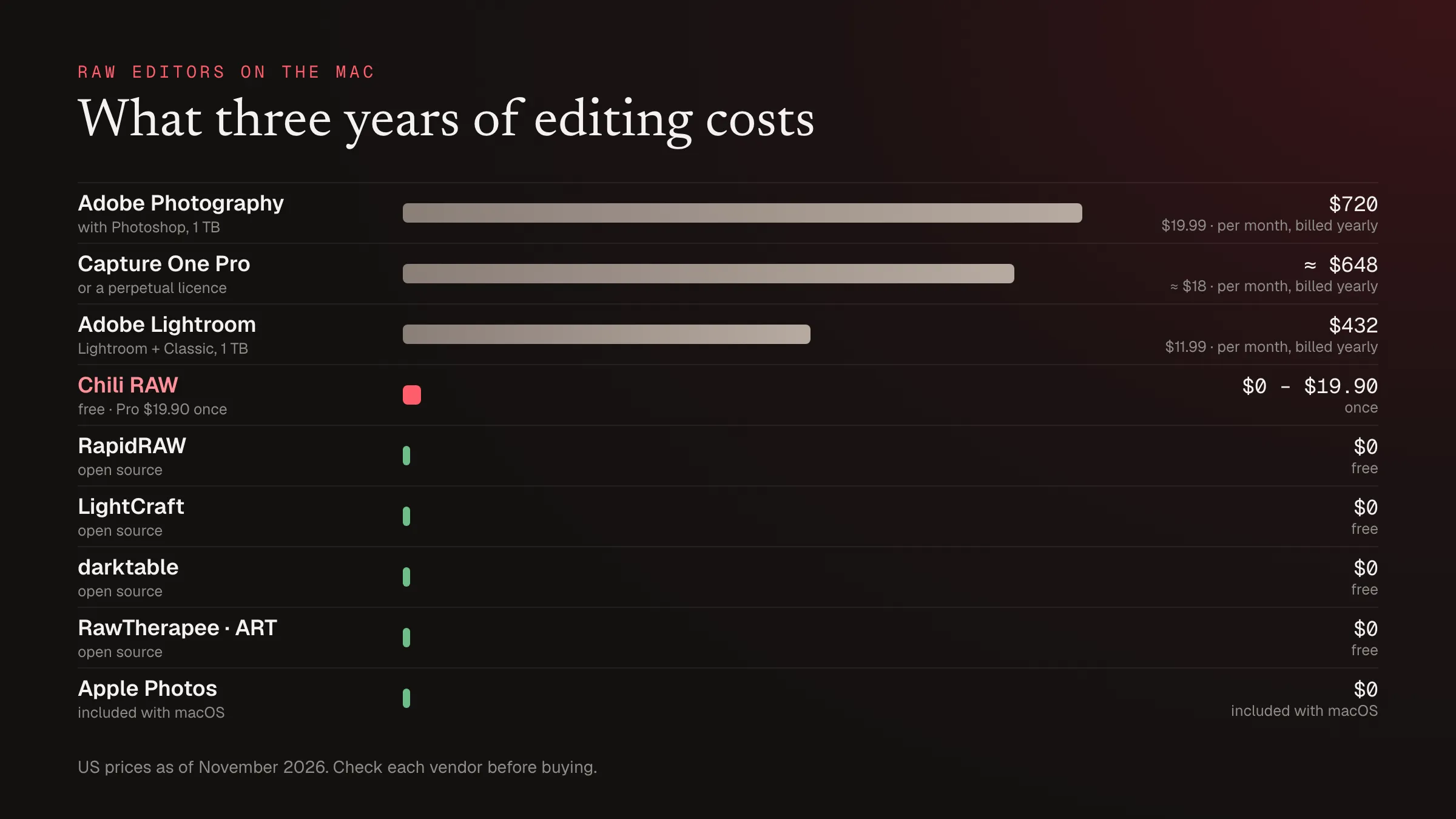 What three years cost. Subscriptions at their yearly rates; Capture One also sells a perpetual licence.
The alternatives at a glance
| Price | Mac build | Your files | Latest version | |
|---|---|---|---|---|
| Chili RAW | Free; Pro $19.90 once | Native, Apple silicon, macOS 15+ | Folders, sidecars | 1.7 (Nov 2026) |
| darktable | Free, open source | Apple silicon, macOS 14+ | Library + XMP sidecars | 5.6.2 (Oct 2026) |
| RawTherapee | Free, open source | Universal; macOS 26 on Apple silicon | Folders, sidecars | 5.13 (Jul 2026) |
| ART | Free, open source | Apple silicon and Intel | Folders, sidecars | 1.26.11 (Nov 2026) |
| LightCraft | Free, open source | Universal, notarized | Catalogue (operation log) | 0.21.1, alpha |
| Lightroom Classic | From $11.99/month | Native | Catalogue | Subscription |
| Capture One Pro | ≈ $18/month, or perpetual | Native | Catalogue or sessions | 16.9 (Oct 2026) |
| Apple Photos | Included with macOS | Native | Photos library | macOS 26 |
Free and open source
darktable is the most complete free RAW editor on any platform: scene-referred processing, a huge module list, a library with tags and styles, and XMP sidecars for every edit. Version 5.6.2 came out in October 2026. On the Mac, current builds are for Apple silicon only and need macOS 14 or later, and they aren’t notarized either, so expect the same Open Anyway step as RapidRAW. Its interface is GTK, not Mac-native, and the learning curve is real. We compared it with Lightroom in darktable vs Lightroom on the Mac.
RawTherapee is the purist’s choice: superb demosaicing and detail tools, no catalogue, just a file browser and a sidecar per photo. Version 5.13 arrived in July 2026 with an official universal Mac build. Note its requirements, though: on Apple silicon it needs macOS 26 Tahoe, and it has to live in the Applications folder to start.
ART (Another RawTherapee) is a fork that trims RawTherapee down to a friendlier set of tools, adds local masks and keeps the quality. It releases often (1.26.11 came out on 10 November 2026) and has separate downloads for Apple silicon and Intel Macs. If RawTherapee felt like too much, try ART first.
LightCraft is the newest: a Rust editor at version 0.21.1, openly in alpha, MIT or Apache-2.0 licensed. Unlike RapidRAW it uses a catalogue, kept as a readable log of every operation, and its Mac build is a signed, notarized universal app. It’s moving as fast as RapidRAW did in its first year, with gaps to match.
Paid: the industry standards
Lightroom Classic remains the default for a reason: a mature catalogue, tethering, quick support for new cameras, mobile sync and a huge ecosystem of presets and tutorials. Since January 2025 the Lightroom plan with 1 TB of cloud storage costs $11.99 a month on an annual plan and includes Lightroom Classic. The Photography plan with Photoshop is $19.99 a month. If you need Photoshop anyway, that’s hard to beat; if you don’t, it’s the most expensive way to edit RAW files over time.
Capture One Pro is the tethering and colour favourite of studio photographers. Version 16.9 (October 2026) added AI portrait retouching tools. It’s sold as a subscription, around $18 a month billed yearly, or as a perpetual licence that doesn’t include later feature versions. Check Capture One’s own site for the current price, as it changed in 2026. Choose it if you shoot tethered in a studio or your clients expect its colour.
DxO PhotoLab, ON1 Photo RAW and Luminar Neo are also sold as one-time purchases on the Mac. They’re worth a trial if their specific strengths (DxO’s denoise and lens corrections in particular) matter to you.
Already on your Mac: Apple Photos
Apple Photos opens and edits RAW files non-destructively, with good basic tools, and costs nothing. Its RAW support comes from macOS itself, so new cameras arrive with system updates. It’s not a RAW workflow tool — no sidecars, no batch-sync of settings, no masks you draw — but for a handful of holiday photos it’s genuinely enough.
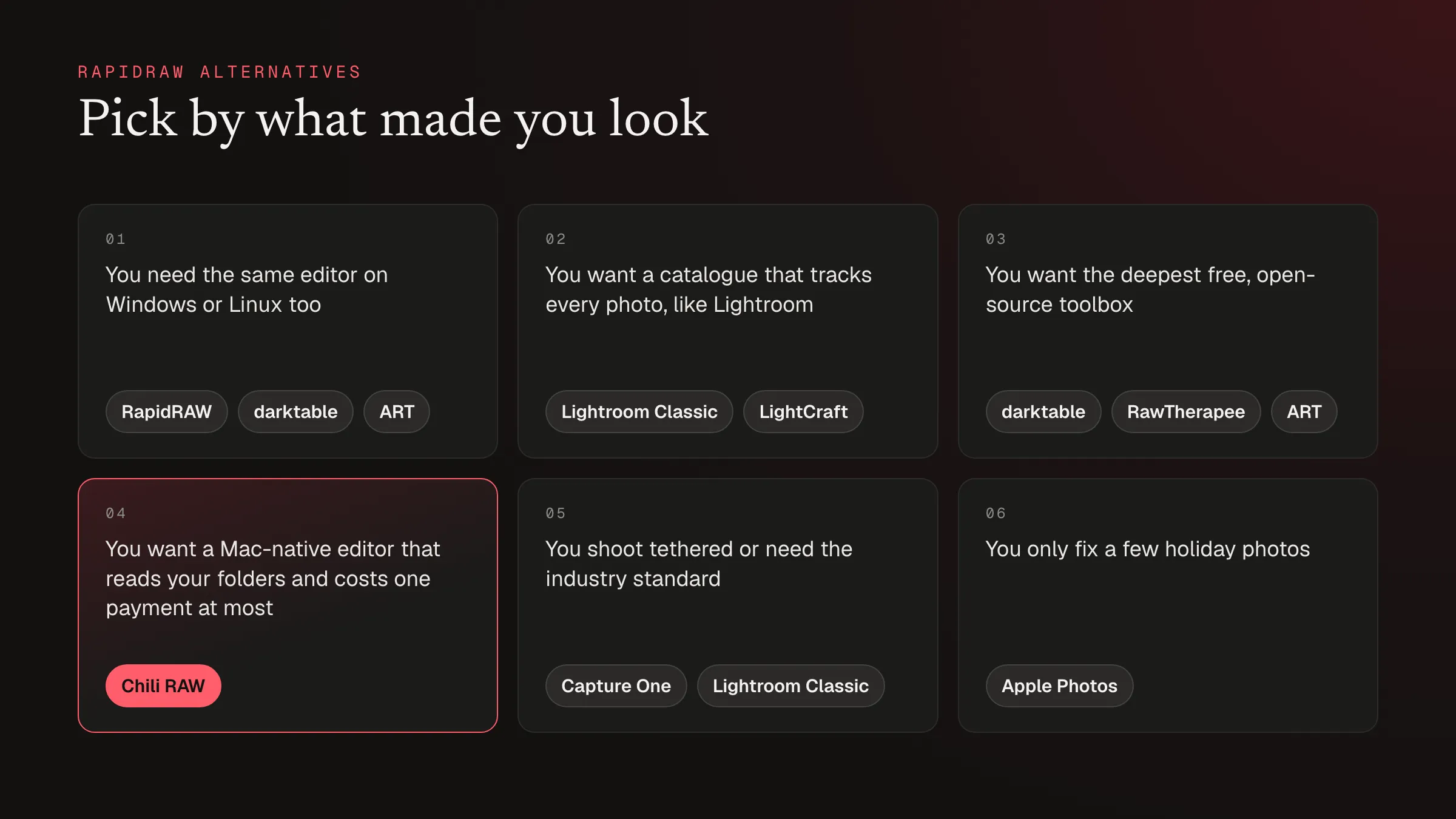 Pick by what made you look.
Chili RAW: the Mac-native one
Chili RAW is our editor, and it’s the answer to the first two complaints above. It’s written for the Mac only, with Apple’s frameworks, so it behaves like the rest of macOS, and it’s signed and notarized: it opens with a double-click. Like RapidRAW, it reads photos where they are and keeps edits in sidecar files next to the originals, with no import step.
The free version is a complete RAW developer and library: culling, masks you draw, lens corrections, versions, HDR export, face grouping and search. The Pro licence, $19.90 once, adds the tools that rely on downloaded models — one-click sky, subject and depth masks, generative remove, Bokeh, Fog, Motion Blur — and Film Labor, its darkroom of film stocks and papers. Every model runs on your Mac. Chili RAW 1.7 has just added Find a control, Speed Edit and a proper black-and-white mix, and there’s an iPhone app that edits photos from your Mac library.
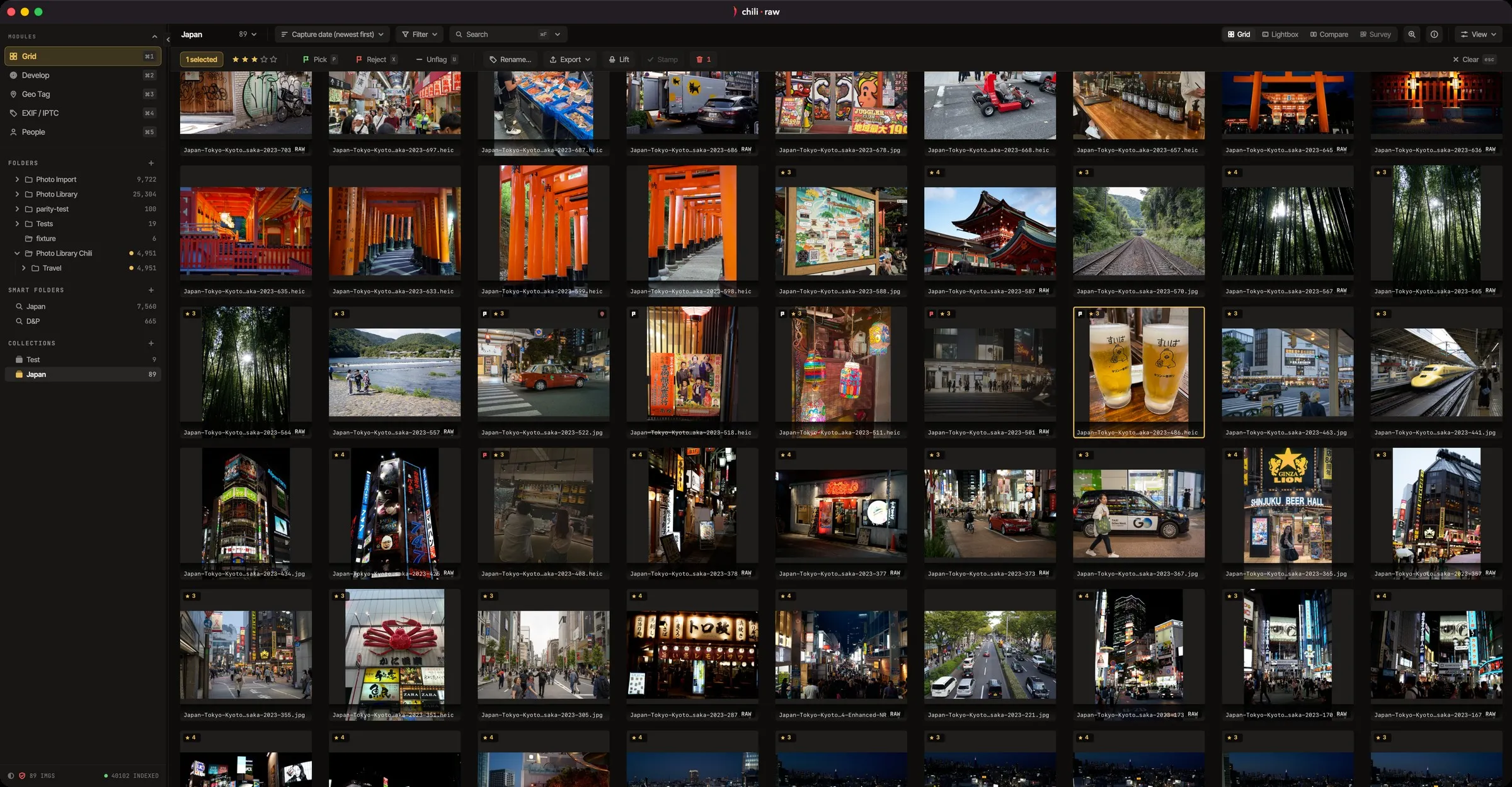 Chili RAW reads your folders as they are, like RapidRAW, but in a Mac-native window.
Where it falls short: it runs on Apple silicon Macs with macOS 15 or later and nowhere else, it’s closed source, and it’s young — 1.0 shipped in September 2026. If you need Windows or Linux, or want to read the code, RapidRAW, darktable or ART suit you better.
Which one should you try?
Try two. Take the same twenty RAW files from your own camera, open them in RapidRAW and in the alternative that matches your reason for looking, and edit a few the way you normally would. Every editor here except Lightroom and Capture One is free to download, and those two have trials. For a broader look at leaving Adobe, read Chili RAW: a free Lightroom alternative for the Mac.